
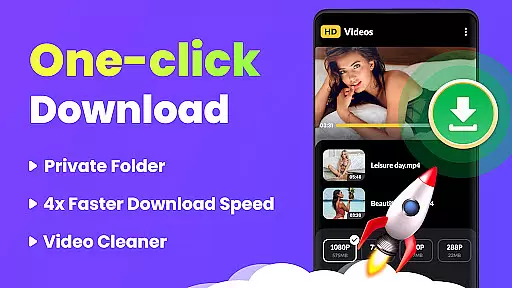
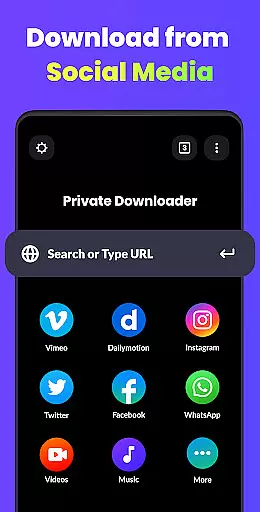
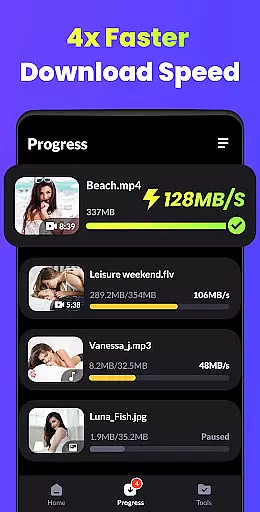
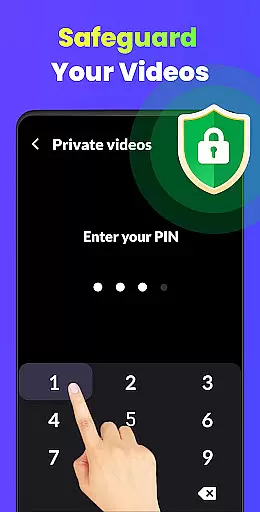
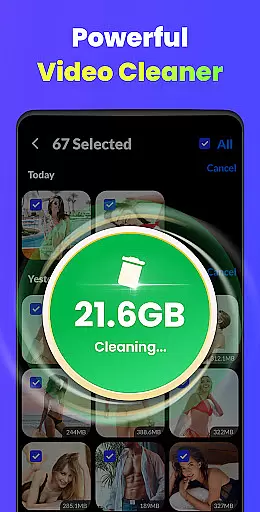
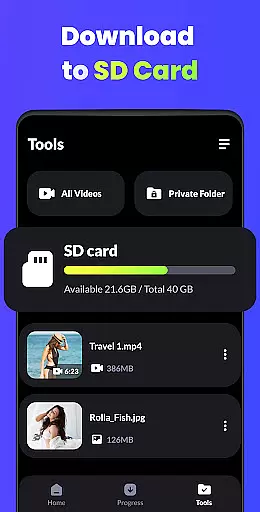
Video Downloader - HD & Easy is a versatile video downloading and playback solution designed for Android users who need to download and manage videos efficiently. This app stands out with its ability to download videos in all formats at lightning speed while supporting high-definition playback of HD, UHD, 4K, and 1080P videos without stuttering. It also offers advanced features such as multi-thread downloads, background downloads, and private folder protection for enhanced privacy.
One of the key strengths of Video Downloader is its user-friendly design that caters to both casual viewers and power users. Whether you're looking to create a personal media library or enjoy uninterrupted entertainment, this app provides an unparalleled audiovisual experience. Its support for screen lock, intuitive gesture controls, and sleep timer functionality ensures convenience and ease of use in various scenarios.
With its comprehensive feature set, Video Downloader is ideal for individuals seeking a reliable tool to manage their video content securely and efficiently. From fast downloads to smooth playback, it transforms your device into a mini-cinema, offering both performance and privacy.
Video Downloader - HD & Easy boasts a rich set of features tailored to meet diverse user needs. The app supports downloading videos in multiple formats, including MKV, MP4, M4V, MOV, 3GP, FLV, F4V, and WEBM, ensuring compatibility across devices. Its multi-thread download capability allows users to download several videos simultaneously, significantly reducing wait times. Additionally, the background download and playback feature lets users multitask without interrupting their video experience.
Privacy and security are prioritized with password-protected folders, enabling users to hide private videos from unauthorized access. The app also includes smart functionalities like A-B repeat and looping modes for focused viewing, auto-detection of local video files, and intuitive gesture controls for seamless navigation. Furthermore, the screen lock feature prevents accidental touches during video playback, while the sleep timer helps conserve battery life by automatically stopping playback after a set duration.
These innovative features collectively enhance the overall user experience, making Video Downloader a top choice for managing and enjoying video content on Android devices.
Video Downloader - HD & Easy stands out for its exceptional video format compatibility, ensuring users can download and play videos in virtually any format they encounter. This includes popular formats such as MKV, MP4, M4V, MOV, 3GP, FLV, F4V, WEBM, and more.
The importance of this feature cannot be overstated, as it allows users to enjoy a seamless entertainment experience without worrying about format incompatibility issues. Whether you're downloading high-definition movies or short clips, the app ensures that all content is accessible and playable on your device.
This application achieves comprehensive format support through advanced decoding technologies and regular updates, which ensure that newly emerging formats are quickly supported. Users benefit from having a versatile tool that adapts to their multimedia needs, regardless of the source or type of video content.
Ultimately, Video Downloader - HD & Easy's broad format compatibility empowers users to build an extensive and diverse video library, enhancing both personal and professional media consumption experiences.
Beyond its core functionality as a video downloader, Video Downloader - HD & Easy incorporates AI-powered editing features that elevate the user experience to new heights. These intelligent tools enable users to manipulate and enhance their downloaded videos with minimal effort, offering capabilities such as A-B repeat modes, smart gesture controls, and automatic detection of local video files.
The significance of integrating AI into video editing cannot be understated. It streamlines the editing process, making it accessible even to those with limited technical skills. Features like auto-detecting video files save time and reduce manual input, while smart gesture controls provide an intuitive interface for performing complex edits.
By leveraging sophisticated algorithms, the app delivers functionalities that were once exclusive to professional video editing software. This includes setting sleep timers, screen lock options to prevent accidental touches, and background playback, allowing users to multitask without interrupting their viewing experience.
In summary, the AI-powered editing features of Video Downloader - HD & Easy not only expand the app's utility beyond simple downloading but also democratize video editing, enabling users to effortlessly enhance and customize their media libraries.
User-friendly interface
Fast multi-format support
Advanced privacy options
Smooth HD playback
Intuitive gesture controls
Limited to Android
Ads may appear
Occasional bugs
No iOS version
Storage-intensive

The smartest M3U IPTV Player your playlists have ever seen.
 4.4
4.4
A Quick and Pro Video Editor
4.70
Seamlessly connect and control your smart devices, anytime, anywhere with ease.
4.60
Download website videos fast&privacy
4.40
Download videos and play them offline
4.70
Browser for Sony TV to stream web videos, online movies and live tv
3.20
Flud is a simple and beautiful BitTorrent client for Android.
4.80
Download Hub, easy and private way to download and enjoy your videos offline
4.80
Fast private browser with secure, seamless access & supported video downloads!
4.00
AI Video Editor with Music, Filter, Slideshow, Effect, Merge & Trim Video.
4.80
Video Player - Unlimited features, 30 days money back guarantee.
4.60
AirMirror Receiver - Screen mirroring/cast web videos to Android TV by AirPlay.
4.40
This app was created to edit the metadata of music files.
4.20
Turn your phone into a wireless camera!
4.20
Your media, on your terms.
4.10
VLC for Android is the best open source video and music player, fast and easy!
4.10
Connect 2 UVC devices for recording and broadcast video/audio stream
3.90
Capture images & record videos for USB Camera, Webcam, Microscopes, Endoscopes
3.80
All in one multi protocols stream receiver for AirPlay, Cast and DLNA.
3.60


User Reviews