
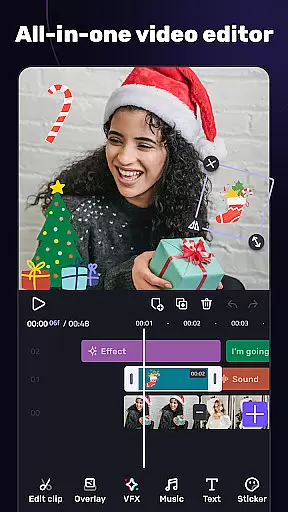
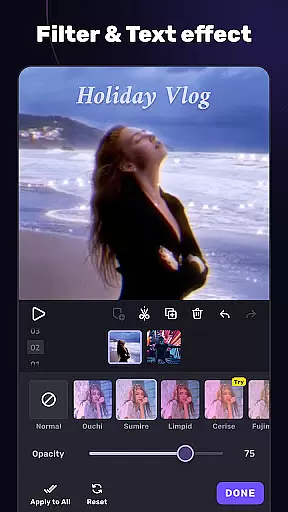
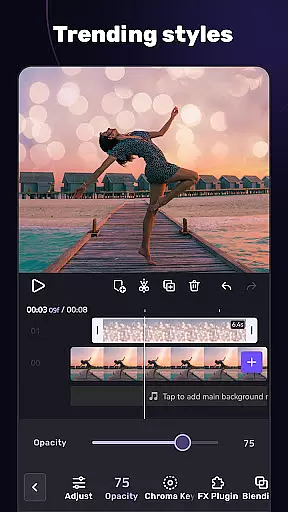
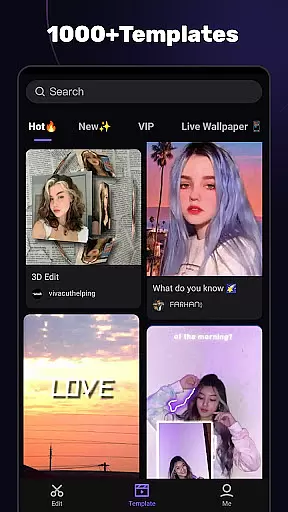
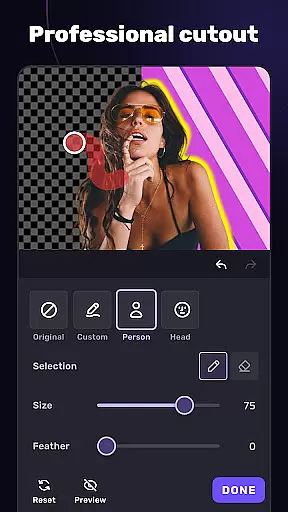
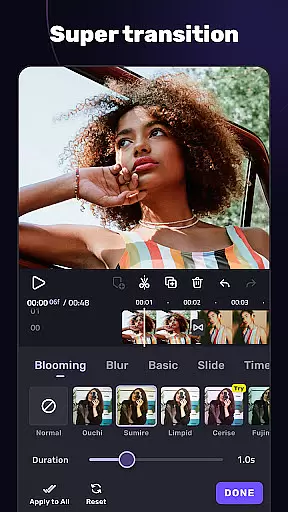
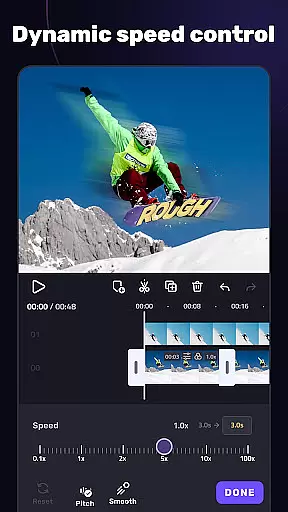
VivaCut is a versatile video editor and maker that caters to both casual users and professional content creators. The app offers an intuitive multi-layer timeline interface with precise frame-by-frame editing capabilities, making it easy to create high-quality videos. With features like chroma key, speed control, and advanced animation options, VivaCut enables users to produce cinematic content for platforms like YouTube, Instagram, and TikTok.
Whether you're looking to make short videos with ready-made templates or dive into detailed editing with effects, transitions, and filters, this app has you covered. It also provides trendy music integration and audio extraction tools, allowing creators to enhance their projects with sound. VivaCut stands out by combining user-friendly basic tools with advanced functionalities, ensuring it meets the needs of various video editing skill levels while delivering professional results.
VivaCut distinguishes itself through its comprehensive suite of video editing tools. The app includes both basic features such as trimming, splitting, and merging clips, as well as advanced options like green screen effects, keyframe animations, and masking techniques. These tools allow users to craft visually stunning videos with Hollywood-level effects. Additionally, the picture-in-picture and collage features enable creative combinations of multiple visual elements, enhancing storytelling possibilities.
Beyond its core editing capabilities, VivaCut offers a variety of aesthetic enhancements including blend modes, glitch effects, and customizable filters. Users can apply unique transitions between scenes and adjust video resolutions up to 4K for professional-grade output. The app's music markers and audio extraction functions further enrich the editing process, letting creators synchronize visuals with dynamic soundtracks. This combination of powerful features positions VivaCut as a complete solution for modern video production needs.
Video format compatibility is a crucial feature for any video editor, ensuring that users can work with a wide range of video files without conversion hassles. AI Video Editor supports an extensive array of formats, allowing creators to import and export videos in resolutions up to 4K. This versatility guarantees that whether you're editing footage from a professional camera or a smartphone, the app maintains the original quality while offering flexibility in project requirements.
The application's robust compatibility extends to its ability to handle various audio and image formats, making multimedia integration seamless. Users can incorporate diverse media types into their projects, from MP3 audio tracks to PNG images, without worrying about format conflicts. This ensures a smooth editing process, letting creators focus on storytelling rather than technical limitations.
Moreover, the app provides customizable export settings, enabling users to optimize their final output for different platforms. Whether it's for YouTube, Instagram, or TikTok, editors can adjust resolution, bitrate, and codec settings to meet specific platform requirements. This level of control not only saves time but also enhances the overall quality of shared content, making AI Video Editor a reliable tool for both amateur and professional video production.
AI-powered editing features represent a significant advancement in video editing technology, automating complex tasks and enhancing creative possibilities. AI Video Editor incorporates intelligent tools that simplify processes such as object removal, background replacement, and color correction. These features utilize machine learning algorithms to analyze video content and apply adjustments automatically, significantly reducing manual editing time while maintaining professional-grade results.
One standout capability is the app's smart transition generator, which analyzes scene compositions to suggest optimal transitions between clips. This AI-driven approach ensures smooth visual flow throughout the video, adapting to different styles and tempts. Additionally, the integrated music beat detection system synchronizes video cuts with audio rhythms, creating dynamic, engaging content that resonates with viewers across social media platforms.
The application's AI engine also powers advanced stabilization features and automatic highlight detection, helping users create polished videos even from shaky footage or lengthy recordings. These intelligent tools work together to elevate basic edits into cinematic experiences, making sophisticated editing techniques accessible to all skill levels. By combining traditional editing capabilities with cutting-edge AI technology, this editor establishes a new standard for mobile video production.
User-friendly interface
Advanced editing tools
Hollywood-level effects
4K video export
Trendy music integration
Paid subscription model
Complex for beginners
Limited free features
Occasional bugs
High device requirements

Video Trimmer, Video to MP3 Converter. Extract music from video, Easy & Fast.
 4.80
4.80
Create & edit videos with AI
4.30
HD video maker with no watermark, no ads & vlog maker with music, PIP, text
4.50
Capture images & record videos for USB Camera, Webcam, Microscopes, Endoscopes
3.80
Live TV, anywhere in your home
3.80
Fast & easy HD video downloader for all formats, support 4K playback & download.
4.60
Fast & Private Video Downloader App. Save all videos easily from the Internet.
4.40
Add date and time watermark to photos and videos
4.50
Download Hub, easy and private way to download and enjoy your videos offline
4.80
An easy-to-use and all-round screen recorder with audio
4.80
GENRAL PRO - General Pro is the best video player that fully supports all formats.
4.70
Download videos and play them offline
4.70
HD Video player all format, HD Videos, Cast & Subtitle. No annoying ads.
4.60
Watch IPTV on your Android device
4.60
Video Downloader, Multiple Resolution Options, Video Player
4.50
Fast & Private HD Video Downloader with Built-in Proxy Browser and Video Player.
4.50
Video Downloader is an utility that can save videos and music from web sites
4.20
Manage your IPTV live channels and VOD playlists (no playlist included)
3.80
You can play SWF format file!
2.50


User Reviews