
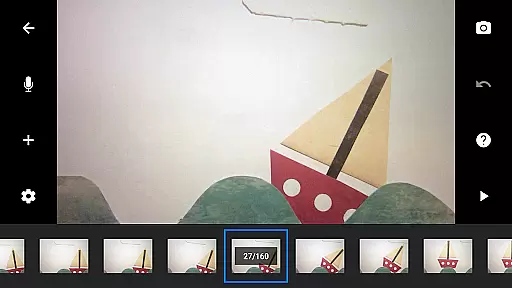
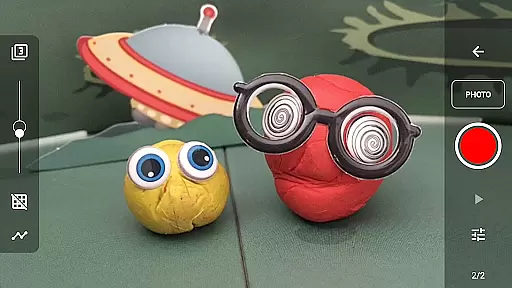
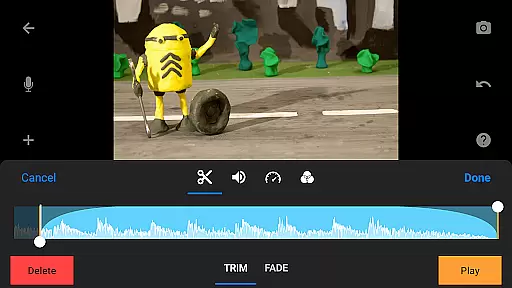
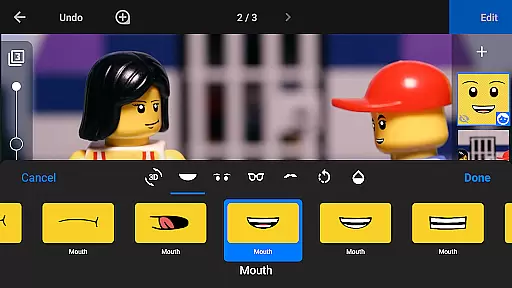
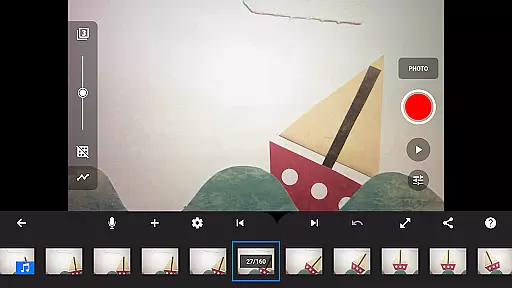
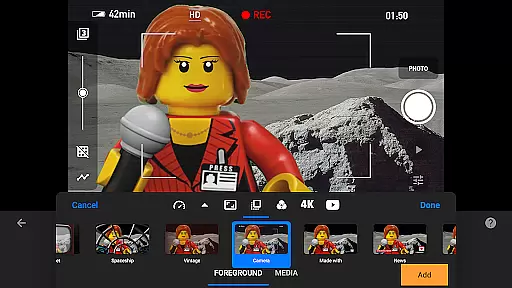
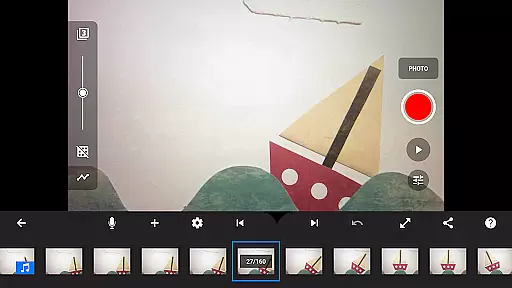
Stop Motion Studio Pro is the ultimate app for creating professional-quality stop motion animations. Designed with both beginners and experts in mind, this app offers a comprehensive suite of tools to bring your creative ideas to life. With its intuitive interface, users can easily capture frames, edit videos, and add finishing touches to their projects.
The app stands out with advanced features like rotoscoping, green screen effects, and animation guides, allowing creators to produce visually stunning content. Whether you're crafting short films, educational videos, or fun family projects, Stop Motion Studio Pro provides all the necessary tools to make your vision a reality.
Available on mobile and desktop platforms, this app ensures seamless project continuity across devices. Its powerful editing capabilities, combined with user-friendly functionality, make it an essential tool for anyone interested in stop motion animation.
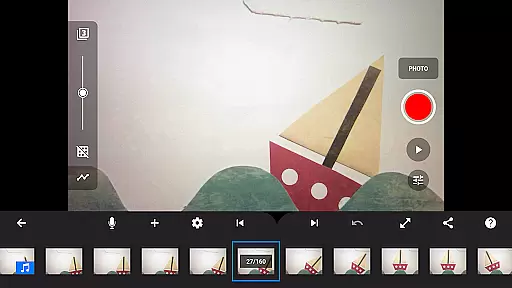
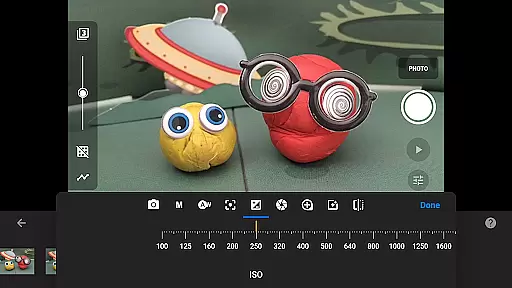
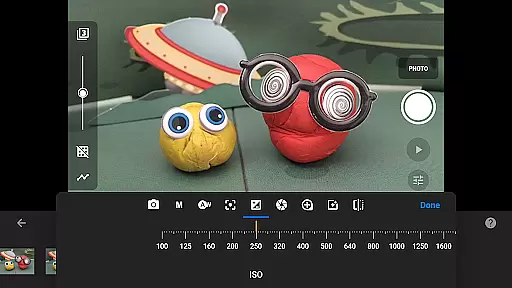
Stop Motion Studio Pro boasts an impressive array of features that cater to every aspect of stop motion creation. The app's interface is designed for maximum efficiency, featuring an interactive timeline that helps users manage hundreds of frames with ease. Advanced capture options include adjustable time intervals and full camera controls, allowing precise adjustments of white balance, focus, and exposure settings.
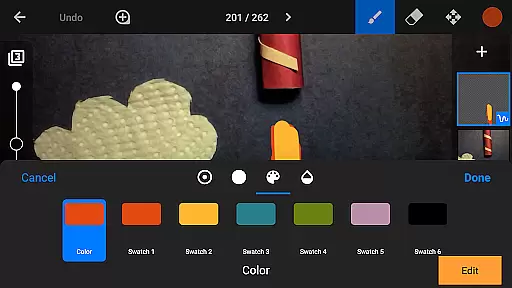
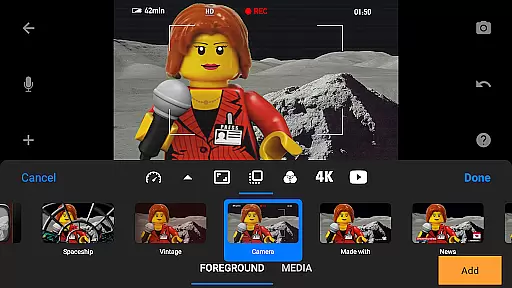
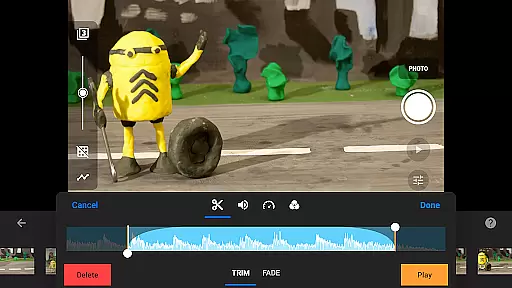
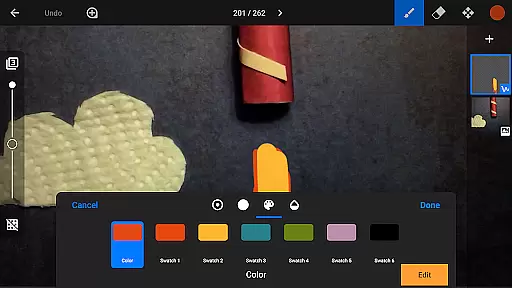
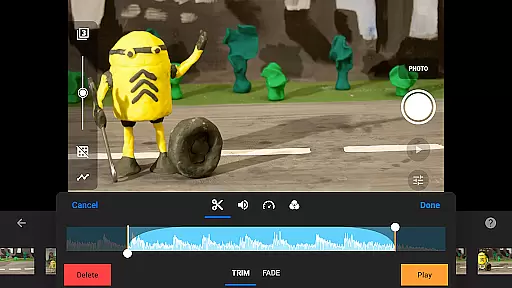
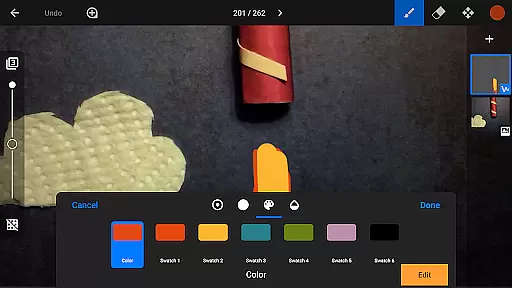
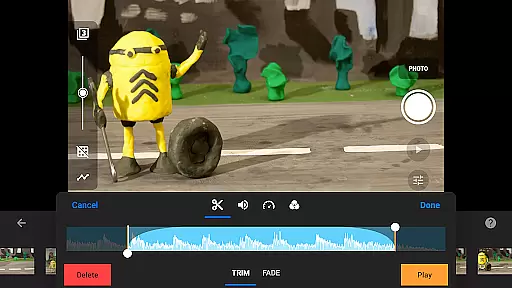
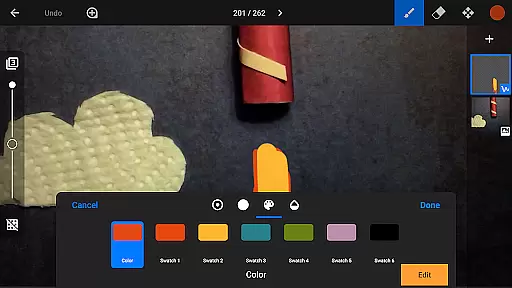
Creative professionals will appreciate the robust editing tools, including layer-based image editing, video filters, and special effects. The app supports various media formats and offers unique title cards plus customizable text options. Users can enhance their projects with soundtracks created from built-in music libraries or personal audio files.
Sharing capabilities are equally impressive, with options to export projects in 4K resolution or as animated GIFs. The app facilitates easy project transfer between devices through cloud services, while tutorial resources help users master the art of stop motion animation.
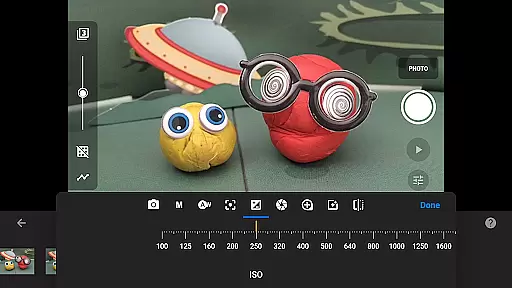
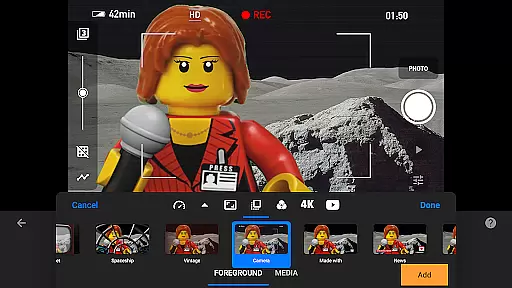
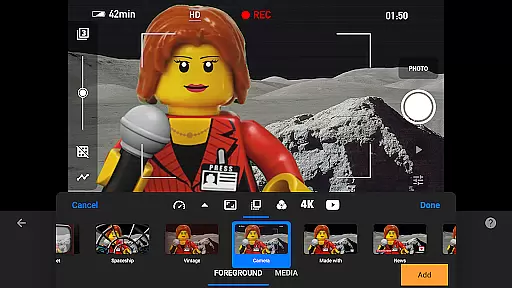
Stop Motion Studio Pro offers a powerful real-time capture feature that allows users to create stop-motion animations with precision and ease. The app provides full camera control, including adjustable time intervals, manual white balance, focus, exposure, ISO, and shutter speed settings.
The ability to use a second device as a remote camera enhances the capturing process, offering flexibility and convenience. This feature is particularly beneficial for animators who require exact framing and timing in their projects.
With its professional-grade tools, users can capture high-quality images while previewing their work in real time. This ensures that each frame meets the desired visual standards before finalizing the animation sequence.
This real-time capture and preview functionality empowers creators to produce polished stop-motion films with greater efficiency and accuracy, making it an essential tool for both amateur enthusiasts and professional animators.
While Stop Motion Studio Pro does not specifically market itself as having AI beauty features, it excels in providing natural enhancement tools for stop-motion animation. The app includes a robust, layer-based image editor that allows users to touch up and enhance individual frames.
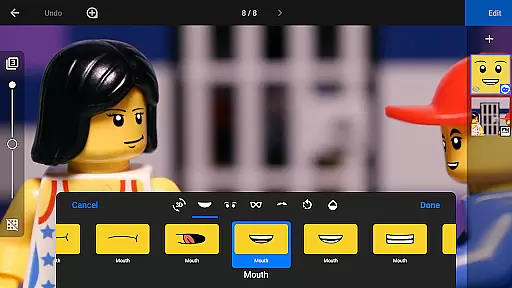
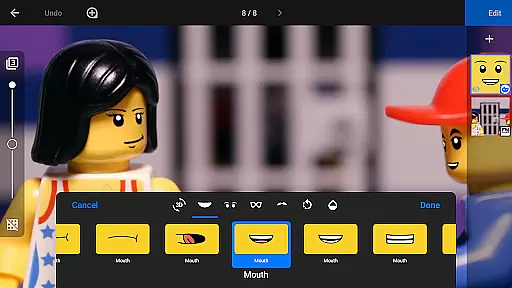
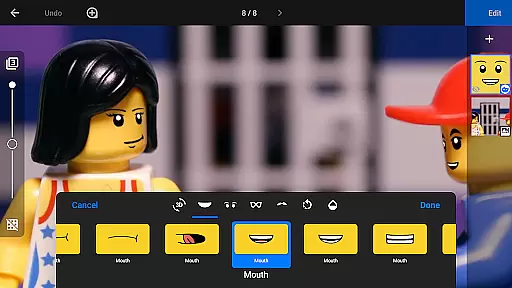
Creators can add text, speech bubbles, and titles or incorporate facial expressions into figures, ensuring that each element of the animation looks authentic and engaging. These enhancement features help maintain the natural flow of movement within the animation.
The application's rotoscoping and green screen capabilities further contribute to creating seamless transitions and realistic backgrounds. By importing video clips and drawing over them or changing scene backgrounds, animators can achieve professional-grade results.
These comprehensive enhancement tools ensure that every aspect of the stop-motion project maintains a high level of quality and natural appearance, elevating the overall production value of the final animated piece.
User-friendly interface
Advanced editing tools
Excellent sharing options
Comprehensive tutorials
Cross-device compatibility
Steep learning curve
High storage requirements
Limited free features
Occasional performance issues
Subscription fees apply

Create funny photos and videos with the popular Time Warp Scan filter.
 4.90
4.90
Photo editor: AI filters, photo enhancer, pic collage maker, AI art generator.
4.80
AI photo editor with hair editor, retouch tools, hair color changer & filters!
4.50
Cartoon and artistic effects for your photos and videos
4.70
Superimpose one photo on top of another using the original Superimpose app!
3.20
A must-have app for landscape photographers
4.60
See your baby AI baby face generator AI baby maker Face generator babymaker fun!
4.70
A light meter for true photographers.
4.20
Solocator stamps photos you take with GPS location, Compass Direction, Date/Time
3.80
Enhance, upscale, and transform your images — on your device, without limits
4.70
1M influencer's special filter
4.60
Automatically backup your photos and videos to computer, NAS and Cloud services
4.60
Easily create custom gifts, cards, photo books & more on the Shutterfly app!
4.60
Movie camera, supports pro recording settings for filming. Try it and be amazed!
4.50
Effortlessly organize, view and share your photos & videos with Gallery app!
4.40
Shooting photos and records video easily and efficient with professional Camera
4.30
Create & Edit with AI: AI Remove, Enhance, Retouch, Filter
4.10
Catch sunlight, sunrise sunset times and sun phases with the AR sun tracker.
4.10
Create amazing frames with up to five photos. Rounded corners, effects and more!
3.60


User Reviews