
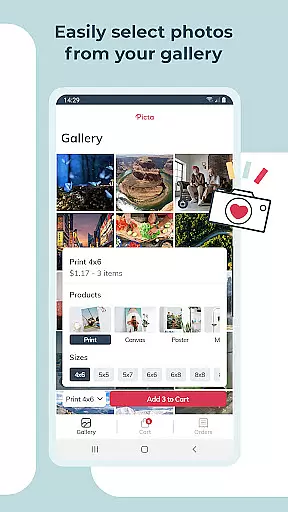
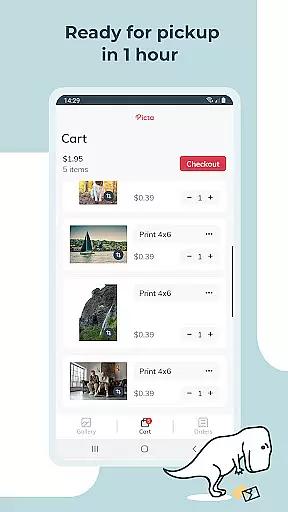
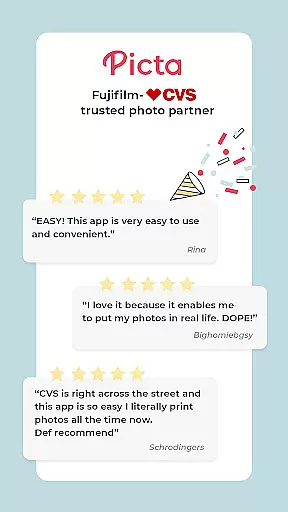
Picta x CVS Photo Print is a mobile application designed to simplify the process of photo printing. This app allows users to effortlessly print their digital photos directly from their smartphones and pick them up at their nearest CVS store within an hour. With a user-friendly interface, customers can choose from various print sizes including 4x6, 5x7, square prints, and more, as well as create custom products like magnets and greeting cards.
The app stands out with its fast processing time and professional-quality photo printing services. It uses glossy photo paper and provides multiple size options, making it versatile for different needs. Whether you're looking to print everyday snapshots or special occasion photos, Picta x CVS Photo Print offers a convenient solution that saves time and enhances the accessibility of photo printing services.
Picta x CVS Photo Print boasts an array of features that cater to both convenience and quality. The app's intuitive design lets users select photos, adjust print sizes, and specify quantities with ease. Advanced editing tools such as cropping and zooming are available within the app, ensuring each photo meets personal standards before printing.
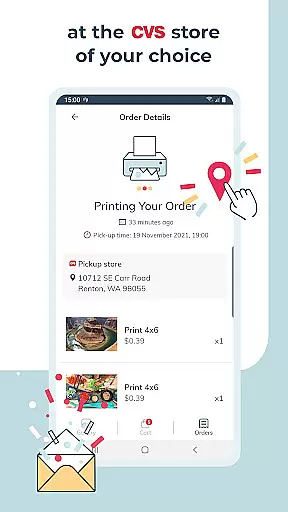
Another notable feature is the real-time order tracking system, which allows users to monitor the status of their print jobs. Additionally, the app organizes photos by date taken, providing a structured gallery view. All products are manufactured in the United States, guaranteeing high standards in every print. These features collectively enhance the overall user experience, making photo printing not just faster but also more reliable and enjoyable.
Real-time capture and preview functionality is essential for ensuring that users can accurately select and edit their photos before printing. Picta x CVS Photo Print offers a seamless experience by allowing users to crop and zoom each picture easily within the app.
This feature ensures that every photo meets the user's expectations in terms of composition and quality before it is sent for printing. The ability to make these adjustments in real time eliminates the guesswork involved in photo editing, providing greater control over the final output.
By integrating real-time capture and preview, the app enhances the overall user experience, making it faster and easier to produce professional-quality prints. Users can confidently create personalized gifts such as magnets, greeting cards, and invitations knowing that the end product will match their vision.
AI beauty and enhancement features are becoming increasingly popular in photography apps, offering users the ability to improve their photos with natural-looking effects. Picta x CVS Photo Print leverages AI technology to enhance photo quality while maintaining the authenticity of the original image.
The app provides options for adjusting various aspects of a photo, such as brightness, contrast, and color balance, ensuring that enhancements look realistic and do not distort the image. This attention to detail helps preserve the integrity of cherished memories, turning great moments into fabulous photo prints.
With AI-powered enhancements, users can transform their mobile photos into high-quality prints and gifts with just a few taps. This feature not only saves time but also ensures that every print reflects the true essence of the captured moment, resulting in beautiful and lasting keepsakes.
User-friendly interface
Fast same-day pickup
Multiple print size options
Real-time order tracking
High-quality photo paper
Limited to CVS stores
No direct payment option
Requires physical pickup
Internet connection needed
Occasional wait times

Long exposure camera with computational photography
 2.60
2.60
Search, tag and rate your way to an organized image gallery
4.40
Virtual makeup, hair filters & body tuner—edit from face to full body!
4.20
Be your best in every shot! Fix, edit and retouch your face in selfies & photos.
3.70
Light-weight Media Gallery app for Android made with Jetpack Compose
4.60
The #1 app for B&W film developing featuring an advanced darkroom timer.
4.10
Automatically backup your photos and videos to computer, NAS and Cloud services
4.60
Future baby face generator: AI kids generator, kid face! What my baby look like?
4.40
A unique animation app. Powerful, easy to use, and lots of fun.
4.30
Collage your moments in one tap: 1000+ layouts, filters, stickers, and texts.
4.90
See your baby AI baby face generator AI baby maker Face generator babymaker fun!
4.70
Easily view, share, delete photos with Gallery.
4.70
Your personal guide to the sun and moon. Plan ahead, visualize and predict!
4.70
Enhance, retouch & create your story - Share the moment with Photoshop Express.
4.60
Create Business Headshots, Polaroid Filter, Retake Photos,Profile Pics,AI Photos
4.50
Effortlessly organize, view and share your photos & videos with Gallery app!
4.40
Luminar: Photo Editor - easy picture editing with AI
4.20
live datamoshing
4.00
Raw Image Viewer. Gallery with support of raw images (.cr3, .cr2, .nef, .raf).
2.00


User Reviews