
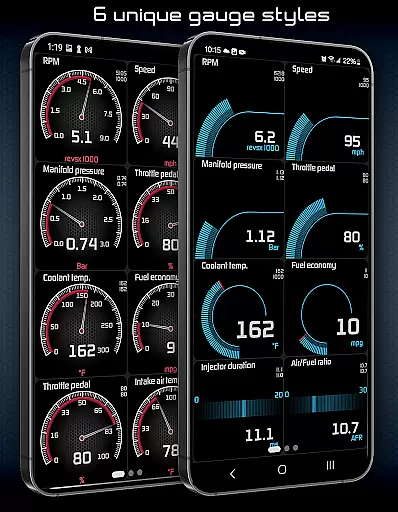
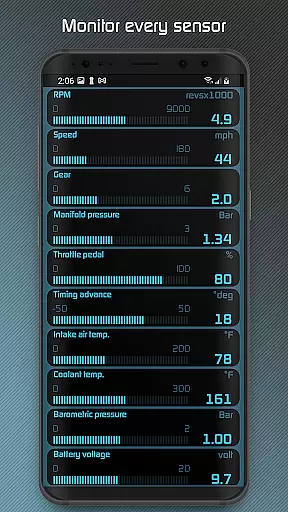
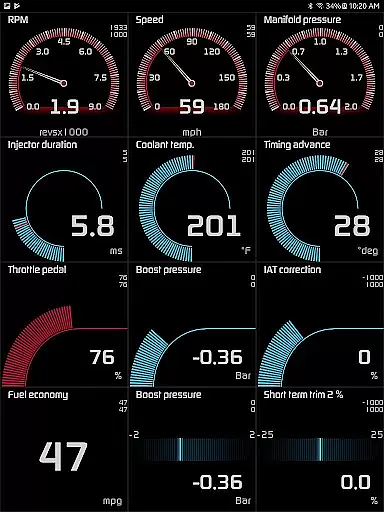
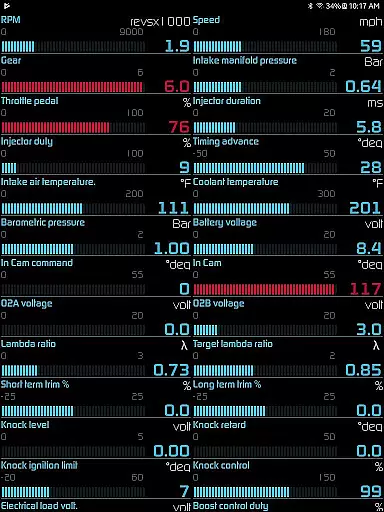
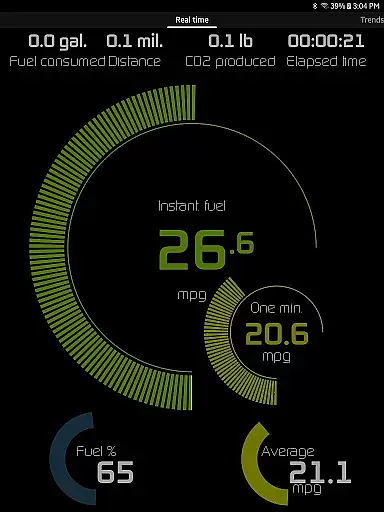
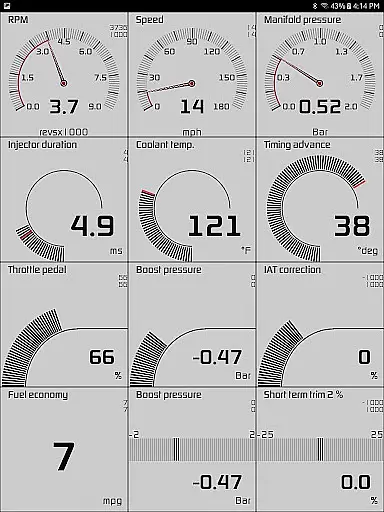
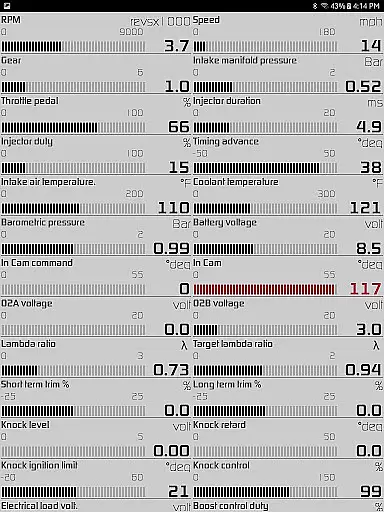
Hondata is a powerful automotive tool designed specifically for Honda vehicle owners who want to monitor and optimize their car's performance. This app transforms your Android device into an advanced diagnostic and tracking system, providing real-time data on over 80 sensors including fuel economy, boost pressure, battery voltage, and G-force measurements.
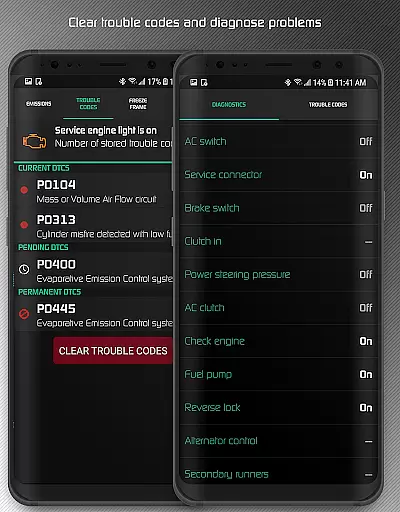
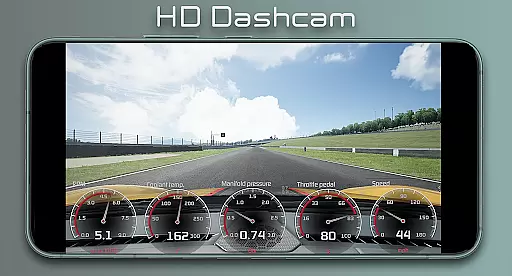
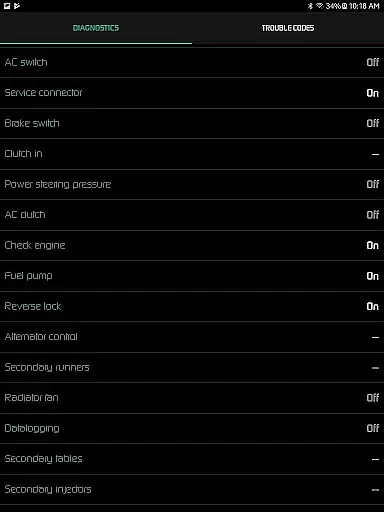
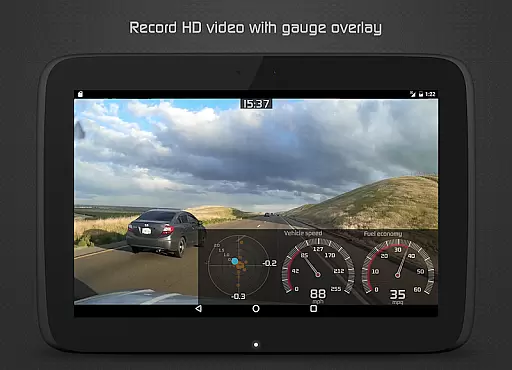
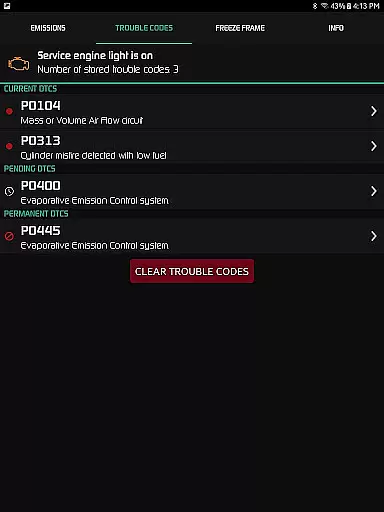
One of the standout features is its customizable gauge system that allows users to track multiple parameters simultaneously. The app also offers advanced diagnostics capabilities, enabling users to read and clear trouble codes, reset service engine lights, and access detailed diagnostic parameters like engine knock count and VTEC pressure. Whether you're troubleshooting issues before visiting a mechanic or recording high-definition videos with superimposed performance data, Hondata provides comprehensive tools for both daily drivers and automotive enthusiasts.
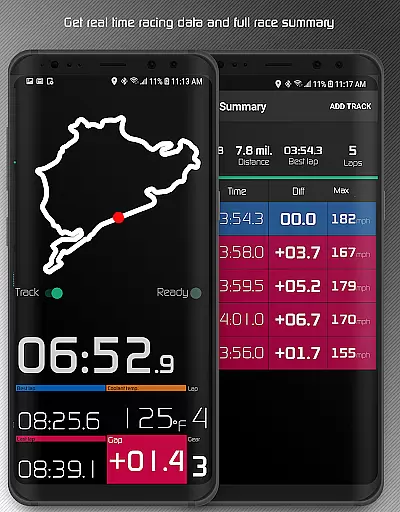
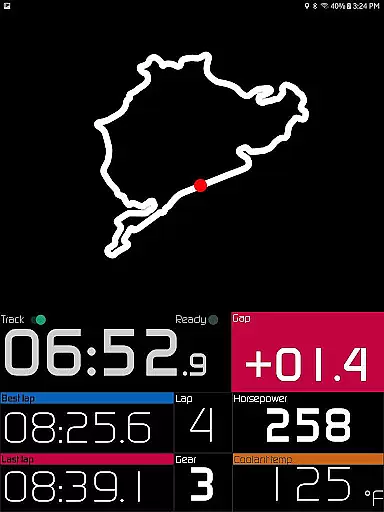
The application's value extends beyond regular maintenance tasks through its specialized racetrack feature. Users can measure drag race times, record lap data using GPS, and receive detailed race summaries. With support for both metric and imperial units, long-term fuel economy tracking, and various calculation methods, Hondata delivers professional-grade functionality directly to your mobile device.
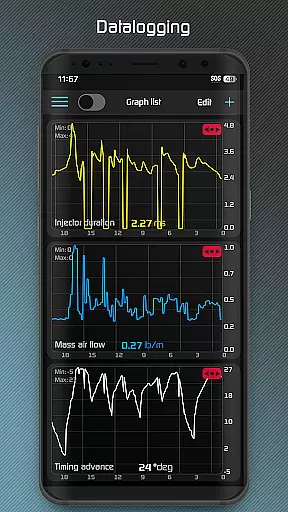
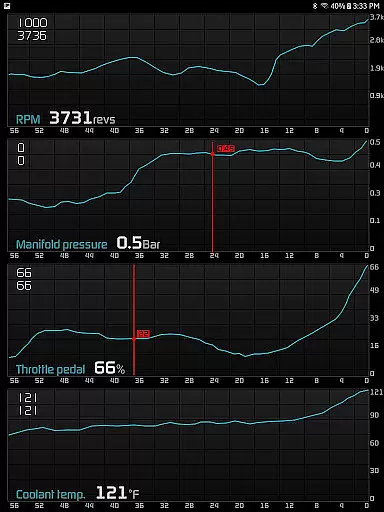
Hondata distinguishes itself through its extensive feature set tailored for automotive performance monitoring. The app's real-time gauge system stands out by allowing simultaneous tracking of up to four sensors, with data export capabilities to CSV files for further analysis. Its interactive graphing function enables users to visualize sensor data while driving, providing valuable insights into vehicle performance trends.
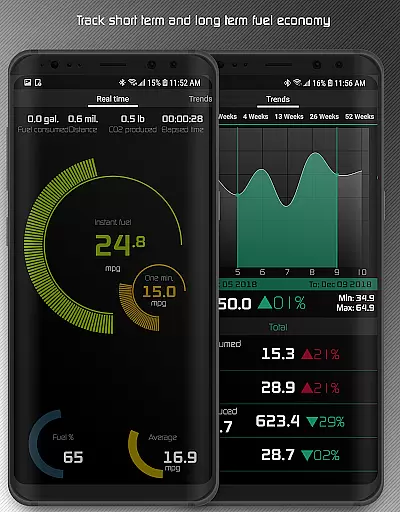
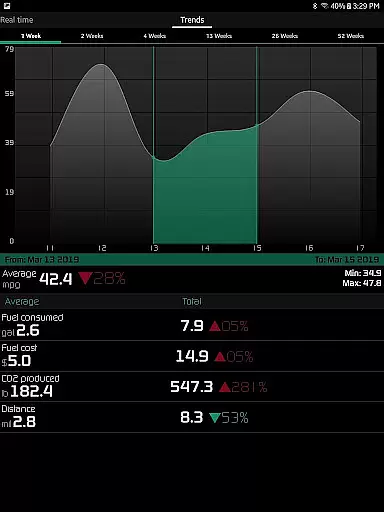
The diagnostic capabilities are particularly robust, offering not just basic code reading but also advanced parameters such as engine knock count and VTEC pressure monitoring. The fuel economy tracking system is another highlight, featuring multiple calculation methods and supporting five different measurement units across various time intervals. The inclusion of safety features like speed limit warnings and overheating notifications demonstrates the app's commitment to both performance and practicality.
For racing enthusiasts, the dedicated racetrack mode provides professional-level timing and data recording. This feature combines GPS technology with performance metrics to deliver precise lap times, drag race measurements, and comprehensive race statistics. The ability to record HD video with superimposed gauges adds another layer of functionality, making it an invaluable tool for both casual drivers and serious automotive enthusiasts looking to document and analyze their driving experiences.
The Hondata app excels in providing precise and effective core functions that are essential for any car enthusiast or Honda vehicle owner. With the ability to monitor over 80 real-time sensors, it covers a wide array of critical data points such as fuel economy, boost pressure, battery voltage, and even G force. This comprehensive tracking allows users to have an in-depth understanding of their vehicle's performance at any given moment.
Furthermore, the app's capability to plot sensor data onto interactive graphs and record information from up to four sensors simultaneously showcases its effectiveness. Users can save this valuable data in CSV format for further analysis, ensuring they have access to detailed performance metrics that can be reviewed and scrutinized at their convenience.
With support for both metric and imperial units, along with features like reading and clearing vehicle trouble codes, the Hondata app ensures that users are equipped with accurate diagnostic tools. This functionality empowers car owners by providing them with instant feedback on potential issues, allowing for informed decisions before visiting a mechanic.
Hondata stands out by offering an interface that balances simplicity with intuitiveness, making it accessible for users of all technical backgrounds. The customizable gauges provide a straightforward way to track every available sensor at once, streamlining the monitoring process without overwhelming the user.
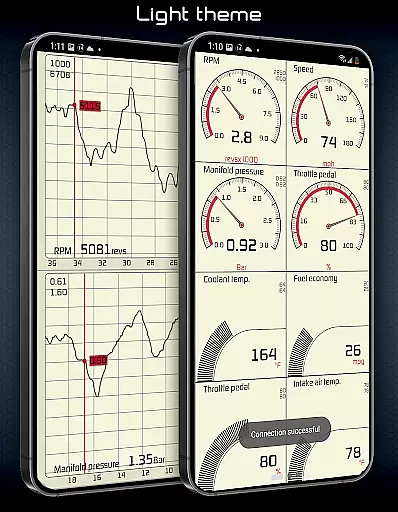
In addition to customizable views, the app includes two themes and a landscape mode option for all views, enhancing user experience by catering to personal preferences and improving readability during day or night driving conditions. These thoughtful design choices contribute to an engaging yet simple interaction model.
Moreover, practical alerts such as speed limit warnings and engine overheating notifications ensure drivers can focus on the road while still being aware of important vehicle status updates. By integrating these intuitive features seamlessly into the interface, Hondata delivers a user-friendly tool that maintains driver safety and vehicle health awareness.
User-friendly interface
Comprehensive sensor coverage
Advanced diagnostic tools
Customizable display options
Detailed performance tracking
No Android Auto support
Limited vehicle compatibility
Requires additional hardware
Complex for beginners
Potential connection issues

 4.50
4.50
Just swipe the edge to do something!
4.40
Small and simple app to Verify Root Access and BusyBox Install!
4.70
Unleash gamepad precision for ultimate mobile gaming dominance.
3.90
Navigate with Ease and Style
4.90
Introducing Smart Printer, your ultimate destination for printing solutions!
4.00
Mobile Security with Scam Protection | Malware & Virus Cleaner | Safe Browser
4.70
Clean up your phone, find files, play media, and share files offline
4.50
Fast VPN USA for any country. Super secure VPN for calls, streaming, games, TV.
4.40
The ultimate tool for network analysis, wifi scanning and problem detection.
4.90
Change your GPS location instantly. Simulate routes anywhere in the world.
4.90
Fast Video Downloader, Movie Downloader, Torrent Downloader & Adblock Browser
4.70
HD Camera captures every special moment.
4.60
Play your X-Box games remotely in 1080p with any controller and zero latency
4.60
Quickly switch to an encrypted DNS server on Android TV
4.50
Button mapper, mouse toggle, sleep timer and a lot of another features
4.50
Use your phone as a webcam on your computer over WiFi or USB.
4.40 4.10
4.10
Amateur Radio app for APRS: Track friends, exchange messages, get tactical info.
3.90


User Reviews