
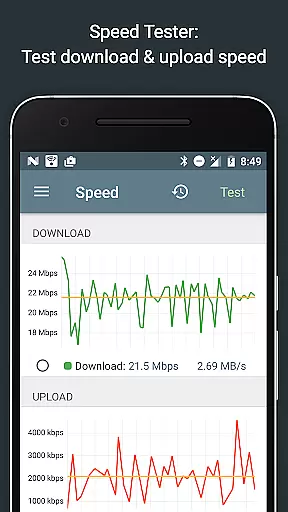
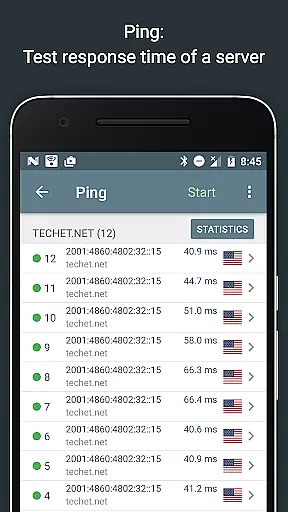
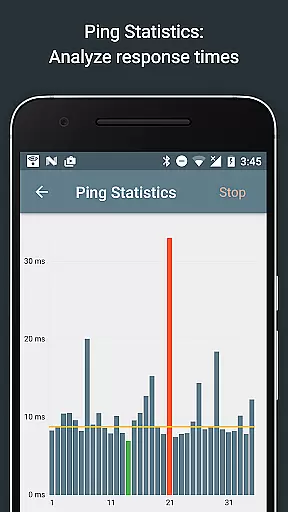
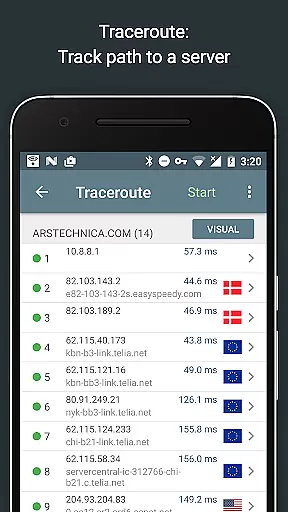
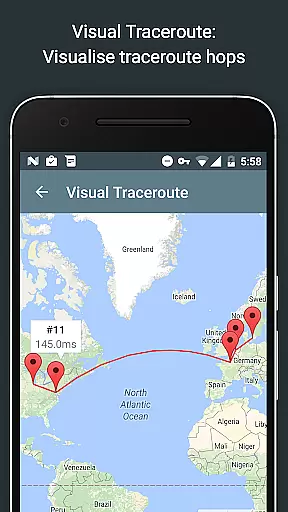
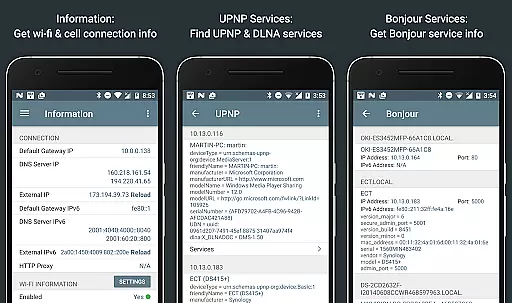
Network Analyzer Pro is a comprehensive network diagnostic tool designed to help users identify and resolve issues related to Wi-Fi networks, Internet connectivity, and remote server problems. The app offers an extensive suite of tools including a fast Wi-Fi device discovery feature that lists all LAN devices with their addresses and names, along with the Bonjour/DLNA services they provide. It also includes standard network diagnostic tools such as ping, traceroute, port scanner, DNS lookup, whois, and network speed test. Additionally, it provides detailed information on neighboring Wi-Fi networks, aiding in the selection of the optimal channel for wireless routers.
The app supports both IPv4 and IPv6 protocols, ensuring compatibility across different network environments. Whether you need to troubleshoot network issues, monitor signal strength, or analyze network security, Network Analyzer Pro equips you with the necessary tools to maintain a robust and secure network infrastructure.
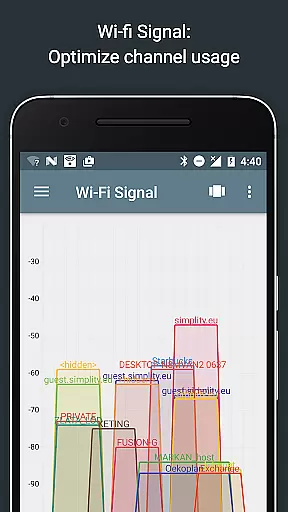
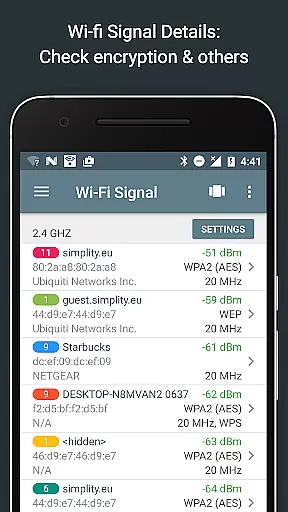
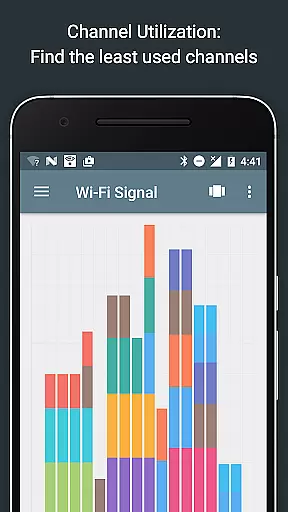
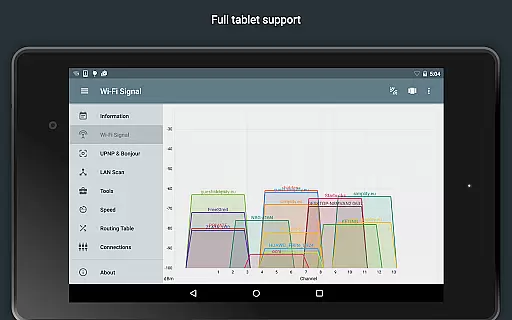
Network Analyzer Pro stands out with its wide array of advanced features tailored for network administrators and tech-savvy users. One of its key features is the Wi-Fi signal meter, which offers both graphical and textual representations of network channels and signal strengths. This tool helps users understand channel usage and identify the best channel for their wireless router. Additionally, it provides details on Wi-Fi network types, encryption methods, router manufacturers, and more.
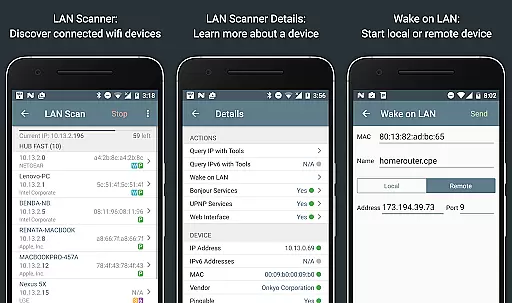
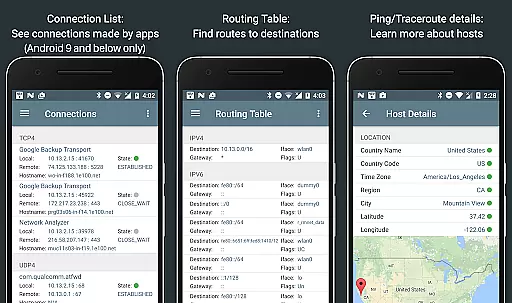
Another notable feature is the LAN scanner, which quickly and reliably detects all network devices, providing IP addresses, NetBIOS, mDNS (Bonjour), LLMNR, and DNS names where available. The app also includes routing table information, ping and traceroute functionalities, port scanning, whois queries, DNS lookups, and internet speed tests. Each of these features is designed to give users deep insights into their network's performance and security, making Network Analyzer Pro an indispensable tool for network management.
Network Analyzer Pro stands out in its ability to provide accurate and effective network diagnostic tools. The app includes a comprehensive suite of utilities such as ping, traceroute, port scanner, DNS lookup, and whois, which are essential for diagnosing network issues.
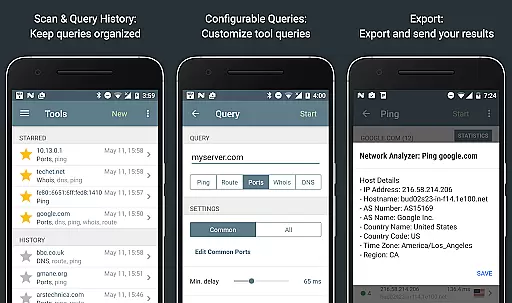
Each tool is designed with precision to ensure reliable results. For instance, the ping and traceroute features offer detailed insights into network latency and routing paths, complete with geolocation data. This allows users to pinpoint connectivity problems with exactitude.
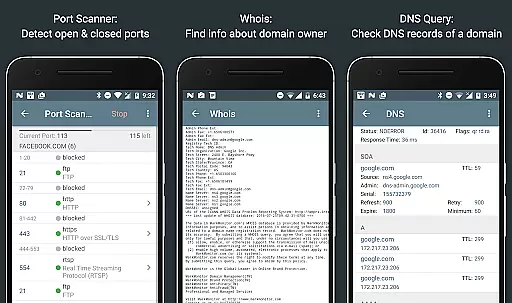
The port scanner employs an adaptive algorithm that swiftly identifies open, closed, or firewalled ports. With real-time updates and thorough scanning capabilities, users can trust the app to deliver precise information about their network's security status.
Ultimately, Network Analyzer Pro empowers users by providing them with dependable data regarding their Wi-Fi setup and internet connection. Whether troubleshooting local network issues or analyzing remote server problems, this application ensures that every diagnostic task is performed with maximum accuracy and efficiency.
A key feature of Network Analyzer Pro is its commitment to interface simplicity and intuitiveness. Despite the technical nature of network diagnostics, the app manages to present complex information in a user-friendly manner.
The layout is clean and organized, grouping related tools together for easy navigation. Users can quickly access different diagnostic functions without feeling overwhelmed by unnecessary complexity. Each tool provides clear feedback and guidance, making it accessible even for those less familiar with networking concepts.
Moreover, the app supports both IPv4 and IPv6 protocols seamlessly across all its features. This dual compatibility is handled effortlessly within the interface, ensuring that users do not need advanced technical knowledge to utilize these capabilities effectively.
By prioritizing an intuitive design, Network Analyzer Pro enables users to focus on resolving network issues rather than struggling with complicated controls. Its straightforward approach enhances productivity and ensures a smooth experience when managing various network diagnostics tasks.
Comprehensive network tools
Supports IPv4 and IPv6
Fast Wi-Fi device discovery
Detailed network diagnostics
User-friendly interface
May be complex for beginners
Some features require technical knowledge
Premium version needed for full functionality
Limited offline capabilities
Occasional performance lags

Learn the vast amount of system information about device and monitor it's state
 4.70
4.70
App that Recover your pictures, videos or files after you delete them.
4.20
A non-root local ADB shell client. READ BELOW!
3.40
Mirror your screen to Chromecast and Android TV - Super fast and simple
4.60
Undelete and recover your lost or deleted files with DiskDigger!
3.40
WiFi Signal Strength Meter help you detect WiFi Signal Strength in real time.
4.80
Powerful collection of electronics tools and reference.A must for any enthusiast
4.90
A clean app.
4.50
fast and easy mp3 music downloader
4.80
Bedrock Together: Join any bedrock server on Xbox/PS
4.80
Protect your device with antivirus, storage cleanup, and system monitoring
4.70
Planner and Tracker for Stardew Valley
4.60 4.50
4.50
Head tracking for PC sim games such as MSFS 2024 or Elite:Dangerous. No headset!
4.50
The Ultimate Bluetooth Keyboard & Mouse. Securely control your PC, Mac, and more
4.50
An easy-to-use calculator designed to save time calculating and bending conduit
4.30
VESC Tool can monitor and configure VESC-compatible devices over BLE and Wifi
4.20
Clean the junk files on your device
3.40
card-reader app
2.20


User Reviews