
Electrodoc Pro is a comprehensive electronics toolkit designed for professionals, hobbyists, and students alike. This application serves as an all-in-one reference and calculator suite, providing essential tools for electronic circuit design, component identification, and signal processing. With its intuitive interface and extensive feature set, Electrodoc Pro eliminates the need for bulky reference books and calculators.
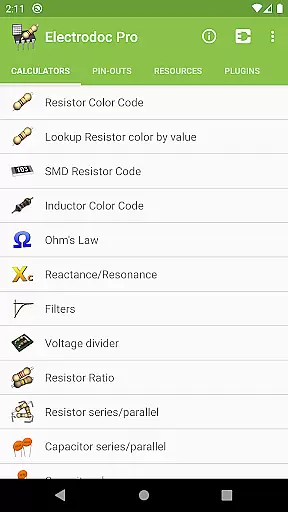
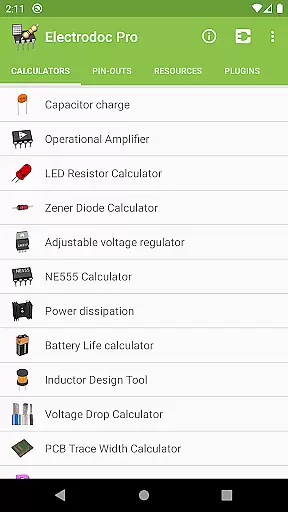
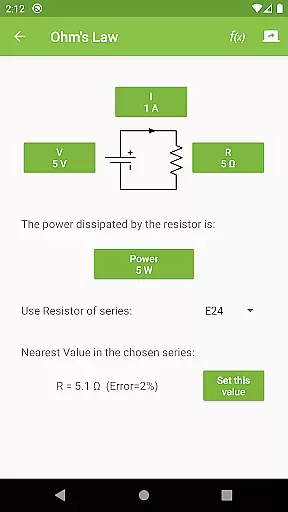
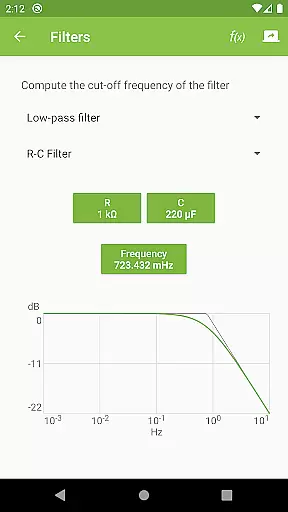
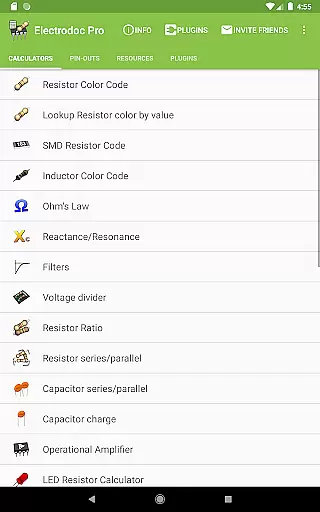
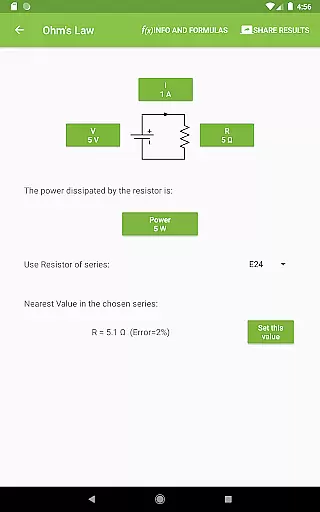
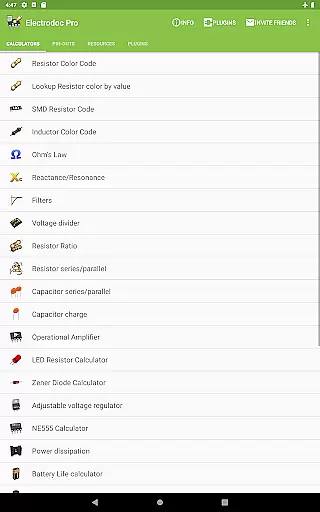
The app includes advanced calculators such as Ohm's Law, Reactance/Resonance, and Voltage Divider, alongside practical tools like Resistor Color Code and SMD Resistor Code lookup. It also features specialized utilities including NE555 Timer configuration, Power Dissipation analysis, and PCB Trace Width calculation. These capabilities make it particularly valuable for designing and troubleshooting circuits in both educational and professional settings.
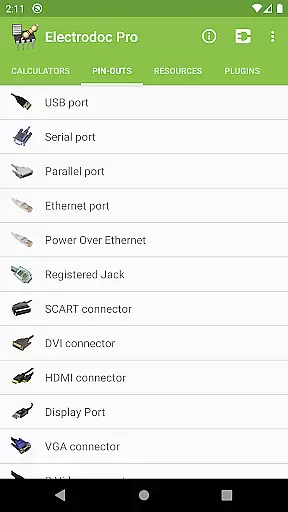
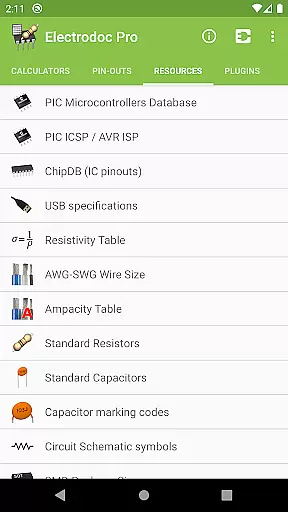
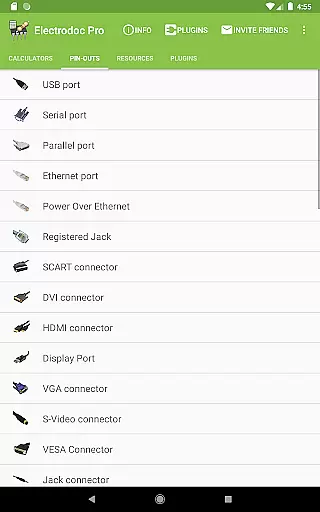
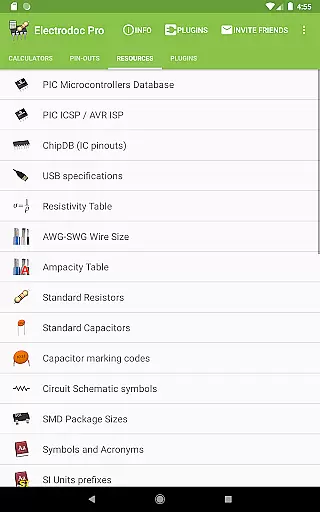
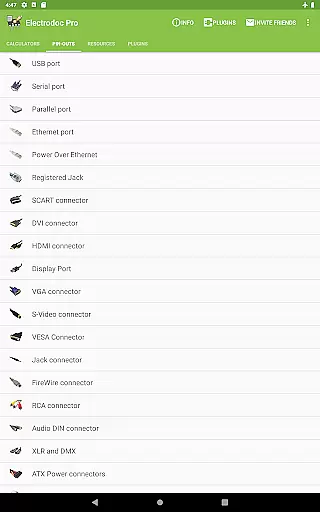
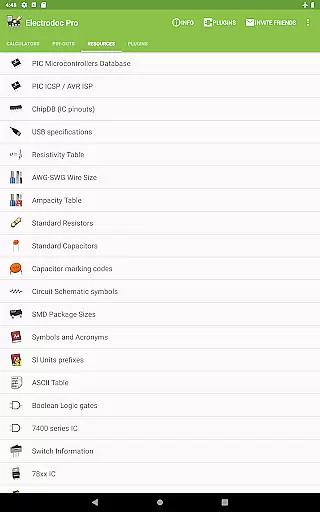
What sets Electrodoc Pro apart is its extensive collection of port pin-outs and technical resources. Users can access detailed information about various connectors, including USB, HDMI, and Raspberry Pi pin-outs. The app also provides valuable reference materials such as standard resistor values, wire size charts, and Boolean logic gates. This combination of practical tools and reference materials makes Electrodoc Pro an indispensable companion for anyone working with electronics.
Electrodoc Pro distinguishes itself through its comprehensive feature set and attention to detail in electronics-related calculations and references. The application offers over 50 specialized tools, ranging from basic resistor color code interpretation to complex circuit calculations like Y-Δ Transformation and Analog-Digital Conversion. Each tool is meticulously designed to provide accurate results while maintaining an intuitive user interface.
One of the standout features is its extensive collection of port pin-outs and connector specifications. The app includes detailed information about more than 50 different types of ports and connectors, from common interfaces like USB and HDMI to specialized connections such as OBD-II Car Connectors and Arduino board layouts. Additionally, the Resources section provides valuable reference materials including standard component values, wire size charts, and circuit schematic symbols, making it an invaluable field reference.
The PRO version offers several advantages over the free version, including complete ad removal and enhanced functionality through plugin support. Users can expand the app's capabilities with additional modules for microcontroller databases and component search tools. The implementation of full EIA resistor series support across all calculators demonstrates the developer's commitment to professional-grade accuracy. Furthermore, the app's regular updates and active development ensure that users always have access to the latest tools and reference materials in the field of electronics.
Electrodoc Pro stands out in the Tools category by offering precise and effective core functionalities that are essential for electronics enthusiasts and professionals. The app provides a comprehensive suite of calculators and reference materials, including Resistor Color Code, Ohm's Law, Reactance/Resonance, and more, ensuring accurate computations for various electronic components and circuits.
The effectiveness of Electrodoc Pro is further enhanced by its support for EIA resistor series across all relevant calculators, providing users with standardized values crucial for design and troubleshooting tasks. This feature ensures that calculations involving resistors align with industry standards, thus improving compatibility and reliability in real-world applications.
Users benefit significantly from the app's ability to streamline complex electronic calculations into simple, easy-to-understand outputs. Whether it's determining the correct resistor value using the color code or calculating power dissipation in a circuit, Electrodoc Pro delivers quick and reliable results, saving time and reducing errors in electronic projects.
Moreover, the inclusion of advanced tools such as the NE555 Calculator, Inductor Design Tool, and PCB Trace Width Calculator demonstrates the app's commitment to delivering high-value features that cater to both beginners and experienced engineers. These tools not only enhance productivity but also empower users to tackle sophisticated electronics challenges with confidence.
In the realm of Tools apps, Electrodoc Pro excels in providing an interface that balances simplicity with intuitiveness, making it accessible to users of all skill levels. The app's layout is meticulously designed to ensure that even those new to electronics can navigate through its extensive features without feeling overwhelmed.
Each tool within Electrodoc Pro is presented in a straightforward manner, with clear labels and logical grouping of related functions. For instance, the collection of calculators for resistors, capacitors, and inductors are organized under relevant categories, allowing users to quickly find and utilize the specific calculator they need for their project.
The intuitive nature of the app extends to its interactive elements, where users can input data and receive immediate feedback. Features like the Lookup Resistor color by value and SMD Resistor Code provide instant visual confirmation, enhancing the user experience by simplifying complex processes into digestible steps.
Furthermore, Electrodoc Pro maintains a clutter-free environment by avoiding unnecessary distractions, focusing instead on delivering a seamless workflow. This approach not only improves usability but also encourages frequent use, as users can rely on the app to deliver precise information swiftly and efficiently, without any learning curve or frustration.
Comprehensive toolset
Regular updates
Intuitive interface
Offline functionality
Professional accuracy
Premium pricing
Steep learning curve
Feature overload
No beginner tutorials
Occasional bugs

Change your GPS location instantly. Simulate routes anywhere in the world.
 4.90
4.90
Save any video in HD - paste the link, download fast and watch offline.
4.5
App that Recover your pictures, videos or files after you delete them.
4.20
Signal Strength, Mobile, Wifi, Speed Test, Bad Signals, Cellular, 5G, LTE, 4G
4.20
Mirror your screen to Chromecast and Android TV - Super fast and simple
4.60
With videos, electrical calculators, and built-in ebook, Ugly’s has your answer.
4.50
The Ultimate Bluetooth Keyboard & Mouse. Securely control your PC, Mac, and more
4.50
The Ultimate Flex Drivers Utility App - Convenient Tapping & Block Filters
4.70
Creation, Learning, Entertainment & More — The All-in-One AI Search Engine
4.70
WiFi Signal Strength Meter help you detect WiFi Signal Strength in real time.
4.80
Learn the vast amount of system information about device and monitor it's state
4.70
Fast Video Downloader, Movie Downloader, Torrent Downloader & Adblock Browser
4.70
Protect your device with antivirus, storage cleanup, and system monitoring
4.70
HD Camera captures every special moment.
4.60 4.50
4.50
Screen Mirroring for Roku Sticks, Roku TCL TV and Roku Hisense TV
4.50
An easy-to-use calculator designed to save time calculating and bending conduit
4.30
MS-DOS in your pocket. Play old DOS games anywhere you are ;)
4.10
1-Click close all background apps on Android TV
3.90


User Reviews