
Network Cell Info & Wifi is a comprehensive mobile network monitoring tool designed for users seeking to optimize their cellular and Wi-Fi connectivity. The app provides detailed diagnostic data on 5G, LTE, CDMA, WCDMA, GSM networks, along with Wi-Fi signal performance. Its core functionality lies in real-time signal monitoring and advanced diagnostic features that help users troubleshoot reception issues.
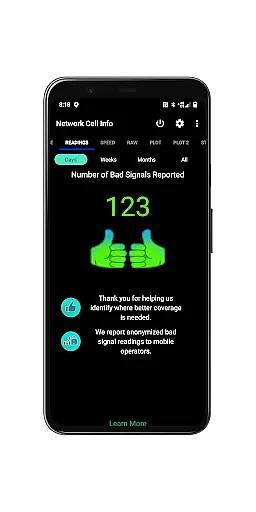
A standout feature is the Bad Signal Reporter, which automatically collects and reports poor signal data to mobile network operators. This crowdsourced approach helps improve network quality. Additionally, the app offers specialized tools like dual-SIM support, speed tests, and personal signal history mapping. These capabilities make it especially valuable for users who frequently travel or work in areas with inconsistent network coverage.
The app's value extends beyond individual users as it serves as a powerful diagnostic tool for network optimization. By providing detailed signal strength histories, tower locations, and performance metrics, it empowers both consumers and network operators to identify and address connectivity challenges effectively.
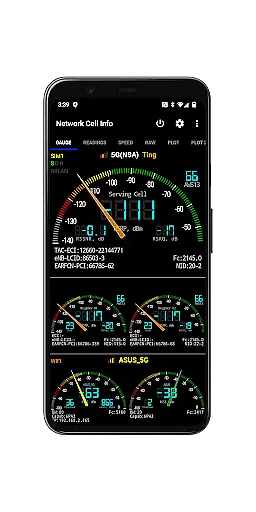
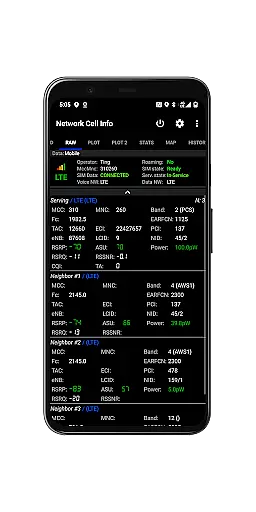
Network Cell Info & Wifi distinguishes itself through its extensive feature set tailored for network diagnostics. The app provides almost real-time (1-second interval) monitoring of cellular and Wi-Fi signals across multiple technologies including 5G, LTE+, and legacy networks. Its unique gauge/raw tab interface allows users to view signal strength through intuitive graphical representations or detailed technical data.
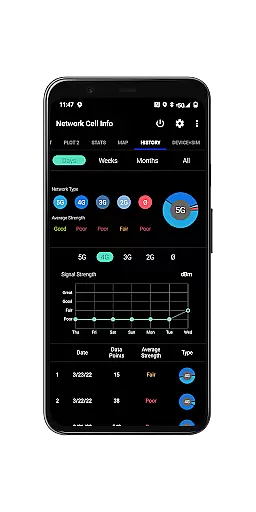
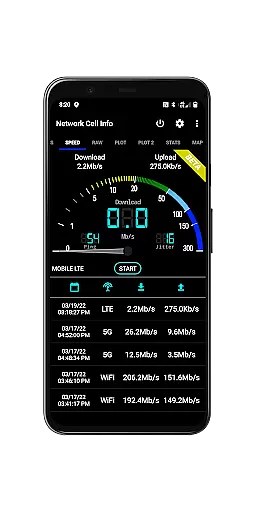
Advanced measurement capabilities include one-tap speed tests measuring download, upload, ping, and jitter performance. The app supports dual-SIM devices with up to six signal-meter gauges displayed simultaneously. Its mapping features are particularly robust, offering network information overlays, historical signal strength tracking, and crowdsourced best signal locations. The Personal Best Signal Finder creates detailed location-based signal strength maps, while the History Logs feature maintains comprehensive records of signal measurements.
Professional users will appreciate the app's database export functionality, detailed connection statistics, and device information reports. These features enable thorough network analysis and documentation, making the app suitable for both personal optimization and professional network assessment purposes.
Network Cell Info provides an extensive suite of tools for monitoring and diagnosing mobile network and Wi-Fi signals, ensuring core function accuracy and effectiveness. The app supports a wide range of network types including 5G, LTE+, LTE, CDMA, WCDMA, and GSM, delivering almost real-time (1 sec.) updates on signal strength through its Gauge/Raw Tabs.
One of the standout features is the one-tap WiFi/mobile internet performance speed test, which measures download, upload, ping, and jitter. This allows users to quickly assess their internet connection quality. Additionally, the app offers dual-SIM support and up to 5-6 signal-meter gauges for both SIMs and WiFi, providing comprehensive insights into connectivity performance.
For users experiencing poor reception, Network Cell Info includes a Bad Signal Reporter. This feature automatically collects data on bad signals from users who consent, generating reports that are freely available to Mobile Network Operators (MNOs). By addressing these reported issues, MNOs can improve overall network reliability and user satisfaction.
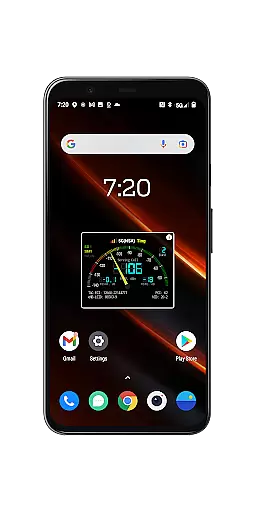
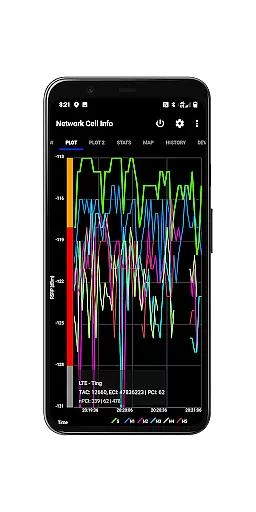
The interface of Network Cell Info is designed to be simple yet intuitive, making it accessible even to those who may not be tech-savvy. The app features easy-to-read signal plots for up to six cells, band numbers, and a SIM# preference option that allows users to customize their experience beyond just the Gauge tab.
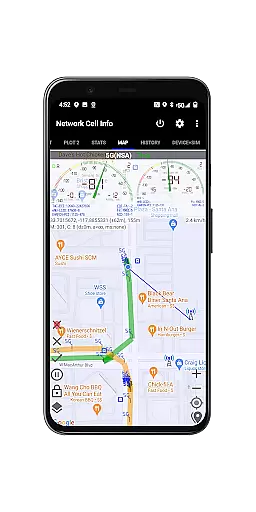
A notable aspect is the Map functionality, which overlays network cellular info and signal-meter gauges onto a map. This visual representation helps users understand their coverage area better. Moreover, the Personal Best Signal Finder map layer shows signal strength history by location, while the Crowdsourced Best Signal Finder indicates the nearest best signals from your carrier.
Additional interface elements include History Logs and Measurements in the Map tab, Connection Statistics for different generations of networks (2G/3G/4G/5G), as well as detailed SIM and device information. These features collectively ensure that users have all necessary tools at their fingertips without overwhelming them with complexity.
Comprehensive network monitoring
Real-time signal tracking
Dual-SIM support
Powerful mapping tools
Detailed diagnostic reports
Complex for casual users
Requires technical knowledge
Some features need premium
Interface can overwhelm
Heavy battery consumption

 4.10
4.10 4.50
4.50
A powerful, easy-to-use flight computer on your phone or tablet!
3.80
Complete kernel toolbox with features to manage and tweak your rooted device
4.30
This app unlocks the Pro features of the Central for DayZ app
3.60
Effortlessly run ADB commands directly on your device without a PC.
4.20
Undelete and recover your lost or deleted files with DiskDigger!
3.40
Game Booster, GFX Tool is now compatible with newer game update
4.50
NFC Tools can read and write NFC tags.
4.70
Support Fossify apps with a warm thank you!
5.00
Enjoy smooth gameplay with Game Booster
4.90
Remote Play with FSR upscaling, low latency & full controller support
4.80
Play your X-Box games remotely in 1080p with any controller and zero latency
4.60
Button mapper, mouse toggle, sleep timer and a lot of another features
4.50
Mirror your screen to Fire TV - Super fast and simple
4.40
Remote for Roku, Fire TV, Samsung TV, LG TV, Android TV, Chromecast and VIZIO TV
4.20
A simple app to back up and restore SMS & MMS messages and call logs.
4.10
Family Locator, Share location, StayConnect with your family in real time
3.90
Create your own custom widget with endless possibilities
3.90


User Reviews