
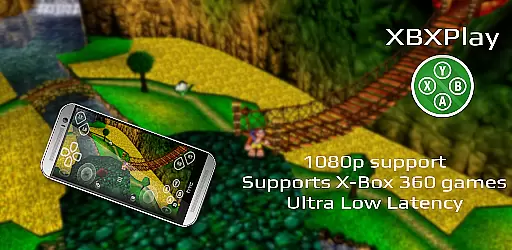
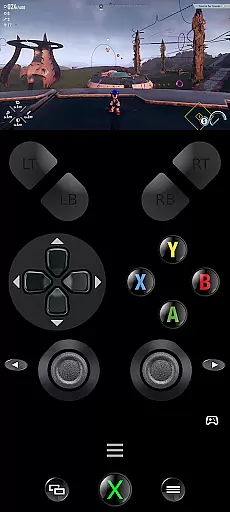
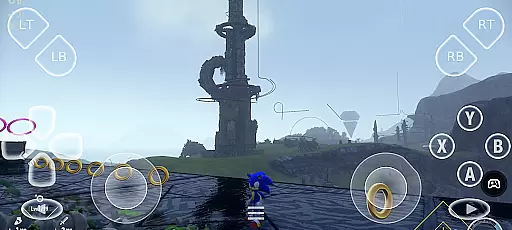
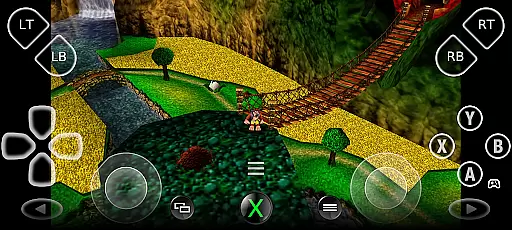
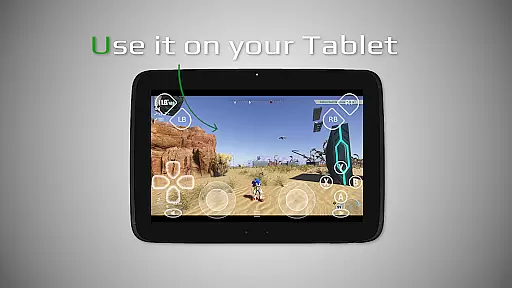
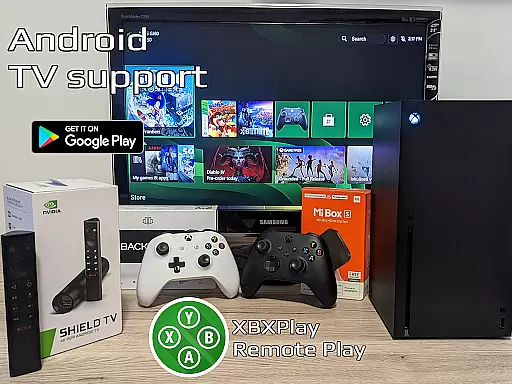

XBXPlay is a powerful remote control application designed specifically for X-Box Series X/S, X-Box One (X/S), and even X-Box 360 consoles. The app allows users to stream their favorite games in full 1080p resolution directly to their mobile devices, providing an exceptional remote gaming experience. With advanced features like customizable onscreen gamepad layouts, manual bitrate adjustments, and support for third-party controllers, XBXPlay ensures optimal performance and flexibility.
One of the standout capabilities of XBXPlay is its ability to function as a virtual gamepad for your console, enabling gameplay without the need for a physical controller. Additionally, it supports unique functionalities such as Picture-In-Picture mode and Multi-Window support, making it versatile for various use cases. Whether you're at home or away, XBXPlay delivers low-latency streaming with proper network conditions, ensuring smooth and responsive gameplay.
This app is particularly useful for gamers who want to enjoy their X-Box library remotely while maintaining high-quality visuals and responsive controls. By supporting both modern and backward-compatible titles, XBXPlay caters to a wide range of gaming preferences, offering a comprehensive solution for remote play needs.
XBXPlay stands out with its rich feature set tailored for remote gaming enthusiasts. The app supports 1080p streaming, which is crucial for delivering crisp and clear visuals when playing remotely. Unlike the official X-Box Remote Play app, XBXPlay offers additional functionalities such as manual bitrate adjustments, allowing users to fine-tune their streaming quality based on their internet connection speed. This level of customization ensures minimal latency and optimal performance during gameplay sessions.
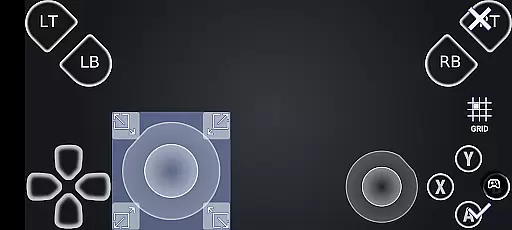
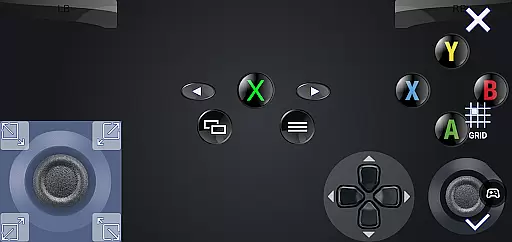
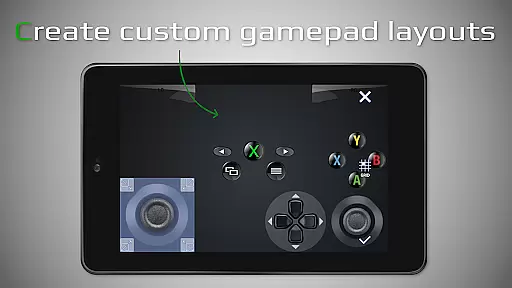
Another key feature is the customizable onscreen gamepad layout. Users can create personalized control schemes that suit specific games, enhancing the overall gaming experience. XBXPlay also provides native USB-OTG support, enabling seamless connectivity with external controllers. Furthermore, the app includes innovative modes like Picture-In-Picture and Multi-Window support, which are especially beneficial for multitasking or viewing other content while gaming.
The app's optimization for low-latency streaming makes it ideal for competitive gaming scenarios where every millisecond counts. With support for both X-Box Series X/S and older models like the X-Box 360, XBXPlay bridges the gap between different generations of consoles. These features collectively make XBXPlay a versatile tool for gamers seeking flexibility and high performance in their remote gaming setup.
XBXPlay excels in delivering core functionalities with precision and effectiveness, ensuring an optimal remote gaming experience. The app supports 1080p streaming, which allows users to enjoy high-definition gameplay on their devices without limitations. This feature is crucial for gamers who demand clear visuals and smooth performance while playing remotely.
The application's support for X-Box 360 games broadens its compatibility, making it possible to enjoy a wider range of gaming titles. With manual bitrate adjustments, users can customize their streaming quality based on their internet speed, thus reducing latency and enhancing the overall gaming experience. These technical capabilities ensure that players receive the most responsive and immersive gameplay possible.
Furthermore, XBXPlay offers an onscreen gamepad layout that is fully customizable. This feature caters to individual preferences and gaming styles, allowing users to create control schemes that best suit their favorite games. Such personalization not only improves comfort but also boosts performance by aligning the controls with the user's muscle memory and reflexes.
By integrating these advanced features, XBXPlay provides a versatile and efficient tool for gamers looking to play their X-Box games remotely. Whether through a mobile data connection or a stable Wi-Fi network, users can expect a seamless and engaging experience that meets the demands of modern gaming.
Achieving simplicity and intuitiveness in its interface, XBXPlay ensures that users can easily navigate and utilize its features without a steep learning curve. The app's design emphasizes ease of use, allowing gamers to quickly connect to their X-Box consoles and start playing with minimal setup time. This focus on user-friendly interaction is essential for providing an accessible remote gaming solution.
One key aspect of XBXPlay's intuitive design is its fullscreen support, which eliminates black bars and maximizes the viewing area. This enhancement not only improves immersion but also makes the most of the device's display capabilities. Additionally, the picture-in-picture mode enables multitasking, letting users manage other tasks on their devices without interrupting their gaming sessions.
The inclusion of gamepad button mapping further simplifies the user experience by allowing customization of control schemes. Players can map buttons according to their preference, ensuring that the controls feel natural and responsive. This level of personalization reduces the cognitive load on users, enabling them to focus more on enjoying their games rather than adjusting to unfamiliar controls.
Overall, XBXPlay's commitment to interface simplicity and intuitiveness makes it an attractive choice for gamers seeking a hassle-free remote play solution. By combining straightforward navigation with powerful customization options, the app delivers a streamlined and enjoyable gaming experience across various devices and network conditions.
Full 1080p support
Customizable gamepad
Low latency streaming
Third-party controller support
X-Box 360 game compatibility
No microphone support
Requires stable WiFi
High system requirements
Limited to X-Box consoles
Firmware compatibility issues

eXtended Permission Manager - a small app to manage permissions and AppOps
 4.50
4.50
card-reader app
2.20
App to pay for FUTO Keyboard
4.60
With videos, electrical calculators, and built-in ebook, Ugly’s has your answer.
4.50
Powerful collection of electronics tools and reference.A must for any enthusiast
4.90
The ultimate tool for network analysis, wifi scanning and problem detection.
4.90
Game Booster, GFX Tool is now compatible with newer game update
4.50
Clean up your phone, find files, play media, and share files offline
4.50
A clean app.
4.50 4.50
4.50
Just swipe the edge to do something!
4.40
Pro Emulator is an easy to use game console emulator for a range of consoles.
4.40
Just one-tap to easy translate in any language after calls within seconds.
4.20
An open-source APK explorer for Android!
4.10
Family Locator, Share location, StayConnect with your family in real time
3.90
Unleash gamepad precision for ultimate mobile gaming dominance.
3.90
A powerful, easy-to-use flight computer on your phone or tablet!
3.80
A recovery soft,it features photo recovery, video recovery, file recovery.
3.40
Undelete and recover your lost or deleted files with DiskDigger!
3.40


User Reviews