
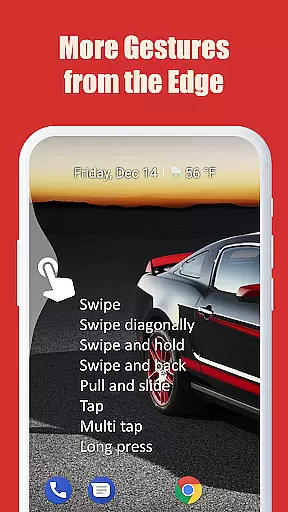
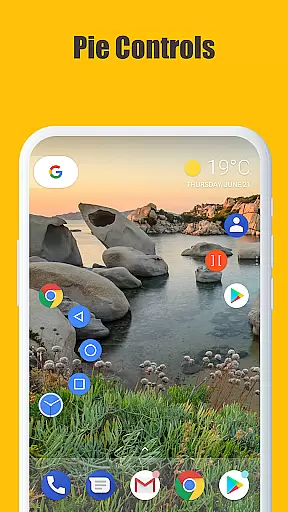
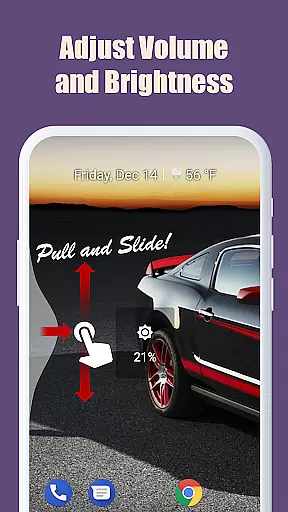
Edge Gestures is a powerful tool designed to enhance your Android device's usability through intuitive screen edge gestures. With support for various gesture types, including taps, swipes, and pie controls, this app allows you to execute commands quickly and efficiently. Whether you want to launch applications, adjust settings, or navigate your device, Edge Gestures streamlines these actions into simple gestures.
The app also offers extensive customization options, letting users tailor gesture areas and actions to their preferences. This flexibility ensures that Edge Gestures can adapt to different user needs and device setups, providing a personalized and optimized experience. Its practicality shines in daily use, making device navigation faster and more convenient.
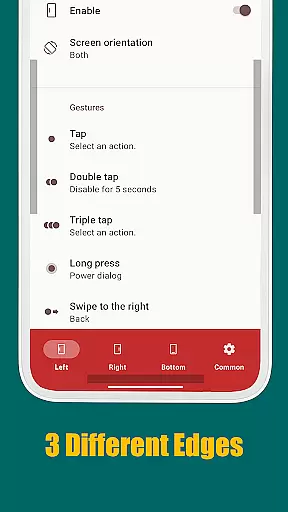
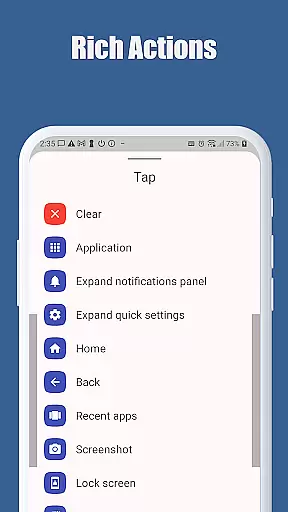
Edge Gestures stands out with its comprehensive range of gesture types, such as tap, double tap, long press, swipe, and more. Each gesture can be mapped to specific actions like launching apps, controlling brightness, or toggling split screens, offering a versatile toolset for efficient device management. The inclusion of pie controls adds another layer of control, enhancing the user experience further.
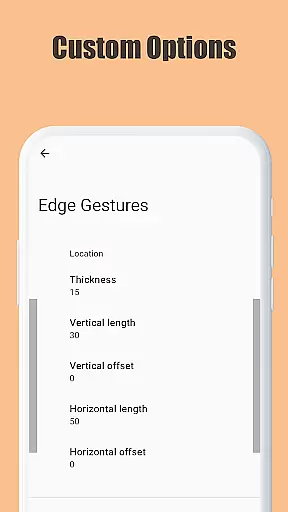
Customization is at the heart of Edge Gestures, allowing users to modify gesture areas for thickness, length, and position. This feature ensures that the app can cater to individual preferences and device configurations. Additionally, the app requires minimal permissions, focusing solely on necessary accessibility services to function effectively without compromising user privacy.
Edge Gestures provides a reliable and versatile gesture-based navigation system that transforms the way users interact with their devices. The app supports multiple gesture types, including tap, swipe, and long press, each precisely mapped to specific actions.
The application's core functions are implemented with remarkable accuracy. For instance, gestures like swiping from the edge of the screen can trigger actions such as going back, opening the recent apps menu, or expanding the notification panel. These functions are executed seamlessly, ensuring minimal latency and maximum responsiveness.
Users benefit from this precision as it allows them to perform frequent tasks more efficiently. Whether it's launching an app, adjusting brightness, or toggling split-screen mode, Edge Gestures ensures every action is carried out effectively without unnecessary delays or errors.
The interface design of Edge Gestures emphasizes simplicity and ease of use, making it accessible even for non-technical users. Upon installation, users can easily customize gesture controls through a straightforward settings menu.
Each gesture type is accompanied by clear visual indicators and descriptions, helping users understand how to perform specific actions. This intuitive setup reduces the learning curve typically associated with new software tools.
Moreover, the ability to adjust edge area parameters such as thickness and position adds another layer of personalization. By offering these customization options while maintaining a clean and organized interface, Edge Gestures ensures that users can tailor the experience to their preferences without feeling overwhelmed by complex configurations.
User-friendly interface
Highly customizable gestures
Efficient device navigation
Comprehensive gesture options
Minimal required permissions
Limited to Android devices
Requires accessibility service
Potential learning curve
May conflict with other gesture apps
Some features need higher Android versions

Extremely fast, secure, and protects your privacy
 4.80
4.80
Family Locator, Share location, StayConnect with your family in real time
3.90
eXtended Permission Manager - a small app to manage permissions and AppOps
4.50
ADB support Android 4.X-Android 13(Support wireless pair mode).No root required!
4.70
Effortlessly run ADB commands directly on your device without a PC.
4.20
Planner and Tracker for Stardew Valley
4.60
Connect wirelessly to your computer to watch movies, browse the web, play games
5.00
The Ultimate Flex Drivers Utility App - Convenient Tapping & Block Filters
4.70
Clean up your phone, find files, play media, and share files offline
4.50
Change your GPS location instantly. Simulate routes anywhere in the world.
4.90
The one-and-only remote control for PC, Mac, and Linux
4.70 4.50
4.50 4.50
4.50
Forza Tuning Calculator App for Forza Horizon 5, Motorsport and Earlier Titles
4.40
An easy-to-use calculator designed to save time calculating and bending conduit
4.30
Screen Mirroring with sound for Samsung TV, LG TV, Sony TV, Smart TV and Browser
4.20
An open-source APK explorer for Android!
4.10
Introducing Smart Printer, your ultimate destination for printing solutions!
4.00
Create your own custom widget with endless possibilities
3.90


User Reviews