
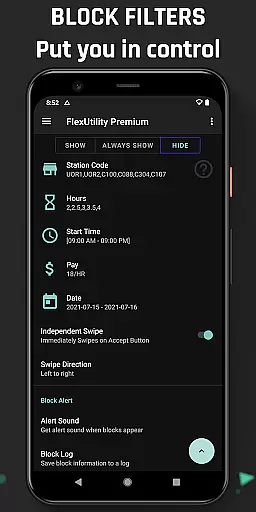
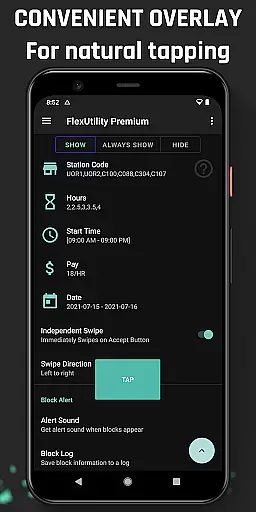
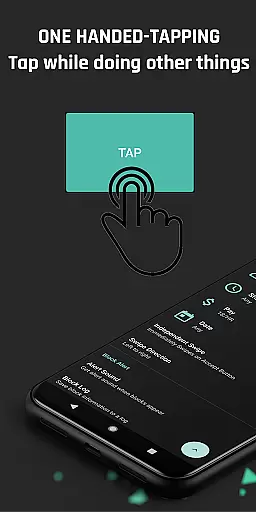
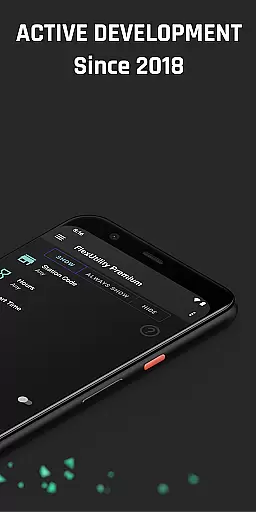
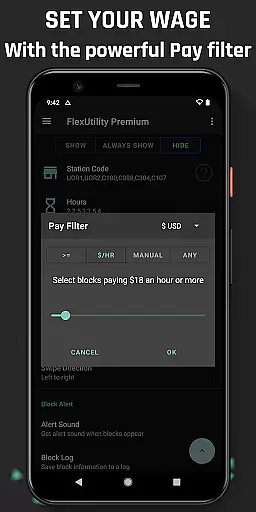
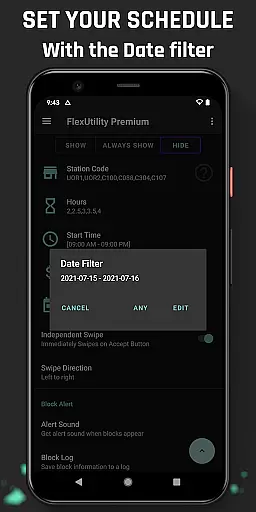
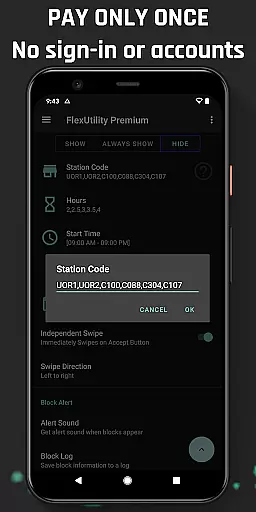
Flex Utility Premium is a powerful tool designed specifically for Flex drivers, offering an innovative solution to streamline their workflow. The app features a single-tap overlay button that eliminates the need for constant attention while searching for work blocks, allowing drivers to multitask effectively. With advanced filtering options, users can customize their work preferences by setting specific pay rates, preferred station codes, desired work days, and ideal start times. This ensures maximum convenience and efficiency in finding suitable work opportunities.
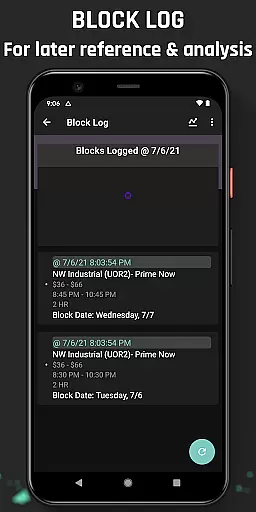
In addition to its core functionality, Flex Utility Premium provides valuable features like Block Alert notifications and a comprehensive Block Log. These tools help drivers optimize their work schedules by identifying optimal block drop patterns and missed opportunities. The app also supports data export to CSV for deeper analysis. Regular updates and a strong commitment to user feedback ensure the app remains relevant and continues to improve over time. Designed with accessibility in mind, this Android Accessibility Service caters to users with disabilities who may face challenges with prolonged tapping.
Flex Utility Premium stands out with its unique set of features tailored for Flex drivers. The app's most notable characteristic is its one-finger tapping interface, which revolutionizes how drivers interact with work blocks. This intuitive design allows users to maintain focus on other tasks while efficiently managing their work assignments. The powerful filtering system enables precise control over job selection, letting drivers specify minimum pay rates, favorite stations, preferred work days, and ideal shift durations.
Beyond basic functionality, Flex Utility Premium offers enhanced productivity tools. The Block Alert feature notifies users when suitable work becomes available, eliminating the need for continuous screen monitoring. The comprehensive Block Log maintains a detailed record of all work opportunities, helping drivers identify patterns and optimize their scheduling strategy. Additional professional-grade features include CSV export capabilities for advanced data analysis and regular software updates based on community feedback. The app's commitment to privacy and security is evident in its strict no-data-collection policy and adherence to Android Accessibility Service standards.
Flex Utility Premium exemplifies core function accuracy and effectiveness by streamlining the block acceptance process for Flex drivers. The app's one-tap overlay button simplifies interactions, ensuring that users can secure blocks without the need for constant attention to their screens.
The app's powerful filtering system is a testament to its functional precision. By allowing drivers to set specific criteria such as pay rate, station preference, workdays, start times, and job duration, Flex Utility ensures that only the most relevant work opportunities are presented. This targeted approach saves time and increases the likelihood of securing preferred blocks.
Additional features like Block Alert and Block Log further enhance the app's effectiveness. Drivers receive notifications for blocks that match their filters, eliminating the need for continuous monitoring. The logging feature provides insights into block availability patterns, empowering users with data-driven decision-making capabilities.
These carefully designed functions collectively contribute to an app that not only meets but exceeds the practical needs of its users, demonstrating exceptional accuracy and effectiveness in its core operations.
Flex Utility Premium achieves interface simplicity and intuitiveness through its streamlined design and user-centric features. The single overlay button represents a thoughtful approach to minimizing interface complexity while maximizing usability for Flex drivers.
The filtering system showcases intuitive design principles by presenting clear options for customization. Drivers can easily set their preferences for pay rate, station codes, workdays, start times, and job durations without navigating through complicated menus or settings.
Additional elements like visual alerts and straightforward logging mechanisms maintain this commitment to simplicity. These features provide immediate feedback and easy access to historical data without overwhelming users with unnecessary information or complex navigation paths.
This deliberate focus on reducing cognitive load while maintaining full functionality creates an interface that feels natural and responsive, enabling drivers to focus on their work rather than struggling with complicated software.
Efficient single-tap interface
Advanced filtering options
Comprehensive block logging
Regular feature updates
Strong privacy protection
Requires Android device
Premium version only
Initial setup complexity
Limited to Flex platform
Accessibility-focused design

1-Click close all background apps on Android TV
 3.90
3.90
Save any video in HD - paste the link, download fast and watch offline.
4.4
HD Video player and downloader for all formats, fast & smooth 4K video playback.
4.60
Clean the junk files on your device
3.40
Carry a FTP server in your pocket and avoid USB cables for file transfer
4.20
VESC Tool can monitor and configure VESC-compatible devices over BLE and Wifi
4.20
MS-DOS in your pocket. Play old DOS games anywhere you are ;)
4.10
Navigate with Ease and Style
4.90
Quickly check the frequency of the Earth
4.30
Powerful collection of electronics tools and reference.A must for any enthusiast
4.90
Bedrock Together: Join any bedrock server on Xbox/PS
4.80
Remote Play with FSR upscaling, low latency & full controller support
4.80
HD Camera captures every special moment.
4.60
Canon PRINT is a companion app for your Canon printer.
4.60
Play your X-Box games remotely in 1080p with any controller and zero latency
4.60 4.50
4.50
eXtended Permission Manager - a small app to manage permissions and AppOps
4.50
Complete kernel toolbox with features to manage and tweak your rooted device
4.30
Quickly & easily calculate the spacing of handrail balusters
4.20


User Reviews