
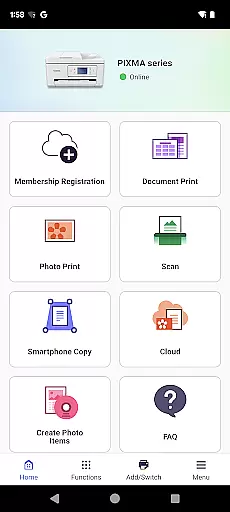
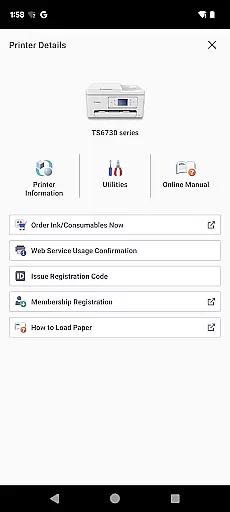
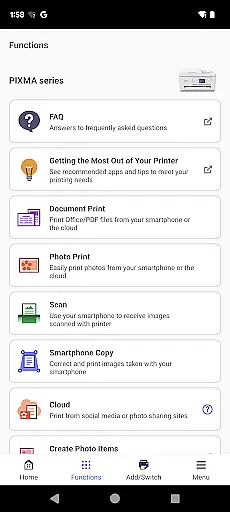
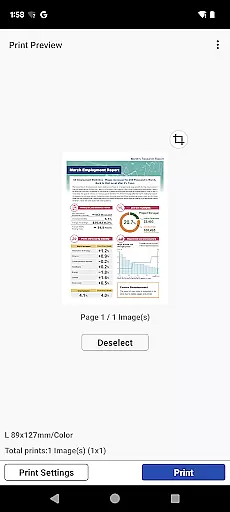
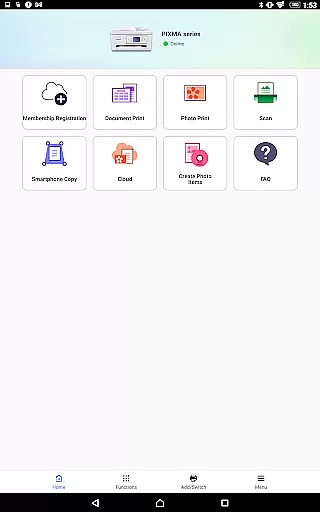
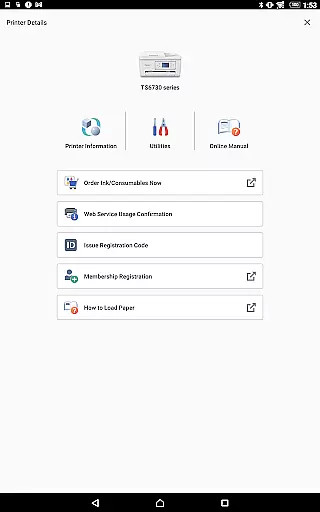
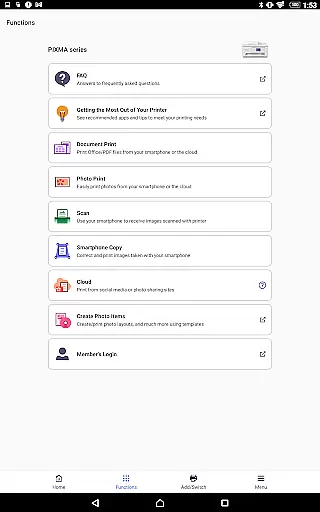
Canon PRINT is a versatile mobile application designed to enhance your printing experience with Canon printers. This app allows users to easily set up their printers, initiate print jobs, and perform scanning tasks directly from their mobile devices. It supports a wide range of Canon printer models including PIXMA, MAXIFY, imagePROGRAF, imageFORCE, imagePRESS, imageRUNNER ADVANCE, Color imageRUNNER, imageRUNNER, Satera, imageCLASS, i-SENSYS series, and SELPHY compact photo printers.
In addition to basic printing and scanning functions, Canon PRINT offers convenient features such as checking consumable levels and cloud printing capabilities. Whether you're at home or in the office, this app ensures that you can manage your printing needs efficiently. The app's compatibility with various printer models makes it an essential tool for both personal and professional use, providing a seamless connection between your mobile device and Canon printer.
Canon PRINT stands out with its comprehensive feature set tailored for Canon printer users. One of its key features is the easy setup process, which guides users through connecting their printers to their mobile devices. Once connected, users can effortlessly send print jobs and scan documents, streamlining their workflow. The app also includes a function to monitor ink or toner levels, helping users avoid unexpected shortages during critical printing tasks.
Another notable feature is cloud printing, which allows users to print documents stored in cloud services like Google Drive or Dropbox. This capability enhances productivity by enabling access to files from anywhere. Additionally, Canon PRINT supports various printer models across different series, ensuring broad compatibility. With its user-friendly interface and robust functionality, Canon PRINT delivers a reliable printing solution for diverse environments, from homes to large offices.
Canon PRINT is designed to ensure maximum accuracy and effectiveness in its core functions, making it an essential tool for printer management. The app allows users to set up their Canon printers seamlessly, ensuring that all configurations are precise and tailored to the specific printer model. This setup process includes network configuration, firmware updates, and initial print settings, which collectively contribute to a smooth printing experience.
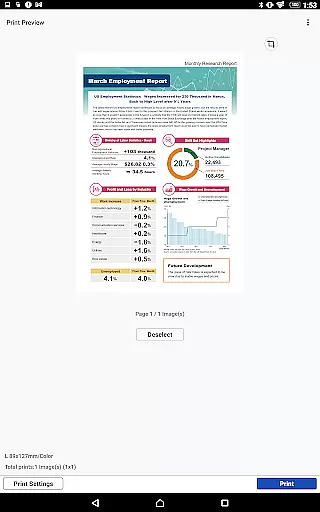
The app's ability to initiate print jobs directly from mobile devices enhances its functional accuracy. Users can send documents, photos, and web pages to their printers with just a few taps, ensuring that the output matches the digital input without discrepancies. Additionally, Canon PRINT supports cloud printing, allowing users to print from anywhere, thus expanding its utility beyond local networks while maintaining high standards of performance.
Another critical aspect of Canon PRINT's functionality is its scanning capabilities. Users can scan documents and images directly to their mobile devices, with options to adjust resolution and file format. This ensures that the scanned files meet the user's requirements in terms of quality and usability. By providing these accurate and effective core functions, Canon PRINT significantly improves productivity and convenience for both personal and professional use.
The interface of Canon PRINT is crafted to offer simplicity and intuitiveness, ensuring that users of all technical backgrounds can navigate and utilize the app efficiently. Upon launching the app, users are greeted with a clean and organized layout that categorizes functions into easily identifiable sections such as Print, Scan, and Printer Settings. This logical arrangement minimizes the learning curve and enables users to locate desired features quickly.
Canon PRINT incorporates intuitive controls that streamline the printing and scanning processes. For instance, when initiating a print job, users can select their document or photo and adjust print settings like paper size, orientation, and copies through straightforward menus. These controls are designed to be self-explanatory, reducing the likelihood of errors and enhancing the overall user experience. Similarly, the scanning feature offers simple options for resolution and file format, ensuring that even novice users can achieve their desired outcomes without confusion.
Furthermore, the app provides helpful notifications and guidance throughout various operations. Whether it's alerting users about low ink levels or guiding them through troubleshooting steps, Canon PRINT maintains clear communication that aids in problem-solving. This commitment to a user-friendly interface not only simplifies printer management but also encourages regular use by eliminating unnecessary complexity, thereby maximizing the app's value to its users.
User-friendly interface
Wide printer compatibility
Convenient cloud printing
Real-time consumable monitoring
Efficient scanning capabilities
Limited to Canon printers
Some features region-restricted
Occasional connectivity issues
Advanced options require registration
Not all models fully supported

Just one-tap to easy translate in any language after calls within seconds.
 4.20
4.20
Unit and currency converter with easy and simple UI.
4.80
Remote for Roku, Fire TV, Samsung TV, LG TV, Android TV, Chromecast and VIZIO TV
4.20
Create your own live wallpaper or check out thousands already made presets
3.90
The one-and-only remote control for PC, Mac, and Linux
4.70
With videos, electrical calculators, and built-in ebook, Ugly’s has your answer.
4.50
A clean app.
4.50
Enhance your Beats
3.70
The ideal app to be the digital eye of your family
3.40
Protect your device with antivirus, storage cleanup, and system monitoring
4.70
Button mapper, mouse toggle, sleep timer and a lot of another features
4.50
Just swipe the edge to do something!
4.40
Complete kernel toolbox with features to manage and tweak your rooted device
4.30
pdf merge, word to pdf, jpg to pdf, edit pdf, convert to pdf and much more!
4.20
App that Recover your pictures, videos or files after you delete them.
4.20
Signal Strength, Mobile, Wifi, Speed Test, Bad Signals, Cellular, 5G, LTE, 4G
4.20
Fun lie-detection pranks for friends and parties.
3.80
card-reader app
2.20
Transfer Files, APK from Phone to Watch & Install.
4.2


User Reviews