
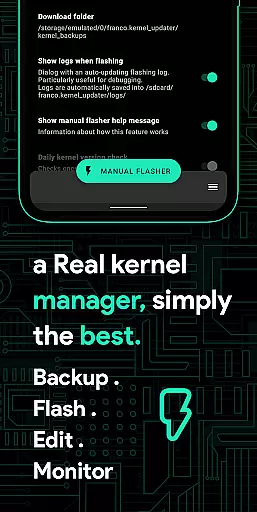
Franco Kernel Manager is a comprehensive toolbox designed for rooted Android devices, offering an extensive range of features to optimize and manage your device's kernel. With its user-friendly interface, it caters to both beginners and advanced users, providing tools for performance enhancement, battery optimization, and system customization.
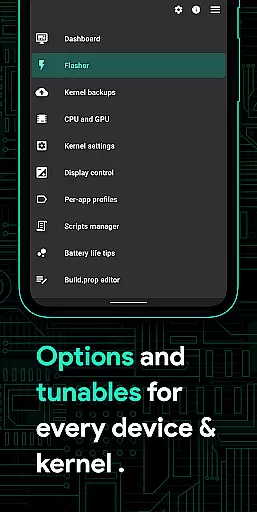
This app allows you to flash mods without a custom recovery, monitor detailed battery stats, and tweak various system settings such as CPU frequencies, GPU settings, and display controls. It also supports per-app profiles, enabling tailored configurations for different applications, making it an essential tool for power users seeking to supercharge their device's capabilities.
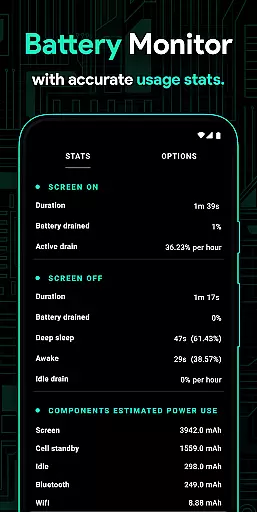
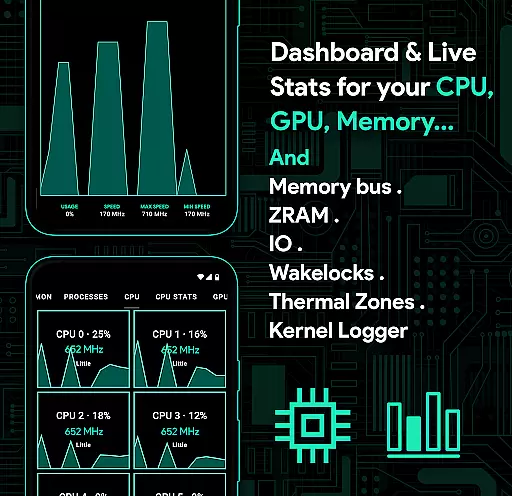
Franco Kernel Manager stands out with its rich feature set that includes a battery monitor with charging time estimation, detailed battery statistics, and powerful battery-saving tips. The app provides advanced controls for CPU, GPU, and memory management, along with support for multi-clusters and governor tunables.
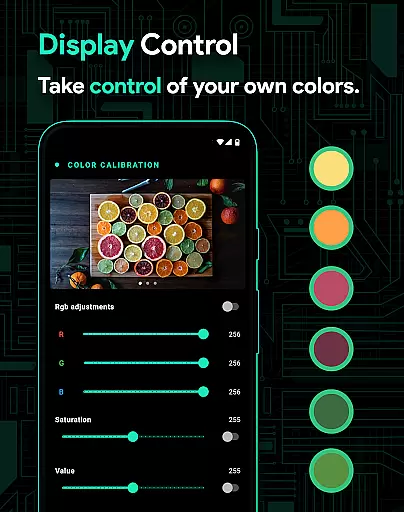
Additionally, the app offers unique functionalities like High Brightness Mode (HBM) for supported devices, automatic night shift for eye comfort, and a scripts manager for creating custom shell scripts. Users can also benefit from per-app profiles, system health monitoring, and backup/restore options for kernels and app settings, all wrapped in a modern UI with light and dark theme compatibility.
Franco Kernel Manager offers a comprehensive suite of tools designed to enhance kernel management with pinpoint accuracy and effectiveness. The app provides detailed control over CPU frequencies, GPU settings, governors, and more, ensuring that every adjustment is executed precisely as intended.
One of the standout features is its ability to manage complex kernel settings such as IO scheduler tuning, wakelocks, and lowmemorykiller parameters. These functions are critical for advanced users who need granular control over their device's performance and battery optimization. The app ensures these adjustments are applied accurately without causing system instability.
The effectiveness of Franco Kernel Manager is further highlighted by its support for multi-cluster CPUs and various GPUs including Adreno, Exynos, and Kirin. This compatibility ensures that regardless of the device hardware, users can achieve optimal performance tailored specifically to their device's architecture.
For users seeking both power and simplicity, the app includes automated features like auto-flash for kernels and mods, making advanced tweaks accessible even to less experienced users. This blend of precision and user-friendly design underscores the app's commitment to delivering reliable and effective kernel management.
The interface of Franco Kernel Manager strikes a perfect balance between functionality and ease of use, ensuring that both novice and expert users can navigate its features effortlessly. The layout is clean and organized, grouping related functions together in a logical manner that minimizes the learning curve.
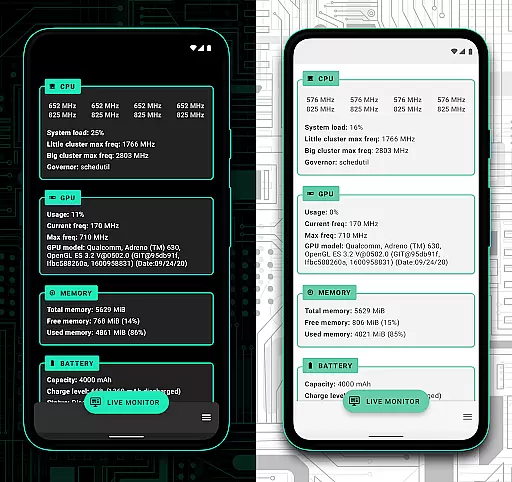
Key features such as the battery monitor and system health sections are presented with clear visuals and intuitive controls. Users can quickly access detailed information about power consumption, CPU usage, and thermal zones without needing to decipher complex data. This straightforward presentation helps users make informed decisions about their device's performance and battery life.
Additionally, the app includes thoughtful touches like light and dark themes, which adapt seamlessly to user preferences and system settings. These themes not only enhance visual comfort but also contribute to an overall pleasant user experience. The consistent design language across all sections reinforces the app's focus on clarity and accessibility.
Advanced functions like per-app profiles and custom tunables are implemented with step-by-step guidance, ensuring that even intricate operations feel approachable. By prioritizing interface simplicity and intuitive navigation, Franco Kernel Manager empowers users to harness the full potential of their devices without unnecessary complexity.
Comprehensive feature set
User-friendly interface
Advanced system tweaking options
Per-app profile customization
Light and Dark themes
Requires root access
Complex for beginners
Limited use on non-rooted devices
No iOS support
Some features may void warranty

 4.50
4.50 4.50
4.50
Save any video in HD - paste the link, download fast and watch offline.
4.0
Forza Tuning Calculator App for Forza Horizon 5, Motorsport and Earlier Titles
4.40
An easy-to-use calculator designed to save time calculating and bending conduit
4.30
Mirror your screen to Chromecast and Android TV - Super fast and simple
4.60
Powerful collection of electronics tools and reference.A must for any enthusiast
4.90
The Ultimate Flex Drivers Utility App - Convenient Tapping & Block Filters
4.70
The ideal app to be the digital eye of your family
3.40
Connect wirelessly to your computer to watch movies, browse the web, play games
5.00
Change your GPS location instantly. Simulate routes anywhere in the world.
4.90
Planner and Tracker for Stardew Valley
4.60 4.50
4.50
Game Booster, GFX Tool is now compatible with newer game update
4.50
Universal TV remote control all TVs, Roku, LG, Samsung, Fire, Vizio, Sony, TCL.
4.40
VESC Tool can monitor and configure VESC-compatible devices over BLE and Wifi
4.20
Effortlessly run ADB commands directly on your device without a PC.
4.20
View detailed information about your Nissan Leaf the dealer never shows you.
4.10
card-reader app
2.20


User Reviews