
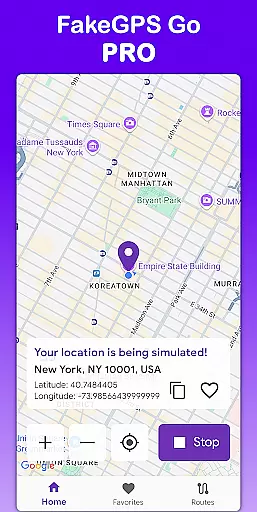
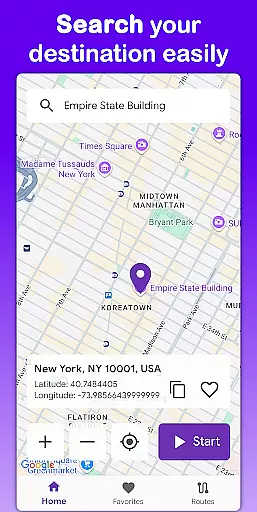
Fake GPS Go Pro is a powerful tool designed to help users instantly change their GPS location and simulate routes anywhere in the world. This app is ideal for developers testing location-based apps, individuals exploring virtual locations, or anyone needing to spoof their GPS position. With no root access required, it offers a seamless experience across all devices.
The app provides advanced features such as route simulation with adjustable speed, saving favorite locations for quick access, and multilingual support in 8 languages. Whether you're debugging applications or experimenting with virtual travel, Fake GPS Go Pro delivers precise control over your device's location data while maintaining an ad-free, user-friendly interface.
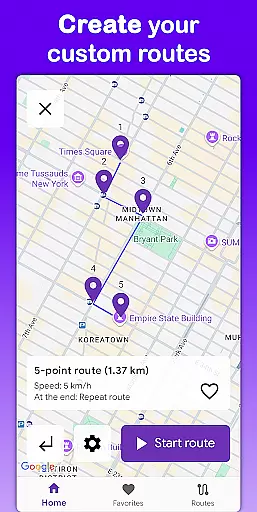
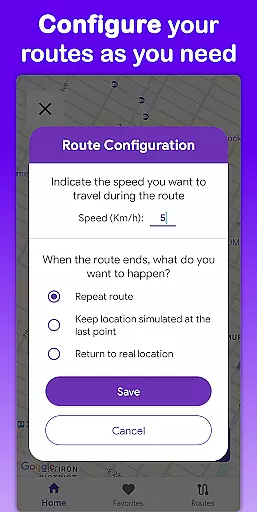
Fake GPS Go Pro stands out with its comprehensive feature set tailored for both casual users and developers. The app allows instant GPS location changes with just a few taps, enabling users to simulate being anywhere in the world. Its route simulation functionality lets users create custom paths by placing markers on the map, with options to adjust speed and configure route-end actions like stopping or repeating.
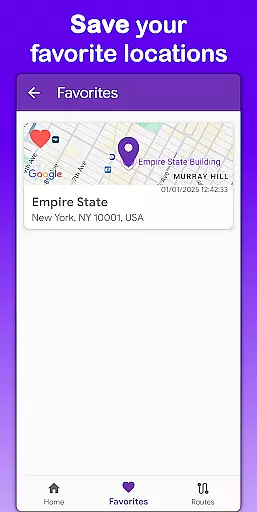
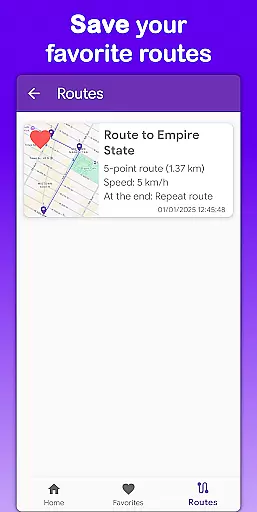
Another key feature is the ability to save frequently used locations and routes, streamlining repeated use cases. Multilingual support ensures accessibility for global users, while the app's lightweight design minimizes battery consumption. Additionally, the premium version guarantees an uninterrupted, ad-free experience, making it a reliable choice for professional and personal use alike.
Fake GPS Go Pro excels in providing accurate and effective location spoofing, a critical feature for users who rely on precise GPS simulation. The app allows users to instantly change their GPS location with just a few taps, ensuring that the new coordinates are correctly recognized by other applications.
The app's route simulation functionality further enhances its core accuracy. Users can create custom routes by placing markers on the map, specifying not only the path but also the speed of movement. This level of detail ensures that the simulated locations are not only precise but also realistic in terms of movement patterns.
For developers and testers, this precision is invaluable. It enables thorough testing of location-based services under various scenarios without physically moving. The app's ability to save favorite locations and routes adds another layer of convenience, allowing users to quickly access frequently used settings without reconfiguration.
Ultimately, Fake GPS Go Pro delivers an experience where users can trust the accuracy of the simulated data, making it an essential tool for anyone needing reliable GPS manipulation capabilities.
A standout feature of Fake GPS Go Pro is its simple and intuitive interface, designed to make location spoofing accessible even to those who may not be tech-savvy. The main screen provides a straightforward map view where users can easily tap to set new locations or create detailed routes.
The app offers clear options for setting speeds and determining what happens when a route ends, such as stopping or repeating the route. These options are presented in an easy-to-understand manner, removing any complexity from the process. Additionally, the multilingual support in eight languages ensures that users worldwide can navigate the app in their preferred language.
Saving favorite locations and routes is effortlessly managed through intuitive controls, allowing users to return to frequently used settings with minimal effort. This thoughtful design reduces the learning curve typically associated with technical tools.
By focusing on clarity and ease of use, Fake GPS Go Pro ensures that users can fully leverage its powerful features without being overwhelmed by unnecessary complications, enhancing overall user satisfaction.
User-friendly interface
High precision GPS
No root required
Ad-free experience
Multilingual support
Limited free features
Requires technical knowledge
Premium subscription cost
Not for casual use
May conflict with some apps

Connect instantly to a fast, encrypted VPN with one tap
 4.60
4.60
Fluid navigation gestures for all of us!
4.30
Clean the junk files on your device
3.40
card-reader app
2.20
MS-DOS in your pocket. Play old DOS games anywhere you are ;)
4.10
Planner and Tracker for Stardew Valley
4.60
A clean app.
4.50
Fast VPN USA for any country. Super secure VPN for calls, streaming, games, TV.
4.40
Your personal health butler
3.60
Enjoy smooth gameplay with Game Booster
4.90
Bedrock Together: Join any bedrock server on Xbox/PS
4.80
Protect your device with antivirus, storage cleanup, and system monitoring
4.70
HD Video player and downloader for all formats, fast & smooth 4K video playback.
4.60
Use your phone as a webcam on your computer over WiFi or USB.
4.40
Universal TV remote control all TVs, Roku, LG, Samsung, Fire, Vizio, Sony, TCL.
4.40
An easy-to-use calculator designed to save time calculating and bending conduit
4.30
Just one-tap to easy translate in any language after calls within seconds.
4.20
Detect hidden spy camera with advanced scanning {{ Premium version }}
4.00
Unlock your Essential Key. Create custom shortcuts to your favorite apps!
4.5


User Reviews