
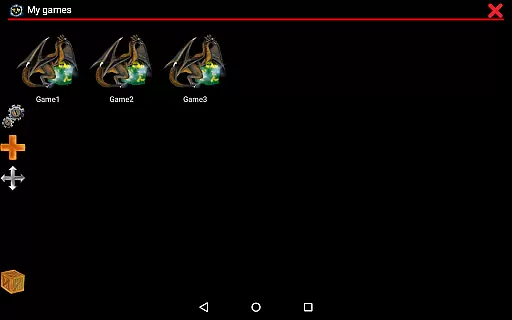
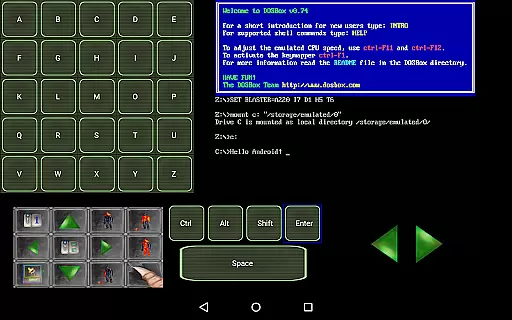
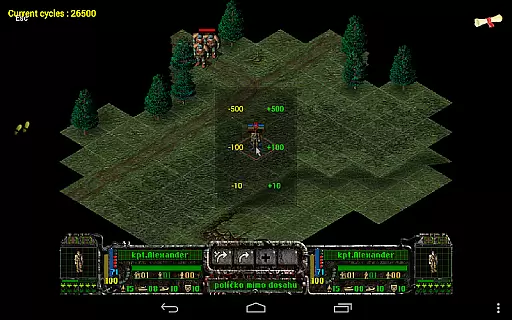
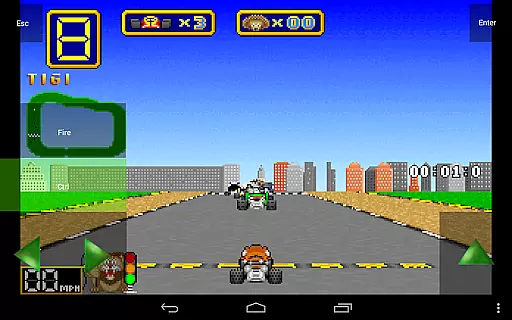
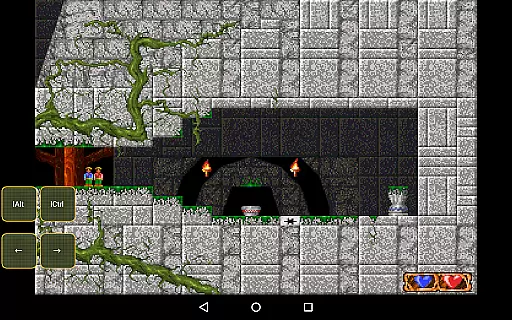
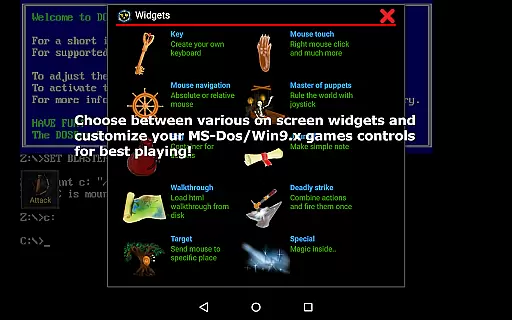
Magic DosBox is a highly optimized and fast DOSBox emulator for Android, designed to bring your favorite DOS and Windows games to your mobile device. With full support for mouse, keyboard, sound, and gamepads, it allows you to play classic games anywhere without the need for external hardware. The app features an innovative control system tailored for touch devices, making gaming on the go seamless and enjoyable.
This donated version offers unlimited game collections and advanced customization options. Users can create shortcuts, export or import game profiles, and share layouts with friends. Magic DosBox supports multiple languages and provides various on-screen widgets for enhanced gameplay. Whether you're revisiting nostalgic titles or exploring retro gaming, this emulator delivers a smooth and authentic experience.
Magic DosBox stands out with its comprehensive feature set tailored for both casual and hardcore gamers. The app supports a wide range of input methods including virtual buttons, absolute and relative mouse controls, and external gamepads like NVIDIA Shield and Xbox 360 controllers. This versatility ensures that users can enjoy their games exactly as they remember them.
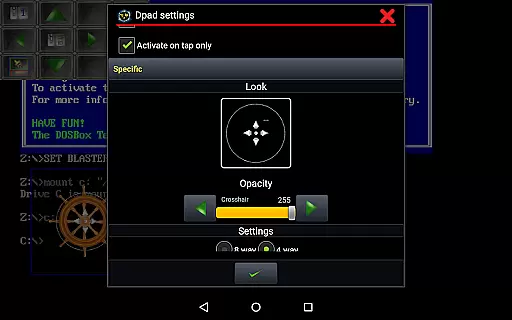
One of the key highlights is the customizable on-screen widgets. Users can design and position widgets such as D-pad, keys, and combo buttons anywhere on the screen. These widgets come with dozens of settings and pre-painted images, allowing for personalized control schemes. Additionally, Magic DosBox offers networking capabilities through IPX and serial modem support, enabling multiplayer experiences. The app also includes practical features like in-game screenshots, orientation lock, and resizable screens, ensuring a comfortable and immersive gaming session.
Magic DosBox is designed to deliver an optimized and fast emulation experience for DOS games on Android devices. The core function of this app revolves around its ability to emulate the DOS environment accurately, allowing users to play their favorite DOS and Windows games with full support for mouse, keyboard, sound, and gamepad controls. This precision in emulation ensures that classic games run as they were originally intended, preserving the authenticity of the gaming experience while making it accessible on modern hardware.
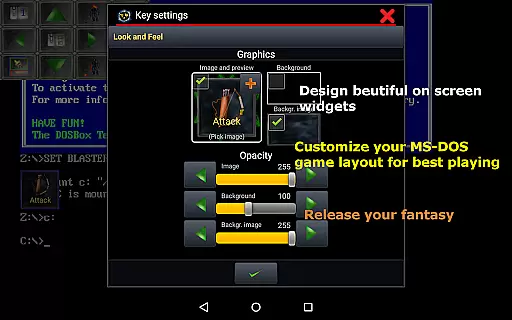
The app's effectiveness is further enhanced by its unique control system tailored for touch devices. Magic DosBox offers a highly customizable interface where users can create on-screen buttons, virtual D-pads, and other widgets. These widgets are not only diverse but also fully adjustable in terms of size, position, and appearance. Such flexibility allows gamers to design control schemes that suit their personal preferences, ensuring a seamless and intuitive interaction with their favorite games.
Another key aspect of Magic DosBox's functionality is its networking capabilities. By supporting IPX network play, the app enables multiplayer experiences that were previously limited to local area networks. This feature expands the scope of classic gaming, allowing friends to connect and play together regardless of their physical location. Additionally, the app supports various file formats like ISO, GOG, and CUE OGG, making it versatile for different types of game installations and media.
Magic DosBox excels in providing an interface that balances simplicity with powerful customization options. For users new to emulation, the app offers a straightforward setup process supported by multi-language documentation available on its website. This ease of access helps users quickly get started without feeling overwhelmed by technical details, while still offering advanced features for those who want more control over their gaming experience.
The design mode within Magic DosBox is particularly noteworthy for its intuitiveness. Users can easily switch between design mode and play mode, allowing them to adjust widget layouts during gameplay without interrupting their session. With over ten types of on-screen widgets available, including keys, mouse controls, and notes, players have everything they need to create a personalized gaming setup. Each widget can be customized with custom images, text, and backgrounds, giving users complete freedom to tailor their interface according to their specific needs.
Furthermore, Magic DosBox simplifies complex tasks through innovative features such as swipe gestures, long-press actions, and two-point gestures. These intuitive controls enhance the overall user experience by providing quick access to frequently used functions without cluttering the screen. Whether playing adventure games or RPGs, these thoughtful design elements ensure that Magic DosBox remains both easy to use and highly functional, catering to a wide range of gaming preferences.
Highly optimized performance
Extensive customization options
Multi-language support
Advanced widget system
External controller compatibility
No included games
Complex setup process
Limited free version
Occasional emulation bugs
Requires technical knowledge

1-Click close all background apps on Android TV
 3.90
3.90
Learn the vast amount of system information about device and monitor it's state
4.70
Head tracking for PC sim games such as MSFS 2024 or Elite:Dangerous. No headset!
4.50
HD Video player and downloader for all formats, fast & smooth 4K video playback.
4.60
Universal TV remote control all TVs, Roku, LG, Samsung, Fire, Vizio, Sony, TCL.
4.40
Undelete and recover your lost or deleted files with DiskDigger!
3.40
Game Booster, GFX Tool is now compatible with newer game update
4.50
Automate everything from settings to photos, SMS to speech. ADC2 prize winner.
4.10
Introducing Smart Printer, your ultimate destination for printing solutions!
4.00
Best leveling tool for your Android device. Hang paintings like a pro.
4.90
Excellent scientific calculator with symbolic algebra, integrals, derivatives
4.80
WiFi Signal Strength Meter help you detect WiFi Signal Strength in real time.
4.80
Mirror your screen to Chromecast and Android TV - Super fast and simple
4.60 4.50
4.50 4.50
4.50
The Ultimate Bluetooth Keyboard & Mouse. Securely control your PC, Mac, and more
4.50
Forza Tuning Calculator App for Forza Horizon 5, Motorsport and Earlier Titles
4.40 4.10
4.10
Smart and comfortable browsing experience.
3.80


User Reviews