
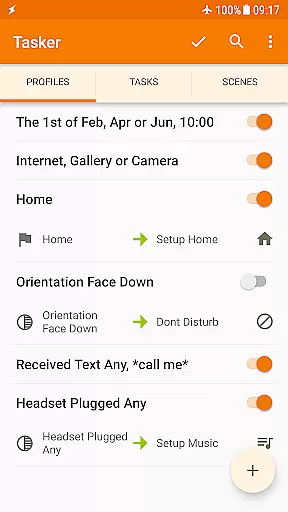
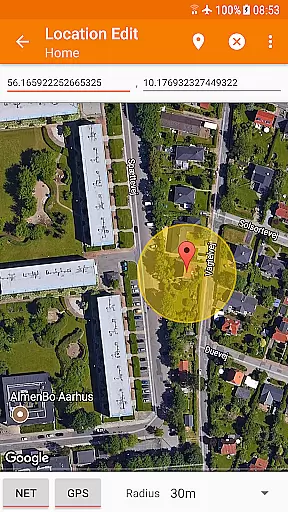
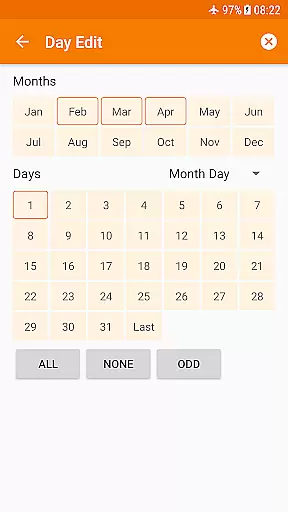
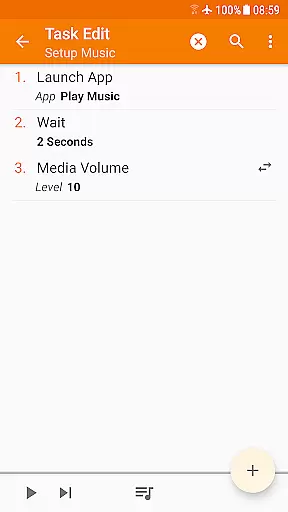
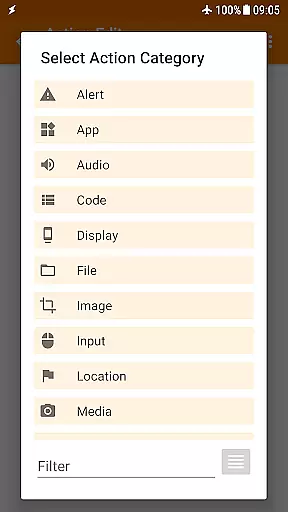
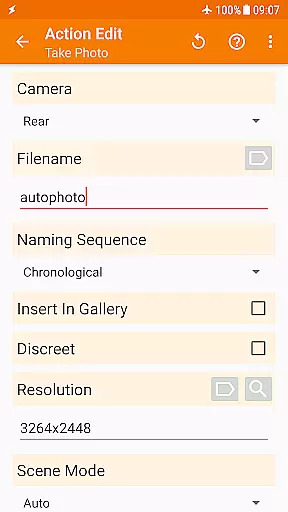
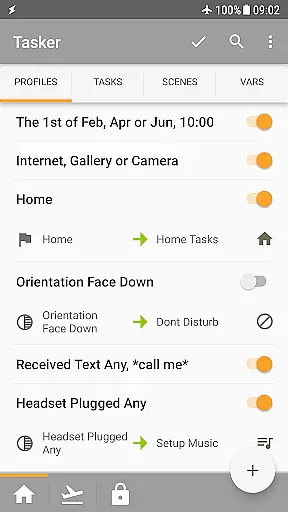
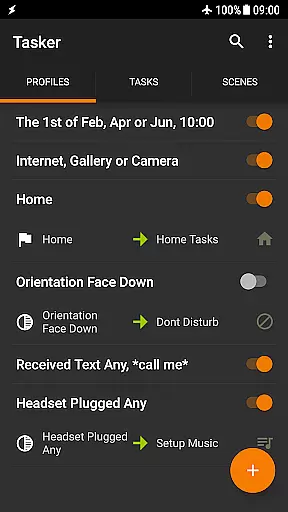
Tasker is a powerful automation tool designed to transform your Android device into a true smart device. It allows users to automate repetitive tasks based on various triggers such as location, time of day, or specific events like receiving an SMS. With over 350 actions available, Tasker can customize nearly every aspect of your phone's functionality, from changing system settings to controlling music playback.
Beyond basic automation, Tasker supports advanced features like automatic file backups, downloading and installing APKs directly, and creating custom UI scenes. The app also integrates with third-party applications and web APIs, offering limitless possibilities for personalization and control. Whether you're looking to simplify daily routines or create complex automated systems, Tasker provides the tools necessary to achieve complete device customization.
Tasker stands out with its extensive range of features tailored for both casual users and tech enthusiasts. The app's core functionality revolves around automation, enabling users to set up tasks that trigger based on specific contexts such as location, time, or device state. This flexibility allows for intricate combinations of conditions and actions, making it possible to automate virtually any aspect of your device.
In addition to automation, Tasker offers advanced capabilities like scene design, allowing users to create custom interfaces for displaying information or triggering tasks. Integration with Join enables remote task execution from other devices, while the Tasker App Factory lets users develop standalone apps for sharing or selling. With support for HTTP requests and third-party plugins, Tasker empowers developers to extend its functionality even further, providing a comprehensive platform for device management and innovation.
Tasker exemplifies core function accuracy and effectiveness through its robust automation capabilities. The app allows users to create complex automations based on over 130 contexts, including time of day, location, and Wi-Fi network status. This precision ensures that the right task is executed at the right moment without manual intervention.
The app's 350+ actions offer extensive customization options, ranging from sending SMS to controlling system settings like Wi-Fi Tether and Dark Mode. Each action is designed to be reliable and efficient, ensuring that users can truly tailor their Android experience according to their needs. Tasker's ability to integrate with third-party apps further enhances its functional accuracy.
For users seeking automatic file backups or downloading APKs directly, Tasker delivers with straightforward setup processes. These features are implemented with careful attention to detail, providing peace of mind for data safety and application updates. Such comprehensive functionality underscores Tasker's commitment to operational excellence.
Overall, Tasker's dedication to precision and reliability makes it an indispensable tool for power users. Its wide array of accurate and effective functions empowers users to automate repetitive tasks, customize their devices extensively, and streamline their digital lives effortlessly.
Despite its powerful capabilities, Tasker maintains an interface that balances simplicity with intuitiveness. New users can easily navigate through the appu2019s structure thanks to well-organized menus and clear categorization of tasks and contexts. This design choice ensures that even those new to automation can start creating basic tasks without feeling overwhelmed.
Tasker provides various tutorials and starter guides accessible via its official website, enhancing user understanding of more complex functionalities. These resources help demystify advanced features such as Scenes and App Creation, making them approachable for intermediate users looking to expand their expertise.
Additionally, Tasker supports multiple triggers like launcher shortcuts, widgets, and media buttons, offering intuitive ways to activate tasks. Users can choose methods they find most convenient, whether itu2019s a widget on their home screen or a quick setting tile, ensuring seamless interaction with the app.
In summary, while Tasker offers deep customization options, it remains accessible through thoughtful interface design and supportive learning materials. This blend of simplicity and depth enables both novice and experienced users to harness the full potential of their Android devices effectively.
Highly customizable
Extensive automation options
Rich feature set
Developer-friendly
Active community support
Steep learning curve
Requires initial setup time
Paid app
Some features need root access
Overwhelming for beginners

 4.50
4.50
A powerful, easy-to-use flight computer on your phone or tablet!
3.80
1-Click close all background apps on Android TV
3.90
Learn the vast amount of system information about device and monitor it's state
4.70
Fast Video Downloader, Movie Downloader, Torrent Downloader & Adblock Browser
4.70
Create your own custom widget with endless possibilities
3.90
Clean up large files and similar photos, fast and easy to use
4.40
Fast VPN USA for any country. Super secure VPN for calls, streaming, games, TV.
4.40
Enjoy a smooth mobile reading experience!
3.60
Change your GPS location instantly. Simulate routes anywhere in the world.
4.90
HD Video player and downloader for all formats, fast & smooth 4K video playback.
4.60
App to pay for FUTO Keyboard
4.60
eXtended Permission Manager - a small app to manage permissions and AppOps
4.50
Button mapper, mouse toggle, sleep timer and a lot of another features
4.50
Forza Tuning Calculator App for Forza Horizon 5, Motorsport and Earlier Titles
4.40
Carry a FTP server in your pocket and avoid USB cables for file transfer
4.20
A convenient photo, video, and file recovery tool.
4.00
This app unlocks the Pro features of the Central for DayZ app
3.60
Download any file easily and quickly with Downloader
4.1


User Reviews