

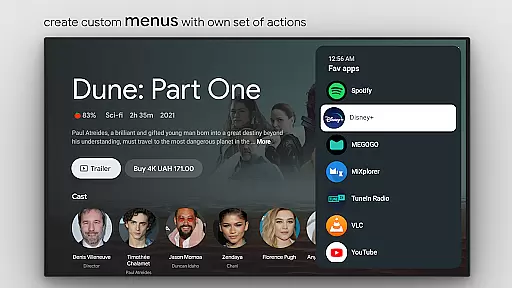
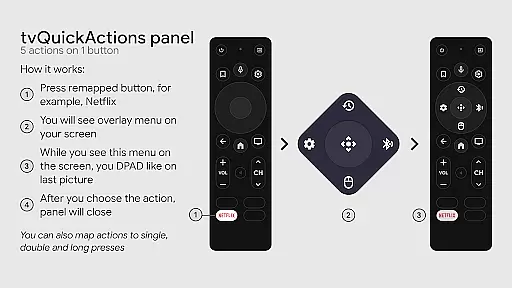
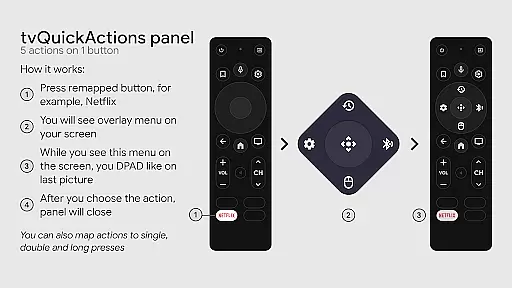
tvQuickActions Pro is an advanced button/key mapper specifically designed for TV devices, compatible with Android TV, Google TV, and AOSP on most devices. One of its standout features allows users to assign up to five actions to a single remote button, significantly enhancing device functionality.
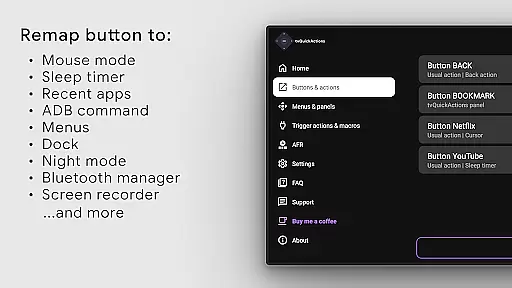
This app transforms your TV remote into a powerful tool by adding useful functions such as recent apps management, custom menus, ADB commands, mouse toggle, sleep timer, dialpad, screen recording, night mode, Bluetooth manager, media control panel, and quick TV input change. It also supports auto framerate features for Amlogic devices running Android 9-11.
Whether you're looking to optimize your TV experience or unlock hidden potential in your remote, tvQuickActions Pro offers a versatile solution that caters to both casual users and tech enthusiasts alike.
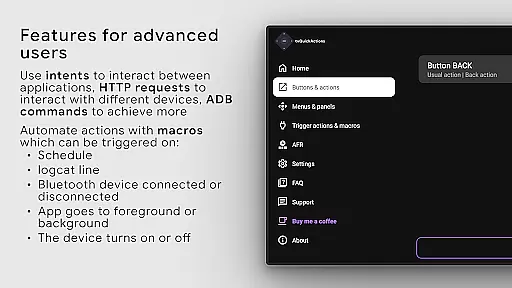
tvQuickActions Pro boasts an impressive array of features tailored for TV device optimization. The app's unique ability to map multiple actions to a single remote button sets it apart from other mappers. Users can create custom menus with various actions, execute user ADB commands, and toggle mouse functionality on any remote.
In addition to its core mapping capabilities, the app provides several quality-of-life improvements including a sleep timer, dialpad, screen recording, night mode, and Bluetooth management. The media control panel and quick TV input change further enhance the user experience by streamlining common tasks.
Advanced users will appreciate the app's support for remapping Netflix buttons on specific devices and creating custom channels for Android TV home menus. With its comprehensive feature set and robust customization options, tvQuickActions Pro establishes itself as a premier tool for TV device enthusiasts.
tvQuickActions Pro stands out in the Tools category by offering precise and effective core functionalities that cater specifically to TV device users. The app's primary feature is its ability to remap buttons on your remote, allowing up to five distinct actions per button. This granular control enhances the user experience by enabling quick access to frequently used functions.
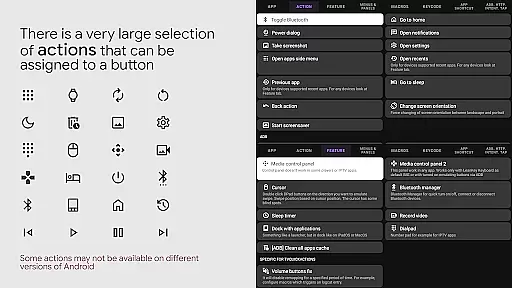
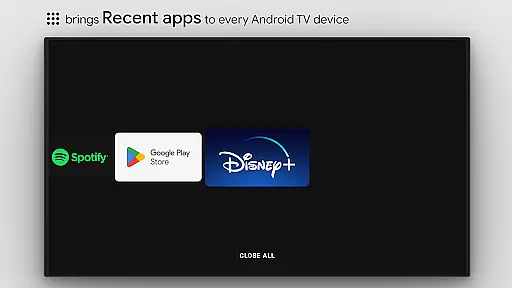
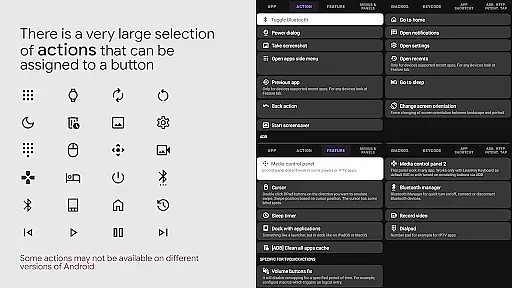
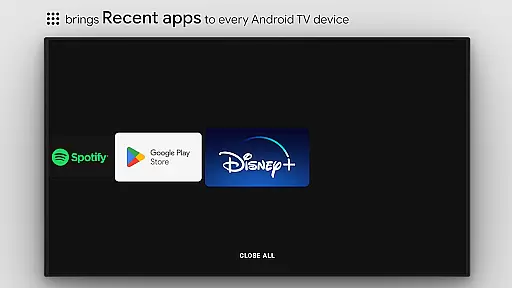
The application supports a wide array of actions ranging from opening apps, controlling media playback, toggling device settings like WiFi and Bluetooth, to more advanced features such as executing ADB commands and managing recent apps. These capabilities ensure that users can customize their TV devices to suit their specific needs and workflows, making daily tasks more efficient.
For devices running on Android TV, Google TV, or AOSP, tvQuickActions Pro provides unique functionalities such as Auto Frame Rate for Amlogic devices and support for remapping special buttons on certain remotes. This compatibility ensures that users across different platforms can benefit from the app's powerful features without worrying about device limitations.
By leveraging AccessibilityService API, the app achieves accurate button remapping and automation of screen interactions. Although some features may vary in effectiveness depending on the device's firmware and Android version, the overall functionality remains robust and reliable, delivering significant value to power users seeking enhanced control over their TV devices.
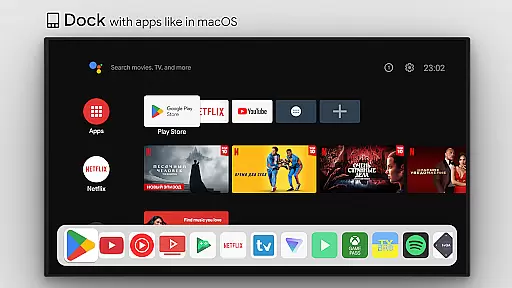
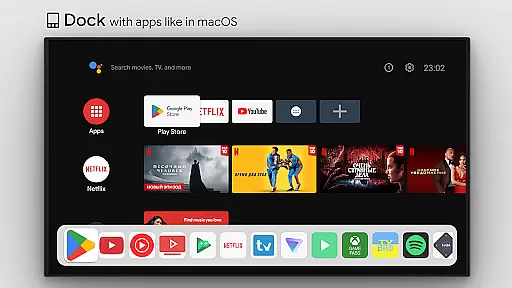
A key aspect of tvQuickActions Pro is its commitment to providing a simple and intuitive interface despite the complexity of its features. As a tool designed for both casual and power users, it ensures that even those new to button mapping can easily navigate and utilize its extensive capabilities. The app offers a dock system similar to macOS/iPadOS, presenting users with familiar and accessible ways to organize and launch their favorite applications.
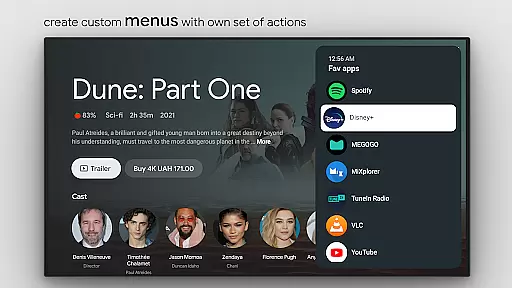
Customization is at the heart of tvQuickActions Pro, allowing users to create personalized menus filled with any actions they desire. Whether itu2019s launching an app, controlling media playback, or toggling device settings, these custom menus streamline access to essential functions. Additionally, the ability to set actions for power-on events, sleep mode entry or exit, further exemplifies the app's focus on user-centric design.
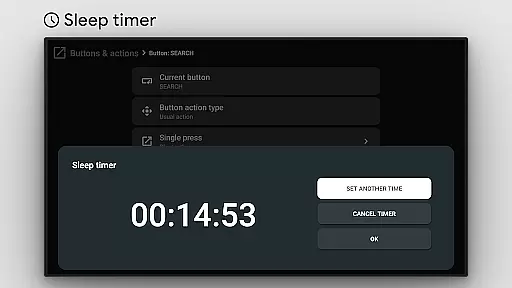
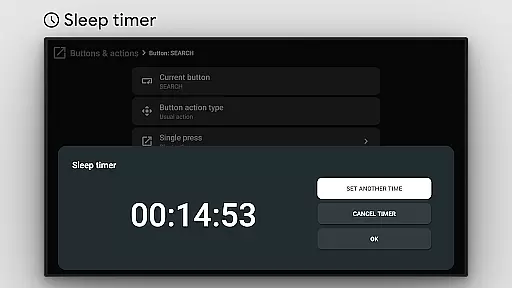
The app also includes practical tools like a sleep timer, dial pad, and screen recording, which are seamlessly integrated into the interface. These features enhance the overall usability of the app without overwhelming the user with unnecessary complexity. Furthermore, the inclusion of a media control panel and quick TV input change options ensures that all critical controls are just a few taps away.
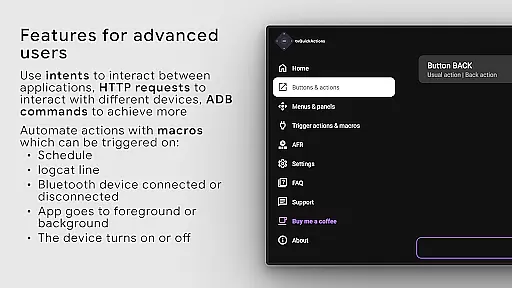
While tvQuickActions Pro offers advanced functionalities such as executing ADB commands and managing Bluetooth devices, it maintains an approachable interface that encourages exploration and customization. This balance between powerful features and ease of use makes tvQuickActions Pro an invaluable tool for anyone looking to optimize their TV device experience.
Highly customizable
Wide device compatibility
Unique multi-action mapping
Comprehensive feature set
Regular updates
Complex for beginners
Some features device-specific
Requires accessibility service
Premium version costly
Occasional compatibility issues

1-Click close all background apps on Android TV
 3.90
3.90
Quickly & easily calculate the spacing of handrail balusters
4.20
Keep track of your Palia friendships, tasks, and inventory with Palia Notebook
4.60
VESC Tool can monitor and configure VESC-compatible devices over BLE and Wifi
4.20
Excellent scientific calculator with symbolic algebra, integrals, derivatives
4.80
Bedrock Together: Join any bedrock server on Xbox/PS
4.80
Quickly check the frequency of the Earth
4.30
A simple app to back up and restore SMS & MMS messages and call logs.
4.10
Creation, Learning, Entertainment & More — The All-in-One AI Search Engine
4.70
Enjoy smooth gameplay with Game Booster
4.90
Best leveling tool for your Android device. Hang paintings like a pro.
4.90
Powerful collection of electronics tools and reference.A must for any enthusiast
4.90
The Ultimate Flex Drivers Utility App - Convenient Tapping & Block Filters
4.70
Protect your device with antivirus, storage cleanup, and system monitoring
4.70
Planner and Tracker for Stardew Valley
4.60
Complete kernel toolbox with features to manage and tweak your rooted device
4.30
Effortlessly run ADB commands directly on your device without a PC.
4.20
Amateur Radio app for APRS: Track friends, exchange messages, get tactical info.
3.90
A recovery soft,it features photo recovery, video recovery, file recovery.
3.40


User Reviews