
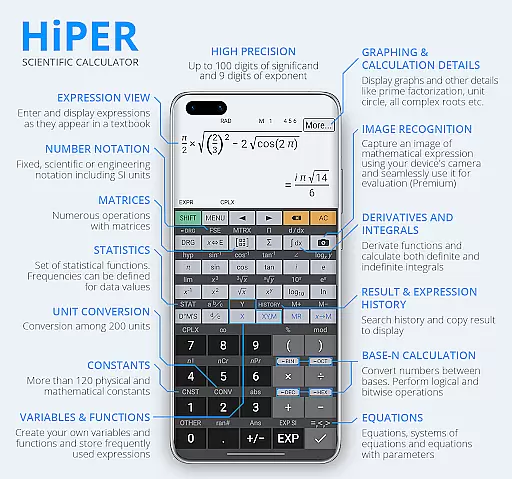
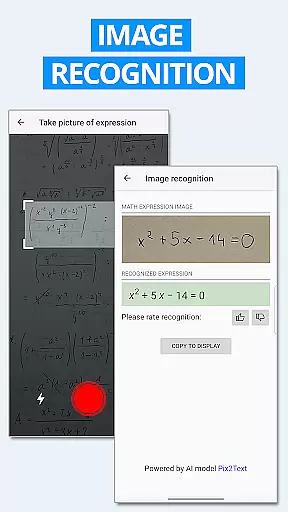
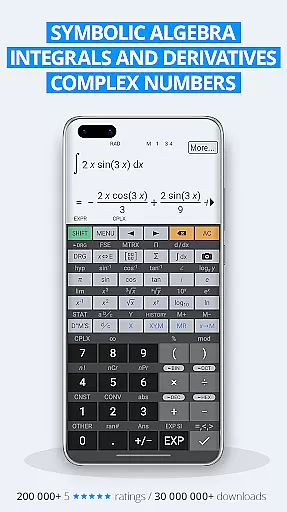
HiPER Calc Pro is an advanced scientific calculator that offers a comprehensive suite of mathematical tools. With capabilities ranging from symbolic algebra to graphing, this app supports equations, integrals, derivatives, and more. It caters to users who require precision and depth in their calculations, making it suitable for students, engineers, and scientists.
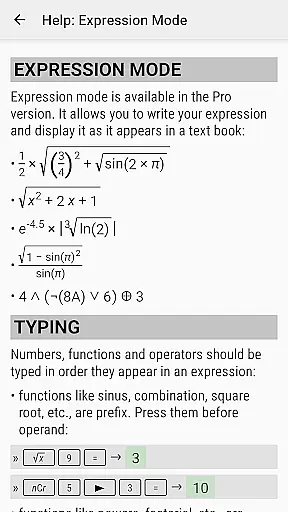
The calculator stands out with its ability to handle expressions naturally, displaying results as numbers or simplified expressions. It features multiple layouts optimized for different devices, ensuring usability across smartphones and tablets. Additionally, the multiline display option allows users to review their calculation history and access previous results effortlessly.
With over 40 million downloads globally, HiPER Calc Pro has earned a reputation for reliability and functionality. Its vast array of features, combined with high-quality themes and customizable settings, makes it a versatile tool for tackling complex mathematical challenges.
HiPER Calc Pro boasts an impressive range of features designed to enhance mathematical computation. The calculator supports up to 100 digits of significand and 9 digits of exponent, enabling highly precise calculations. It handles basic arithmetic operations, fractions, periodic numbers, and unlimited braces, ensuring accurate and flexible computations.
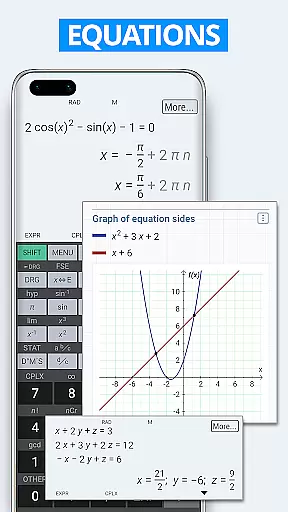
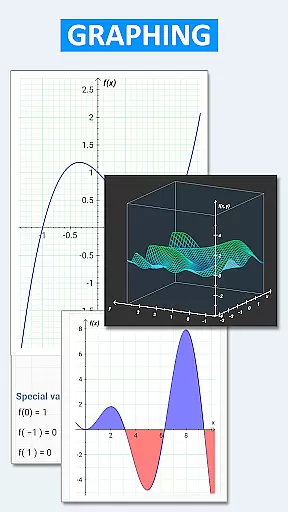
One of the standout features is its capability for symbolic computation, including solving equations, working with variables, and performing derivatives and integrals. The app also excels in graphical representation, offering graphs of functions, equations, integral areas, limits, and even 3D graphs. These visual tools help users better understand mathematical concepts and relationships.
Additional functionalities include matrix and vector operations, statistical analysis, regression, complex number handling, and unit conversions among 250 options. HiPER Calc Pro further provides advanced number operations, trigonometric functions, logarithms, and logical operations. With haptic feedback, result history, and clipboard operations, the app ensures a seamless and efficient user experience.
HiPER Calc Pro stands out as a highly accurate and effective scientific calculator, offering users an extensive range of functions that cater to both basic and advanced mathematical needs. With capabilities extending to symbolic algebra, graphing, equations, integrals, and derivatives, the app ensures precision in every calculation.
The calculator supports up to 100 digits of significand and 9 digits of exponent, making it suitable for complex computations. It handles fractions, mixed numbers, periodic numbers, and their conversion to fractions seamlessly. Its operator priority and unlimited braces ensure calculations are processed correctly, reflecting the app's commitment to delivering reliable results.
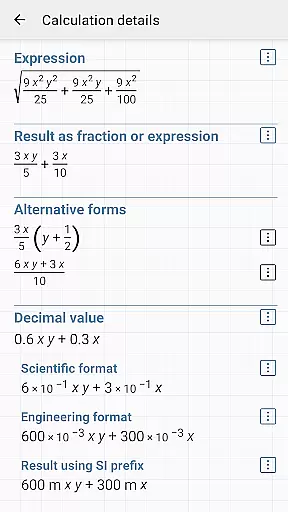
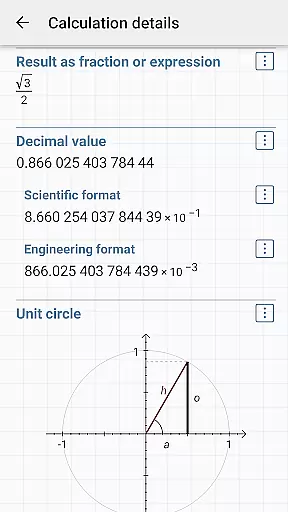
Users benefit from features like calculation details, which provide extended information about computations, including all complex roots and unit circle data. The inclusion of matrices, vectors, statistics, and regression analysis further enhances its utility for students, educators, and professionals alike.
Moreover, HiPER Calc Pro offers advanced number operations, trigonometric and hyperbolic functions, powers, roots, logarithms, and more. This comprehensive suite of tools not only meets but exceeds expectations for a scientific calculator, ensuring users can tackle any mathematical challenge with confidence.
Despite its vast array of functions, HiPER Calc Pro maintains an interface that is both simple and intuitive. The layout adapts to various screen sizes, offering 'pocket' for small devices, 'compact' for smartphones, and 'expanded' for tablets, ensuring ease of use regardless of the device.
A notable feature is the multiline display available on tablets, providing users with a complete history of calculations and easy access to previous results. This functionality enhances user interaction by simplifying navigation through past computations without cluttering the interface.
Users can choose from several high-quality themes, allowing personalization that suits individual preferences while maintaining clarity and readability. Such customization options contribute to an engaging yet straightforward user experience.
Furthermore, settings that manage full-screen mode, decimal and thousand separators, along with memory operations and clipboard functionalities, are intuitively organized. These aspects collectively ensure that despite its complexity, HiPER Calc Pro remains accessible even to those new to scientific calculators.
Comprehensive math functions
High precision calculations
User-friendly interface
Multiple device layouts
Graphical capabilities
Steep learning curve
Premium price point
Complex for casual use
Limited offline support
Occasional bugs

Easily install aab(Android App Bundle) files on your Android device with our app
 4.80
4.80
Quickly & easily calculate the spacing of handrail balusters
4.20
Optimize your WiFi network, turn your phone into Wifi Analyzer
4.70
ADB support Android 4.X-Android 13(Support wireless pair mode).No root required!
4.70
Detect hidden spy camera with advanced scanning {{ Premium version }}
4.00
Signal Strength, Mobile, Wifi, Speed Test, Bad Signals, Cellular, 5G, LTE, 4G
4.20
View detailed information about your Nissan Leaf the dealer never shows you.
4.10
Introducing Smart Printer, your ultimate destination for printing solutions!
4.00
Screen recorder with audio to record high-quality videos and take screenshots.
4.40
WiFi Signal Strength Meter help you detect WiFi Signal Strength in real time.
4.80
Extremely fast, secure, and protects your privacy
4.80
Creation, Learning, Entertainment & More — The All-in-One AI Search Engine
4.70
HD Video player and downloader for all formats, fast & smooth 4K video playback.
4.60
Mirror your screen to Chromecast and Android TV - Super fast and simple
4.60 4.50
4.50
With videos, electrical calculators, and built-in ebook, Ugly’s has your answer.
4.50
Screen Mirroring for Roku Sticks, Roku TCL TV and Roku Hisense TV
4.50
PC precision for mobile gaming: dominate with keyboard and mouse!
4.30
VESC Tool can monitor and configure VESC-compatible devices over BLE and Wifi
4.20


User Reviews