
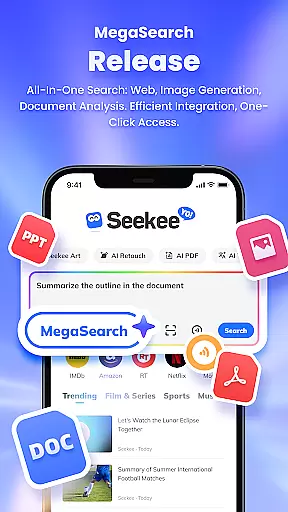
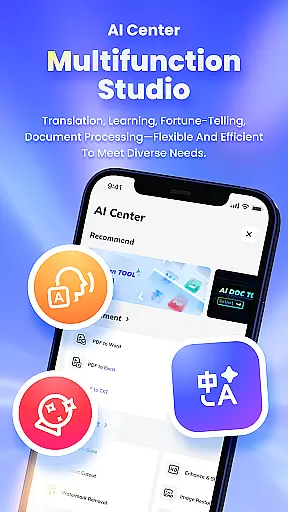
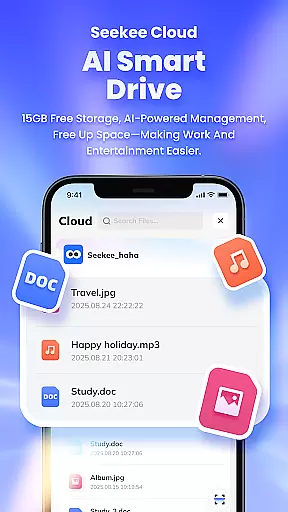
Seekee is an innovative productivity tool that redefines how users interact with digital content through its unique MegaSearch Bar. This all-in-one interface serves as your personal AI assistant, streamlining multiple functions into a single access point. Whether you need to extract key information from the web, generate creative content, or manage documents, Seekee handles it all efficiently.
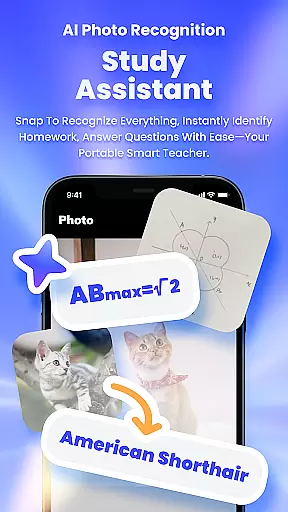
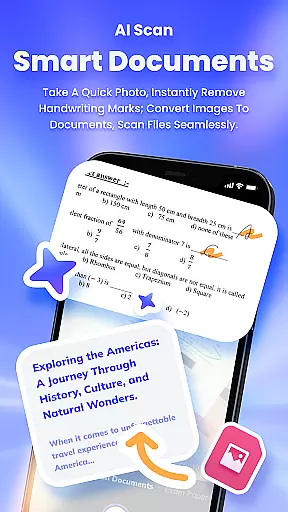
The app's standout feature is its ability to process visual information. Users can snap photos to solve problems, chat over images, and even scan documents with advanced editing capabilities. The MegaSearch Bar also enables seamless file handling, intelligent translations, and real-time topic tracking across various domains. These features make Seekee particularly valuable for professionals and students seeking to optimize their workflow.
Seekee finds practical application in both academic and professional settings. Imagine a consultant needing to quickly summarize lengthy research papers into digestible mind maps, or a student requiring help with complex homework assignments. The app's AI-powered capabilities streamline these tasks, making it an indispensable tool for anyone looking to enhance their productivity while maintaining high-quality output.
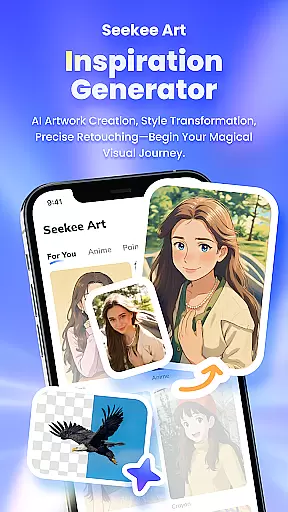
Seekee distinguishes itself through its comprehensive feature set designed to enhance productivity across multiple dimensions. The AI Creation module supports various content generation needs, from drafting professional emails to creating detailed work summaries and generating creative visual content. This versatility makes it suitable for different professional and personal use cases.
The application's AI Image Editing capabilities are particularly impressive. Users can perform complex image manipulations with single-click simplicity, including background removal, quality enhancement, and old photo restoration. The built-in ID photo generator adds practical value for professional and personal documentation needs. Additionally, the PDF Editing suite offers robust document management features, enabling efficient format conversion and intelligent processing of digital documents.
What sets Seekee apart is its integrated approach to knowledge acquisition and processing. The AI Learning module provides intelligent question answering and homework assistance, while the visual recognition system can identify objects through photographs. Combined with real-time translation services and trend tracking capabilities, these features create a powerful ecosystem that supports users in their daily tasks, learning endeavors, and professional development.
Seekee's MegaSearch Bar represents a breakthrough in functional accuracy and effectiveness for productivity tools. At its core, the AI-powered search functionality delivers precise results across multiple domains, from document processing to image recognition.
The application demonstrates exceptional effectiveness through its specialized features. Users can instantly generate summaries, edit images with professional-grade tools, and receive intelligent answers to complex questions. Each feature has been optimized to provide accurate outputs, whether it's PDF conversion or multilingual translation.
This accuracy extends to Seekee's learning assistance capabilities, where students receive verified homework corrections and detailed explanations. The tool's effectiveness is further enhanced by its ability to handle real-time tasks like hot topic tracking and document scanning with consistent precision.
These carefully engineered functions create significant value for users who require reliable performance across various work and study scenarios, making Seekee an indispensable digital assistant.
Seekee's interface design prioritizes user-friendly simplicity while maintaining powerful functionality. The centerpiece is the unified MegaSearch Bar, which consolidates all features into a single access point, eliminating the need for navigating complex menus.
The application achieves intuitive operation through thoughtful design choices. Users can activate any function with minimal taps, while clear visual feedback guides them through each process. Whether editing documents or generating AI-powered content, the interface maintains consistency across different features.
Special attention has been paid to streamline complex operations. For instance, image editing tools present professional-grade features without overwhelming users, while document processing functions maintain straightforward workflows despite their sophistication.
This combination of simplicity and power creates an accessible experience that appeals to both casual users and professionals seeking efficient solutions without compromising on capability.
Comprehensive AI tools
Efficient document processing
Versatile image editing
Intelligent learning support
Real-time trend updates
Steep learning curve
Premium feature costs
Occasional AI errors
High system requirements
Limited offline functions

 4.50
4.50
Change your GPS location instantly. Simulate routes anywhere in the world.
4.90
Extremely fast, secure, and protects your privacy
4.80
Fluid navigation gestures for all of us!
4.30
Keep track of your Palia friendships, tasks, and inventory with Palia Notebook
4.60
An easy-to-use calculator designed to save time calculating and bending conduit
4.30
Excellent scientific calculator with symbolic algebra, integrals, derivatives
4.80
Create your own custom widget with endless possibilities
3.90
Enjoy a smooth mobile reading experience!
3.60 4.50
4.50
Pro Emulator is an easy to use game console emulator for a range of consoles.
4.40
pdf merge, word to pdf, jpg to pdf, edit pdf, convert to pdf and much more!
4.20
Effortlessly run ADB commands directly on your device without a PC.
4.20 4.10
4.10
Introducing Smart Printer, your ultimate destination for printing solutions!
4.00
1-Click close all background apps on Android TV
3.90
A recovery soft,it features photo recovery, video recovery, file recovery.
3.40
A non-root local ADB shell client. READ BELOW!
3.40
Transfer Files, APK from Phone to Watch & Install.
4.2


User Reviews