
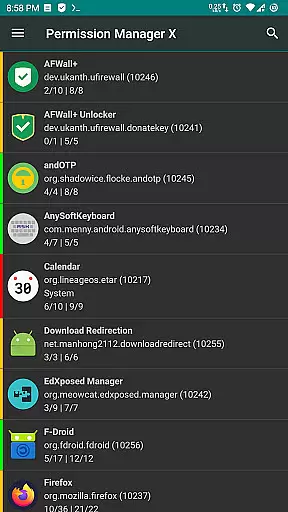
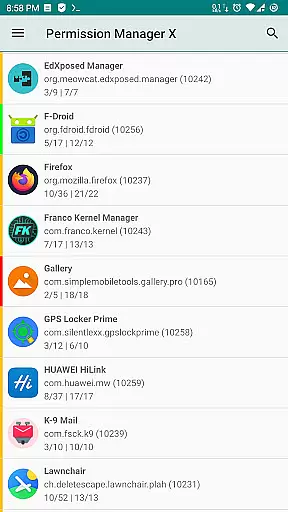
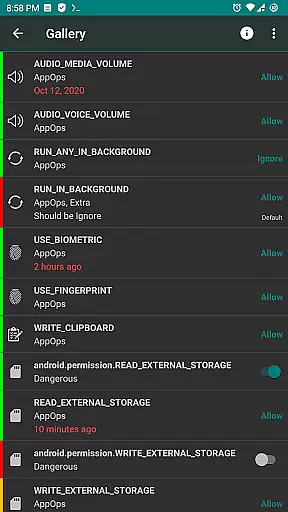
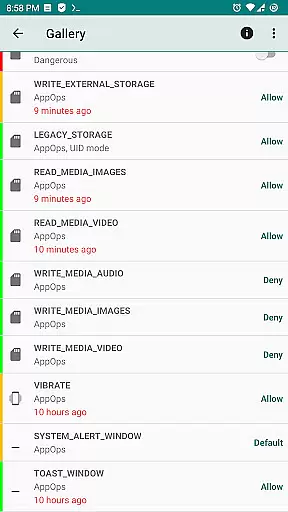
Permission Manager X is a powerful tool designed for advanced users who want granular control over app permissions on their Android devices. The app allows you to manage both manifest permissions and AppOps, providing unprecedented control over how apps interact with your device and data.
With its intuitive interface, you can view, grant, or revoke permissions for every installed app from a single screen. The app also enables setting reference states for permissions, which can be backed up and restored across devices. Whether you're concerned about privacy, performance, or security, Permission Manager X puts you in complete control of your device's permission landscape.
This tool is particularly useful for power users who frequently change ROMs or reinstall apps, as it significantly streamlines the process of reviewing and restoring preferred permission settings. The colored bars provide quick visual cues for easy permission management.
What sets Permission Manager X apart is its comprehensive approach to permission management. The app goes beyond basic permission controls by integrating AppOps management, allowing users to control background execution, vibration, clipboard access, and more.
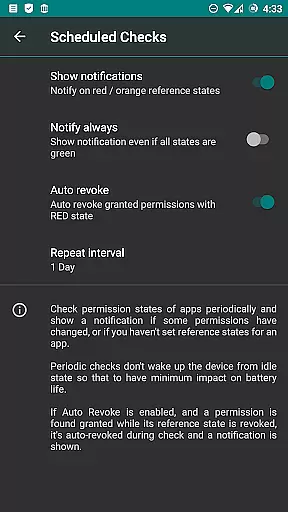
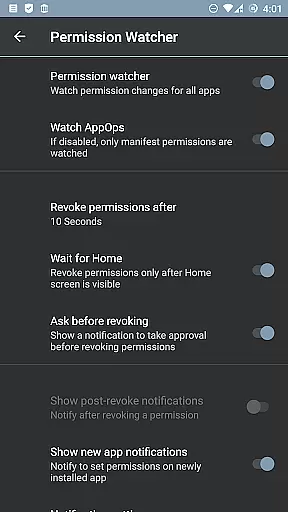
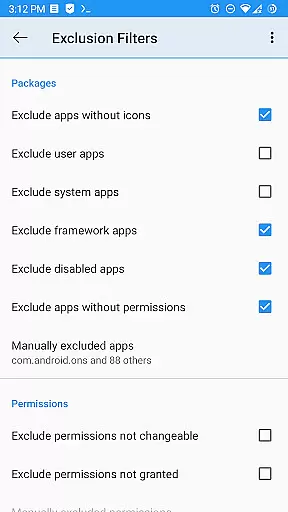
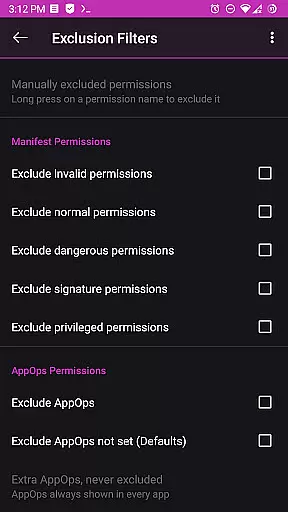
The app offers advanced features like Permission Watcher, which automatically removes unwanted permissions when you stop using an app. Power users will appreciate the ability to sort apps and permissions by various parameters, schedule checks for permission states, and perform batch operations through profiles.
Paid features include auto-revoking granted permissions with problematic states, multi-user support, automatic backup creation on changes, and theming options. These capabilities make Permission Manager X an indispensable tool for maintaining optimal device security and performance.
Permission Manager X offers a comprehensive suite of tools designed to manage app permissions with precision and efficiency. The core functionality allows users to view, grant, or revoke both manifest permissions and AppOps permissions from a single interface. This ensures that every permission change is accurately reflected across the system, providing users with complete control over their privacy settings.
The application's robust framework leverages Android's backend access control mechanisms, offering fine-grained control over various permissions. Whether it's managing background execution, vibration, clipboard access, or more traditional permissions like storage and camera usage, Permission Manager X delivers an effective solution for maintaining optimal device security. By integrating manifest permissions and AppOps, the app provides a seamless experience in controlling how apps interact with your device.
For advanced users, the app includes paid features such as scheduled checks and auto-revoke capabilities, which enhance its effectiveness by notifying users of undesirable permission states and automatically revoking them when necessary. These features ensure that even after reinstalling apps, changing devices, or upgrading the operating system, users can quickly restore their preferred permission settings. With colored bars for easy review and backup options, Permission Manager X stands out as a reliable tool for anyone concerned about performance, privacy, and control.
Despite its powerful capabilities, Permission Manager X maintains an intuitive and user-friendly interface. The design philosophy centers around simplicity, ensuring that even those new to permission management can navigate the app with ease. Each installed app's permissions are displayed on a single screen, allowing users to make informed decisions without feeling overwhelmed by complex menus or options.
The app categorizes permissions into understandable groups, making it straightforward to identify and modify specific settings. For instance, users can easily find controls related to background execution, location tracking, SMS sending, and other critical functions. This logical organization simplifies the process of adjusting permissions, enabling users to tailor their deviceu2019s behavior according to personal preferences without requiring technical expertise.
Additionally, Permission Manager X offers helpful resources such as guides and FAQs, which further enhance the user experience by explaining key concepts and addressing common questions. Features like search suggestions and theming options add another layer of convenience, allowing users to customize the interface to suit their needs. Overall, the combination of a clean layout and educational support makes Permission Manager X an accessible yet powerful tool for managing app permissions effectively.
Comprehensive permission control
Intuitive user interface
Powerful automation features
Regular updates and improvements
Active developer support
Requires root access
Steep learning curve
Limited functionality without ADB
No beginner-friendly mode
Some features are paid

FV File Manager Pro, Fast and powerful file manager for Android
 4.60
4.60
Fluid navigation gestures for all of us!
4.30
Clean the junk files on your device
3.40
Canon PRINT is a companion app for your Canon printer.
4.60
An open-source APK explorer for Android!
4.10
Unleash gamepad precision for ultimate mobile gaming dominance.
3.90
Making emulation easy for everyone!
4.30
The one-and-only remote control for PC, Mac, and Linux
4.70
Connect wirelessly to your computer to watch movies, browse the web, play games
5.00
Best leveling tool for your Android device. Hang paintings like a pro.
4.90
Excellent scientific calculator with symbolic algebra, integrals, derivatives
4.80
WiFi Signal Strength Meter help you detect WiFi Signal Strength in real time.
4.80
HD Video player and downloader for all formats, fast & smooth 4K video playback.
4.60
Complete kernel toolbox with features to manage and tweak your rooted device
4.30
PC precision for mobile gaming: dominate with keyboard and mouse!
4.30
Remote for Roku, Fire TV, Samsung TV, LG TV, Android TV, Chromecast and VIZIO TV
4.20
A non-root local ADB shell client. READ BELOW!
3.40
Undelete and recover your lost or deleted files with DiskDigger!
3.40
PDF Reader - Document Viewer: Read, Manage & Organize Your Documents
3.10


User Reviews