
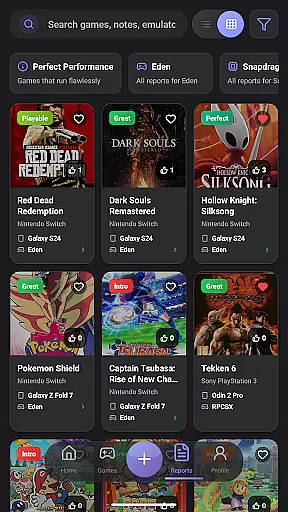
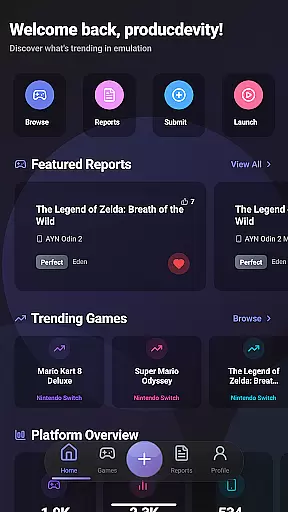
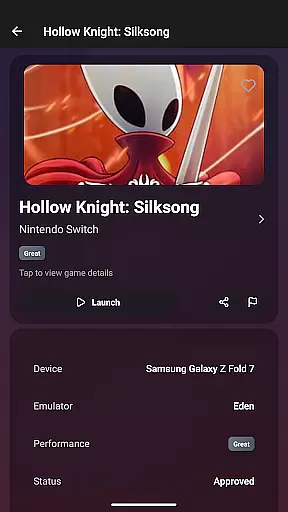
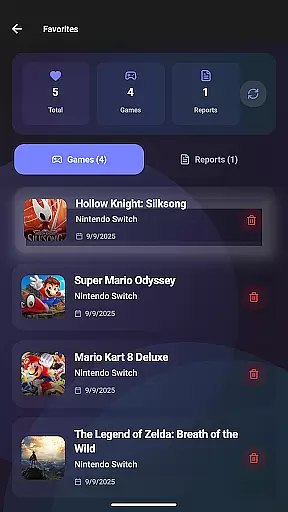
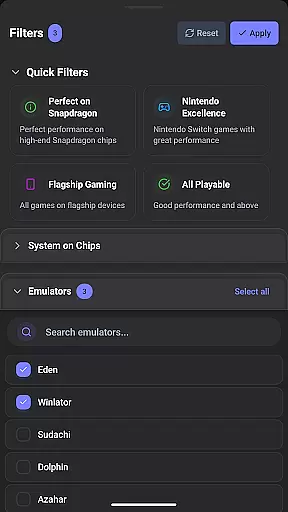
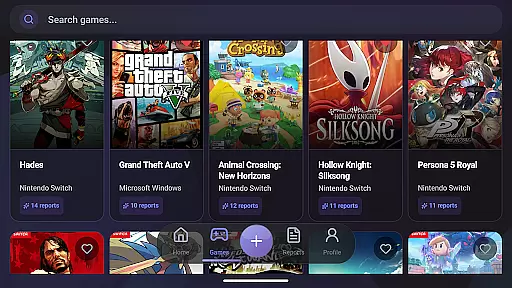
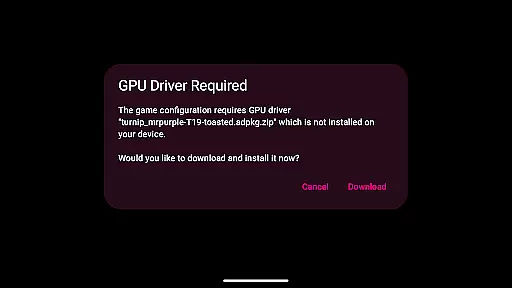
EmuReady Beta is a comprehensive emulation compatibility tool designed to help users discover which games work best on their devices. The app provides detailed compatibility reports for various devices, games, and emulators, allowing users to launch games with optimal settings in just one press. EmuReady is not an emulator itself but rather a trusted guide through the world of emulation.
The platform offers a community-driven database where users can browse thousands of games and instantly see how they perform across different devices and emulators. With features like device-specific information, multiple emulator support, smart filtering, and performance tracking, EmuReady ensures that users find the best gaming experience tailored to their hardware.
Whether you're a retro gaming enthusiast or a seasoned pro, EmuReady enhances your emulation journey by saving time and effort, ensuring you only invest in games that will run smoothly on your device.
EmuReady Beta boasts several key features that make it an indispensable tool for emulation enthusiasts. One standout feature is the extensive Game Compatibility Database, which allows users to browse thousands of games and view performance metrics such as FPS, graphical fidelity, and playability ratings ranging from Perfect to Unplayable.
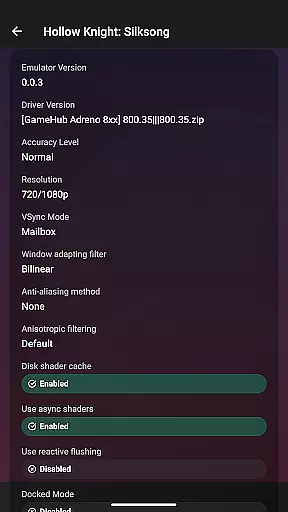
Another significant aspect is the Community Reports function, where real users share detailed compatibility reports including performance ratings, custom settings, and helpful notes. This collaborative environment helps users make informed decisions based on collective experiences. Additionally, the app supports multiple emulators for systems like Nintendo Switch and 3DS, enabling users to compare performance and choose the best emulator for each game.
Other notable features include Device-Specific Information, Smart Filtering, a Vote & Comment System, Performance Tracking, Save Favorites, and Dark Mode. These functionalities collectively ensure a seamless and personalized user experience, making EmuReady Beta a must-have tool for anyone interested in emulation.
EmuReady Beta focuses on providing accurate and effective core functions that cater to the needs of emulation enthusiasts. The app's Game Compatibility Database allows users to browse thousands of games and instantly see how they perform across different devices and emulators, ensuring that users can make informed decisions about their gaming choices.
The app supports multiple emulators for systems like Nintendo Switch and 3DS, comparing performance to help users find the best emulator for each game. With smart filtering options, EmuReady enables quick access to relevant reports by device, emulator, performance rating, and more, thus streamlining the search process and enhancing user experience with precise and functional data.
Community Reports add another layer of effectiveness by allowing real users to share detailed compatibility reports. These include performance ratings, custom settings, and helpful notes, which all contribute to a comprehensive understanding of game performance on various setups. This community-driven approach ensures current and accurate information, bolstering the app's role as a trusted guide in the emulation world.
Despite being in Beta, EmuReady offers an interface that prides itself on simplicity and intuitiveness, making it accessible for users of all experience levels. Key features are easily navigable, allowing users to quickly find compatibility reports tailored to their exact device model, whether they are using a flagship phone or a budget tablet.
One of the app's strengths is its one-touch functionality, where users can launch a game, apply all settings, and start playing with just one press. This seamless interaction reduces the complexity often associated with configuring games on different emulators, offering a straightforward solution that saves time and effort.
Additionally, EmuReady includes user-friendly features such as Dark Mode for comfortable viewing day or night, automatic theme switching, and the ability to save favorites. These intuitive design choices ensure that users can personalize their experience while maintaining ease of use throughout their emulation journey, making EmuReady an essential companion for both newcomers and seasoned pros in the emulation scene.
User-friendly interface
Comprehensive game database
Community-driven reports
Device-specific optimization
Multiple emulator support
Limited to compatibility checking
Beta version instability
No emulator provided
Dependent on user reports
Premium features may require subscription

pdf merge, word to pdf, jpg to pdf, edit pdf, convert to pdf and much more!
 4.20
4.20
Unit and currency converter with easy and simple UI.
4.80
Clean the junk files on your device
3.40
Carry a FTP server in your pocket and avoid USB cables for file transfer
4.20
Forza Tuning Calculator App for Forza Horizon 5, Motorsport and Earlier Titles
4.40
An easy-to-use calculator designed to save time calculating and bending conduit
4.30
Detect hidden spy camera with advanced scanning {{ Premium version }}
4.00
A simple app to back up and restore SMS & MMS messages and call logs.
4.10
Mobile Security with Scam Protection | Malware & Virus Cleaner | Safe Browser
4.70
Change your GPS location instantly. Simulate routes anywhere in the world.
4.90
Remote Play with FSR upscaling, low latency & full controller support
4.80
NFC Tools can read and write NFC tags.
4.70
HD Video player and downloader for all formats, fast & smooth 4K video playback.
4.60
Keep track of your Palia friendships, tasks, and inventory with Palia Notebook
4.60
Mirror your screen to Chromecast and Android TV - Super fast and simple
4.60
Remote for Roku, Fire TV, Samsung TV, LG TV, Android TV, Chromecast and VIZIO TV
4.20
An open-source APK explorer for Android!
4.10
Introducing Smart Printer, your ultimate destination for printing solutions!
4.00
Transfer Files, APK from Phone to Watch & Install.
4.0


User Reviews