
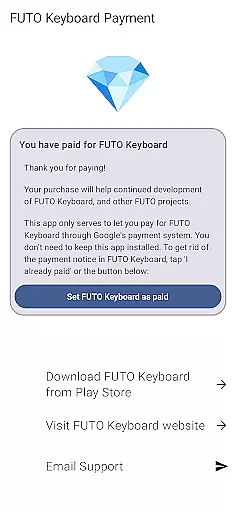
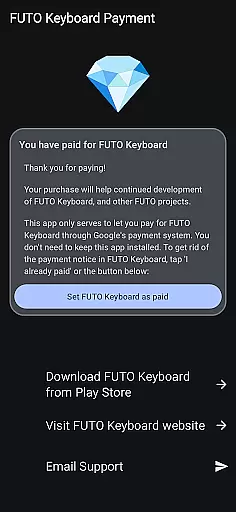
Payment for FUTO Keyboard is a specialized tool application designed to facilitate payment for the main FUTO Keyboard app. This app itself does not include any keyboard functionality but serves as a payment gateway through Google Play. Users who have already purchased FUTO Voice Input or acquired FUTO Keyboard from other sources do not need to make an additional purchase. The primary purpose of this app is to enable users to remove the payment notification in the base FUTO Keyboard app, thereby unlocking its full potential without further interruptions.
The app is particularly useful for those who prefer to manage their purchases via Google Play and want a seamless experience with the FUTO Keyboard. By purchasing through this app, users ensure that they are supporting the developers while enjoying an uninterrupted typing experience on the feature-rich FUTO Keyboard.
Payment for FUTO Keyboard offers several notable features tailored to enhance user experience. Firstly, it provides a straightforward method to pay for the core functionalities of the FUTO Keyboard app directly through Google Play. This ensures a secure and familiar transaction process for millions of Android users worldwide. Secondly, once the payment is completed, this app effectively communicates with the base app to remove all payment-related notifications, allowing users to focus solely on their typing tasks.
Another significant feature is its compatibility check mechanism. Before proceeding with the purchase, users are required to have the FUTO Keyboard installed on their devices. This prevents accidental purchases and ensures that only genuine users can access the payment benefits. Additionally, the app maintains a clear policy regarding previous purchases, ensuring that users who have already paid for related services like FUTO Voice Input are not charged again, thus promoting fairness and customer satisfaction.
When it comes to utility apps like Payment for FUTO Keyboard, the precision and reliability of core functions are paramount. This app serves a unique purpose in the Tools category by acting as a payment gateway for the main FUTO Keyboard application. The primary function is to authenticate and process payments securely, ensuring that users can remove payment notices from the base app reliably.
The app achieves its purpose through seamless integration with Google Play's billing system. By leveraging Google's trusted payment infrastructure, it ensures that all transactions are processed accurately and promptly. This not only guarantees the security of financial data but also provides users with instant confirmation of their purchases.
For users who need to unlock premium features in FUTO Keyboard, this payment solution offers peace of mind. The transaction process is straightforward, eliminating unnecessary steps while maintaining transparency throughout. Users can trust that their payment will effectively activate the desired functionality in the main application.
The value of this implementation lies in its simplicity and reliability. Rather than overwhelming users with complex options, the app focuses on executing a single task with maximum efficiency. This approach ensures that when users purchase this app, they can be confident that the payment notice in FUTO Keyboard will be successfully removed, enhancing their overall experience with the keyboard tool.
A simple and intuitive interface is crucial for utility applications, especially those handling sensitive tasks like payments. In the case of Payment for FUTO Keyboard, the design prioritizes ease of use without compromising functionality. The interface is deliberately minimalistic, focusing solely on guiding users through the payment process efficiently.
Upon opening the app, users are presented with clear instructions about its purpose and how it connects to the main FUTO Keyboard application. There are no complicated menus or hidden options u2013 everything is laid out in an organized manner. This deliberate design choice helps prevent confusion, making sure that even first-time users can navigate the app effortlessly.
The payment procedure itself has been streamlined to minimize user input. With just a few taps, users can complete their transactions securely. Each step includes concise explanations, ensuring users understand what they're doing at every stage. This thoughtful design reduces the likelihood of errors during the payment process.
By maintaining such a straightforward interface, the app enhances user confidence in completing transactions. Users don't have to worry about accidentally triggering unwanted actions or getting lost in complex settings. Instead, they can focus on quickly unlocking the full potential of FUTO Keyboard, knowing that their payment experience will be smooth and hassle-free.
User-friendly payment process
Secure transactions via Google Play
Eliminates payment notices in FUTO Keyboard
Ensures no duplicate charges for related services
Supports developers while enhancing user experience
No standalone functionality
Requires FUTO Keyboard installation
Limited to Google Play purchases
May confuse new users
Additional step for payment

A powerful, easy-to-use flight computer on your phone or tablet!
 3.80
3.80
Universal TV remote control all TVs, Roku, LG, Samsung, Fire, Vizio, Sony, TCL.
4.40
Enjoy smooth gameplay with Game Booster
4.90
Amateur Radio app for APRS: Track friends, exchange messages, get tactical info.
3.90
VESC Tool can monitor and configure VESC-compatible devices over BLE and Wifi
4.20
Best leveling tool for your Android device. Hang paintings like a pro.
4.90
A simple app to back up and restore SMS & MMS messages and call logs.
4.10
Pro Emulator is an easy to use game console emulator for a range of consoles.
4.40
Fast VPN USA for any country. Super secure VPN for calls, streaming, games, TV.
4.40
Navigate with Ease and Style
4.90
Excellent scientific calculator with symbolic algebra, integrals, derivatives
4.80
Small and simple app to Verify Root Access and BusyBox Install!
4.70
Optimize your WiFi network, turn your phone into Wifi Analyzer
4.70
Connect instantly to a fast, encrypted VPN with one tap
4.60
Mirror your screen to Chromecast and Android TV - Super fast and simple
4.60
Remote for Roku, Fire TV, Samsung TV, LG TV, Android TV, Chromecast and VIZIO TV
4.20
A convenient photo, video, and file recovery tool.
4.00
PDF Reader - Document Viewer: Read, Manage & Organize Your Documents
3.10
Save any video in HD - paste the link, download fast and watch offline.
4.5


User Reviews