
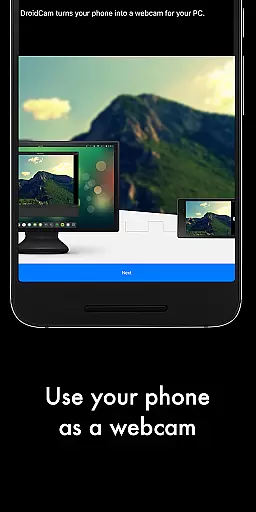
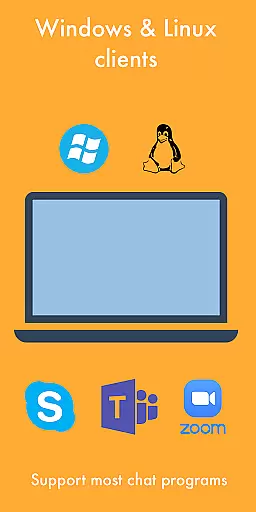
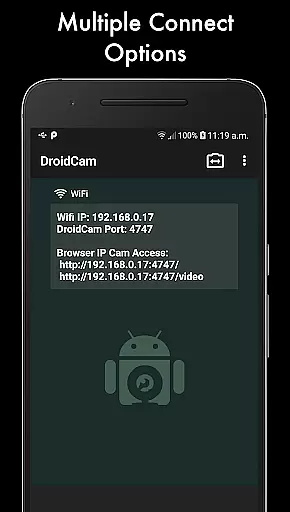
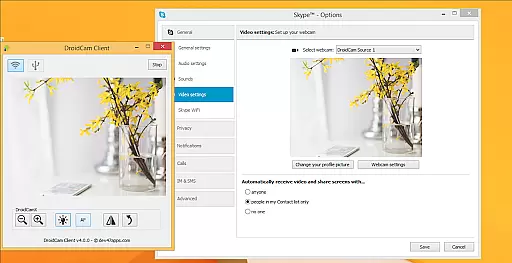
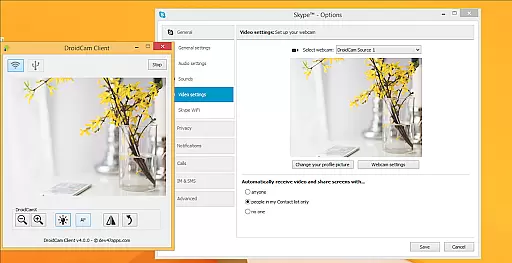
DroidCamX HD (Classic) is a versatile tool that transforms your Android device into a high-quality webcam for your computer. This app allows users to chat using the 'DroidCam Webcam' feature, providing both sound and picture. It supports connections over Wifi or USB, making it adaptable to various user needs.
With HD Mode, DroidCamX supports 720p/1080p video quality, ensuring clear and sharp images during video chats. The 'Smooth FPS' option in settings enhances video stability, offering a seamless experience. Additionally, the app enables use of other applications simultaneously and conserves battery by working with the screen off.
This application is ideal for remote workers, content creators, or anyone needing a reliable webcam solution. By turning a smartphone into a webcam, it offers an economical and efficient alternative to traditional webcams, enhancing video communication quality without additional hardware investment.
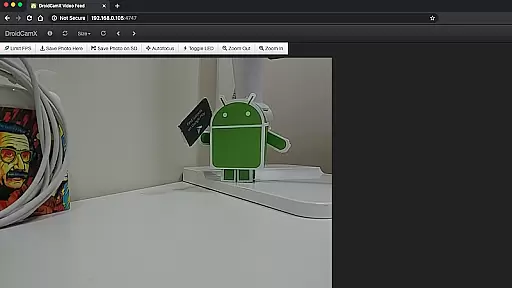
DroidCamX HD (Classic) boasts a range of features designed to provide a superior webcam experience. One notable feature is its support for IP Webcam MJPEG access, allowing camera access via a browser or from another device. This flexibility ensures users can operate the app across different platforms and devices seamlessly.
The app includes comprehensive camera controls such as auto-focus, zoom, flash light, and more, giving users extensive command over their video settings. Furthermore, it allows capturing still image frames on both phone and computer while running, catering to diverse photography needs.
On the Windows Client, users can access pro controls like Mirror, Flip, Brightness, and Contrast adjustments. These advanced settings enable personalized video customization, ensuring optimal visual presentation. Such detailed control options highlight DroidCamX's commitment to delivering a professional-grade webcam solution through mobile technology.
DroidCamX HD (Classic) excels in delivering accurate and effective core functionality by transforming your Android device into a high-quality webcam. This app ensures that both audio and video streams are transmitted seamlessly to your computer, providing a reliable experience for video conferencing or content creation.
The app supports multiple connection methods including Wi-Fi and USB, ensuring flexibility and convenience based on user preference and network availability. With support for 720p/1080p video quality in HD mode, DroidCamX guarantees clear and sharp video output, making it suitable for professional and personal use alike.
Additional features such as the 'Smooth FPS' option enhance video stability, while background operation allows users to multitask without interruption. These capabilities ensure that the app remains functional and efficient even when the Android device screen is off, conserving battery life while maintaining performance.
The interface of DroidCamX HD (Classic) is designed with simplicity and intuitiveness in mind, allowing users to easily navigate and utilize its comprehensive features without a steep learning curve. Upon launching the app, users are greeted with a straightforward setup process that facilitates quick connections to their computers via Wi-Fi or USB.
Controls for camera operations such as auto-focus, zoom, and flash are readily accessible, empowering users to optimize their video capture settings effortlessly. The app also provides advanced options like capturing still images and accessing the camera through a browser using IP Webcam MJPEG, enhancing its versatility.
On the computer side, the Windows client offers pro-level controls including mirror, flip, brightness, and contrast adjustments, which contribute to an intuitive user experience. By combining essential functions with an easy-to-use interface, DroidCamX ensures that users can focus on their tasks without being hindered by complex operational procedures.
User-friendly interface
High-definition video support
Flexible connectivity options
Comprehensive camera controls
Efficient power consumption
Requires separate PC client
Limited macOS compatibility
USB connection setup complexity
Dependent on network stability
Premium version costs

 4.50
4.50
Quickly switch to an encrypted DNS server on Android TV
4.50
HD Camera captures every special moment.
4.60
This app unlocks the Pro features of the Central for DayZ app
3.60
Forza Tuning Calculator App for Forza Horizon 5, Motorsport and Earlier Titles
4.40
Create your own custom widget with endless possibilities
3.90
NFC Tools can read and write NFC tags.
4.70
Creation, Learning, Entertainment & More — The All-in-One AI Search Engine
4.70
Screen recorder with audio to record high-quality videos and take screenshots.
4.40
Best leveling tool for your Android device. Hang paintings like a pro.
4.90
Easily install aab(Android App Bundle) files on your Android device with our app
4.80
Unit and currency converter with easy and simple UI.
4.80
Monitor car performance in real time and troubleshoot malfunctions.
4.80
Quickly & easily calculate the spacing of handrail balusters
4.20
A simple app to back up and restore SMS & MMS messages and call logs.
4.10
Family Locator, Share location, StayConnect with your family in real time
3.90
Create your own live wallpaper or check out thousands already made presets
3.90
Unleash gamepad precision for ultimate mobile gaming dominance.
3.90
A non-root local ADB shell client. READ BELOW!
3.40


User Reviews