
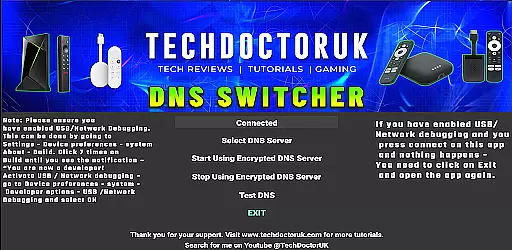
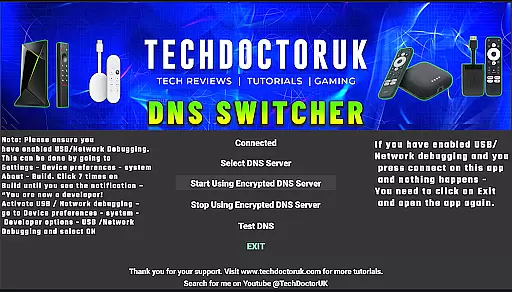
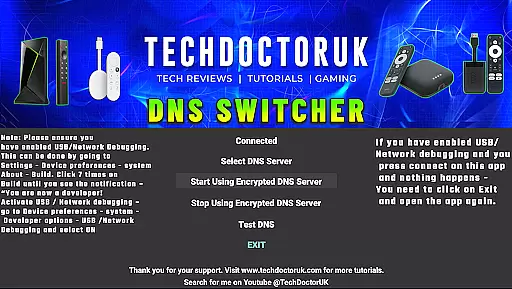
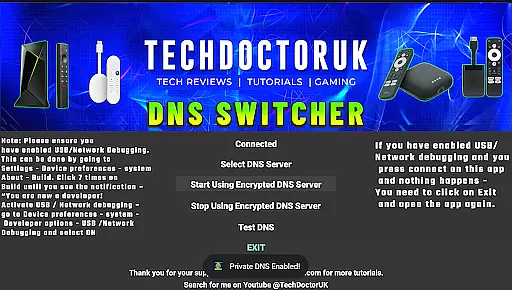
TDUK DNS Switcher is a specialized tool designed to enhance your Android TV's security by enabling the use of encrypted DNS servers. This application allows users to protect their privacy and secure their DNS requests from potential threats. With a user-friendly interface, it simplifies the process of switching to well-known encrypted DNS services or customizing your own.
The app is particularly useful for tech-savvy individuals who prioritize online safety and want to ensure that their smart TV's internet traffic remains private. By configuring encrypted DNS settings, users can prevent unauthorized access to their browsing activities and safeguard sensitive information. TDUK DNS Switcher ensures that your entertainment experience is not only enjoyable but also secure.
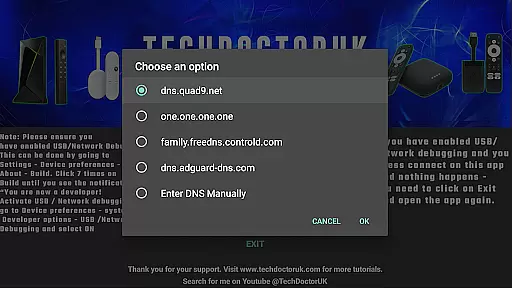
TDUK DNS Switcher offers several key features that make it an essential tool for Android TV users. Firstly, it provides a comprehensive list of popular encrypted DNS servers, allowing you to choose the most suitable option for your needs. Additionally, the app supports manual entry of custom DNS server details, giving advanced users full control over their network settings.
Another notable feature is its compatibility with both USB and Network Debugging modes, ensuring seamless integration with various device configurations. The app's intuitive design makes it easy to navigate and configure settings without requiring extensive technical knowledge. Whether you're looking to enhance your privacy or experiment with different DNS providers, TDUK DNS Switcher delivers a reliable solution for managing your Android TV's DNS encryption.
TDUK DNS Switcher focuses on providing accurate and effective encrypted DNS server configuration for Android TV devices. This functionality is crucial as it ensures that all DNS requests are securely routed through trusted servers, protecting user privacy.
The application allows users to choose from a list of well-known encrypted DNS servers or input custom server details. This flexibility in DNS selection demonstrates the app's commitment to both security and user preference, ensuring optimal performance while maintaining safety standards.
By enabling USB or Network Debugging, users can seamlessly integrate this tool into their setup process. The requirement of debugging permissions highlights the app's dedication to proper device integration and secure operational protocols.
Ultimately, the core DNS switching feature delivers tangible value by safeguarding personal data and preventing potential security breaches during internet browsing sessions.
A straightforward interface is essential for tools like TDUK DNS Switcher, which targets both technical and non-technical users managing DNS settings on Android TV. The app simplifies what could be a complex process into easily navigable steps.
Upon opening the app, users are greeted with clear options for selecting preferred encrypted DNS servers. This intuitive design eliminates confusion and reduces the risk of incorrect configurations that could compromise network security.
Additionally, the inclusion of popular DNS server presets minimizes manual input requirements, further enhancing usability. Users can quickly enable these presets without needing extensive technical knowledge about DNS protocols.
This blend of simplicity and functionality ensures that even those unfamiliar with DNS encryption can effectively protect their privacy without feeling overwhelmed by technical jargon or complicated settings.
Enhances privacy protection
Supports multiple DNS options
User-friendly interface
Customizable DNS settings
Compatible with Android TV
Requires debugging enabled
Limited to Android TV
No automatic updates
Manual setup needed
Advanced features may overwhelm beginners

Connect instantly to a fast, encrypted VPN with one tap
 4.60
4.60
1-Click close all background apps on Android TV
3.90
Head tracking for PC sim games such as MSFS 2024 or Elite:Dangerous. No headset!
4.50
Universal TV remote control all TVs, Roku, LG, Samsung, Fire, Vizio, Sony, TCL.
4.40
Carry a FTP server in your pocket and avoid USB cables for file transfer
4.20
Forza Tuning Calculator App for Forza Horizon 5, Motorsport and Earlier Titles
4.40
Bedrock Together: Join any bedrock server on Xbox/PS
4.80
NFC Tools can read and write NFC tags.
4.70
Creation, Learning, Entertainment & More — The All-in-One AI Search Engine
4.70
Connect wirelessly to your computer to watch movies, browse the web, play games
5.00
Powerful collection of electronics tools and reference.A must for any enthusiast
4.90
Small and simple app to Verify Root Access and BusyBox Install!
4.70
HD Camera captures every special moment.
4.60
Planner and Tracker for Stardew Valley
4.60
App that Recover your pictures, videos or files after you delete them.
4.20
View detailed information about your Nissan Leaf the dealer never shows you.
4.10
Safely recover deleted photos, videos, and files with a single easy tap.
3.70
A recovery soft,it features photo recovery, video recovery, file recovery.
3.40
Save any video in HD - paste the link, download fast and watch offline.
4.1


User Reviews