
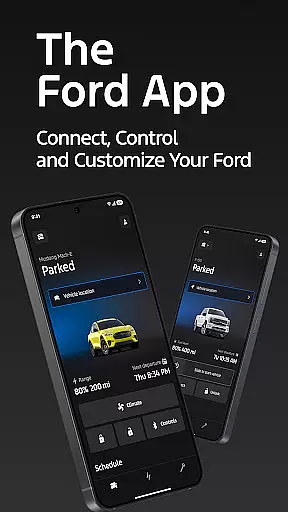
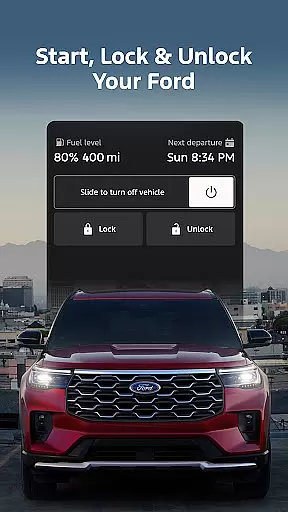
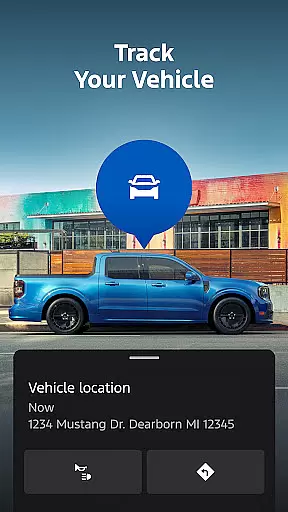
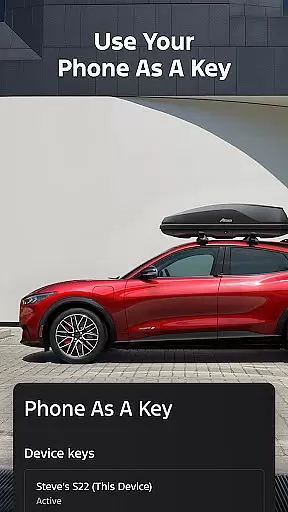
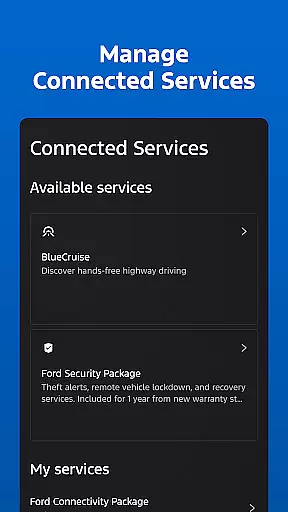
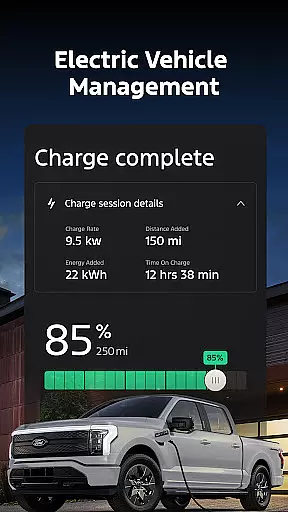
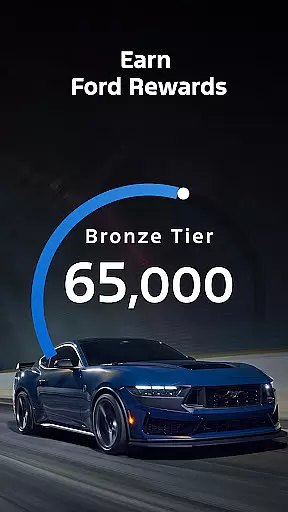
The Ford app is a comprehensive mobile solution designed to enhance the ownership experience for Ford vehicle owners. This application serves as a centralized hub where users can access and control various vehicle functions remotely. Key features include remote start, lock and unlock capabilities, real-time vehicle status monitoring, and GPS tracking, all at no additional cost.
One of the standout aspects of the Ford app is its ability to transform your smartphone into a virtual key through the Phone As A Key feature. The app also supports essential maintenance functions like service scheduling and provides detailed information about fuel or battery range. Electric vehicle owners can particularly benefit from features such as charge level monitoring and public charging station locators. With regular updates and integration with wearable devices, the Ford app represents a significant advancement in connected vehicle technology.
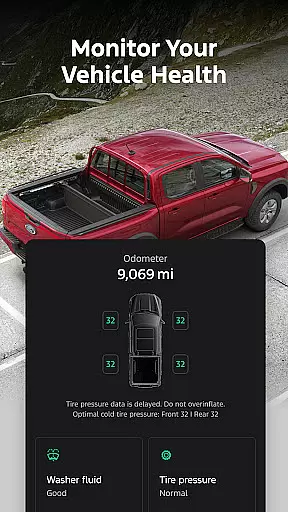
The Ford app distinguishes itself through an impressive array of features that cater to modern vehicle owners' needs. Its remote functionality suite allows users to perform critical vehicle operations from their smartphones, including engine start, door locking, and climate control activation. The app's vehicle management system provides detailed insights into fuel consumption, tire pressure, oil life, and other vital statistics, helping owners maintain optimal vehicle performance.
For electric vehicle drivers, the app offers specialized features such as battery charge monitoring, preconditioning controls, and public charging network information. The integration with Ford Rewards adds another dimension to vehicle ownership by allowing users to earn and redeem points for services and accessories. Additionally, the app's compatibility with Wear OS smartwatches extends its functionality beyond smartphones, enabling quick commands and status checks directly from the user's wrist.
Companion app integration refers to the seamless connection between a primary application and its wearable counterpart. For Ford app users, this means being able to interact with their vehicle directly from a Wear OS smartwatch.
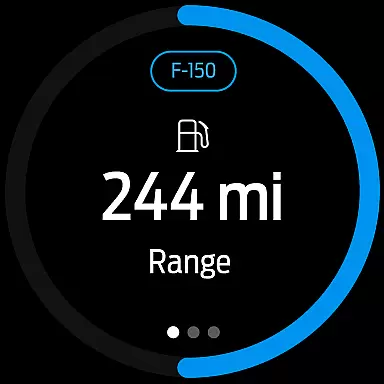
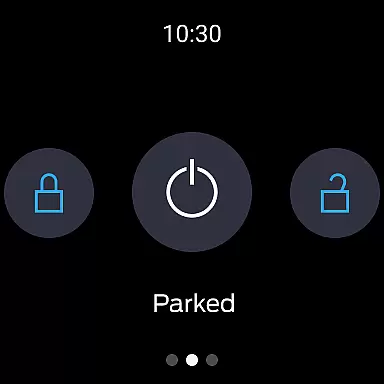
The Ford app offers an exceptional level of integration by allowing drivers to send commands and check their vehicle status right from their wrist. This includes functionalities such as remote start, lock and unlock, which are accessible conveniently through wearable technology.
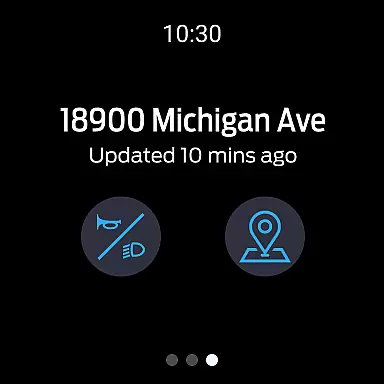
This integration provides the advantage of quick access without the need to take out a smartphone. Whether it's checking fuel or range status, or even locating the vehicle via GPS tracking, these features are available at a glance on a Wear OS device.
By extending its services to smartwatches, Ford ensures that drivers have a cohesive experience across devices, enhancing convenience and maintaining connectivity regardless of whether they're holding their phone or not.
Wear OS/device compatibility is crucial for apps aiming to provide a unified user experience across different platforms. The Ford app embraces this by ensuring full functionality on Wear OS devices in addition to smartphones.
Ford has developed its companion app to be compatible with select smartphone platforms, but importantly also extends support to Wear OS-powered smartwatches. This compatibility allows users to utilize key features like Phone As A Key, service scheduling, and electric vehicle management directly from their wrists.
Users benefit from this compatibility as it broadens the scope of interaction points with their vehicles. They can receive updates, alerts, and manage their Ford's systems without needing to physically interact with their phones.
With regular updates to maintain optimal performance and introduce new features, the Ford app remains a reliable tool for modern motorists who embrace wearable tech as part of their automotive lifestyle.
User-friendly interface
Comprehensive vehicle control
Regular feature updates
Electric vehicle support
Wearable device integration
Limited vehicle compatibility
Requires active data plan
Potential connectivity issues
Feature variation by model
Dependent on cellular networks

Walking app for weight loss: walk & step tracker, pedometer, indoor treadmill
 4.60
4.60
WTW M17 is a premium and luxurious hybrid watch face
4.70
Christmas and New Year - Themed Watchface
4.2
Rose gold watch face with festive lights & customizable features.
4.60
Simple Analog-Digital Watchface For Wear OS 3.0 and Up Smartwatches
4.3
Digital watch face with big numbers and many customization for Wear OS devices
4.40
Structured watch face with seven complications and modular UI elements
3.90
Your second brain for organizing your life: to-do, calendar, reminder.
4.70
The ultimate destination for kids ages 3-8 to explore the Marvel Universe!
4.30
The Chevron App allows you to pay for fuel from the comfort of your car!
4.80
Nutrition, Macro tracker: Food, fitness & healthy diet tracking for weight loss
4.60
Kia Access makes getting your vehicle information easier than ever
4.60
Simple, helpful messaging by Google
4.60
MyNISSAN® lets you remotely control your car from your phone.*
4.50
Animated Watch Face and Customizable with 24 Backgrounds. Perfect for Christmas!
3.90
Professional weather radar and more
3.90
Wear Os Watch Face - Animated Snow Effect & Christmas Lights
4.4
Sleek, highly customizable watch face inspired by Galaxy Watch Circle Dashboard.
4.5
Stylish digital watch face for Wear OS devices with customizable features
4.4


User Reviews