





Shazam is a powerful music recognition app that instantly identifies songs playing around you or in other apps, even with headphones on. With over 2 billion installs and 300 million users worldwide, it offers an intuitive way to discover artists, song lyrics, and upcoming concerts—all for free. The app works seamlessly across devices, including Android Wear, making it easy to Shazam music anytime, anywhere.
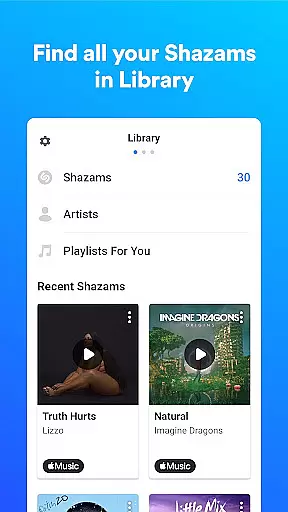
One of the standout features of Shazam is its ability to save your song history in one place, allowing you to revisit identified tracks whenever you want. You can also open any song directly in popular streaming services like Apple Music, Spotify, YouTube Music, and Deezer. Whether you're looking for time-synced lyrics, music videos, or concert information, Shazam provides a comprehensive music discovery experience tailored to your preferences.
Shazam stands out with its advanced music recognition capabilities, which work offline and through various entry points such as the Notification Bar and Home Screen Widget. This flexibility allows users to identify songs from virtually any app, including Instagram, YouTube, and TikTok. Auto Shazam is another innovative feature that continuously searches for songs even when you leave the app, ensuring you never miss a track.
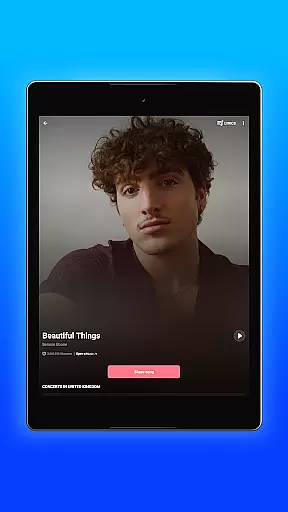
Beyond music identification, Shazam offers personalized recommendations, charts showing popular songs in your region, and the ability to explore similar tracks. Users can enjoy time-synced lyrics, watch music videos, and browse concerts by popularity or specific criteria like artist and location. Integration with streaming platforms and social media makes it easy to share discoveries with friends, while optional features like Dark Mode enhance usability.
Companion app integration is essential for wearable devices as it ensures seamless functionality between the smartphone and wearable versions of an application. Shazam offers a robust companion app experience by extending its music recognition capabilities to Wear OS devices.
The Shazam for Wear OS allows users to identify songs directly from their smartwatch, providing convenience and immediacy. This means you can discover music even when your phone isn't readily accessible, ensuring that you never miss an opportunity to find out what's playing around you.
Furthermore, the synchronization between the main Shazam app and its Wear OS counterpart is designed to keep your song history consistent across all devices. This unified approach enables users to access their identified tracks and explore new music recommendations regardless of the device they are using at any given moment.
By integrating with Wear OS, Shazam enhances user engagement by offering features like Auto Shazam, which continuously listens for music without requiring constant interaction. This feature highlights the strength of Shazam's companion app integration, making it a versatile tool for music discovery in various scenarios.
Device compatibility is crucial for apps supporting wearable technology, ensuring that users can enjoy a consistent experience across different platforms. Shazam excels in Wear OS/device compatibility, allowing users to harness the full potential of their smartwatches.
Shazam's compatibility with Wear OS devices guarantees that whether you're using a watch from Samsung, Fossil, or any other manufacturer within the Wear OS ecosystem, you'll receive optimal performance. The app is engineered to adapt to various screen sizes and resolutions, delivering a user-friendly interface tailored for smaller displays.
In addition to visual adjustments, Shazam maintains functional consistency on Wear OS. Users can expect reliable music recognition, time-synced lyrics, and easy navigation through recognized tracks, mirroring the comprehensive experience found on smartphones.
This high level of compatibility not only broadens the accessibility of Shazam's features but also reinforces its position as a leader in cross-platform utility. Whether you're commuting, exercising, or attending events, Shazam's presence on your wrist ensures uninterrupted access to its powerful music discovery tools.
Instant song recognition
Offline functionality
Auto Shazam feature
Integration with streaming services
Personalized music recommendations
Limited without optional permissions
Feature availability varies by country
Some features require premium accounts
Occasional incorrect song matches
Dependent on external music services

"PER27 Galaxy Digital" is a digital Wear OS watch face designed by PERSONA
 4.10
4.10
Animated Watch Face and Customizable with 24 Backgrounds. Perfect for Christmas!
3.90
Easy Voice Recorder is your everyday companion to record important moments.
4.70
Artistic Digital Watchface
4.1
Let's celebrate Thanksgiving - Wear Os watch face
4.20
Professional weather radar and more
3.90
Stylish, Energizing and Modern Watch Face crafted by Dominus Mathias.
4.50
Retro digital watch face with customizable colors and a unique lighting effect
4.60
From periods to pregnancy & perimenopause, Flo helps you track it all. Try now.
4.70
Beautiful, colorful and practical watch face. For Wear OS devices.
5.00
The most customizable hybrid watch face. For Wear OS 5.0, API 34+ and later
4.70
Nutrition, Macro tracker: Food, fitness & healthy diet tracking for weight loss
4.60
Deck out your Wear OS Watch face with a beautifully decorated pine wreath!
4.50
Ideal for surviving in the wasteland left after nuclear fallout
4.50
Connect to your Bluelink equipped Hyundai vehicle from your smartphone.
4.50
Beautiful artistic animated digital watch face, with a customizable layout!
4.40
Digital watch face with big numbers and many customization for Wear OS devices
4.40
A full-featured Amazon Alexa voice assistant that can show you things.
3.70
Analog watch face with 8 complications and expedition styling
4.1


User Reviews