

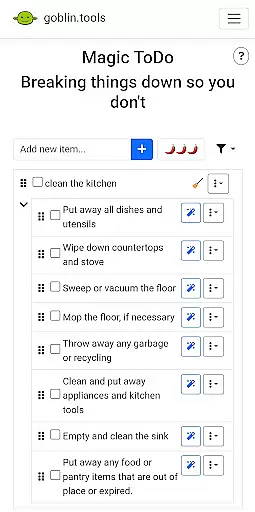
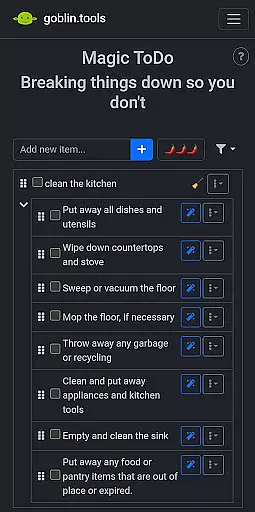


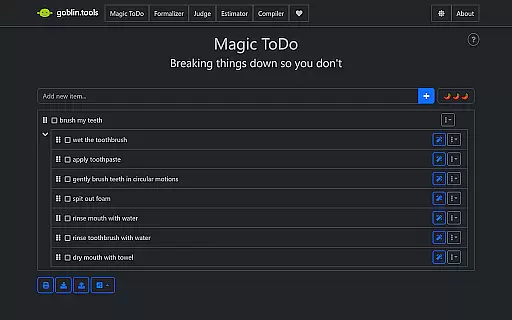
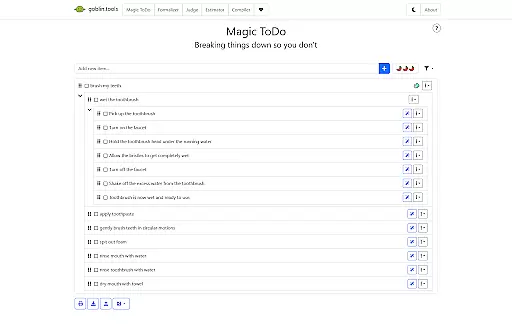
Goblin Tools is a productivity app designed to simplify everyday tasks through a collection of small, intuitive tools. It offers solutions for task management, text rewording, mood sensing, and more. These features are particularly beneficial for neurodivergent individuals facing challenges like ADHD or autism.
The app provides practical utilities such as Magic ToDo for breaking tasks into manageable steps, Formalizer for adjusting text tone, and Chef for creating recipes from available ingredients. With its clever design, Goblin Tools helps users navigate daily activities with greater ease and efficiency.
Goblin Tools stands out with its diverse range of features tailored to assist with various productivity needs. The app includes Magic ToDo for task segmentation, Formalizer for tone adjustment in communication, and Judge for analyzing message emotions.
Additional tools like Professor simplify complex information, Consultant aids decision-making, and Estimator provides rough time estimates for tasks. Each feature is crafted to offer practical support, making daily challenges more approachable and manageable for all users.
At the heart of Goblin Tools lies its ability to simplify complex tasks through innovative features like Magic ToDo. This functionality allows users to break down overwhelming responsibilities into manageable steps, promoting productivity without the stress.
The app's approach to task management is especially beneficial for neurodivergent individuals. By offering structured guidance and clever helpers, it creates a supportive environment for those dealing with ADHD, autism, or executive dysfunction to thrive in their daily activities.
Each tool within the app serves as a building block for better productivity. From estimating time needed for tasks to organizing thoughts into actionable items, Goblin Tools equips users with everything required to stay on top of their workload while maintaining mental clarity.
While Goblin Tools focuses primarily on providing immediate utility through its diverse set of features, it also ensures that all your progress and customizations are reliably synced across devices. This means you can seamlessly transition from your phone to tablet or computer without losing any data.
The synchronization process happens in real-time, ensuring that whether you're compiling brain-dumps at home or formalizing text on the go, your work remains up-to-date and accessible wherever you are. This feature is crucial for maintaining continuity in both personal and professional projects.
By prioritizing reliable cross-device functionality, Goblin Tools guarantees that users have constant access to their tools and information. This level of accessibility empowers individuals to manage their tasks effectively regardless of their location or device preference.
User-friendly interface
Versatile toolset
Supports neurodivergence
Free and ad-free
Regular updates
Limited advanced options
Occasional bugs
No offline mode
Basic design
Few customization settings

When you Focus, so will your Bean in this cozy focus timer
 4.30
4.30
8 custom complications. Custom Time Fonts. Beautiful color schemes. A++ Design.
5.00
CalenGoo is a very flexible and feature-rich calendar app
4.40
Todo reminder
4.10
Simple and reliable communication between inmates, friends and family
3.20
Cloud storage, automatic phone backup, and more.
4.10
Multilingual translator for text, voice, and image translation!
4.90
Experience and share your SolidWorks designs on your Android® phone and tablet.
2.50
Daily processing of PDF documents.
4.40
The long-awaited modern gallery app for your Nextcloud server
4.70
A beautiful digital clock with autostart and many other functions
4.70
Scan paperwork into PDF/JPG, generate your own e-signature and send fax or email
4.70
Tally and goal counter for Wear OS & mobile
4.50
This small app MUST BE INSTALLED after purchase, else license won't work
4.40
* block pre-roll ads, pop-up and forced redirect ads * Samsung certification app
4.00
Take control of your clipboard with Clipper!
3.90
Mega cloud explorer plugin for Solid Explorer
3.80
Easiest event planning, volunteer signups & parent teacher conference scheduling
2.20
The upgraded version of Name Wheel with AI and the power to add your own wheels.
4.1


User Reviews