
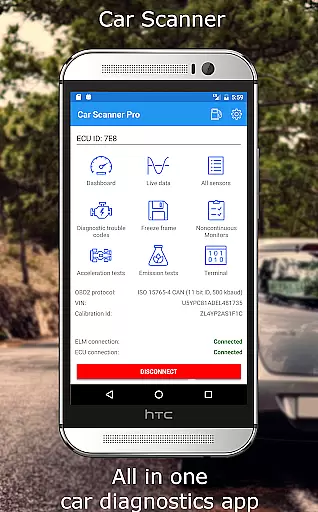
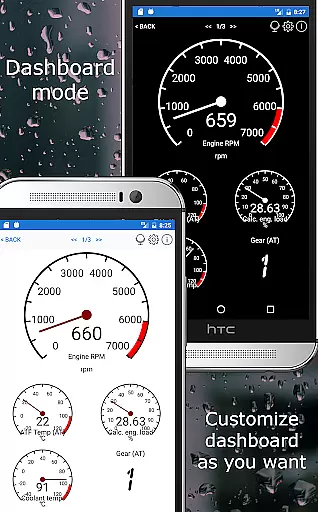
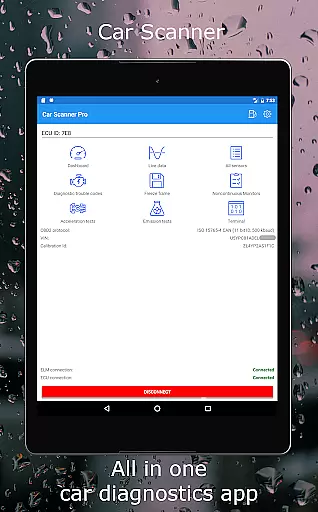
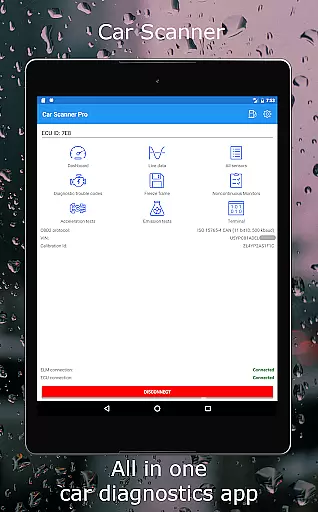
Car Scanner ELM OBD2 is a comprehensive vehicle diagnostics tool that connects to your car's OBD2 engine management system through a Wi-Fi or Bluetooth adapter. This app allows users to monitor their car's performance in real-time, providing access to OBD fault codes, sensor data, and other vital statistics. With its customizable dashboard, users can track specific parameters relevant to their vehicle's health and performance.
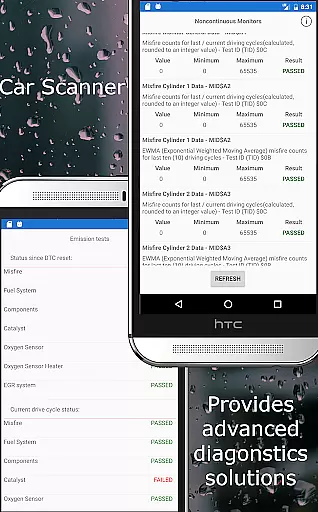
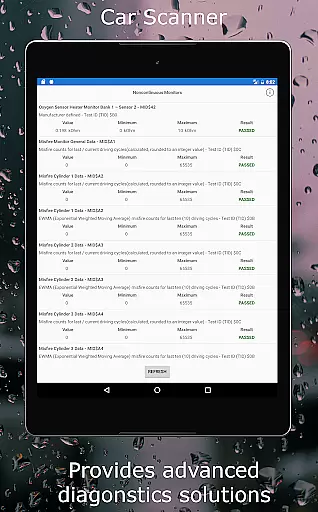
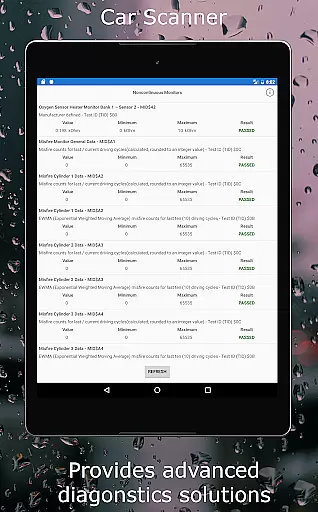
The application stands out with unique features such as the ability to add custom PIDs, read and reset DTC fault codes, and check if the car is ready for emission tests. It also offers Mode 06 for ECU self-monitoring test results, which can be crucial for maintaining your vehicle and reducing repair costs. Car Scanner supports a wide range of vehicles and provides extra functionalities for certain brands, making it an invaluable tool for both personal and professional use.
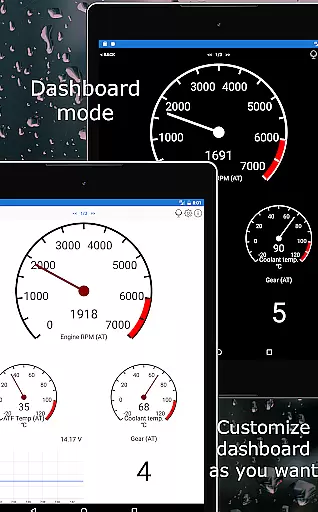
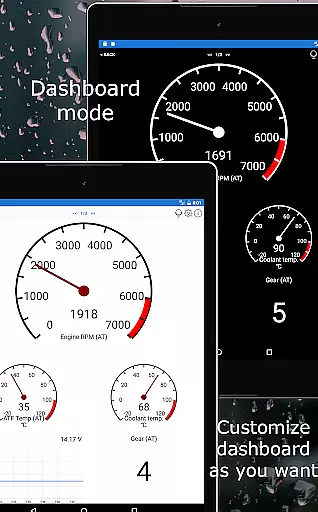
Car Scanner ELM OBD2 boasts an array of advanced features designed to enhance the user's understanding of their vehicle's performance. One standout feature is the highly customizable dashboard, allowing users to layout gauges and charts according to their preferences. Additionally, the app supports extended PIDs, unlocking hidden information from car manufacturers, and includes a vast database of DTC code descriptions for accurate diagnostics.
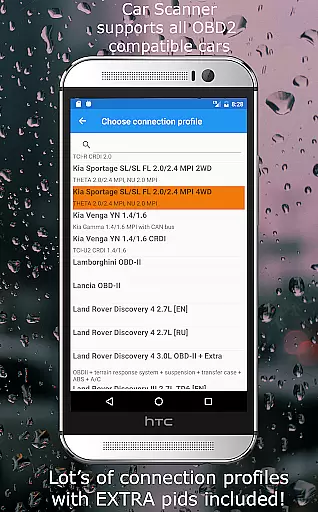
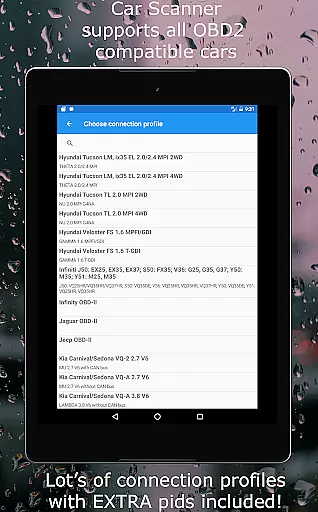
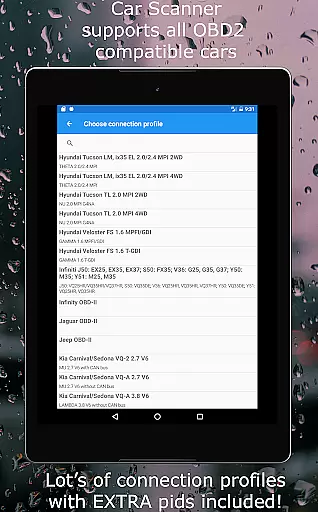
Another remarkable aspect is the app's compatibility with various connection profiles, offering specialized functions for brands like Toyota, Mitsubishi, GM, and more. The HUD mode projects essential data onto the windshield for easy viewing, while precise acceleration measurements provide insights into vehicle dynamics. As a trip computer, it delivers fuel consumption statistics, and its coding capabilities allow changes to hidden car settings, particularly useful for VAG group vehicles and others.
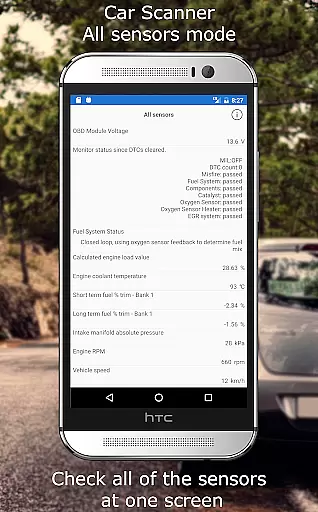
Car Scanner ELM OBD2 provides comprehensive access to detailed vehicle information by connecting to the car's OBD II system. This includes real-time data on car performance, sensor readings, and engine management.
The app supports a wide range of vehicles using the OBD 2 standard, typically those manufactured after 2000. It also offers specialized connection profiles for brands like Toyota, Mitsubishi, GM, Ford, Volkswagen, and more, enhancing its compatibility and functionality.
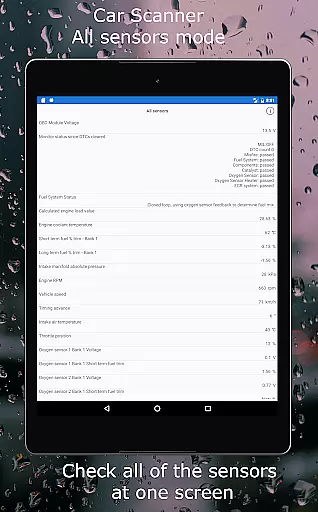
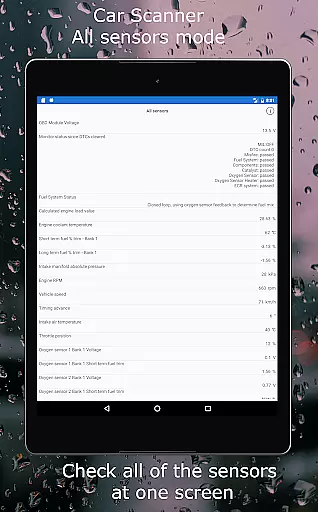
Users can customize their dashboard with desired gauges and charts, displaying all sensors on one screen. This level of detail allows users to monitor their vehicle's health closely and make informed decisions regarding maintenance and performance tuning.
By providing such extensive vehicle insights, Car Scanner empowers users to understand their car's operations better, potentially saving on repair costs and ensuring optimal vehicle performance.
One of the standout features of Car Scanner ELM OBD2 is its cost-saving advantage through price transparency. The app offers a vast array of functionalities for free, which are often paid features in similar apps on the Play Market.
Car Scanner allows users to read and reset DTC fault codes, access Mode 06 for ECU self-monitoring test results, and check emission test readiness without additional charges. These features help users avoid costly diagnostic visits to mechanics.
Additionally, the app provides tools for accurate acceleration measurements and trip computer functions that display fuel consumption statistics. Such insights enable users to optimize their driving habits and reduce fuel expenses.
While the app requires an OBD2 ELM327 compatible adapter, it recommends reliable brands like OBDLink and Veepeak, ensuring users invest in quality hardware that guarantees stable performance and connectivity.
User-friendly interface
Extensive vehicle support
Customizable dashboard
Free rich features
Real-time diagnostics
Requires compatible adapter
Varied sensor support
Potential connectivity issues
Not all cars fully compatible
Some features brand-specific

Ultimate OBD2 Car Scanner: Diagnostics, Service and Modification Tool
 4.30
4.30
OBD diagnostics, Live Data, DPF regeneration for BMW
4.00
Digital Car Key/Launcher, Screen Mirror, Android Dashboard, Remote Wireless Link
4.40
View your car’s service records and find out when maintenance is due.
4.70
DMV practice test 2025: Driver License permit test & written test for all states
4.70
Your car is talking. Start listening.
4.30
O'Reilly Pro will streamline your parts lookup and ordering process!
3.20
PayByPhone: A quick and easy way to pay for parking.
3.80
Get price alerts, vehicle history details and more for cars near you!
4.50
Practice the drills within MotoJitsu Master Riding Program Volume 1 & 2!
4.80
Buy and sell your boat
4.70
Shop cars & see your financing
4.60
Easy connect & control your cars from afar. Remote Lock & unlock car and carplay
4.60
CVT diagnostics with ELM327 for Nissan-based vehicles
4.40
Your Path to Driving Licensing Success Begins Here! Develop your driving skills.
4.40
ODB2 based monitoring application for the Chevy Bolt (2017-2021)
4.00
Boost profits and hit your goals faster with GigU's amazing tools for gigworkers
4.00
By enthusiasts, for enthusiasts
4.00
DIY Vehicle Wheel Alignment
4.4


User Reviews