
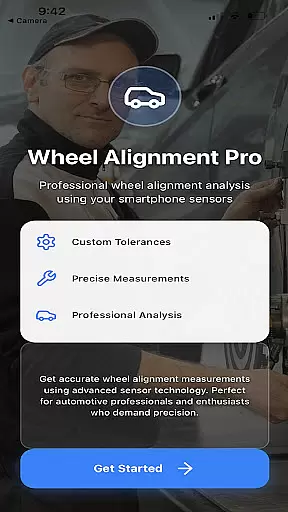
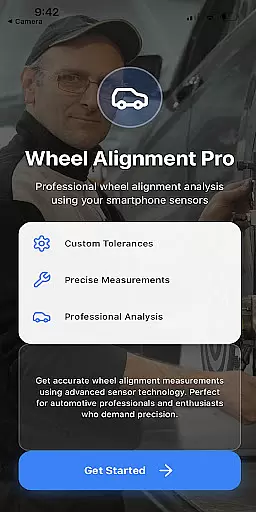
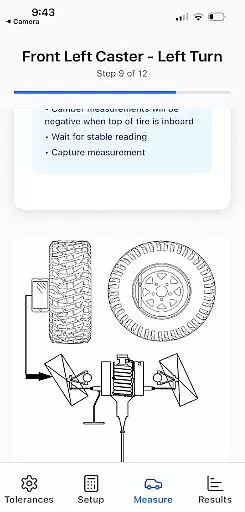
Alignment Pro is a specialized application designed for automotive wheel alignment measurement. The app utilizes your phone's internal sensors and requires only a tape measure to collect precise alignment data. With clear on-screen instructions, users can easily perform accurate alignment checks without the need for expensive equipment. This makes it an ideal solution for both professional mechanics and car enthusiasts who want to ensure optimal vehicle performance.
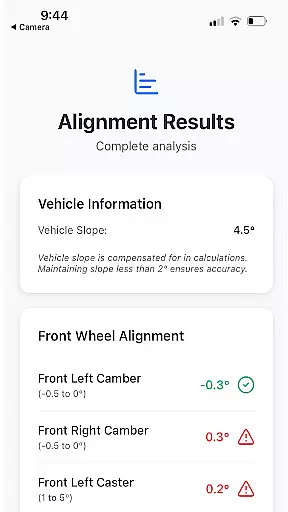
The application supports industry-standard specifications while also allowing users to input custom alignment parameters specific to their vehicle. These specifications can be easily sourced online, providing flexibility for different vehicle models. A key feature is the vehicle slope compensation that adjusts measurements for uneven surfaces, ensuring reliable results even on inclined driveways. Additionally, the detailed alignment summary helps users understand the implications of out-of-tolerance conditions, making it easier to explain potential issues to customers or address them personally.
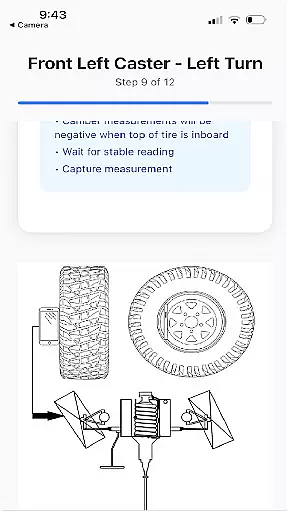
Alignment Pro offers several innovative features that set it apart in the auto diagnostics space. One standout capability is its use of the phone’s internal sensors to gather alignment data, eliminating the need for specialized tools. The app provides simple step-by-step instructions directly on the screen, guiding users through each measurement with precision and ease. This intuitive interface ensures that even those new to wheel alignment can achieve professional-grade results.
Another notable feature is the ability to customize alignment specifications. Users can either rely on industry standards or manually enter specifications tailored to their specific vehicle model. The app also includes a vehicle slope compensation function, which corrects for uneven surfaces during measurement. This ensures accuracy regardless of the testing environment. Furthermore, the detailed alignment summary not only highlights issues but also explains the potential consequences of misalignment, empowering users with actionable insights to improve vehicle safety and performance.
Alignment Pro provides comprehensive details about your vehicle's alignment specifications, ensuring accurate and reliable data for maintenance. The app utilizes your phone's internal sensors and a simple tape measurement to collect wheel alignment information, making it accessible for both professionals and car owners.
With on-screen instructions, users can easily follow the steps to measure critical parameters such as camber, toe, and caster angles. This detailed approach allows for precise adjustments that adhere to industry standards while also accommodating specific vehicle requirements.
The app goes beyond basic measurements by offering features like vehicle slope compensation, which accounts for uneven surfaces. This ensures that collected data reflects true alignment conditions, providing a trustworthy basis for any necessary corrective actions.
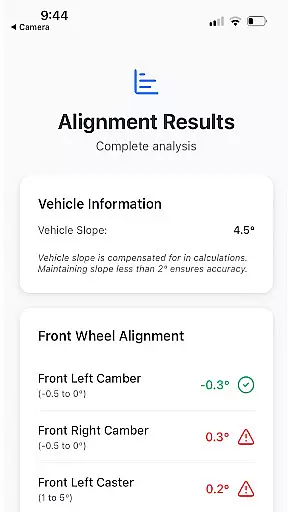
Users benefit from a detailed alignment summary that highlights potential issues arising from out-of-tolerance conditions. These insights help in explaining to customers the implications of misalignment, fostering better understanding and informed decision-making regarding vehicle maintenance.
One of the standout features of Alignment Pro is its cost-effective approach to vehicle maintenance, eliminating the need for expensive alignment equipment. By using your phoneu2019s sensors and a simple tape measure, the app offers an affordable solution for collecting precise wheel alignment data without additional costs.
The app provides clear information on how to perform measurements according to industry standards or customize them based on specific vehicle requirements. This flexibility ensures that users are fully aware of what they need to do and how much effort will be required, promoting transparency in the process.
Furthermore, Alignment Pro includes detailed explanations of potential issues caused by misalignment, helping users understand the value of proper adjustments. This educational aspect enhances customer trust and confidence in the service provided.
Overall, the app delivers significant value by combining advanced technology with user-friendly features at no extra cost, making professional-grade alignment tools accessible to everyone without hidden fees or charges.
User-friendly interface
Cost-effective solution
Customizable alignment specs
Accurate slope compensation
Detailed diagnostic reports
Requires manual input
Limited sensor compatibility
No real-time adjustments
Premium version needed
Internet required for updates

Take Control of Your Car
 4.80
4.80
Wonder how much horsepower and torque your car/truck makes? Look no further.
3.40
OBDII - ELM327 Terminal tool for 96-00 Volvos
4.50
Better fuel to help keep you on the road
3.20
Discover new and used cars in Syria easily! Browse ads and connect with sellers.
3.70
Club Car Wash Mobile App—the fast lane to managing your wash membership.
3.30
Find, search, and browse 40,000+ used cars, SUVs, and trucks.
4.50
Find Fast EV Chargers | Charge Your Vehicle at 1,100+ Fast Car Charging Stations
4.60
Easy connect & control your cars from afar. Remote Lock & unlock car and carplay
4.60
Play what you want through Android Auto
4.90
Oil change service & coupons for car maintenance at Valvoline Instant Oil Change
4.70
1M+ high-quality auto parts at your fingertips. Fitment guaranteed.
4.70
MySubaru: Download. Connect. Love.
4.70
Digital Car Key/Launcher, Screen Mirror, Android Dashboard, Remote Wireless Link
4.40
Your car is talking. Start listening.
4.30
Get your personalized financing options and shop for used cars today!
4.20
myAudi offers users services and Audi connect services for Audi drivers
4.10
Earn and save with Fuel Rewards®
3.20
Monitor specific TOYOTA parameters by adding this plugin to Torque Pro.
2.00


User Reviews