
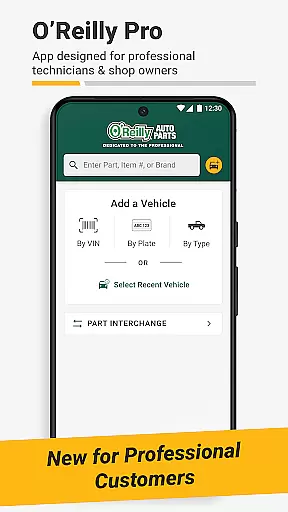
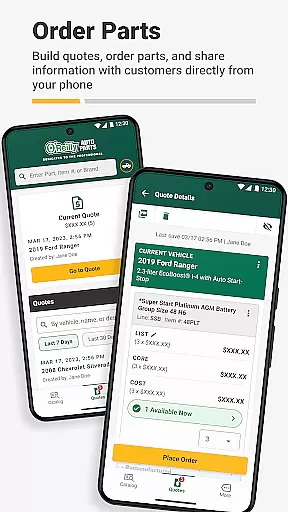
O'Reilly Pro is a comprehensive mobile solution tailored for automotive repair professionals, offering efficient tools to manage vehicle services and parts. The app provides seamless access to O'Reilly Auto Parts' extensive catalog, enabling users to quickly identify the right components through VIN scanning, license plate decoding, or keyword searches.
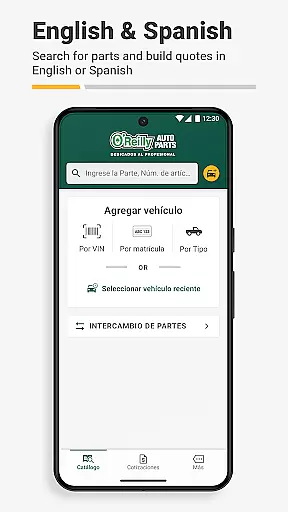
Designed with both functionality and convenience in mind, O'Reilly Pro supports bilingual operation in English and Spanish, adapting to user preferences automatically. Its interchange feature allows accurate cross-referencing of part numbers from OEMs or other brands, ensuring precision in every job. Additionally, features like order tracking, quote generation, and professional support enhance workflow efficiency, making it an indispensable tool for auto repair businesses.
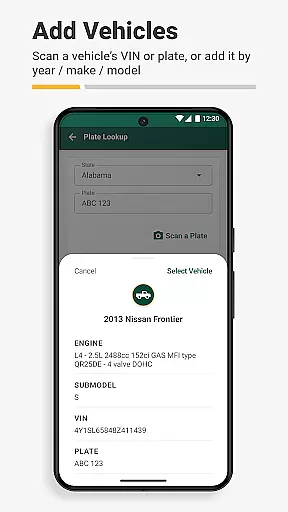
O'Reilly Pro stands out with its robust set of features designed to streamline automotive repair operations. One key functionality is the advanced vehicle identification system, which includes a VIN scanner and license plate decoder. These tools allow users to swiftly decode vehicle information and sync data across devices, ensuring accurate parts ordering and service management.
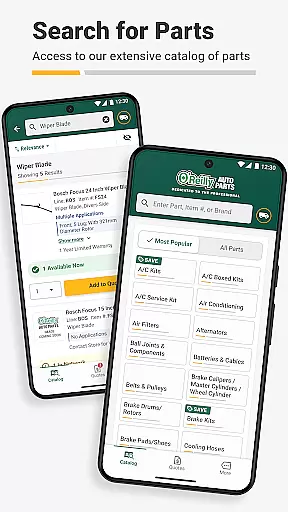
The app's parts lookup and ordering system is another major advantage. It offers real-time inventory access and a simple catalog navigation interface, empowering users to find parts by keywords or part numbers. Furthermore, the interchange feature enables precise cross-referencing of OEM and brand-specific part numbers. With capabilities like sending quotes to customers via text or email, as well as tracking orders through history logs, O'Reilly Pro ensures that professionals can focus more on their work and less on administrative tasks.
Detailed vehicle information is crucial for automotive professionals who need to identify and service vehicles accurately. The O'Reilly Pro app excels in this area by offering advanced tools that streamline the identification process.
The app features a VIN scanner and license plate decoder, which allow users to quickly decode essential vehicle details. This functionality ensures that mechanics can efficiently order the correct parts and manage service requirements with precision.
By syncing with desktop systems and leveraging the comprehensive catalog, users can access real-time inventory data. This integration enhances the accuracy of parts ordering and helps maintain optimal workflow in auto repair shops.
Ultimately, these detailed vehicle identification features save valuable time and improve operational efficiency. Automotive professionals can focus more on their core tasks, knowing they have reliable vehicle information at their fingertips.
Price transparency is a key factor for automotive repair businesses when managing costs and providing quotes to customers. The O'Reilly Pro app addresses this need by offering clear and accessible pricing information across its platform.
Through the app, users can view local store, hub, and distribution center availability alongside delivery times. This visibility allows professionals to make informed decisions about part procurement while considering cost and time factors.
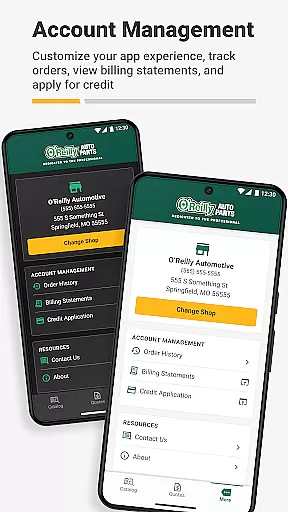
In addition to real-time inventory checks, the app enables users to track orders and view previous purchases. These features contribute to better financial planning and budget management within repair operations.
By ensuring price transparency and facilitating accurate cost assessments, the O'Reilly Pro app empowers automotive professionals to provide reliable quotes to their customers, thus enhancing trust and satisfaction.
User-friendly interface
Real-time inventory updates
Bilingual support
Efficient VIN scanning
Comprehensive catalog access
Limited to O'Reilly customers
Requires account setup
No offline functionality
Dependent on local store stock
Premium features may require subscription

The Texaco App allows you to pay for fuel from the comfort of your car!
 4.80
4.80
BlueDriver® is a Premium Diagnostic OBD2 Scan Tool. www.BlueDriver.com
3.90
Instant diesel savings. No credit checks or fees. Nationwide growing network.
4.40
Automotive Electrical Wiring Diagrams
4.40
Instantly redesign your car with AI. From sporty to futuristic, try it all.
4.50
DMV practice test 2025: Driver License permit test & written test for all states
4.70
Quick and easy car diagnostics to get you the right fix.
4.70
PayByPhone: A quick and easy way to pay for parking.
3.80
Autotrader is your online solution for buying and selling new and used cars.
4.40
Lexus app currently supports 2010 or newer vehicles (2018 or newer for Hawaii).
4.80
View your car’s service records and find out when maintenance is due.
4.70
MySubaru: Download. Connect. Love.
4.70
Find Your Local Store or Shop Online for the Car, Truck, or SUV Parts You Need
4.70
A smarter way to park and reserve your spot ahead of time.
4.40
OBD2 car scanner and diagnostics: read Check Engine, DTC, economy....
4.30
A full featured, real-time transit locator system
4.30
Your car is talking. Start listening.
4.30
OBD diagnostics, Live Data, DPF regeneration for BMW
4.00
Earn and save with Fuel Rewards®
3.20


User Reviews