
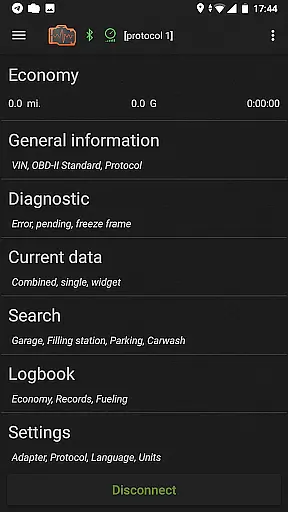
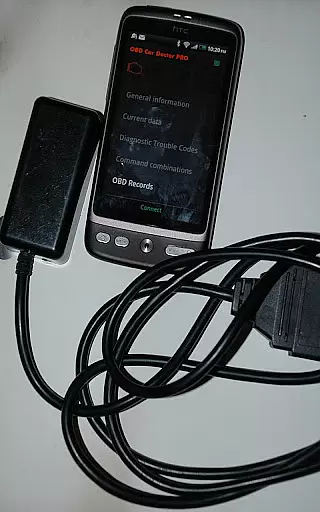
inCarDoc Pro is a comprehensive vehicle diagnostics and monitoring tool designed for car enthusiasts and professionals alike. This application serves as a virtual mechanic, enabling users to read real-time and stored diagnostic parameters from the Engine Control Unit (ECU) of OBD-II compliant vehicles. It requires an ELM327 or compatible OBD scanner to function optimally, though limited functionality is available in GPS-only mode.
The app provides advanced features such as fault code reading, engine parameter monitoring, fuel economy tracking, and logbook functionalities. These capabilities make it an invaluable tool for anyone looking to maintain their vehicle's health, optimize performance, and manage maintenance records efficiently.
Whether you're a DIY mechanic or a professional technician, inCarDoc Pro offers detailed insights into your vehicle's performance metrics, helping you make informed decisions about repairs and maintenance.
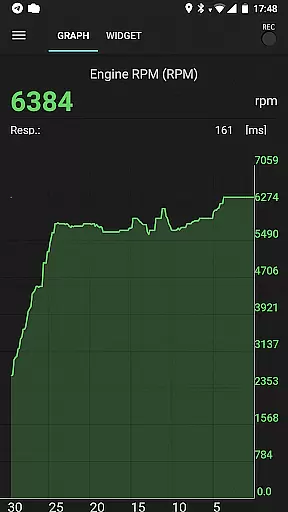
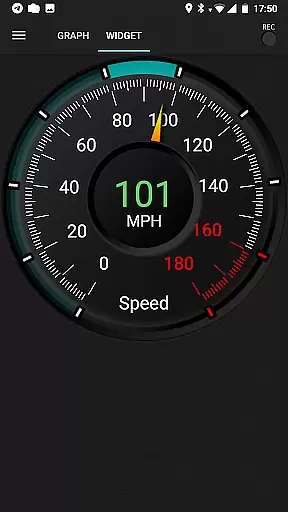
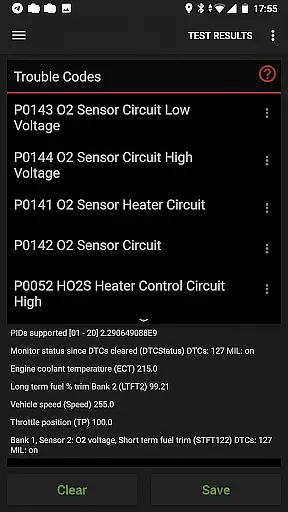
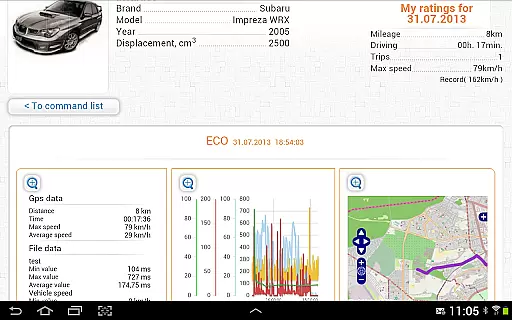
inCarDoc Pro stands out with its extensive feature set tailored for automotive diagnostics. The app reads and displays multiple real-time parameters from the vehicle's sensors, including speed, RPM, coolant temperature, and oxygen sensor data. Users can visualize this information through charts and customizable analog/digital widgets, providing a dynamic view of the car's performance.
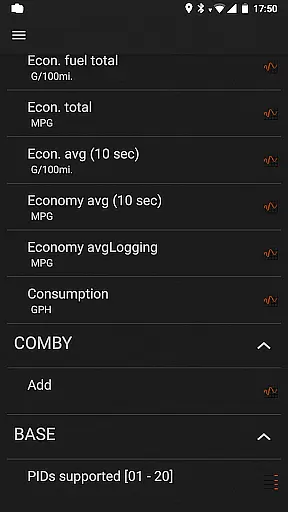
A key highlight is the trip computer mode, which tracks fuel economy by presenting instant and average MPG statistics. This feature relies on specific OBD2 economy parameters like MAF or MAP+IAT+RPM, allowing users to monitor consumption per trip or over longer periods. Additionally, the app supports GPS functionalities, background recording, and server uploads for extended data analysis.
Other notable features include a detailed logbook for service records, console mode for advanced users, and overlay options to display economy data over any app screen. These tools collectively offer a robust solution for both casual users and automotive professionals seeking in-depth vehicle insights.
Accessing detailed vehicle information is crucial for effective car maintenance and diagnostics. inCarDoc Pro provides comprehensive data about your vehicle's performance by connecting to the OBD-II system. This includes real-time parameters such as engine speed, coolant temperature, and oxygen sensor readings.
The application reads these diagnostics parameters directly from the ECU of OBD-II compliant cars, ensuring accuracy and reliability. By supporting multiple connection types including Bluetooth, WiFi, and BLE devices like Kiwi 3 and V-Gate iCar 3, it offers flexibility in how you access this vital information.
For users, this means they can monitor their car's health with precision, receiving alerts for issues before they become severe problems. The ability to store and share diagnostic data also aids when seeking professional repair services, making it an invaluable tool for both amateur mechanics and professionals alike.
Price transparency in automotive tools ensures users understand what they are paying for and can make informed decisions. With inCarDoc Pro, customers gain access to a detailed feature set without hidden costs or in-app purchases that could obscure the true price.
The pro version clearly outlines its premium features, which include ad-free usage, advanced parameter recording, and extended widget functionalities. These features are all included in the upfront cost, providing a transparent pricing model that benefits the user.
By offering a free version with limited functionality, potential buyers can assess compatibility with their vehicle and decide on the value of upgrading to the Pro version. This approach not only builds trust but also enhances customer satisfaction by delivering on promised capabilities without unexpected expenses.
Comprehensive diagnostics
Real-time parameter tracking
Fuel economy optimization
Advanced logbook features
Customizable user interface
Requires ELM327 adapter
Limited without scanner
Complex for beginners
Compatibility issues
Premium pricing

Theme for Car Launcher
 4.0
4.0
Simplify your drive
3.90
Blink Charging Mobile app makes finding an EV charger an intuitive experience.
3.80
By enthusiasts, for enthusiasts
4.00
Monitor your behind-the-wheel behavior to become a safer driver and save.
4.10
Available in select states.
4.00
MySubaru: Download. Connect. Love.
4.70
Your go-to app for car, truck & SUV parts, DIY tools, and expert repair help.
4.70
Earn and save with Fuel Rewards®
3.20
Car Values, Research and More
4.80
Quick and easy car diagnostics to get you the right fix.
4.70
OBD1 ECMs application. Data log or tune directly from your phone or tablet!
4.60
Digital Car Key/Launcher, Screen Mirror, Android Dashboard, Remote Wireless Link
4.40
Instant diesel savings. No credit checks or fees. Nationwide growing network.
4.40
Autotrader is your online solution for buying and selling new and used cars.
4.40
PayByPhone: A quick and easy way to pay for parking.
3.80
Club Car Wash Mobile App—the fast lane to managing your wash membership.
3.30
Theme for Car Launcher
4.0
DIY Vehicle Wheel Alignment
4.4


User Reviews