
ALDLdroid is a specialized application designed for OBD1 GM (ALDL) ECMs, compatible with both 160 baud and 8192 baud protocols. This app allows users to perform data logging using TunerPro files (ADX), provided they have the correct ADX file for their specific ECM. Beyond GM ECMs, ALDLdroid extends its utility to other car brands such as BMW N54, Buell, DSM, Ducati, Ford, Holden, Nissan, Porsche, Volvo, Fiat, and Renault through proper XDF files.
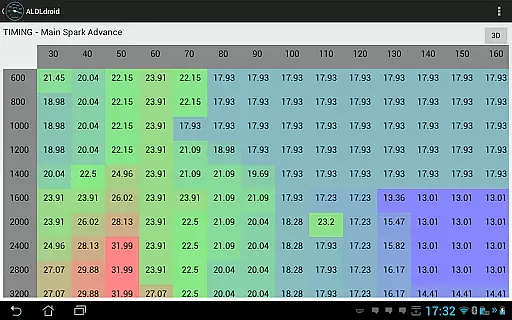
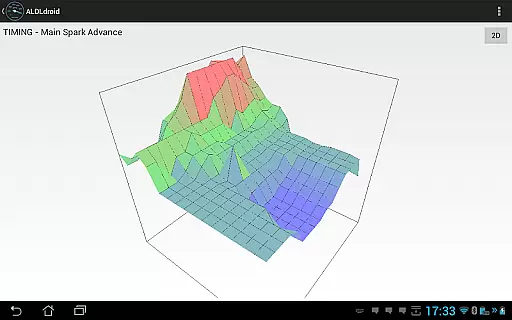
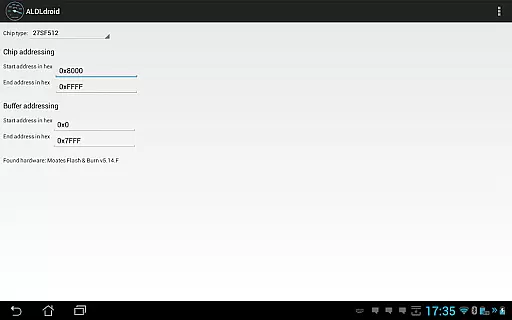
The tuning section supports real-time tuning with Moates Ostrich and AutoProm hardware, along with chip programming via Moates BURN1/BURN2 hardware. Connection to the ECM can be established using Bluetooth or USB (FTDI), ensuring compatibility with most modern Android devices. With features like dashboard customization, alarm settings, and multiple log viewers, ALDLdroid offers a comprehensive toolset for vehicle diagnostics and tuning.
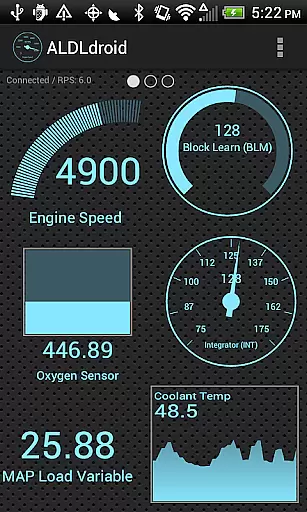
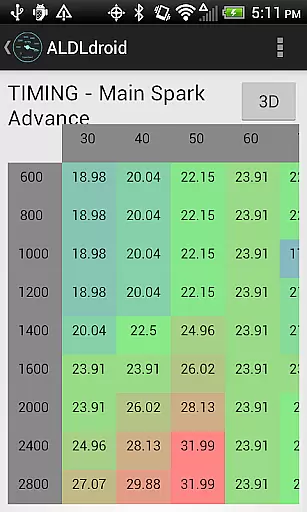
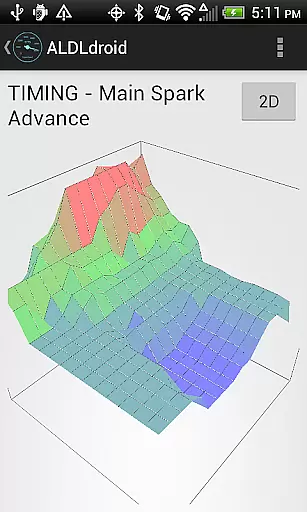
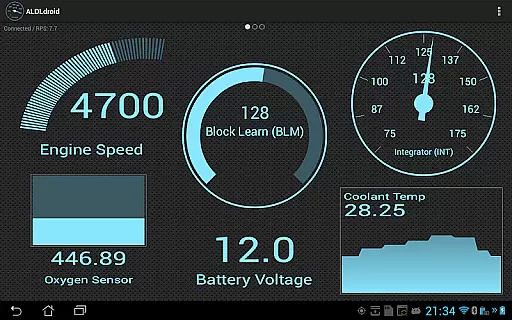
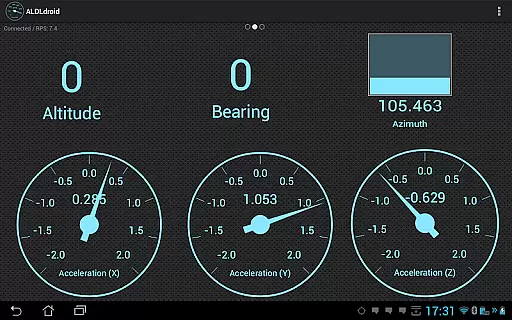
ALDLdroid boasts an array of advanced features tailored for automotive enthusiasts and professionals. The app supports TunerPro files (ADX and XDF) for extensive data logging and tuning capabilities. Users can edit BIN files and perform real-time tuning on supported ECUs, including NVRAM-based systems. Dashboard customization is highly flexible, allowing users to add, edit, or delete indicators in various formats such as gauge, basic readout, bar graph, or histogram.
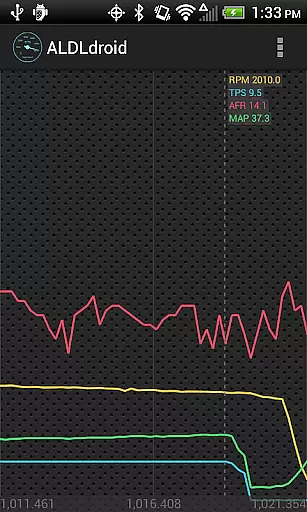
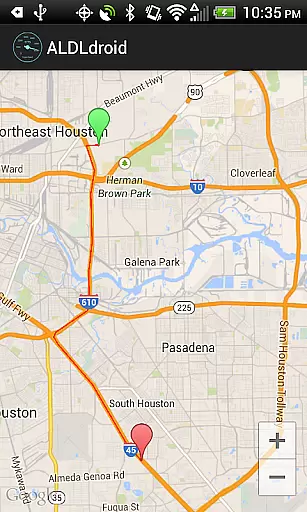
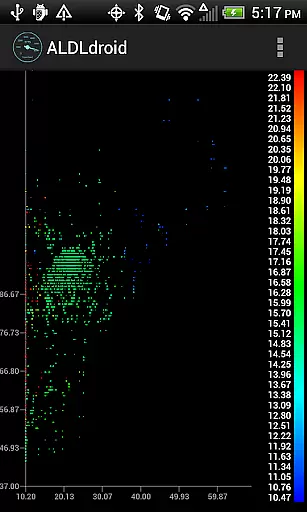
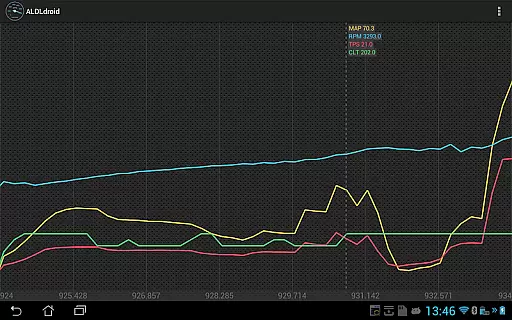
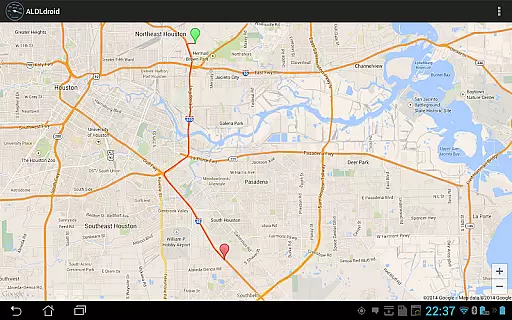
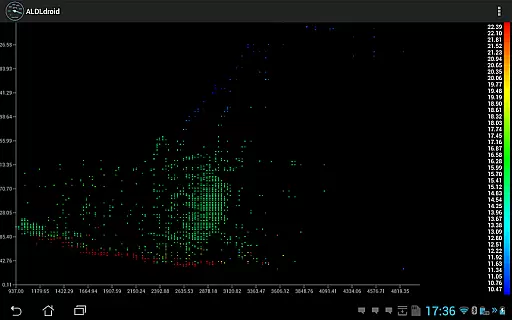
Additionally, ALDLdroid provides multiple log viewers for analyzing data logs in scatter plot format, GPS data on maps, and time series of data from log files. The app's compatibility with Bluetooth and USB connections ensures seamless integration with a wide range of devices. These features collectively enhance the user experience by providing precise control and detailed insights into vehicle performance metrics.
ALDLdroid provides comprehensive access to detailed vehicle information by connecting directly to OBD1 GM ECMs. The application supports both 160 baud and 8192 baud protocols, ensuring compatibility with a wide range of vehicles.
Through the use of TunerPro files (ADX), users can log data specific to their vehicle's ECM. This feature requires an ADX file corresponding to the user's ECM, which must be added to the Android device if not pre-packaged with the app. This ensures accurate and model-specific diagnostics.
Beyond GM ECMs, ALDLdroid extends its functionality to other car brands such as BMW, Ford, Nissan, and more. With the correct XDF file, users can perform tuning file editing on various non-GM vehicles, enhancing the app's versatility.
The ability to customize dashboard indicators allows users to tailor the display of vehicle information to their preferences. Users can add, edit, or delete indicators in formats like gauges or bar graphs, providing a personalized and detailed view of their vehicle's performance metrics.
ALDLdroid maintains price transparency by offering clear information about necessary hardware purchases. For users without existing ALDL adapters, options are available for Bluetooth and USB versions at specified online stores.
The app itself is available for purchase on Google Play, with no hidden fees. Users are encouraged to verify the compatibility of additional hardware, such as Moates devices for real-time tuning and chip programming, before proceeding with their purchase.
Before buying, potential users are advised to consult with online communities familiar with their specific ECM to ensure the app meets their needs. This community-driven approach fosters informed purchasing decisions.
It is important to note that refunds cannot be issued after the 15-minute window provided by Google Play. Therefore, users should thoroughly evaluate their requirements and the app's capabilities to make a well-informed decision regarding their investment.
User-friendly interface
Wide protocol support
Real-time tuning
Dashboard customization
Multiple log viewers
Requires specific files
No iOS support
Complex for beginners
Limited refund policy
Device compatibility issues

Theme for Car Launcher
 4.0
4.0
Theme for Car Launcher
4.1
DMV Test Pro offers all the updated FREE DMV tests online.
4.60
Get more out of your AAWireless adapter with this companion app | aawireless.io
4.80
Car Sounds Engine Sounds app welcomes Auto Lovers to feel Car Simulator Sound
4.20
Automotive Electrical Wiring Diagrams
4.40
Trip computer+car diagnostic tool with widest variety of features and dashboard!
4.70
Find Your Local Store or Shop Online for the Car, Truck, or SUV Parts You Need
4.70
Shop, finance, or sell today.
4.80
Lexus app currently supports 2010 or newer vehicles (2018 or newer for Hawaii).
4.80
Taximeter; the professional's choice
4.30
OBD2 car scanner and diagnostics: read Check Engine, DTC, economy....
4.30
AI Powered - Automotive Mechanic Assistant
4.30
BlueDriver® is a Premium Diagnostic OBD2 Scan Tool. www.BlueDriver.com
3.90
PayByPhone: A quick and easy way to pay for parking.
3.80
Read and delete OBD codes with any ELM327 OBD scanner. Coding functions included
3.40
The Smarter Way Forward
3.30
Better fuel to help keep you on the road
3.20
Easily notify car owners in urgent situations, safe, fast, multilingual.
4.4


User Reviews