

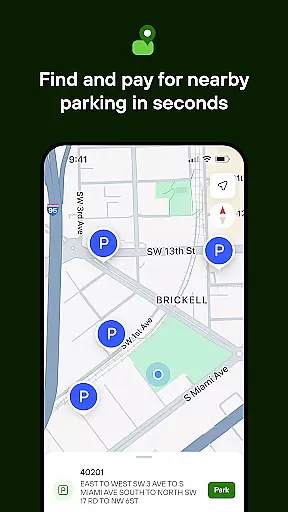
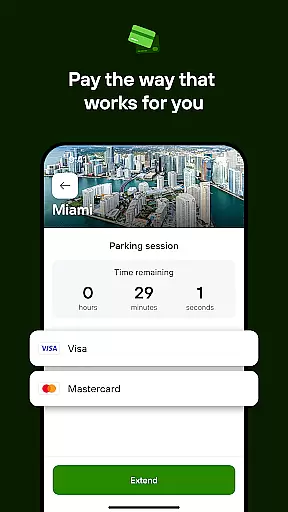
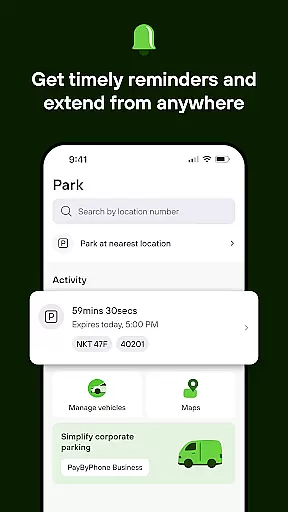

PayByPhone is a leading mobile parking payment solution trusted by over 95 million drivers globally. The app simplifies the parking experience by allowing users to pay for parking directly from their smartphones. Available in 10 languages and used across more than 1,300 locations worldwide, including cities and private operators in the UK, North America, France, Germany, and Switzerland, it ensures quick, seamless, and secure transactions.
With features like remote session management, SMS notifications, and multiple payment options such as credit/debit cards, Google Pay, Apple Pay, and PayPal, PayByPhone enhances user convenience. Whether you're parking in a busy urban area or need to extend your parking time from afar, this app streamlines the entire process, making it an essential tool for modern drivers.
PayByPhone offers a comprehensive suite of features designed to enhance the parking experience. Users can start and extend parking sessions remotely, ensuring they never have to worry about overstaying their parking time. The Today View widget provides a quick overview of active parking sessions, while the Maps and Nearby features help locate available parking spots efficiently.
Additional functionalities include SMS and push notifications that alert users before their parking session expires, helping them avoid fines. Users can also review their parking history, pin their parking location for easy vehicle retrieval, and receive emailed receipts for expense tracking. With support for various payment methods including credit/debit cards, Google Pay, Apple Pay, and PayPal, PayByPhone caters to diverse user preferences, making it a versatile and indispensable parking companion.
Detailed vehicle information is crucial for drivers who want to manage their parking sessions efficiently. PayByPhone offers a comprehensive set of features that allow users to enter or scan location codes, choose durations, and pay using their preferred payment methods directly from their phones.
The app simplifies the parking process by providing essential details such as active sessions at a glance with the Today View widget. This feature ensures that users can quickly check their current parking status without navigating through multiple screens.
Additionally, PayByPhone supports various payment options including credit/debit cards, Google Pay, Apple Pay, and PayPal where available. This flexibility in payment methods enhances user convenience and security, making transactions seamless and quick.
With these detailed functionalities, PayByPhone not only streamlines the parking experience but also provides peace of mind to users by ensuring they have all necessary information at their fingertips.
Price transparency is vital for users to make informed decisions about their parking expenses. PayByPhone excels in this area by clearly displaying all costs associated with parking sessions, ensuring there are no hidden fees.
Users can review their parking history and past sessions within the app, allowing them to track expenses accurately. This feature is particularly useful for those who need to maintain records for reimbursement or budgeting purposes.
Moreover, PayByPhone sends SMS or push notifications before a session expires, giving users ample time to extend their parking if needed. This proactive approach helps avoid unexpected charges and ensures users are always aware of their spending.
By offering clear pricing structures and timely alerts, PayByPhone empowers users to manage their parking costs effectively while enjoying a hassle-free experience.
User-friendly interface
Multiple payment options
Global availability
Remote session management
Secure transactions
Limited to parking services
Requires internet connection
Occasional service fees
Location-specific features
Notification delays

Theme for Car Launcher
 4.4
4.4
Attention! This is the theme for the Car Launcher app
4.2
Listings of Tesla's with FSD - Included package
4.60
Get more out of your AAWireless adapter with this companion app | aawireless.io
4.80
Lexus app currently supports 2010 or newer vehicles (2018 or newer for Hawaii).
4.80
Instantly redesign your car with AI. From sporty to futuristic, try it all.
4.50
1M+ high-quality auto parts at your fingertips. Fitment guaranteed.
4.70
Your go-to app for car, truck & SUV parts, DIY tools, and expert repair help.
4.70
Shop, finance, or sell today.
4.80
Play what you want through Android Auto
4.90
Practice the drills within MotoJitsu Master Riding Program Volume 1 & 2!
4.80
7-Day Returns on All Cars
4.80
Marathon ARCO Rewards members earn rewards & apply the rewards for fuel savings!
4.80
CVT diagnostics with ELM327 for Nissan-based vehicles
4.40
myAudi offers users services and Audi connect services for Audi drivers
4.10
ODB2 based monitoring application for the Chevy Bolt (2017-2021)
4.00
Mobile Phone Parking - So easy to park
3.70
Theme for Car Launcher
4.0
Theme for Car Launcher
4.3


User Reviews