
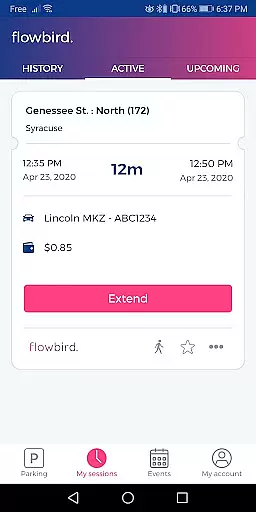
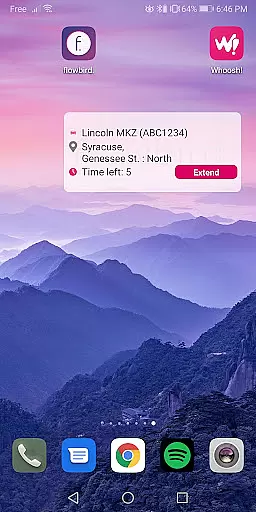
Flowbird Parking is a mobile application designed to simplify the parking experience for users. With this app, you can pay for parking directly from your mobile device, receive notifications when your parking time is about to expire, and extend your parking session without needing to return to a physical meter. The app also offers additional features such as displaying parking pressure in certain areas, helping users locate their parked cars, and enabling fingerprint login for quick access. Flowbird Parking is particularly useful in urban environments where parking spaces are limited and time-sensitive.
The app's core value lies in its ability to save users time and reduce stress associated with finding and paying for parking. By providing real-time information and alerts, it ensures that users can manage their parking sessions efficiently and avoid fines. Moreover, the app's availability in multiple locations makes it a versatile tool for both daily commuters and occasional city visitors.
Flowbird Parking stands out due to its comprehensive feature set tailored to enhance the parking experience. One of its key features is the ability to make mobile payments directly through the app or via the web, offering users flexibility and convenience. The app also includes a unique Parking Pressure display for select locations, which helps users identify areas with higher or lower parking availability, thus optimizing their search process.
Another notable feature is the 'Find my car' functionality, which is invaluable for those who tend to forget where they've parked. Additionally, the app supports fingerprint login, ensuring a secure and swift access method. These features collectively contribute to a seamless user experience, making parking less of a hassle and more of a streamlined process. The app's security measures, including third-party audits and data protection certifications, further reinforce its reliability and trustworthiness.
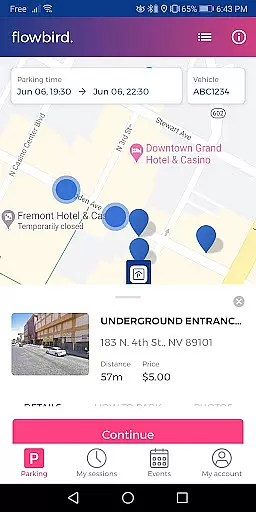
Detailed vehicle information is crucial for ensuring a seamless parking experience. The Flowbird Parking app allows users to input and manage multiple vehicle license plates, making it easy to switch between different vehicles when parking.
Upon registration, users can add their vehicle details directly through the app interface. This feature ensures that all parking sessions are accurately linked to the correct vehicle, which is essential for compliance and notifications.
The app's ability to store detailed vehicle information also simplifies the process of extending parking sessions or managing payments. Users can easily select the appropriate vehicle from their saved list, eliminating the need to manually enter license plate numbers each time they park.
This functionality not only saves time but also reduces the risk of errors in vehicle identification, providing peace of mind for users who frequently park in areas serviced by Flowbird.
Price transparency in parking apps like Flowbird Parking is vital for user trust and satisfaction. The app clearly displays parking rates for each location on the map, allowing users to make informed decisions about where and how long to park.
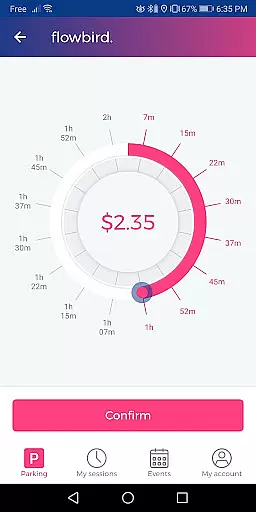
When selecting a parking duration using the app's intuitive dial feature, users can see real-time cost calculations based on their chosen time frame. This immediate feedback helps drivers budget their parking expenses effectively.
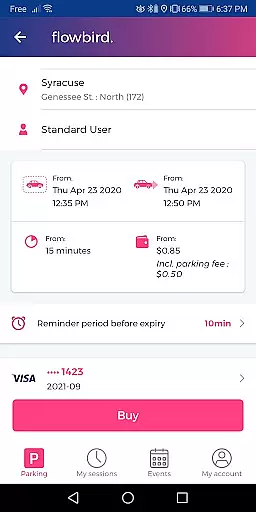
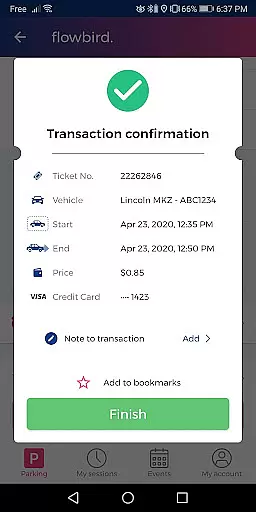
Additionally, Flowbird Parking provides notifications about any additional fees or surcharges that may apply, such as convenience fees for mobile payments. These details are presented before confirming the payment, ensuring there are no hidden costs.
By maintaining clear and upfront pricing information, Flowbird Parking enhances user confidence and promotes regular use of its services across various locations.
User-friendly interface
Secure payment processing
Real-time notifications
Convenient time extension
Parking pressure insights
Limited location coverage
Requires internet connection
Occasional technical issues
Registration mandatory
No offline functionality

Listings of Tesla's with FSD - Included package
 4.60
4.60
* This app needs an adapter cable and a certain OBD2 adapter to work *
4.20
Better fuel to help keep you on the road
3.20
Club Car Wash Mobile App—the fast lane to managing your wash membership.
3.30
Simplify your drive
3.90
Find Your Local Store or Shop Online for the Car, Truck, or SUV Parts You Need
4.70
Quick and easy car diagnostics to get you the right fix.
4.70
Browse millions of cars, track vehicle listings or sell your car today
4.70
Get price alerts, vehicle history details and more for cars near you!
4.50
Take Control of Your Car
4.80
Practice the drills within MotoJitsu Master Riding Program Volume 1 & 2!
4.80
Trip computer+car diagnostic tool with widest variety of features and dashboard!
4.70
Instant diesel savings. No credit checks or fees. Nationwide growing network.
4.40
AI Powered - Automotive Mechanic Assistant
4.30
Control maps, media and messaging, with the Google Assistant while you drive
4.10
Available in select states.
4.00
PayByPhone: A quick and easy way to pay for parking.
3.80
Wonder how much horsepower and torque your car/truck makes? Look no further.
3.40
Theme for Car Launcher
4.0


User Reviews