
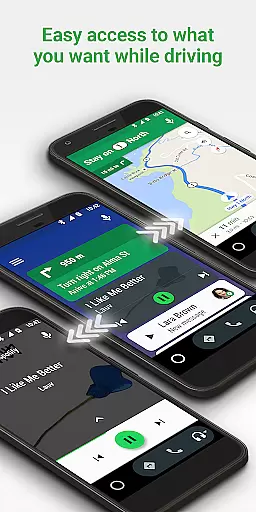
Android Auto is a driving-focused companion app that seamlessly integrates your smartphone with your vehicle's infotainment system. The app provides a simplified interface with large, easy-to-tap buttons and voice commands powered by the Google Assistant. It allows users to safely access navigation, communication, and entertainment features while driving.
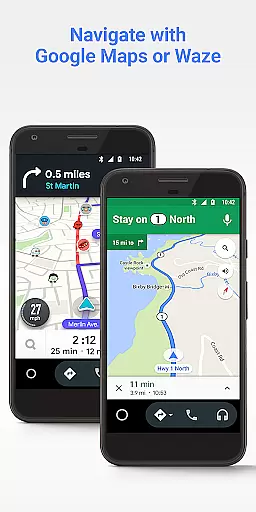
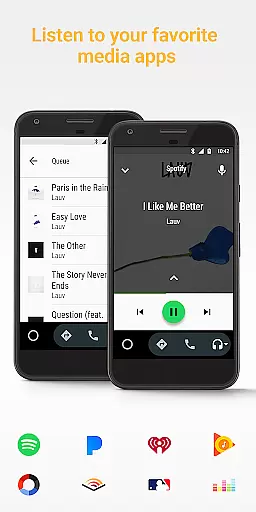
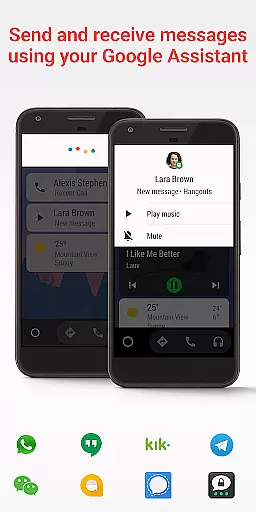
Key functionalities include real-time GPS navigation through Google Maps or Waze, hands-free calling and messaging, media playback controls for popular music and podcast apps, and smart assistant capabilities for weather updates, news, and reminders. Android Auto is designed to minimize distractions while keeping drivers connected and informed on the road.
This app is particularly useful during daily commutes or long road trips where safety and convenience are paramount. By projecting essential phone functions onto the car's display, it ensures drivers can keep their focus on the road while still managing important tasks like navigation, communication, and entertainment.
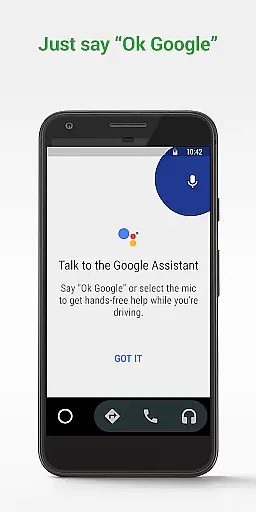
Android Auto stands out with its comprehensive feature set tailored specifically for drivers. The app's integration with Google Assistant enables powerful voice actions, allowing users to perform various tasks hands-free. For instance, drivers can request navigation routes, send messages, make calls, and control media playback simply by speaking commands.
The app supports real-time navigation with dynamic traffic alerts through Google Maps and Waze. It also connects with numerous third-party applications including Spotify, WhatsApp, and Google Calendar, creating a unified dashboard for all essential driving-related functions. Additionally, Android Auto includes a customizable do-not-disturb mode that automatically responds to incoming messages while driving.
What sets Android Auto apart is its growing ecosystem of compatible apps and vehicles. With support from over 400 car models and an expanding list of partner applications, the platform offers unparalleled flexibility and integration options. This extensive compatibility ensures users can enjoy a consistent experience across different vehicles and devices.
Accessing detailed vehicle information is crucial for drivers who want to stay informed about their car's status and performance. Android Auto provides essential details through its interface, ensuring that users can easily monitor their vehicle's metrics.
The app integrates with your car's systems to display important data such as speed, fuel level, and engine temperature directly on the simplified dashboard. This seamless connection allows drivers to have a comprehensive view of their vehicle's condition without being distracted from the road.
By using Android Auto, drivers benefit from real-time updates and alerts regarding their vehicle's performance. This feature not only enhances safety but also helps in maintaining the car by providing timely notifications for maintenance needs.
Overall, Android Auto transforms how drivers interact with their vehicles by offering an intuitive way to access detailed vehicle information, making every journey more informed and secure.
Price transparency in automotive services ensures that drivers are fully aware of costs associated with using various features or services within their vehicle. Android Auto excels in providing clear information about potential expenses related to navigation and entertainment services.
While basic functionalities like GPS navigation with Google Maps or Waze are free, users can see exactly what premium services might cost, such as subscriptions to music platforms like Spotify or Pandora. This openness allows users to make informed decisions about which services they wish to subscribe to.
Android Auto further supports price transparency by enabling users to manage their infotainment system efficiently. Drivers can choose from a wide array of media apps, knowing upfront any associated costs, thus avoiding unexpected charges while enjoying their drive.
This commitment to clarity empowers users, giving them control over their expenditures and enhancing trust in the application as a reliable driving companion.
User-friendly interface
Voice command functionality
Wide app compatibility
Real-time navigation
Safety-focused design
Limited to Android devices
Requires compatible car
Dependent on data connection
Some features need premium apps
Occasional connection issues

Ultimate OBD2 Car Scanner: Diagnostics, Service and Modification Tool
 4.30
4.30
Take Control of Your Car
4.80
CVT diagnostics with ELM327 for Nissan-based vehicles
4.40
The Texaco App allows you to pay for fuel from the comfort of your car!
4.80
Blink Charging Mobile app makes finding an EV charger an intuitive experience.
3.80
The ExtraMile App allows you to pay for fuel from the comfort of your car!
4.70
Automotive Electrical Wiring Diagrams
4.40
1M+ high-quality auto parts at your fingertips. Fitment guaranteed.
4.70
A smarter way to park and reserve your spot ahead of time.
4.40
Get more out of your AAWireless adapter with this companion app | aawireless.io
4.80
Trip computer+car diagnostic tool with widest variety of features and dashboard!
4.70
Browse millions of cars, track vehicle listings or sell your car today
4.70
ODB2 based monitoring application for the Chevy Bolt (2017-2021)
4.00
Boost profits and hit your goals faster with GigU's amazing tools for gigworkers
4.00
Available in select states.
4.00
PayByPhone: A quick and easy way to pay for parking.
3.80
Easily notify car owners in urgent situations, safe, fast, multilingual.
4.2
Theme for Car Launcher
4.1
DIY Vehicle Wheel Alignment
4.0


User Reviews