
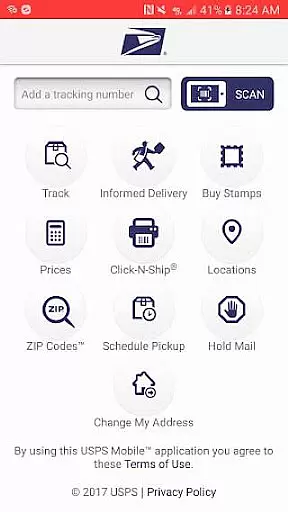
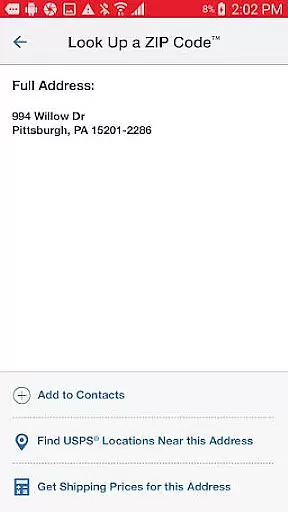
USPS Mobile® is a comprehensive business tool designed to streamline postal services for users on the go. This application provides access to essential USPS.com® features, allowing customers to calculate shipping prices, find Post Office locations, look up ZIP Codes, schedule pickups, and manage mail holds directly from their mobile devices.
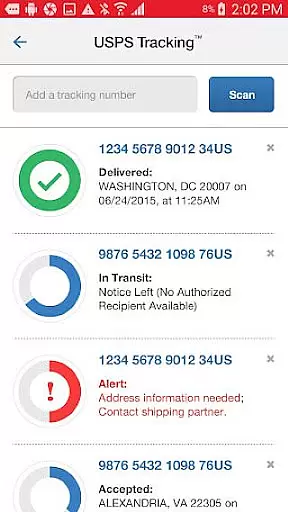
The app supports shipment tracking for Priority Mail®, Priority Mail Express®, Certified Mail®, and other delivery services, enabling users to nickname shipments and receive real-time delivery status updates via text and email alerts. With integrated GPS functionality, it helps locate nearby postal facilities and offers detailed directions. Additionally, users can scan shipping labels, access Informed Delivery® for package tracking and mail previews, making it an indispensable tool for businesses and individuals who frequently use postal services.
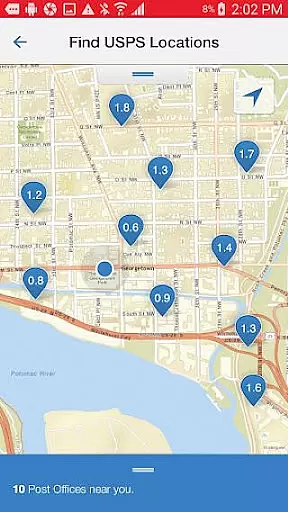
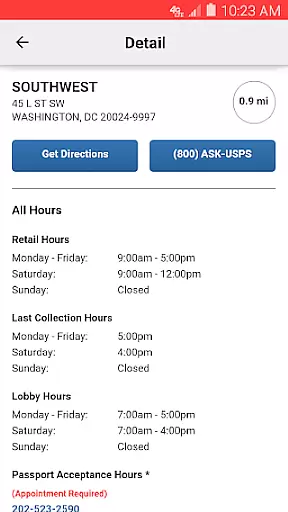
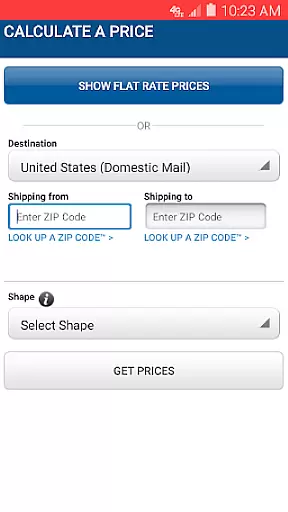
USPS Mobile® stands out with its robust feature set tailored for business efficiency. The app allows users to calculate both domestic and international shipping prices, choosing between retail or online pricing options while adding extra services as needed. Its locator function uses GPS to display nearby Post Office™ locations, Self-Service Kiosks, and collection boxes on a map, complete with operating hours and directions.
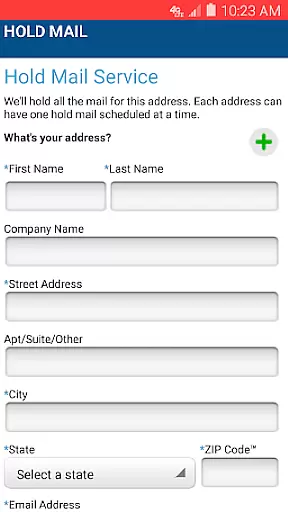
Another key feature is the ability to schedule free next-day pickups for various shipping services, saving time for busy professionals. The app also facilitates mail management by allowing users to request mail holds during absences and resume deliveries upon return. With Informed Delivery®, users can track incoming packages and preview mailpieces digitally. The barcode scanning capability simplifies shipment tracking by recognizing and storing label numbers through the device's camera, ensuring users stay informed about their delivery statuses without manual entry.
In today's fast-paced business environment, the ability to collaborate effectively is crucial. The USPS Mobileu00ae app facilitates this by offering features that allow users to manage shipments collectively. With the app, teams can nickname shipments, making it easier to identify and organize them according to project needs or client requirements.
Furthermore, the USPS Mobileu00ae app enhances team coordination by enabling users to sign up for text and email alerts. These notifications keep all stakeholders informed about the delivery status of Priority Mailu00ae, Priority Mail Expressu00ae, Certified Mailu00ae, and other services, ensuring timely communication and allowing for better planning and response to any delivery updates.
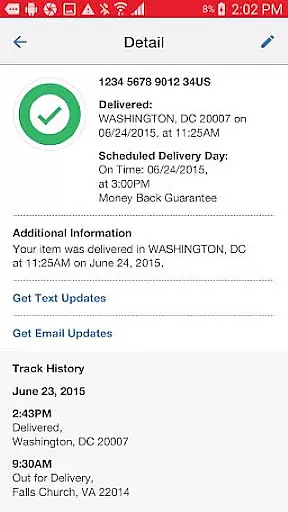
The app also streamlines collaborative efforts through its comprehensive tracking system. Team members can access detailed information on the status of their shipments, which is essential when working with time-sensitive deliveries. This feature supports businesses in maintaining high standards of customer service and satisfaction by providing accurate and real-time updates to clients.
By integrating these collaborative work features, the USPS Mobileu00ae app not only simplifies the process of managing mail and packages but also fosters a more connected and efficient working environment. This connectivity is vital for businesses looking to optimize their operations and improve their bottom line.
Effective task management is at the core of successful business operations, and the USPS Mobileu00ae app excels in providing tools that help users stay organized. One key aspect is the ability to calculate Domestic or International Prices for shipping, which allows businesses to plan their expenses accurately. By choosing between retail or online pricing and adding extra services as needed, users can view the total cost and allocate resources accordingly.
The app also offers a feature to schedule a free next-day pickup, which is an excellent example of optimizing task management. Businesses can arrange for their Letter Carrier to pick up various types of shipments from their location, streamlining the dispatch process and saving valuable time that can be used for other operational tasks.
Another significant task management feature is the Request Hold Mail Service, which provides flexibility for businesses during periods of absence. By holding mail at the local Post Officeu2122, companies can ensure that their correspondence is secure and can be collected upon return, preventing any disruption in communication flow.
Overall, the USPS Mobileu00ae app equips businesses with essential task management capabilities that enhance productivity and efficiency. From calculating shipping costs to scheduling pickups and managing mail holds, the app ensures that businesses can maintain smooth operations even when they're on the move.
User-friendly interface
Comprehensive postal tools
Real-time tracking updates
Convenient pickup scheduling
Integrated GPS functionality
Limited to USPS services
Occasional bugs reported
Requires internet connection
Some features have limitations
Canada-only ZIP lookup

Formerly Facebook Ads Manager. Manage and create ads on the go.
 4.20
4.20
Quickly open and manage PDF files on your device.
3.80
FX Plus adds media, networking, and cloud capabilities to FX File Explorer.
4.10
The All-in-One File Manager for Phone, TV, Watch, Cars, XR / VR, Chromebook
4.10
Get your benefits on-the-go.
3.80
viewing and sharing PDFs and other files—anytime, anywhere!
4.4
Get instant construction estimates: accurate home repair & material calculator.
4.70
Earn money with the driver & delivery partner app for Uber, UberEats & Postmates
4.60
ADP Mobile Solutions is an employee self service app
4.50
The MyWalmart App is available for all associates in stores.
4.70
AI-powered document scanner with auto enhance for perfect PDFs.
4.60
Grow your business and connect with more people with Meta Business Suite.
4.60
Mobile POS for any business: sales, invoices, retail, restaurants & appointments
4.60
Find jobs near you and temp work in minutes, from your phone.
4.50
On the go? Take FedEx with you.
4.00
viewing and sharing of PDFs
3.60
view, manage, and share every PDF file you have
3.60
Access All PDF Files
3.40
We are a dynamic team of creatives people of design, marketing, web & apps
3.00


User Reviews