
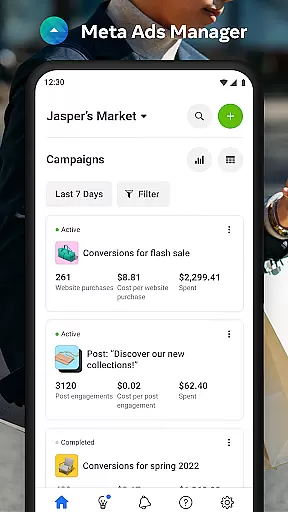

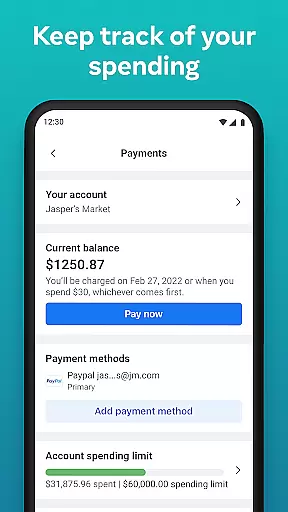
Meta Ads Manager is a comprehensive business tool designed to help advertisers manage their ad campaigns across Meta's family of platforms, including Facebook, Instagram, Messenger, and WhatsApp. The app enables users to create and edit ad campaigns, access real-time performance insights, and control campaign statuses directly from their mobile devices. With its robust functionality, the app ensures that marketers can stay connected to their advertising efforts while on the go.
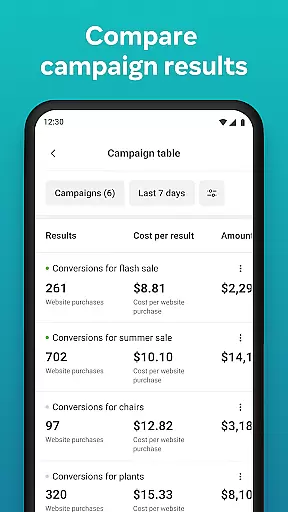
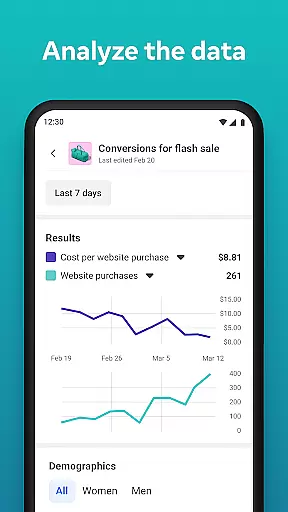
A key feature of Meta Ads Manager is its ability to provide detailed analytics and reporting for all campaigns in one place. Users can compare different campaigns side-by-side, receive instant alerts about ad performance, and make necessary adjustments to optimize results. This makes it an essential tool for businesses looking to maximize their return on investment through data-driven decisions.
Meta Ads Manager offers a wide range of features tailored for digital marketers. One standout capability is the real-time insight dashboard, which provides users with up-to-the-minute data on how their ads are performing across various platforms. This allows for quick identification of trends and issues, enabling timely optimizations.
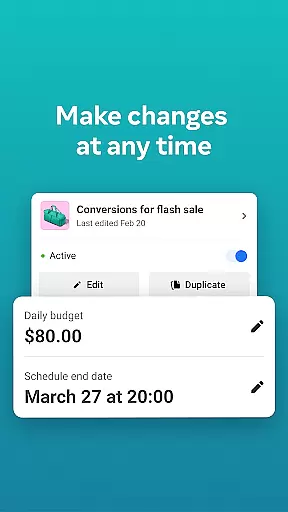
In addition to performance tracking, the app supports full campaign management. Users can easily turn campaigns on or off, edit existing ads, and even create new ones without needing to switch to a desktop. The intuitive interface also includes a side-by-side comparison view for analyzing multiple campaigns simultaneously, making it easier to allocate budgets effectively and improve overall strategy.
Collaborative work features are essential for modern business applications, enabling teams to work together efficiently regardless of location. Meta Ads Manager excels in this area by providing a centralized platform where marketing teams can manage campaigns across multiple Meta technologies.
The application allows users to create and edit ad campaigns for platforms like Facebook, Instagram, and WhatsApp from a single interface. This unified approach ensures that team members can coordinate their efforts seamlessly, maintaining consistency across different advertising channels while implementing changes in real time.
One of the key benefits is the ability to switch between different Pages and ad accounts effortlessly. This feature enables marketing teams to handle multiple clients or projects without confusion, streamlining workflow and enhancing productivity. The quick alerts system keeps all team members informed about important campaign events.
By offering side-by-side campaign comparison tools, Meta Ads Manager facilitates collaborative decision-making. Team members can analyze different ad sets together, making it easier to optimize marketing strategies and allocate resources effectively. These features collectively enhance team coordination and campaign management efficiency.
Effective task management is crucial for successful advertising campaigns, and Meta Ads Manager provides robust tools to help users stay organized and in control of their marketing efforts. The application's intuitive interface enables users to view detailed real-time insights from all their campaigns in one place.
With the ability to turn campaigns on and off directly from the mobile application, users can quickly respond to market changes or performance indicators. This level of control ensures that marketing budgets are optimized and campaigns are always aligned with current business objectives.
The application's organizational features allow users to categorize and manage multiple campaigns efficiently. Marketers can easily navigate between different ad sets and accounts, maintaining clear oversight of their entire advertising portfolio. This structured approach helps prevent campaign overlap and ensures resources are allocated appropriately.
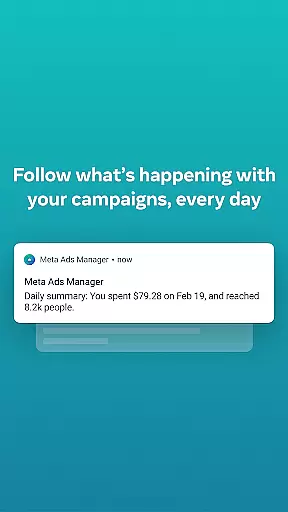
Real-time notifications and alerts keep users informed about important campaign milestones and performance metrics. These timely updates enable marketers to make data-driven decisions and adjustments on the go, ensuring that all advertising efforts remain effective and relevant to current market conditions.
User-friendly interface
Real-time analytics
Cross-platform support
Comprehensive campaign control
Instant performance alerts
Limited advanced features
Occasional sync delays
Requires stable internet
No offline mode
Premium feature costs

Completed Course Lectures on how to use IBM Maximo in Maintenance issues
 4.0
4.0
The MyWalmart App is available for all associates in stores.
4.70
Build a store in minutes with our full suite of AI tools. Start for free!
4.20
Access to Paylocity, empowering employees with information they need 24/7.
4.70
All-in-one Mobile solutions for employees & managers to succeed at work
4.30
Permission Guard is a security app that helps you manage app permissions.
4.80
Say hello to the mobile work experience built to help you thrive at work.
4.30
Roadie connects people with stuff to send with drivers already going that way.
3.50
ADP Mobile Solutions is an employee self service app
4.50
Employee Management Made Easy
4.80 4.70
4.70
Find the right fit, faster.
4.70
Use Generative Summary to understand your rental or insurance docs in seconds.
4.70
Find jobs near you and temp work in minutes, from your phone.
4.50
Earn crypto with secure cloud mining. Monitor, track & withdraw easily
4.40
Find work, shifts and gigs near you. Jobs lasting a few hours to a few months.
4.30
enjoy effortless PDF reading anytime, anywhere
3.90
We are a dynamic team of creatives people of design, marketing, web & apps
3.00
Convert Your Lovable.dev Website into a Mobile App Instantly!
4.4


User Reviews