
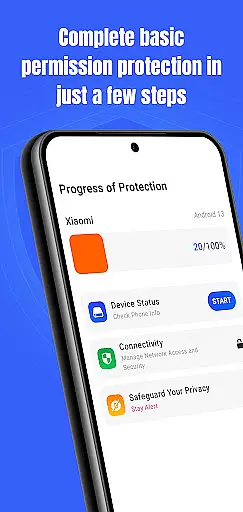
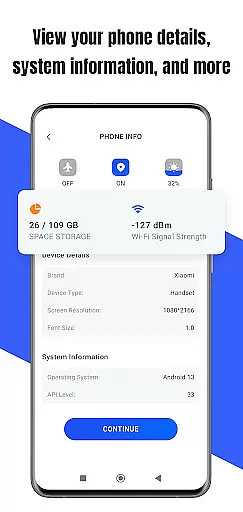
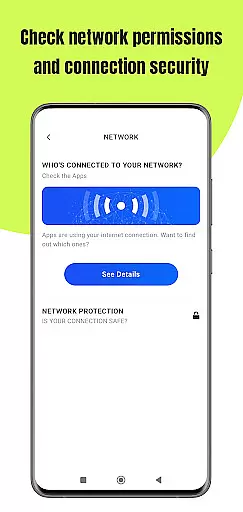
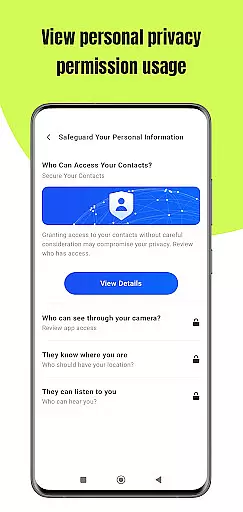
Permission Guard is a specialized security application tailored for business users who require strict control over their device's privacy settings. The app focuses on managing permissions granted to various applications, ensuring that each app only accesses the necessary data required for its operation. This functionality is crucial in a business environment where sensitive information and data protection are top priorities.
In addition to monitoring app permissions, Permission Guard provides real-time alerts when an app attempts to access unauthorized data or features. This allows users to take immediate action and revoke unnecessary permissions. The app also offers detailed reports about permission usage, helping businesses maintain compliance with privacy regulations and internal policies.
With its user-friendly interface, Permission Guard makes it easy for business professionals to stay informed about their device's privacy status. Whether you're an individual user concerned about personal data or a business owner looking to protect your company's sensitive information, this app provides the tools needed to maintain optimal privacy settings.
Permission Guard stands out with its comprehensive set of features designed specifically for managing app permissions effectively. One of its key features is the ability to provide detailed insights into which apps have been granted access to different types of data on your device. This includes location data, contact lists, camera access, and more, giving users complete visibility into their privacy settings.
The app also includes a powerful monitoring system that continuously tracks permission changes and updates. Whenever an app tries to change its permission settings or access unauthorized data, Permission Guard immediately notifies the user. This proactive approach ensures that potential security threats are addressed promptly, reducing the risk of data breaches.
Another notable feature is the app's reporting capability. Permission Guard generates detailed reports that can be used for auditing purposes or to ensure compliance with privacy standards. These reports provide a clear overview of permission usage patterns, making it easier for businesses to identify areas where they need to tighten their privacy controls.
Collaborative work features are essential for modern business applications, enabling teams to work together efficiently and securely. Permission Guard excels in this area by providing robust tools for managing app permissions across your devices.
The app allows administrators to set permission policies that apply to all team members, ensuring consistent security standards. This feature is particularly useful for businesses that handle sensitive data and need to maintain strict access controls.
With its intuitive interface, Permission Guard makes it easy to monitor which apps have access to what information. Administrators can quickly adjust permissions as needed, without requiring extensive technical knowledge.
By using Permission Guard's collaborative features, businesses can improve their overall security posture while maintaining productivity. The app's real-time monitoring and alerts help prevent unauthorized access, giving peace of mind to both managers and employees.
Effective task management is crucial for maintaining productivity and ensuring that important security tasks are completed on time. Permission Guard offers comprehensive task management capabilities tailored specifically for managing app permissions.
The app provides a centralized dashboard where users can view all pending permission requests and approvals. This helps streamline the process of granting or revoking permissions, making it easier to stay on top of security-related tasks.
Permission Guard also includes scheduling features that allow users to automate routine permission checks. By setting up recurring tasks, businesses can ensure that their security policies are consistently enforced without manual intervention.
Additionally, the app's reporting tools offer valuable insights into permission trends and potential security risks. These analytics help businesses make informed decisions about their security strategies, ultimately leading to better protection of sensitive information.
Enhanced Security
Real-Time Alerts
User-Friendly Interface
Detailed Reporting
Compliance Support
Limited Free Version
Occasional False Positives
Advanced Features Locked
Requires Manual Checks
Not Suitable for Novices

Ask Accio anything about business. Alibaba-backed, built by experts, not just AI
 4.60
4.60
VSD Viewer - Visio Drawings Viewer for Android Preview VSD, VDX, VSDX drawings
4.10
BuildCalc - the easiest AND the most advanced construction calculator app.
4.80
viewing and sharing PDFs and other files—anytime, anywhere!
4.1
Amazon A to Z is the place to manage your work-life at Amazon.
4.50
Paychex Flex - Save Time and Stay Connected
4.60
Find jobs near you and temp work in minutes, from your phone.
4.50
Collaborate seamlessly with Google Chat, part of Google Workspace
4.50
Roadie connects people with stuff to send with drivers already going that way.
3.50
Job search app that finds jobs for you! Takes the work out of looking for a job!
4.90
Employee Management Made Easy
4.80
Your employer must have UKG Ready software configured for Mobile.
4.60
Finance, Investing, Stocks, Trading and Stock news
4.60
Grow your business and connect with more people with Meta Business Suite.
4.60
Master crypto trading with real-time simulations and exciting challenges!
4.50
From Gone to Back Again — In Just a Few Taps
4.50
All-in-one Mobile solutions for employees & managers to succeed at work
4.30
Formerly Facebook Ads Manager. Manage and create ads on the go.
4.20
enjoy effortless PDF reading anytime, anywhere
3.90


User Reviews