
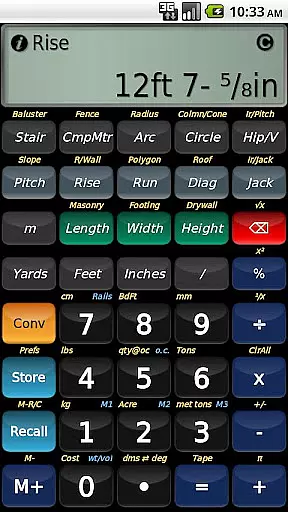
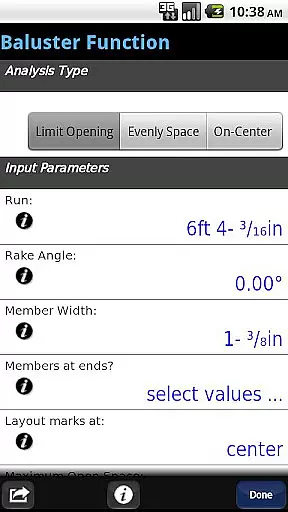
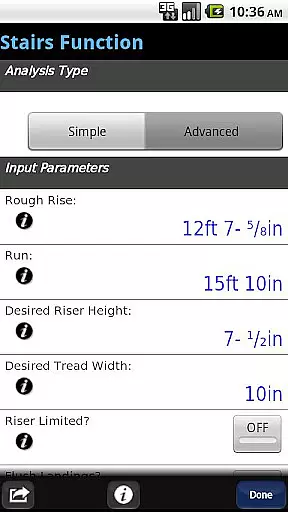
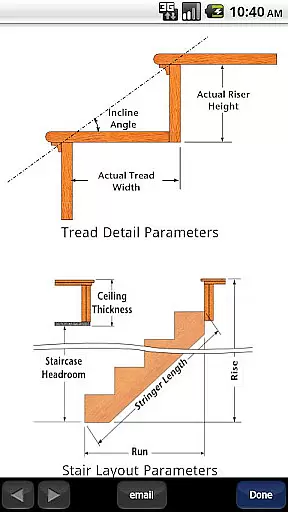
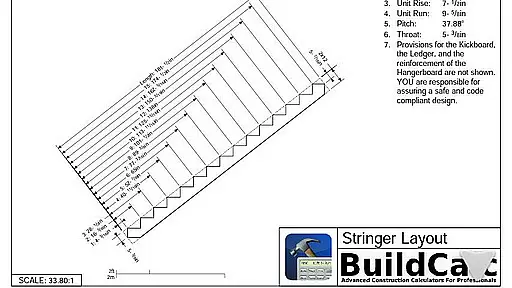
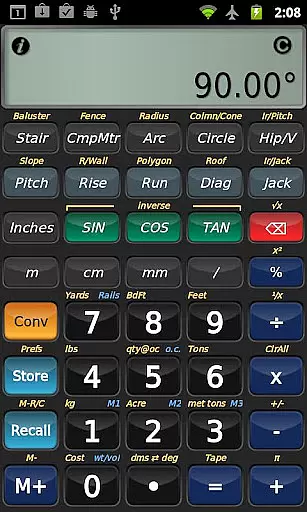
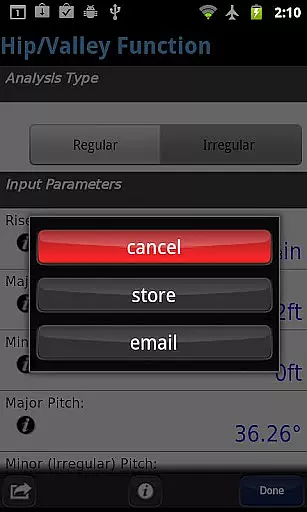
BuildCalc is a sophisticated construction calculator app designed to provide more functionality and accurate answers while reducing complexity and hassle. This app offers advanced features such as the Baluster Function for precise railing layouts, Stair function with dimensioned drawings, and interactive functions that update results automatically. It also includes a Fence Function and a new Full Daylight Visibility Mode.
In addition to its powerful features, BuildCalc allows users to customize sizes for masonry, drywall, and roofing functions, providing flexibility not found in traditional calculators. The app simplifies complex calculations by offering all results in list form with minimal input, saving time and effort on the job site. Its intuitive design eliminates the need for remembering complicated key sequences, making it an essential tool for professionals seeking efficiency and precision.
BuildCalc stands out with its array of specialized features tailored for construction professionals. The app's Advanced Baluster and Stair Functions offer detailed layouts and drawings, which can be shared via email as PDFs. These capabilities ensure that users have professional-grade tools at their fingertips for custom jobs.
Interactive functions within BuildCalc allow real-time adjustments without needing to remember specific key presses, streamlining workflows significantly. With full emulation of Construction Master® Pro, albeit unaffiliated, this app brings trusted calculation methods into the digital age. Additionally, innovative modes like Drywall and Masonry 'Room Mode' simplify material estimations, enhancing productivity by cutting down on manual computations and guesswork.
In the realm of construction, collaboration is key to successful project completion. BuildCalc understands this and offers advanced interactive functions that cater to seamless teamwork. The Stair, Baluster, Compound Miter, Diagonal, and Hip/Valley functions are designed to be fully interactive, allowing teams to make changes to input values on the fly. Whether it's adjusting the Run or switching between Regular and Irregular Hip Roof analysis, results are updated automatically without the need to remember specific key presses.
Moreover, BuildCalc provides a unique feature for sharing detailed dimensioned drawings of Stringers, Stringer Installations, and Finished Staircases. This allows professionals to communicate their plans effectively and ensures everyone is on the same page. With just a tap, users can email a PDF of these drawings right from the app, making it easy to print them or share them with stakeholders.
The app also includes Drywall and Masonry 'Room Mode', which simplifies complex calculations by providing required materials for walls, ceilings, and floors based on stored room dimensions. This mode eliminates the need for pondering over complex key sequences, thus streamlining the collaborative process and ensuring accurate material estimates for the entire team.
Effective task management is crucial in the construction industry, where precision and timing can make or break a project. BuildCalc excels in this area by offering features that reduce complexity and hassle, enabling users to focus on their tasks without being bogged down by cumbersome processes. For instance, advanced functions like the Stair and Baluster layouts provide all necessary results in list form with just one or two key taps, significantly cutting down on the time needed to obtain critical information.
To further aid in task management, BuildCalc allows users to save their calculation results, ensuring that important data is not lost and can be recalled at any time. This feature is particularly useful when dealing with intricate projects that require multiple calculations over extended periods. By saving results, users can maintain continuity and avoid the frustration of having to redo calculations due to memory constraints.
Additionally, BuildCalc offers a streamlined approach to inputting data, reducing the likelihood of errors through intuitive design and on-the-spot help. Users no longer need to memorize arcane keystroke sequences; instead, they receive a checklist of inputs and guidance to ensure accuracy. This thoughtful design minimizes 'quirks' and enhances productivity, allowing construction professionals to manage their tasks efficiently and effectively.
User-friendly interface
Advanced calculation tools
Customizable material sizes
Interactive function updates
Professional layout drawings
May require learning curve
Not affiliated with Construction Master
Premium pricing model
Limited to Android platform
Requires internet for some features

 4.70
4.70
All Your Gig Work. One App.
4.30
The All-in-One File Manager for Phone, TV, Watch, Cars, XR / VR, Chromebook
4.10
Get your benefits on-the-go.
3.80
The MyWalmart App is available for all associates in stores.
4.70
Drive and earn extra money
4.50
Mobile POS for any business: sales, invoices, retail, restaurants & appointments
4.60
Find jobs near you and temp work in minutes, from your phone.
4.50
Collaborate seamlessly with Google Chat, part of Google Workspace
4.50
Job search app that finds jobs for you! Takes the work out of looking for a job!
4.90
Get instant construction estimates: accurate home repair & material calculator.
4.70
Use Generative Summary to understand your rental or insurance docs in seconds.
4.70
Ask Accio anything about business. Alibaba-backed, built by experts, not just AI
4.60
No more passwords, easier sign-in, and greater protection for your accounts.
4.60
Work happy with AI Companion
4.10
Simple, Fast & Lightweight
3.90
All document reader, pdf viewer app, read docs & excel files
3.80
Delivery Track App - Tracking with Fedex, USPS, UPS, DHL. Monitor your Orders.
3.20
We are a dynamic team of creatives people of design, marketing, web & apps
3.00


User Reviews