
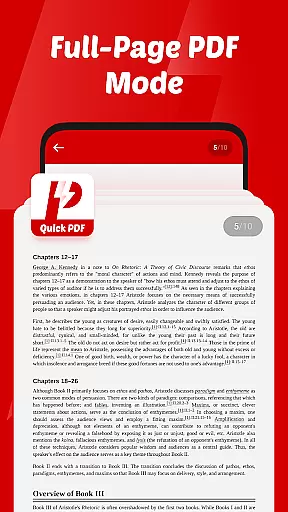
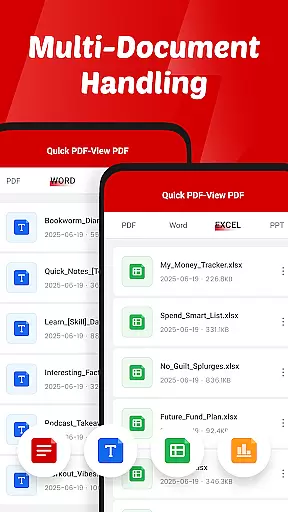
Quick PDF-View PDF is a versatile document management app designed for business professionals and students alike. This application allows users to view, manage, and share PDFs and other document formats with ease. With support for multiple file types including PDF, DOC, PPT, and XLS, it ensures compatibility across various document needs.
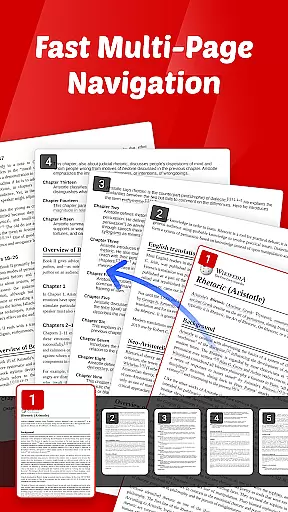
The app features an intuitive interface with smooth page navigation through swipe controls, making document viewing seamless. Its quick sharing functionality enables users to send files directly from the app, streamlining collaboration. Whether you need to review reports on the go or share important presentations, Quick PDF-View PDF provides a reliable solution for all your document handling requirements.
Quick PDF-View PDF stands out with its comprehensive feature set tailored for efficient document management. The app supports multiple document formats such as PDF, DOC, PPT, and XLS, allowing users to open and view files stored on their device instantly. Its intuitive swipe controls ensure smooth page navigation, enhancing the reading experience.
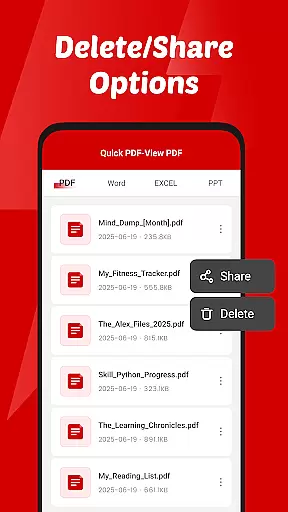
One of the key highlights is its quick sharing capability, which lets users send documents directly from the app without any hassle. Additionally, the app requires minimal permissions focused on file management, enabling users to read, organize, and delete documents securely. With its clutter-free interface, Quick PDF-View PDF ensures that users can focus on their content without distractions, making it an ideal tool for both personal and professional use.
Collaborative work features are essential for modern business applications, enabling teams to work together efficiently regardless of location. Quick PDF-View PDF supports this by allowing users to share documents directly from the app, streamlining communication and collaboration.
The app's support for multiple formats including PDF, DOC, PPT, and XLS ensures that all team members can access files in their preferred format. This versatility enhances productivity as users do not need to convert files before sharing them with colleagues.
With intuitive swipe controls for smooth page navigation, team members can quickly review documents and provide timely feedback. This feature is particularly beneficial during virtual meetings or collaborative sessions where speed and efficiency are crucial.
By offering a clutter-free interface, Quick PDF-View PDF allows users to focus on the content of their documents rather than being distracted by unnecessary elements. This simplicity fosters better concentration and more effective teamwork.
Effective task management is vital for maintaining productivity and ensuring that projects progress smoothly. Quick PDF-View PDF contributes to this by providing tools that help users manage their documents efficiently.
The app's file management access allows users to read, organize, and delete documents as needed. This capability ensures that important files are always accessible and that outdated or unnecessary documents can be removed to maintain an organized workspace.
Quick sharing functionality enables seamless distribution of files within the app, facilitating task delegation and follow-up. Team members can easily send relevant documents to each other, keeping everyone informed and aligned on project goals.
With its support for various file formats and instant opening of PDFs stored on the device, Quick PDF-View PDF empowers users to handle their tasks with greater agility and responsiveness. These features collectively enhance overall task management effectiveness.
User-friendly interface
Multi-format support
Quick sharing options
Intuitive navigation
Secure file management
Limited advanced editing
No cloud integration
Basic annotation tools
Occasional performance lags
Ads in free version

ANDROID'S TOP MOBILE OFFICE - Word, Excel, PowerPoint and PDF at your fingertips
 4.50
4.50
Measure distances, surfaces and draw plans in seconds with CamToPlan!
4.40
The Penny Puss app with DG penny finder
4.10
Create curriculum vitae, a professional cover letter creator and resume designer
4.80
Manage Your Shop
4.70
Get instant construction estimates: accurate home repair & material calculator.
4.70
Find work, shifts and gigs near you. Jobs lasting a few hours to a few months.
4.30
Recover what matters — quickly and easily.
4.70
All-in-one Mobile solutions for employees & managers to succeed at work
4.30
Start earning fast. Apply Today.
4.80
AI-powered document scanner with auto enhance for perfect PDFs.
4.60
Ask Accio anything about business. Alibaba-backed, built by experts, not just AI
4.60
Earn money with the driver & delivery partner app for Uber, UberEats & Postmates
4.60
No more passwords, easier sign-in, and greater protection for your accounts.
4.60
Find flexible, hourly jobs hiring near you in restaurant, retail & hospitality!
4.00
Get your benefits on-the-go.
3.80
All document reader, pdf viewer app, read docs & excel files
3.80
Access All PDF Files
3.40
Find part-time earning opportunities near you that pay within days.
3.20


User Reviews