
PDF Reader is a versatile business application designed to streamline document management for professionals on the go. This app allows users to view, manage, and share PDF files with ease, making it an essential tool for anyone dealing with digital documents in a professional setting.
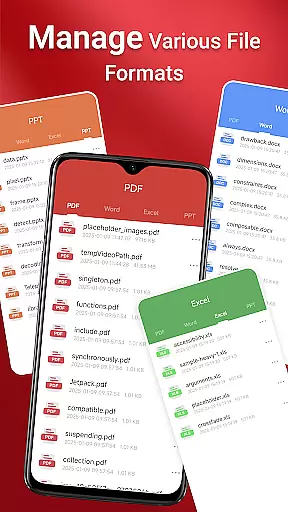
The app features a sleek and intuitive interface that simplifies navigation and enhances productivity. Whether you're accessing files stored locally or managing various document types like Doc, PDF, PPT, and Excel, this reader ensures quick access and seamless sharing capabilities. Its one-click reading and quick page navigation make reviewing documents efficient, while integrated support for multiple formats ensures compatibility across different file types.
For businesses operating in dynamic environments, having reliable access to important documents is crucial. PDF Reader meets this need by providing robust functionality that works across folders, supports offline access, and handles files from SD cards or non-standard locations. This makes it particularly valuable for users who require flexible and dependable document management solutions.
PDF Reader stands out with its comprehensive feature set tailored for business users. The app's one-click PDF reading functionality allows for instant access to documents, eliminating cumbersome loading times and ensuring that users can quickly retrieve the information they need.
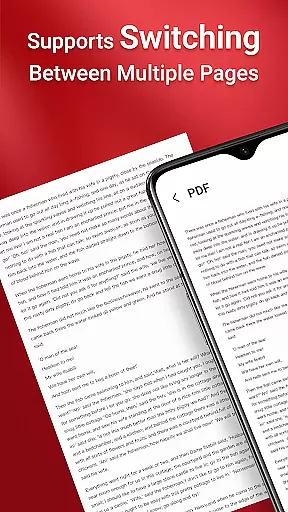
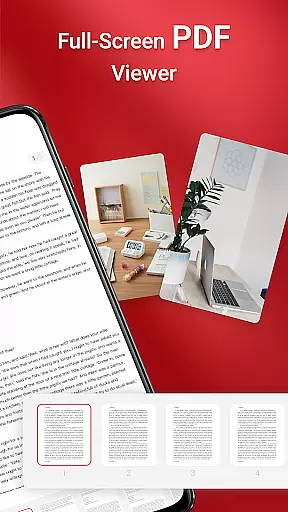
Another notable feature is its ability to handle various document types beyond PDFs, including Doc, PPT, and Excel files. This versatility ensures that users can manage all their important business documents within a single application. Additionally, the app provides quick page navigation, allowing users to move through lengthy documents with ease, which is especially useful during presentations or when reviewing detailed reports.
PDF Reader also addresses specific technical challenges faced by Android 11 and later users. By requiring the MANAGE_EXTERNAL_STORAGE permission, the app ensures reliable access to files across different storage locations, including SD cards. This capability is critical for performing operations such as file previews, multi-file merging, and maintaining persistent access to stored documents, even when offline. These features collectively enhance the app's value as a comprehensive document management solution.
Collaborative work features are essential for modern business applications, enabling teams to work together efficiently regardless of location. PDF Reader excels in this area by providing seamless integration with various document formats, including Doc, PDF, PPT, and Excel files.
The app allows users to access all PDF files on their device quickly, making it easy to share documents with team members. Its one-click reading feature ensures that collaborators can view files without unnecessary delays, promoting swift communication and decision-making.
Moreover, the integrated support for different document types facilitates versatile file handling, allowing teams to manage and edit a wide range of documents within a single platform. This functionality significantly enhances productivity by reducing the need to switch between multiple applications.
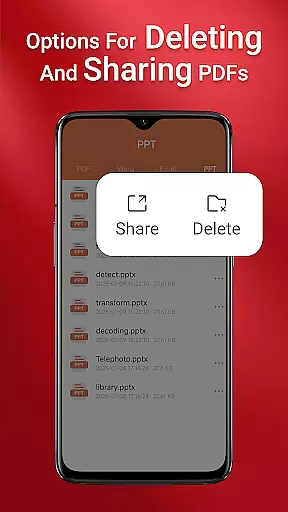
By offering quick page navigation and easy sharing options, PDF Reader empowers teams to collaborate effectively, ensuring everyone has the most up-to-date information at their fingertips, thus improving overall project efficiency and coherence.
Effective task management is crucial for maintaining productivity and meeting deadlines in any business environment. PDF Reader addresses this need by providing tools that streamline document handling processes, allowing users to focus on their core responsibilities.
With its intuitive interface, users can easily navigate through PDFs and locate specific pages, which is particularly useful when managing large documents or multiple files simultaneously. The quick page navigation feature ensures that users can find the information they need without wasting time, enhancing their ability to manage tasks efficiently.
Additionally, the app's capability to access all PDF files on the device simplifies document organization and retrieval. Users can keep track of important files and ensure they are always available when needed, which is vital for effective task management.
PDF Reader also supports various document types, enabling users to handle different file formats within a unified platform. This versatility not only saves time but also reduces complexity, allowing professionals to concentrate on completing their tasks rather than struggling with incompatible software solutions.
User-friendly interface
Multi-format support
Quick document access
Offline functionality
Reliable file management
Requires special permissions
Limited free features
Occasional slow load times
No cloud integration
Heavy on storage

Completed Course Lectures on how to use IBM Maximo in Maintenance issues
 4.4
4.4
Scan Business Cards & Conference Badges - Capture Leads at Events & Tradeshows
4.20
BuildCalc - the easiest AND the most advanced construction calculator app.
4.80
Finance, Investing, Stocks, Trading and Stock news
4.60
Paychex Flex - Save Time and Stay Connected
4.60
enjoy effortless PDF reading anytime, anywhere
3.90
Start earning fast. Apply Today.
4.80
Master crypto trading with real-time simulations and exciting challenges!
4.50
Find jobs near you and temp work in minutes, from your phone.
4.50
GoTo Mobile is a simple & secure calling, messaging & meetings solution
4.80
Find the right fit, faster.
4.70
AI-powered document scanner with auto enhance for perfect PDFs.
4.60
Grow your business and connect with more people with Meta Business Suite.
4.60
Collaborate seamlessly with Google Chat, part of Google Workspace
4.50
Find flexible, hourly jobs hiring near you in restaurant, retail & hospitality!
4.00
Get your benefits on-the-go.
3.80
Take the stress out of storage with the all-in-one app to manage your space.
3.70
viewing and sharing of PDFs
3.60
Delivery Track App - Tracking with Fedex, USPS, UPS, DHL. Monitor your Orders.
3.20


User Reviews