
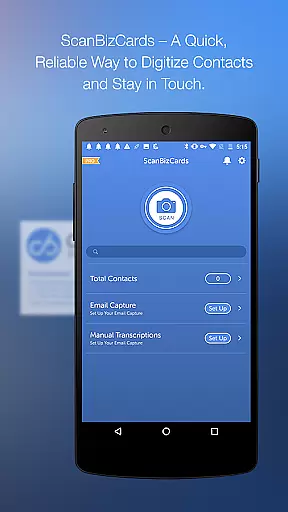
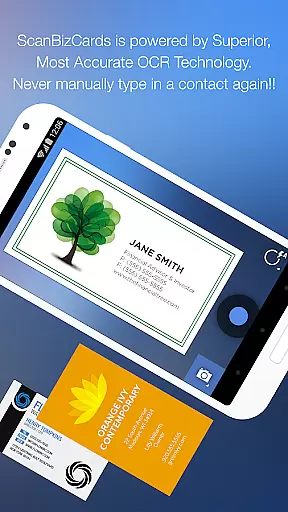
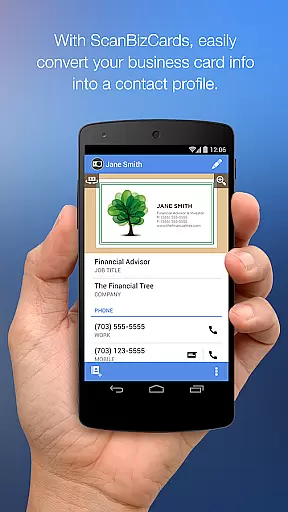
ScanBizCards Premium is a versatile business card management solution for Android users. This app allows you to digitize and organize your scattered business cards efficiently, keeping them all in one place on your mobile device. With features like email signature capture for Gmail and Outlook, ScanBizCards helps you automatically find new contacts and update existing ones from incoming emails.
The latest version boasts an upgraded OCR engine that delivers better scan results and operates five times faster than before. You can now batch scan multiple business cards and export unlimited cards directly to Salesforce CRM, ensuring your customer relationship management (CRM) software stays up-to-date. Whether you're at a conference or managing daily contacts, this app streamlines the process of converting physical cards into digital leads within moments.
ScanBizCards Premium offers a comprehensive set of features designed to enhance productivity and streamline contact management. One standout feature is its unique business card scanner, which not only scans cards directly on your phone but also provides an option for 100%-accurate human transcription services. This ensures precision and reliability when capturing critical contact information.
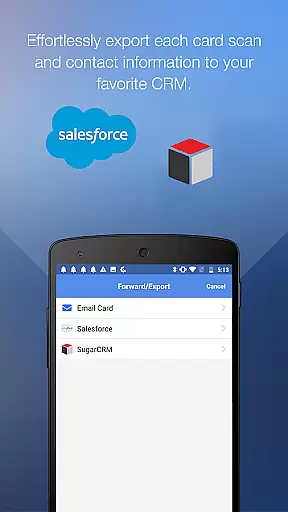
In addition to scanning capabilities, the app supports exporting data to various CRMs such as Salesforce and SugarCRM. Users can benefit from batch scanning, allowing multiple cards to be processed simultaneously, significantly reducing time spent on manual entry. Furthermore, support for 22 languages makes it accessible globally, catering to international business needs. These robust functionalities make ScanBizCards Premium an indispensable tool for sales professionals and frequent networkers alike.
ScanBizCards Premium revolutionizes collaborative work by integrating advanced CRM functionalities that streamline team workflows. The app allows seamless export of scanned business cards to major CRM platforms like Salesforce and SugarCRM, ensuring all team members have access to the latest contact information.
The unique Email Signature Capture feature enables teams to automatically capture new contacts from email signatures across Gmail and Outlook accounts. This ensures that sales teams can maintain an up-to-date address book without manual data entry, while also identifying potential leads through automated signature analysis.
For conference settings, the application serves as both a business card reader and badge scanner, facilitating efficient lead collection. Teams can batch scan multiple cards and export them directly to their shared CRM system within 30 seconds, significantly enhancing productivity during networking events.
This collaborative functionality extends to its multi-language support across 22 languages, making it an ideal solution for international teams. The ability to organize cards in custom folders and add personal notes ensures that team members can effectively manage and share relevant contact information.
The application excels in task management through its systematic approach to contact processing. Users can efficiently manage their tasks by following a four-step process: capturing business card images, scanning the content, reviewing the extracted information, and adding it to their address book or merging with existing contacts.
ScanBizCards Premium offers robust task organization features including the ability to create personal notes for each card and categorize contacts using custom folder names. This organizational structure helps users prioritize and manage their networking tasks more effectively.
The batch scanning capability allows users to handle multiple tasks simultaneously, processing up to several cards at once. This feature is particularly valuable when managing large volumes of contacts from conferences or trade shows, enabling users to convert numerous business cards into actionable leads quickly.
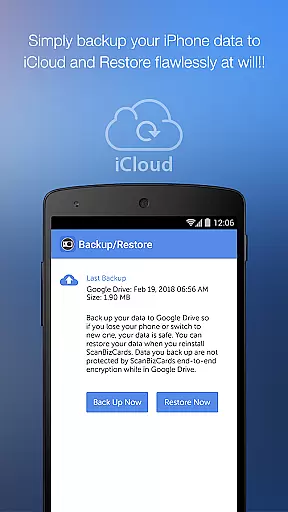
Additional task management features include the 3D gallery view mode for visual organization, comprehensive search functionality for quick retrieval, and backup/restore options to Google Drive for secure task continuity across devices.
User-friendly interface
Accurate OCR technology
Batch scanning capability
Direct CRM integration
Multilingual support
Premium version costly
Limited free exports
Occasional sync issues
Requires internet
Heavy on storage

Create curriculum vitae, a professional cover letter creator and resume designer
 4.80
4.80
Earn crypto with secure cloud mining. Monitor, track & withdraw easily
4.40
Convert Your Lovable.dev Website into a Mobile App Instantly!
4.5
All your team communication in one place
4.70
We are a dynamic team of creatives people of design, marketing, web & apps
3.00
Master crypto trading with real-time simulations and exciting challenges!
4.50
From Gone to Back Again — In Just a Few Taps
4.50
No more passwords, easier sign-in, and greater protection for your accounts.
4.60
Work happy with AI Companion
4.10
Job search app that finds jobs for you! Takes the work out of looking for a job!
4.90
Earn free swag, G-Cards & food • Enter sweepstakes • Find stores • So much more.
4.70
Manage Your Shop
4.70
Find jobs near you and temp work in minutes, from your phone.
4.50
FX Plus adds media, networking, and cloud capabilities to FX File Explorer.
4.10
Simple, Fast & Lightweight
3.90
Quickly open and manage PDF files on your device.
3.80
All document reader, pdf viewer app, read docs & excel files
3.80
Windows App allows you to connect to remote PCs and virtual apps.
3.70
Completed Course Lectures on how to use IBM Maximo in Maintenance issues
4.2


User Reviews