
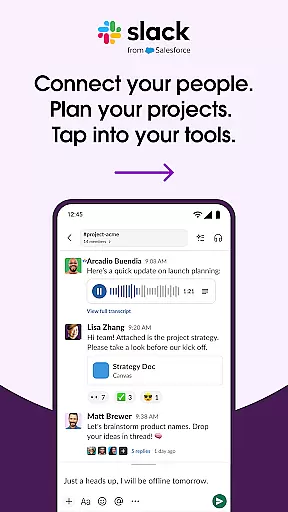
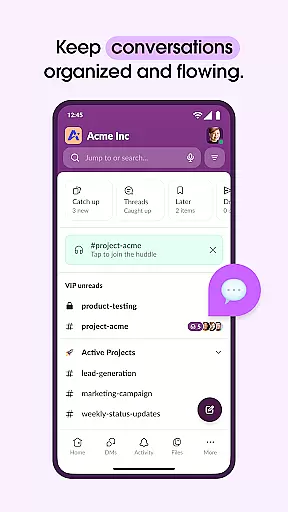
Slack is a comprehensive business communication platform designed to streamline collaboration and enhance productivity. It serves as a centralized hub where teams can conduct meetings, share files, collaborate on documents, and integrate with essential third-party applications. With dedicated channels for each project, Slack ensures organized communication while supporting seamless interaction with external partners. Its AI-powered features help users stay focused by automating meeting notes and providing instant access to necessary information.
The platform supports various communication methods including text, audio, and video, allowing teams to choose the most effective way to collaborate. Users can also leverage pre-made templates and project management tools to keep projects on track. Whether working remotely or in-office, Slack provides the tools necessary for cohesive teamwork and efficient project execution.
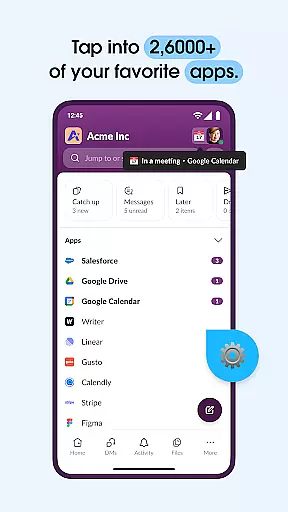
Slack offers an array of robust features tailored to improve workplace efficiency. One standout feature is its channel-based messaging system, which allows teams to create dedicated spaces for different projects, ensuring that conversations remain focused and accessible. Additionally, Slack's integration capabilities are extensive, connecting users with over 2,600 apps such as Google Drive, Salesforce, and Dropbox, thus centralizing workflows.
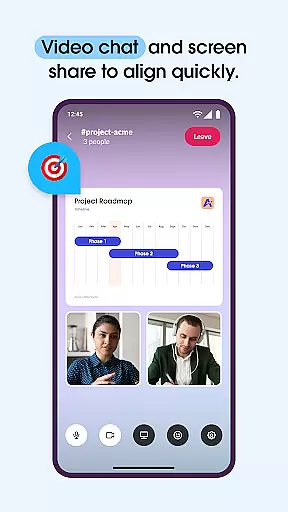
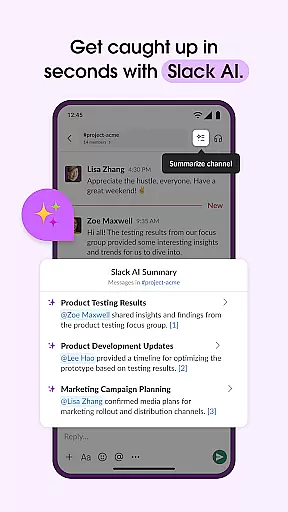
Another significant aspect is Slack's support for multimedia communication. Users can engage in video chats, share screens, and even send audio or video messages when text alone isn't sufficient. The platform also includes AI-driven functionalities like advanced search and automated meeting notes, which save time and reduce manual effort. These innovations not only enhance user experience but also contribute significantly to maintaining productivity and organization within fast-paced business environments.
In today's fast-paced business environment, effective collaboration is key to success. Slack transforms the way teams communicate by offering a centralized platform where meetings can be held, documents collaborated on, and files shared seamlessly. With dedicated channels for every project, team members can stay organized and engaged regardless of their physical location.
Slack goes beyond simple messaging by integrating video chat and screen sharing capabilities directly within the platform. This allows teams to present and discuss work in real-time, fostering a more dynamic and interactive collaborative environment. Additionally, when text-based communication falls short, users can record and send audio or video clips, ensuring complex ideas are conveyed with clarity.
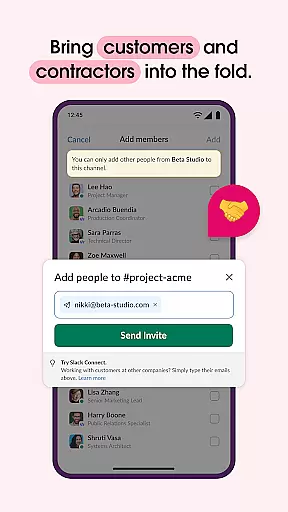
The true value of Slack's collaborative features lies in its ability to bring together not just internal teams, but also external partners such as customers, contractors, and vendors. This comprehensive connectivity enables businesses to work alongside their entire ecosystem from anywhere in the world, creating a unified and productive work environment that turns chaos into cohesive collaboration.
Effective task management is crucial for keeping projects on track and ensuring timely delivery. Slack addresses this need by providing pre-made and customizable templates that help set projects up for success from the start. These templates serve as frameworks that teams can adapt to their specific requirements, streamlining the project setup process.
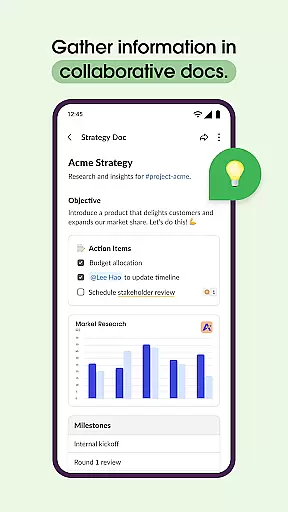
Beyond templates, Slack enables teams to collaborate on essential documents like marketing plans and product specifications within shared docs that are conveniently located alongside team conversations. This proximity of information ensures that all team members have immediate access to the latest project details and can contribute effectively.
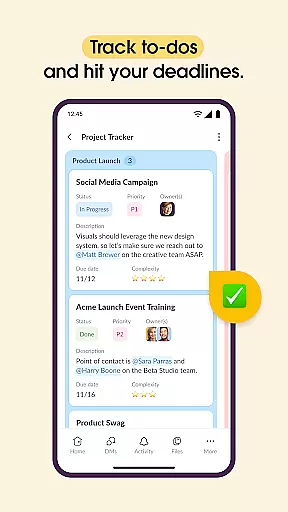
To further enhance task management, Slack incorporates tools for tracking to-dos, assigning tasks, and mapping out milestones. While these advanced project management features may require an upgrade to Slack Pro, Business+, or Enterprise plans, they provide the structure and organization necessary to keep complex projects moving forward efficiently. By centralizing these functions within the platform, Slack helps teams maintain focus and achieve their goals more effectively.
User-friendly interface
Extensive app integrations
Efficient communication tools
Robust project management
AI-powered functionalities
Paid features required
Steep learning curve
Occasional connectivity issues
Limited free storage
High cost for small teams

Find flexible, hourly jobs hiring near you in restaurant, retail & hospitality!
 4.00
4.00
ANDROID'S TOP MOBILE OFFICE - Word, Excel, PowerPoint and PDF at your fingertips
4.50
BuildCalc - the easiest AND the most advanced construction calculator app.
4.80
Your employer must have UKG Ready software configured for Mobile.
4.60
Find the right fit, faster.
4.70
Get instant construction estimates: accurate home repair & material calculator.
4.70
Drive and earn extra money
4.50
We are a dynamic team of creatives people of design, marketing, web & apps
3.00
Job search app that finds jobs for you! Takes the work out of looking for a job!
4.90
FaxCover - Create fax cover pages. Works with any app or fax machine.
4.90
Earn free swag, G-Cards & food • Enter sweepstakes • Find stores • So much more.
4.70
Manage Your Shop
4.70
Access to Paylocity, empowering employees with information they need 24/7.
4.70
Make invoices, bills, receipts & estimates on the go with Invoice Generator.
4.70
AI-powered document scanner with auto enhance for perfect PDFs.
4.60
Master crypto trading with real-time simulations and exciting challenges!
4.50
Measure distances, surfaces and draw plans in seconds with CamToPlan!
4.40
FX Plus adds media, networking, and cloud capabilities to FX File Explorer.
4.10
Work happy with AI Companion
4.10


User Reviews