
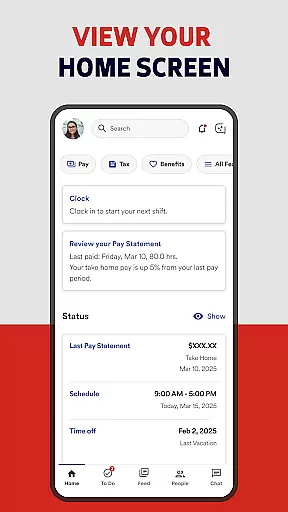
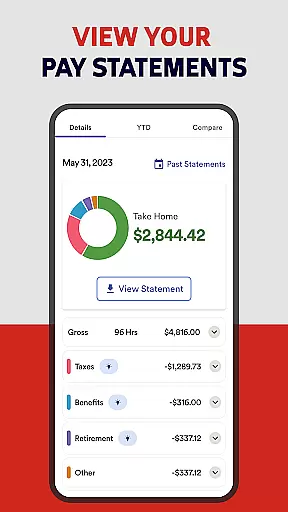
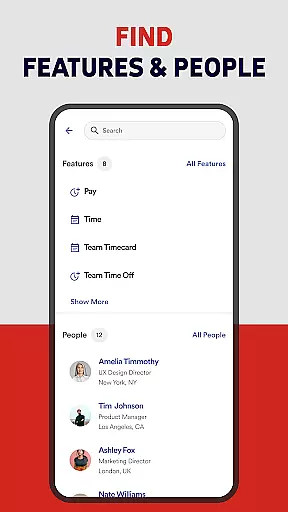
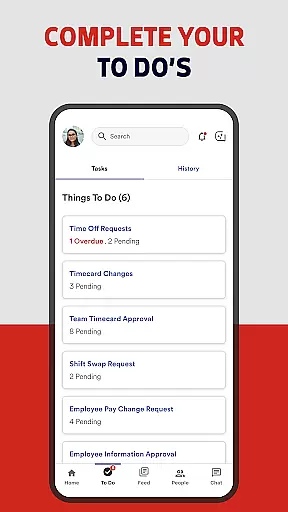
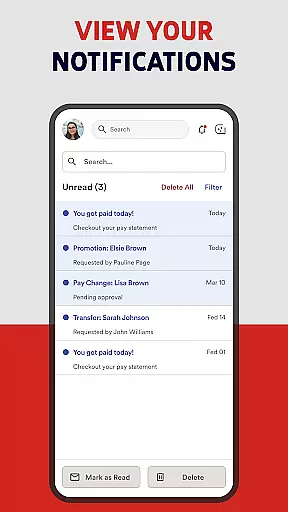
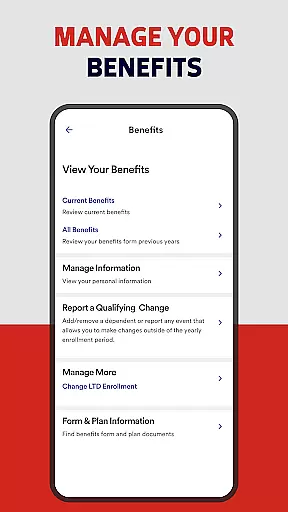
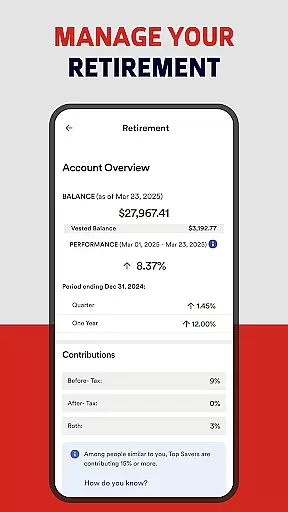
ADP Mobile Solutions is a comprehensive business application designed to streamline HR management for both employees and managers. The app provides instant access to crucial payroll data, time tracking, benefits information, and other essential HR functions. With its user-friendly interface, the app ensures that users can conveniently manage their work-related information on-the-go.
The application stands out with its robust feature set tailored for different user roles. Employees can view pay statements, request time off, and track attendance, while managers gain additional capabilities like team calendar views and executive dashboards. Security is a top priority, with all transactions encrypted and multiple authentication methods supported. This makes ADP Mobile Solutions particularly valuable for businesses using ADP's workforce management products.
One key scenario where this app proves invaluable is during payroll processing periods. Employees can quickly verify their payment details while managers can efficiently approve timesheets and leave requests. This streamlined workflow saves considerable time and reduces administrative burdens, making it an essential tool for modern businesses.
ADP Mobile Solutions offers an impressive array of features that cater to both employee and managerial needs. For employees, the app provides detailed pay statement views, W2 access, and comprehensive time-off management tools. Users can easily track their attendance through punch-in/out functionality and create accurate timesheets. The benefit plan information section helps employees stay informed about their compensation packages.
Managers benefit from advanced oversight capabilities including time card approvals, team calendar management, and executive dashboard views. The app's security measures are particularly noteworthy, featuring end-to-end encryption, biometric authentication, and automatic session timeouts. These features ensure sensitive HR data remains protected while maintaining operational efficiency. The inclusion of third-party service integrations further enhances its value proposition.
What sets ADP Mobile Solutions apart is its seamless integration with various ADP products like Workforce Now and Vantage. The app's ability to function across different platforms while maintaining consistent performance demonstrates its technical sophistication. Additionally, the support for Android 10 and higher ensures compatibility with modern devices, while the investment options through ADP BD provide extra financial management capabilities.
ADP Mobile Solutions offers a comprehensive suite of collaborative work features designed to streamline team management and enhance productivity. The application allows managers to approve time cards and time-off requests directly from their mobile devices, ensuring that workflow continues uninterrupted even when away from the office.
With the ability to view team calendars and executive dashboards, managers can maintain an overview of their team's activities and make informed decisions on the go. This feature set is particularly beneficial for companies utilizing ADP products such as Workforce Now and Vantage, where real-time data access is crucial for effective workforce management.
The app also facilitates communication among colleagues, enabling seamless interaction and collaboration. By providing tools that support both individual employees and managerial staff, ADP Mobile Solutions ensures that all team members are aligned and can work together efficiently, regardless of their physical location.
Task management within ADP Mobile Solutions is designed to provide employees and managers with the tools necessary to track and manage their responsibilities effectively. Employees can view and request time off, track their time and attendance, and even punch in or out, which helps them manage their daily tasks and responsibilities with ease.
For those who need to create and manage timesheets, the app offers functionality to update, edit, and approve time cards. This ensures that all recorded work hours are accurate and up-to-date, which is essential for payroll processing and compliance with labor regulations.
Managers benefit from task management features that allow them to oversee their team's progress and workload distribution. With capabilities to approve various time-related tasks and view detailed reports, managers can ensure that projects are completed on schedule and resources are allocated efficiently, thus enhancing overall organizational productivity.
User-friendly interface
Comprehensive security features
Multi-role functionality
Real-time data access
Seamless ADP integration
Limited to ADP clients
Feature availability varies
Android 10+ required
No iOS version mentioned
Complex setup process

All Your Gig Work. One App.
 4.30
4.30
The revolutionary flexible staffing platform
4.40
Scan Business Cards & Conference Badges - Capture Leads at Events & Tradeshows
4.20
Earn crypto with secure cloud mining. Monitor, track & withdraw easily
4.40
Amazon A to Z is the place to manage your work-life at Amazon.
4.50
Finance, Investing, Stocks, Trading and Stock news
4.60
One marketplace. Hundreds of services. Unlimited possibilities. All on Fiverr.
4.40
Find part-time earning opportunities near you that pay within days.
3.20
Make invoices, bills, receipts & estimates on the go with Invoice Generator.
4.70
Manage Your Shop
4.70
Find jobs and make money fast with JobStack.
4.60
No more passwords, easier sign-in, and greater protection for your accounts.
4.60
Manage work life on the go
4.50
Drive and earn extra money
4.50
Find work, shifts and gigs near you. Jobs lasting a few hours to a few months.
4.30
Build a store in minutes with our full suite of AI tools. Start for free!
4.20
Quickly open and manage PDF files on your device.
3.80
Roadie connects people with stuff to send with drivers already going that way.
3.50
Delivery Track App - Tracking with Fedex, USPS, UPS, DHL. Monitor your Orders.
3.20


User Reviews