
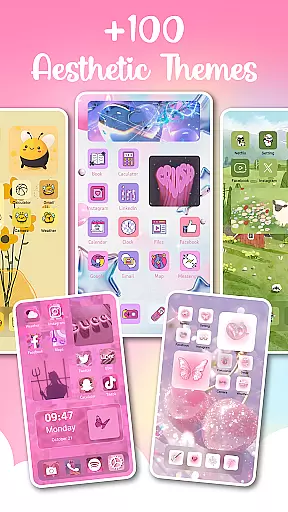
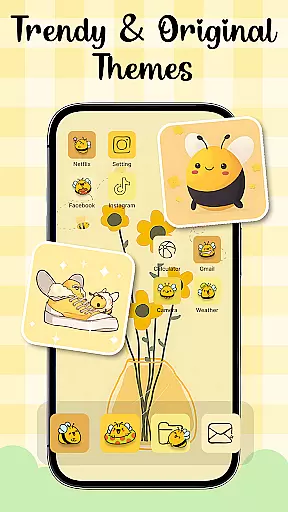
Themes - Widgets, Icon Changer is a comprehensive personalization app that allows users to transform their phone's interface into a unique and stylish work of art. With an extensive collection of themes, widgets, wallpapers, and icon packs, this app caters to various aesthetic preferences, from minimalist designs to vibrant art styles.
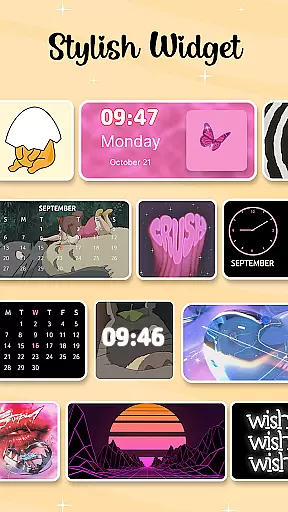
The app offers trendy themes such as anime, cute, aesthetic, and Kpop themes, enabling users to customize their home screen according to their mood and preferences. It also provides over 100 customizable widgets and a variety of social media icons, allowing for creative expression. Whether you want to refresh your wallpaper daily or personalize app icons, Themes - Widgets, Icon Changer makes it easy with just one click.
This app is indispensable for those who appreciate aesthetics and personalization. Its constant updates and easy-to-use features ensure that your phone remains a unique masterpiece that reflects your personality and style.
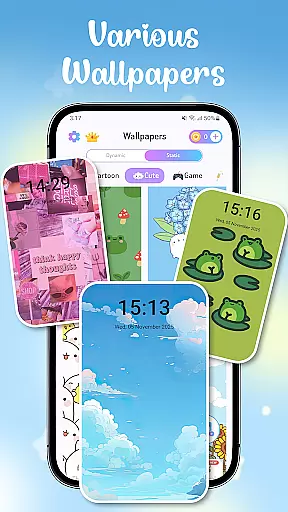
One of the standout features of Themes - Widgets, Icon Changer is its diverse range of customization options. Users can choose from a wide array of wallpapers, including anime, aesthetic, and holiday themes, ensuring that their phone's appearance is always fresh and personalized. The app also offers stylish and custom widgets that change the traditional screen appearance, providing both functionality and enjoyment.
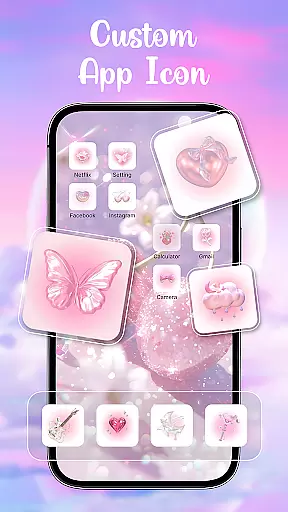
In addition to wallpapers and widgets, the app includes a vast selection of icon packs. Users can customize app icons for various social media platforms like Facebook, WhatsApp, Messenger, and Instagram, among others. This feature allows for a cohesive and personalized look across all apps on your device. The ability to open your gallery and select images for widget customization further enhances the creative possibilities.
Themes - Widgets, Icon Changer ensures user convenience with its easy one-click replacement feature and constant updates. The app's use of Accessibility Service permission allows for convenient access to functions like adjusting volume and toggling do-not-disturb mode without collecting or storing personal data. This focus on user privacy and convenience makes the app a reliable choice for personalization enthusiasts.
In the realm of mobile personalization, having a diverse array of customization options is crucial for users seeking to express their individuality. Themes - Widgets, Icon Changer stands out by offering an extensive selection of themes that cater to various tastes and moods. Whether you're a fan of anime, Kpop, or minimalist designs, this app provides trendy and stylish themes that allow you to transform your phone's appearance with ease.
Beyond just themes, the app includes over 100 customizable widgets that break away from traditional screen appearances. These widgets not only enhance functionality but also serve as a canvas for personal expression. Users can select images from their gallery and apply them to widgets, creating a home screen that truly reflects their personality and creativity.
Another layer of customization comes from the ability to change app icons. With access to numerous icon packs and the option to choose from existing app icons, users can create unique combinations that suit their style. This feature extends to social media icons, allowing for a cohesive look across platforms like Facebook, Whatsapp, Messenger, and Instagram.
Theme compatibility ensures that all visual elements on your device work harmoniously to create a seamless user experience. Themes - Widgets, Icon Changer excels in this area by providing exquisite wallpapers and icons that are designed to complement each other. The app offers a range of aesthetic wallpapers for both lock and home screens, which can be changed daily to keep your device feeling fresh and new.
The app's dedication to compatibility is further demonstrated through its constant updates and additions to the theme library. This commitment guarantees that users have access to the latest design trends and can always find something that resonates with their current preferences. Moreover, the easy one-click replacement feature makes switching between themes effortless, encouraging experimentation with different styles.
By integrating Accessibility Service permission, the app ensures that customizations do not interfere with essential functions. This allows users to adjust settings like volume or toggle do-not-disturb mode conveniently, without compromising their personalized setup. With these considerations in place, Themes - Widgets, Icon Changer delivers a comprehensive personalization experience that respects both form and function.
User-friendly interface
Extensive theme options
Customizable widgets
Vast icon selection
Regular updates
Requires many permissions
Some features may be overwhelming
Premium content locked behind paywall
Occasional bugs in widget display
Heavy on system resources

Capture moments that pass like a storm, second by second.
 4.2
4.2
Turn your lock screen into fun with smile live wallpapers & animated wallpapers!
2.50
Aesthetic Widgets, HD Wallpapers, Themes in Mico Widget for Home and Lock Screen
4.50 4.50
4.50
Yandex Browser — stylish and secure, with voice search and data compression
4.40
Emoji Maker app - Design custom emojis and effortlessly blend them with Mixer
3.80
Customize phone with anime themes, 3D icons, aesthetic widgets & wallpapers
4.80
Fast SMS & group chat - use GIFs and emojis from your home screen launcher.
4.50
Transform your phone with stylish zipper lock themes and 4D live wallpaper
4.10
One 8 icons glass color version
4.80
Ultra realistic high quality analog watch face for Wear OS.
4.60
A retro cartoon style watch face and a punch right in the face of the copyright
4.60
Transform your phone with Launcher iOS 26 - Smooth & elegant iOS experience
4.50
Try creating your own keyboard with "Keyboard theme for android" app now!
4.50 4.50
4.50
200+ Material Inspired Widgets
4.50
App Icon Changer & Shortcut Creator. Customize your icons without any watermarks
4.30
Magic fluids wallpaper 4D: Relax with stunning fluid simulation wallpaper app
4.20
HappyLighting is a Bluetooth lamp control software.
3.40


User Reviews