
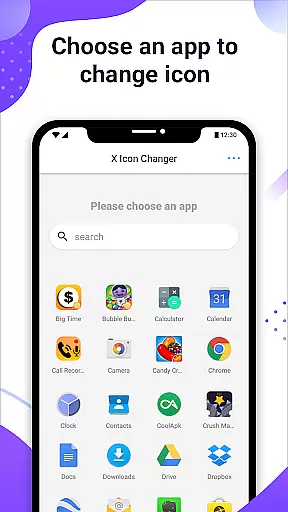
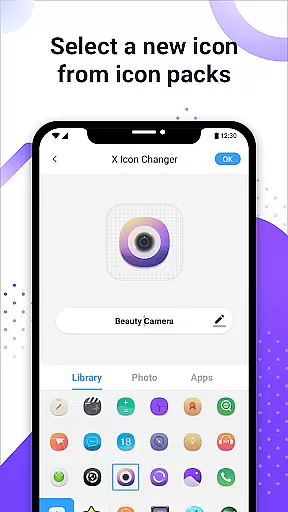
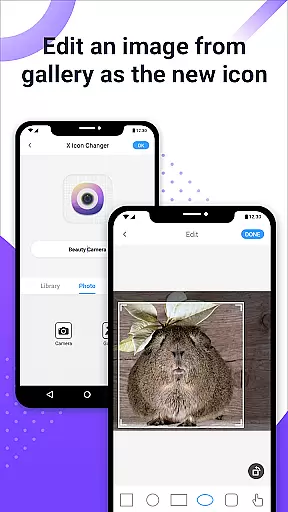
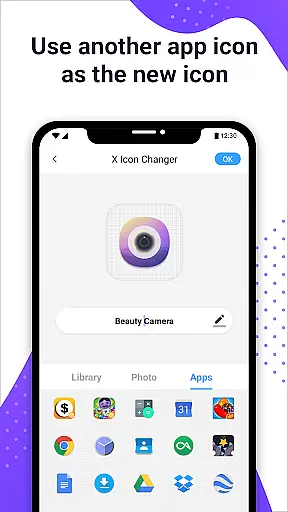
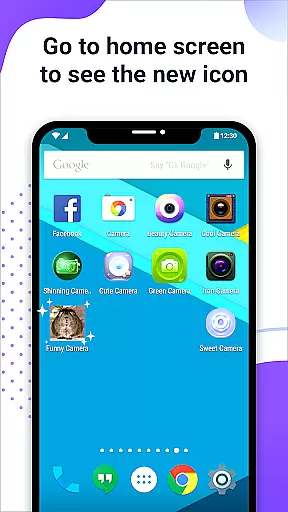
X Icon Changer is a free personalization app that allows users to customize and change icons for any app on their Android device. With this tool, you can select new icons from various sources including gallery images, other app icons, and personalized icon packs.
The app creates shortcuts with the new icons on your home screen, making it easy to give your phone a fresh look. It also supports adding GIF animations to app launches, providing an extra layer of personalization. This makes X Icon Changer not just a utility but a creative outlet for customizing your device's appearance.
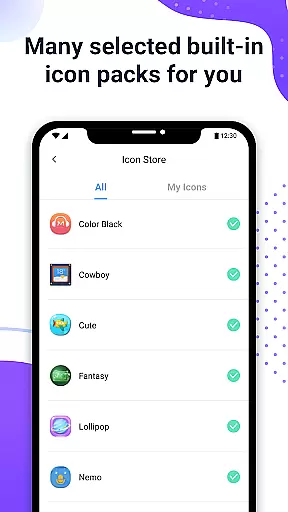
X Icon Changer offers a variety of features to enhance app icon customization. Users can choose from built-in icon packs, gallery photos, or third-party icon packs to replace existing app icons. The app also allows editing app names, offering further personalization options.
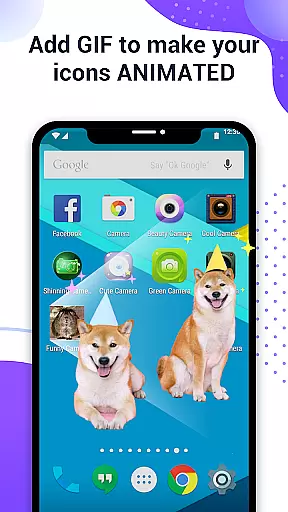
A unique feature is the ability to add GIF animations to app launches, creating dynamic icons. For devices running Android 8.0 and above, the app provides a widget solution to avoid system watermarks on shortcut icons. This ensures a seamless and professional-looking customization experience without limitations imposed by newer operating systems.
X Icon Changer offers an extensive range of customization options, allowing users to personalize their Android device's appearance effortlessly. The app provides a vast selection of icon packs that cater to different tastes and preferences, ensuring there is something for everyone.
Users can choose from built-in icon packs, third-party personalized icon packs, or even select images from their gallery. This flexibility enables creative freedom, making it easy to match the device's aesthetics with personal style or mood.
The ability to change not only the icons but also the names of apps adds another layer of customization. This feature helps in organizing the home screen efficiently while adding a unique touch to each app's identity.
Additionally, X Icon Changer allows users to add GIFs to their app icons, providing an animated visual effect when launching apps. This innovative option enhances user interaction and makes the customization experience more dynamic and engaging.
Theme compatibility is a crucial aspect of X Icon Changer, ensuring that all customized icons blend seamlessly with various themes available on Android devices. This compatibility enhances the visual coherence of the home screen, offering a polished and professional look.
The app supports a wide array of themes, allowing users to switch between different looks without losing the consistency of their iconography. Whether opting for a minimalist, vibrant, or classic theme, X Icon Changer maintains the integrity of the chosen aesthetic.
For users on Android 8.0 and above, the app provides a solution to bypass system-imposed watermarks on shortcut icons using widget technology. By dragging the X Icon Changer widget to the desktop, users can change icons without any watermark, preserving the theme's authenticity.
This thoughtful integration of theme compatibility ensures that every customized element aligns perfectly with the overall design language of the device, delivering a cohesive and visually pleasing user experience.
User-friendly interface
Wide selection of icon packs
Supports GIF animations
No watermark on widgets
Fully free to use
Limited to Android devices
Requires manual setup
Some features OS-specific
Third-party packs needed
Widget process complex

Customizable Glass widgets. Over 360+ stunning widgets and more!
 4.70
4.70
Ultra realistic gold analog watch face with lots of customization options.
4.50
3D, live, and moving wallpapers & themes in 4K and HD for your device.
4.50
Personalize your phone with stunning HD and 4K wallpapers!
4.70
Customizable screen pets that play, climb, and keep you company.
4.50 4.50
4.50 4.10
4.10
Fast SMS & group chat - use GIFs and emojis from your home screen launcher.
4.50
Cool custom fonts & keyboard themes! Symbols & font changer for Instagram
4.50
Gun Chase - Let the chase begin.
4.80
100+ Stylish Fonts, Emojis, Symbols keyboard for Instagram & TikTok!
4.80
Beautiful realistic hybrid watch face with numerous customization options.
4.50
Ninja Turtles Cowabunga SE watch face for Wear OS
4.50
Vibrant Adaptive Icons with Material You and Enhanced Monet Colors.
4.50
Yandex Browser — stylish and secure, with voice search and data compression
4.40
Adorable pets roam and play right on your phone screen!
3.30
Turn your lock screen into fun with smile live wallpapers & animated wallpapers!
2.50
Struggling to find apps? Use this app to locate and open any app on your phone!
2.20
Prank your friends with realistic broken screen and cracked HD effects!
4.2


User Reviews