
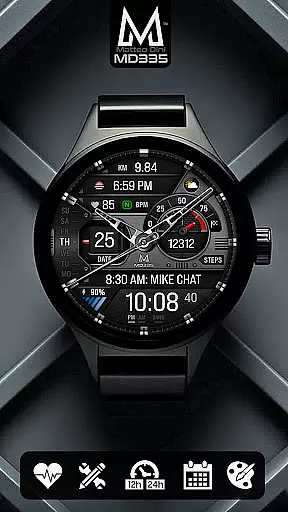
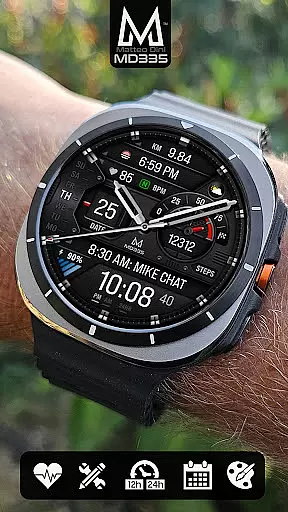
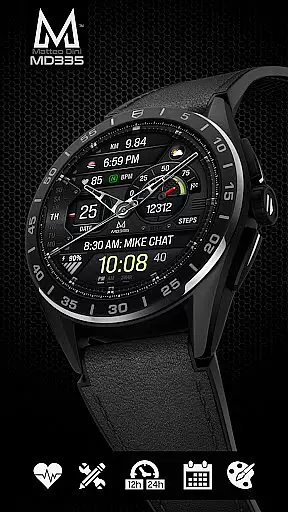
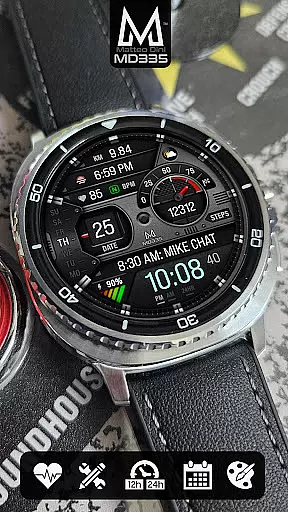
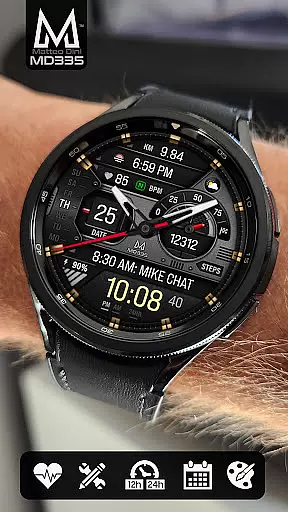
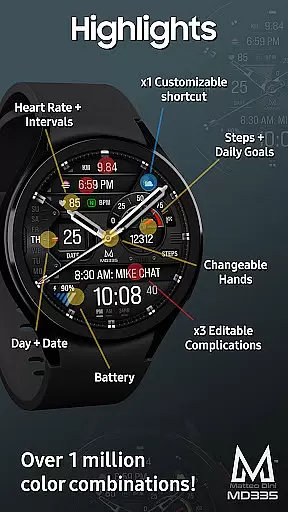
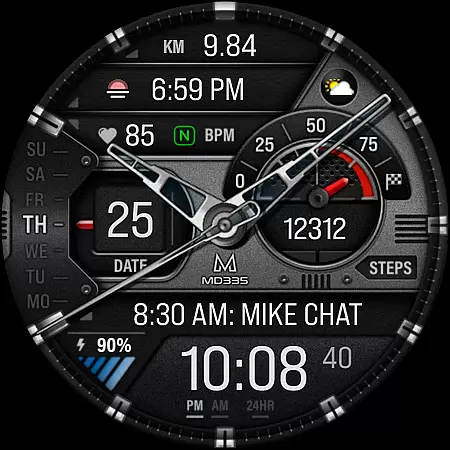
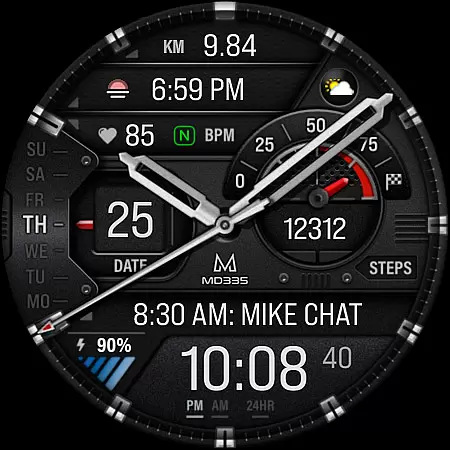
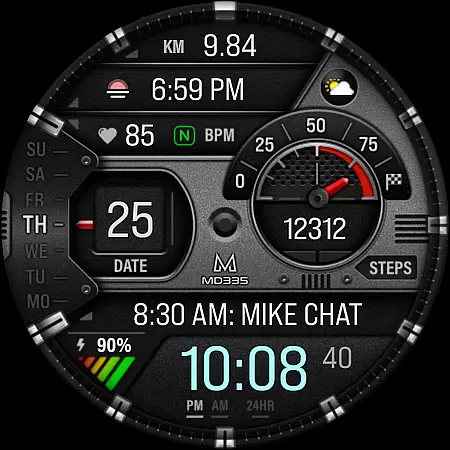
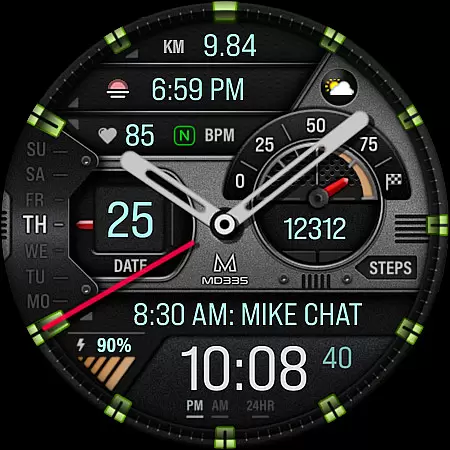
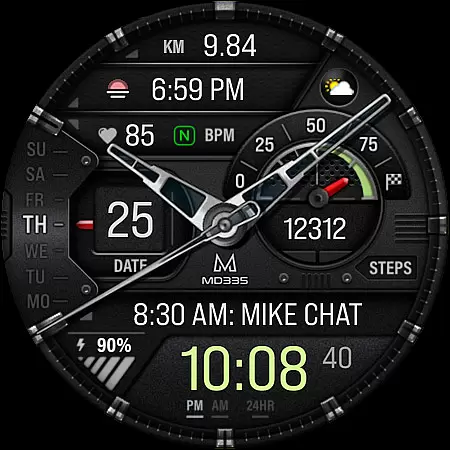
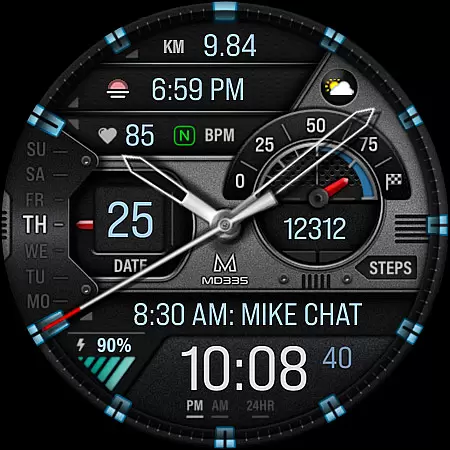
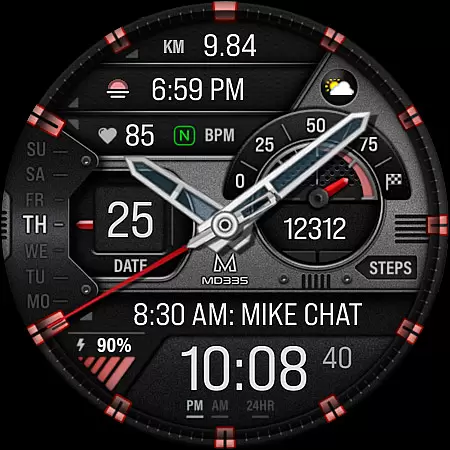
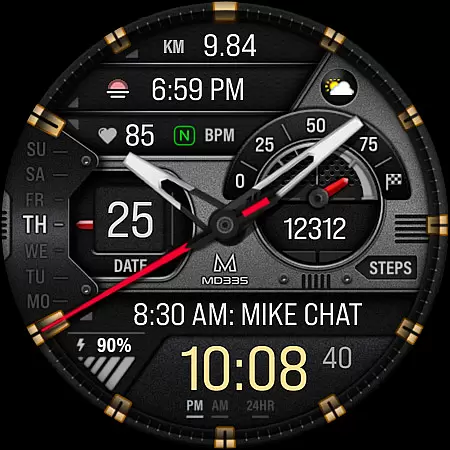
MD335 Hybrid watch face offers a versatile and customizable experience for Wear OS users. This sophisticated watch face features a hybrid design with hideable hands, supporting all Wear OS devices with API Level 33+ including Samsung Galaxy Watch 4-8, Ultra, and Pixel Watch. It displays essential information such as time in 12/24hr format based on phone settings, date, day, battery level, heart rate, and more.
The watch face includes 4 preset app shortcuts like Calendar and Battery, along with 1 customizable shortcut. Users can also personalize their experience with 3 customizable complications that support various data types including weather, health metrics, and barometer readings. With options to change hands, themes (dark/light), and colors of different elements, MD335 ensures both functionality and personal style.
MD335 Hybrid watch face stands out with its comprehensive feature set tailored for customization enthusiasts. The watch face supports full and minimal Always-On Display (AOD) modes, offering flexibility in power management while maintaining visibility of key details even when the screen is dimmed.
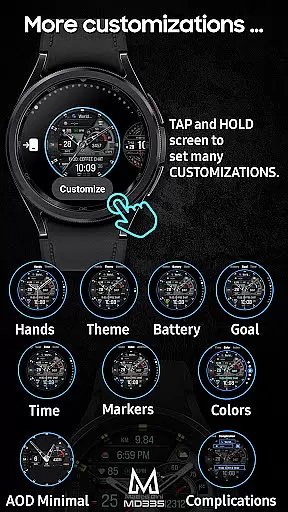
One of the notable aspects is the ability to customize complications directly from your watch by tapping and holding the display then selecting 'customize'. These complications allow integration of external data sources such as distance walked or calories burned—provided necessary additional apps are installed on your device. Preset app shortcuts provide quick access to frequently used functions like setting alarms or measuring heart rate intervals.
Moreover, MD335 provides extensive aesthetic customization options including changeable hands, theme selection between dark or light modes, and adjustable colors for time markers, battery indicators, goal levels, etc., ensuring each user's unique preferences are met without compromising usability.
Companion app integration is essential for a seamless wearable experience. The MD335 Hybrid watch face offers robust connectivity with its companion app, allowing users to customize and manage their watch face directly from their smartphone.
This integration enables users to easily adjust settings such as time format, complications, and app shortcuts without needing to interact directly with the watch interface. This ensures that personalization is both accessible and user-friendly.
Despite known issues with the Samsung Wearable app's editor, customization can still be performed directly on the watch or through alternative means provided by the developer. This flexibility guarantees that users can tailor their watch face to suit their preferences regardless of platform limitations.
By supporting all Wear OS devices with API Level 33+, this watch face ensures broad compatibility and reliable performance across various devices including Samsung Galaxy Watches and Pixel Watches.
Ensuring wide-ranging device compatibility is crucial for any Wear OS application. The MD335 Hybrid watch face supports all Wear OS devices with API Level 33+ including popular models like Samsung Galaxy Watch 4-8, Ultra, and Pixel Watch.
This extensive compatibility allows users across different devices to enjoy a consistent and high-quality experience. By adhering to the latest Wear OS standards, the watch face provides optimal performance and access to advanced features available only on newer versions of the operating system.
Users benefit from a hybrid design that includes hideable hands, customizable themes, and adjustable colors. These features are designed to work seamlessly across supported devices, ensuring that visual elements and functionalities remain intact regardless of the specific hardware being used.
Additionally, the inclusion of customizable complications and app shortcuts enhances usability by providing quick access to frequently used functions and data points, making it an ideal choice for users seeking versatility and convenience in their smartwatch experience.
Highly Customizable
Versatile Complications
User-Friendly Interface
Wide Device Compatibility
Comprehensive Feature Set
Complex Setup Process
Limited Default Complications
Potential App Conflicts
Battery Consumption
Occasional Customization Glitches

Diet tracker for weight loss - track calories, food and macros. Simple and easy!
 4.70
4.70
WTW M17 is a premium and luxurious hybrid watch face
4.70
Embrace the holiday spirit with this magical animated watch face!
4.40
Easy Voice Recorder is your everyday companion to record important moments.
4.70
Be an elegant and classy secret agent, with this carefully detailed watch face
4.70
Structured watch face with seven complications and modular UI elements
3.90
The ultimate destination for kids ages 3-8 to explore the Marvel Universe!
4.30
Stylish, Energizing and Modern Watch Face crafted by Dominus Mathias.
4.50
Animated video-game inspired “secret agent” simulation, right on your wrist!
4.20
Period, ovulation & pregnancy tracker. Fertility insights & menstrual calendar.
4.90
The Chevron App allows you to pay for fuel from the comfort of your car!
4.80
The most customizable hybrid watch face. For Wear OS 5.0, API 34+ and later
4.70
Walking app for weight loss: walk & step tracker, pedometer, indoor treadmill
4.60
Kia Access makes getting your vehicle information easier than ever
4.60
Retro digital watch face with customizable colors and a unique lighting effect
4.60
Deck out your Wear OS Watch face with a beautifully decorated pine wreath!
4.50
Reliable phone calls with spam protection, caller ID and more helpful features
4.40
3 Complications. All shadow on/off. 30 Themes color palette...
4.1
Stylish digital watch face for Wear OS devices with customizable features
4.1


User Reviews