
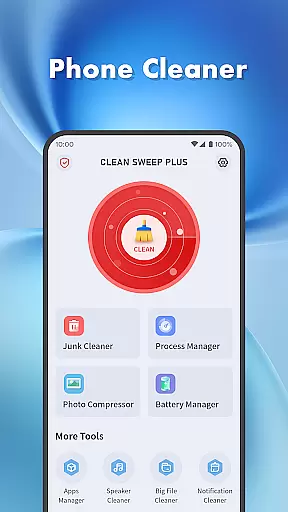
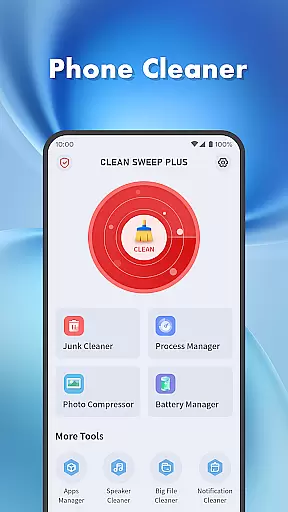
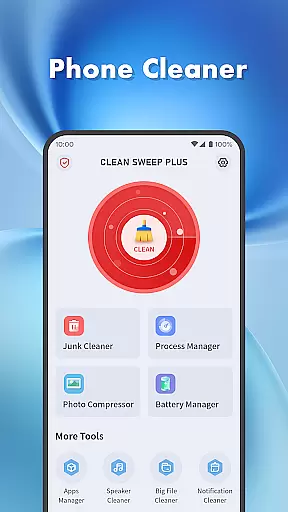
Clean Sweep Plus is a comprehensive mobile device management tool designed to optimize your phone's performance. The app focuses on four key areas: basic device management, app and process management, battery status monitoring, and additional utility tools.
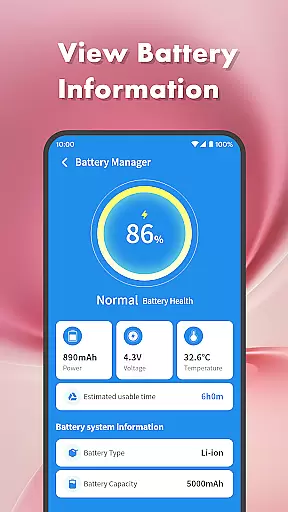
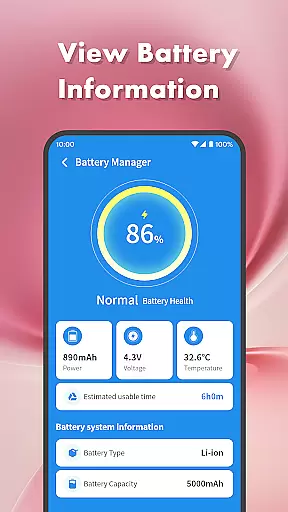
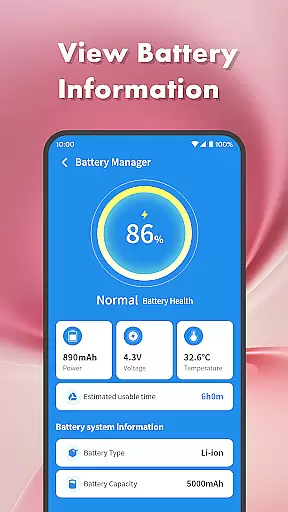
With features like junk file cleaning, large file management, and photo compression, it helps users reclaim valuable storage space. The app manager simplifies the process of uninstalling unused applications while the process manager monitors background activities. Users can also track battery health and estimated usage time through the detailed battery management center.
This application is particularly useful for individuals who want to maintain optimal device performance and keep their phones organized without advanced technical knowledge.
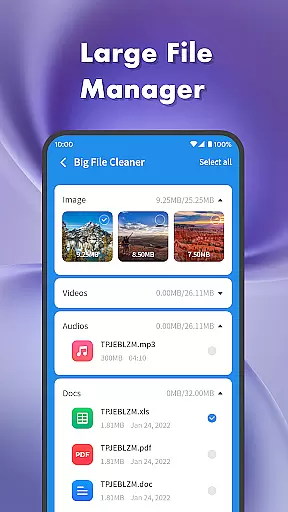
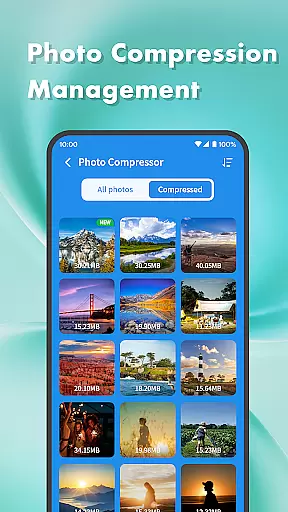
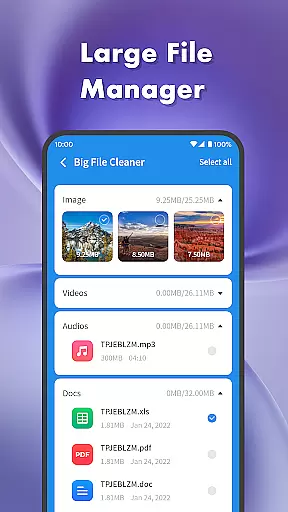
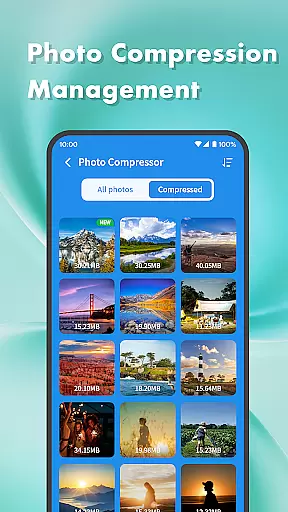
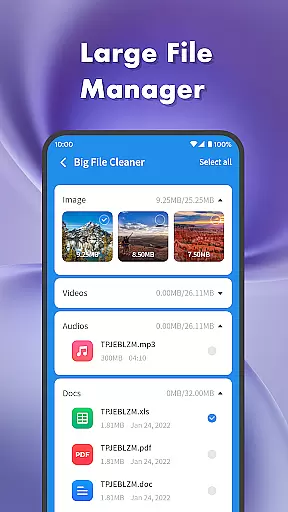
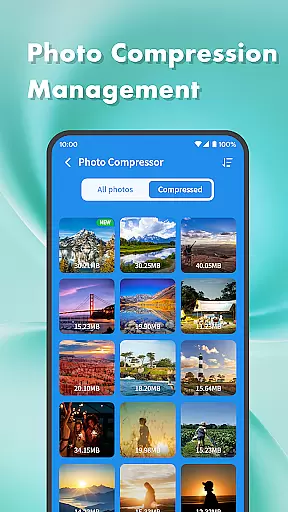
Clean Sweep Plus stands out with its diverse set of practical tools. The junk cleaner efficiently scans and removes unnecessary files, while the large file manager helps users identify and manage space-consuming media files. Its photo compression feature allows for significant reduction in file size without compromising quality.
The app provides essential maintenance functions including notification cleaning to declutter the notification bar and speaker cleaning using vibration technology. Through the battery management center, users can access detailed information about their device's power consumption and battery health.
What makes Clean Sweep Plus unique is its user-friendly interface combined with powerful functionality. The intuitive page layout ensures that even non-technical users can easily navigate and utilize all features, making daily phone management both efficient and enjoyable.
When it comes to mobile device management tools, the accuracy and effectiveness of core functions are paramount. Clean Sweep Plus excels in this area by offering a comprehensive suite of features that address various aspects of phone maintenance. The app's junk cleaner precisely identifies unnecessary files, while the large file manager efficiently locates space-consuming media.
The app manager provides clear information about installed applications, making it simple to remove unwanted ones. Meanwhile, the battery management center delivers reliable estimates of remaining usage time. Each tool within Clean Sweep Plus has been carefully designed to ensure maximum efficiency without compromising device performance or user experience.
Users benefit from these accurate and effective tools through improved device performance and easier maintenance. Whether compressing photos to save storage space or clearing notifications for a cleaner interface, each feature works as intended. This reliability helps users maintain optimal device functionality with minimal effort.
A tool's value is significantly enhanced by an intuitive and straightforward interface, and Clean Sweep Plus demonstrates excellence in this aspect. The app presents its various functions through a well-organized layout that makes navigation effortless. Users can easily locate essential tools like the junk cleaner, large file manager, and battery management center without any learning curve.
The design philosophy behind Clean Sweep Plus emphasizes clarity and accessibility. Each feature is represented by clear icons and labels, ensuring that even novice users can operate the app confidently. The photo compression tool, speaker cleaner, and process manager are all readily accessible, contributing to a seamless user experience.
This focus on interface simplicity translates into tangible benefits for users. They can perform necessary maintenance tasks quickly and efficiently, without getting bogged down by complex menus or confusing options. The result is a more enjoyable and productive interaction with their device management routine, making Clean Sweep Plus a valuable addition to any smartphone user's toolkit.
User-friendly interface
Comprehensive cleaning tools
Effective battery monitoring
Easy app management
Practical utility features
Limited advanced options
No cloud backup
Basic photo editing
Occasional bugs
Ads in free version

 4.50
4.50
A convenient photo, video, and file recovery tool.
4.00
Effortlessly run ADB commands directly on your device without a PC.
4.20
Excellent scientific calculator with symbolic algebra, integrals, derivatives
4.80
Mirror your screen to Chromecast and Android TV - Super fast and simple
4.60
Screen Mirroring for Roku Sticks, Roku TCL TV and Roku Hisense TV
4.50
Download any file easily and quickly with Downloader
4.2
Button mapper, mouse toggle, sleep timer and a lot of another features
4.50
Your personal health butler
3.60
Best leveling tool for your Android device. Hang paintings like a pro.
4.90
Connect instantly to a fast, encrypted VPN with one tap
4.60
App to pay for FUTO Keyboard
4.60
Planner and Tracker for Stardew Valley
4.60
Quickly switch to an encrypted DNS server on Android TV
4.50
Head tracking for PC sim games such as MSFS 2024 or Elite:Dangerous. No headset!
4.50
Remote for Roku, Fire TV, Samsung TV, LG TV, Android TV, Chromecast and VIZIO TV
4.20
Screen Mirroring with sound for Samsung TV, LG TV, Sony TV, Smart TV and Browser
4.20
Undelete and recover your lost or deleted files with DiskDigger!
3.40
Save any video in HD - paste the link, download fast and watch offline.
4.3


User Reviews