
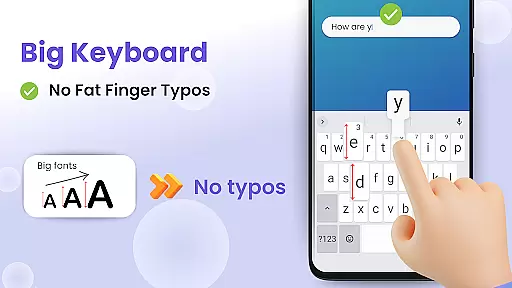
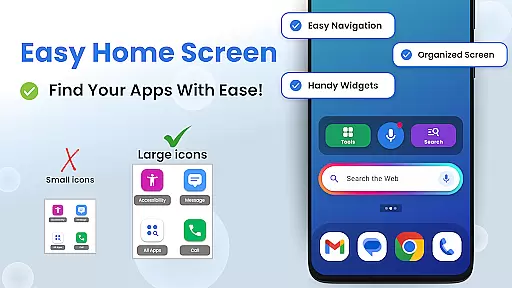
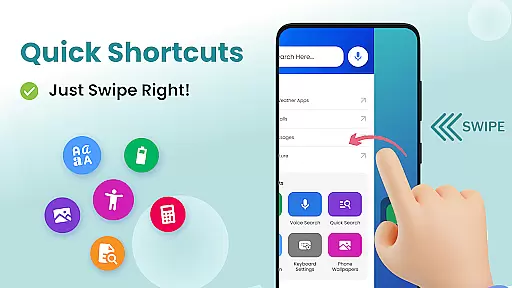

Big Keyboard is a personalization app designed to enhance your smartphone experience through an intuitive home screen layout and practical tools. The app features a new home screen design with quick-swipe shortcuts, making it easier to access your favorite functions. Its standout feature is the enlarged keyboard, which can be up to 70% larger than the standard keyboard, significantly reducing typos and improving typing efficiency. Additionally, the hands-free voice assistant allows for effortless search operations powered by Yahoo.
Beyond its core functionalities, Big Keyboard also offers auxiliary features such as a magnifier and flashlight, perfect for reading small text in low-light environments. Users can personalize their devices with free wallpapers and easily adjust display settings to suit their preferences. Whether you're looking to improve accessibility or simply make your phone more user-friendly, Big Keyboard provides a comprehensive solution that combines functionality with personal style.
Big Keyboard stands out with its array of innovative features tailored to simplify smartphone usage. The app's redesigned home screen offers an intuitive interface with quick access to essential functions, eliminating the need to navigate through multiple menus. The enlarged keyboard is fully customizable, allowing users to adjust its size during setup or afterward to perfectly match their typing habits. This flexibility ensures a comfortable typing experience for everyone, regardless of their familiarity with smartphones.
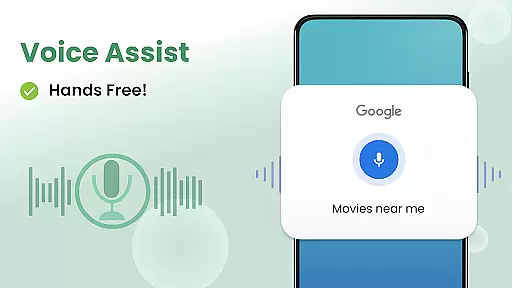
In addition to the big keyboard, the app includes a powerful hands-free voice assistant that streamlines web searches and daily tasks. Powered by Yahoo, this feature suggests relevant search terms to help users find information faster. Other notable tools include a built-in magnifier and flashlight, ideal for reading menus or documents in dimly lit areas. With personalized wallpapers and easy access to accessibility settings, Big Keyboard not only enhances usability but also lets users express their individuality through unique home screen designs.
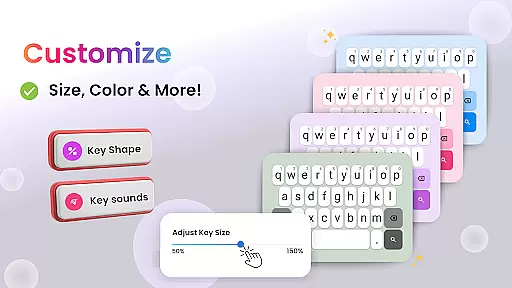
Customization is at the heart of personalizing your smartphone experience, and Big Keyboard offers a range of options to tailor your device to your preferences. With features like an intuitive home screen layout, quick-swipe shortcuts, and a magnifier tool, this app ensures that users can access their most-used functions effortlessly.
The app provides a significantly larger keyboard, customizable up to 70% more than the standard size, allowing for comfortable typing without the fear of typos. This flexibility in adjusting the keyboard size caters to individual typing styles and needs, ensuring a personalized and efficient typing experience.
Moreover, Big Keyboard includes built-in free wallpaper options, giving users the ability to personalize their phone backgrounds according to their tastes. Coupled with easy access to display and accessibility settings, these customization options make it simple for users to create a smartphone environment that feels truly their own.
By offering such a diverse set of customization features, Big Keyboard empowers users to modify their devices in ways that enhance both functionality and personal expression, leading to a more satisfying and tailored mobile experience.
Theme compatibility is crucial for users who wish to maintain a consistent look and feel across their device's interface. Big Keyboard understands this need and ensures seamless integration with various themes, enhancing the visual harmony of your smartphone experience.
With its custom home screen experience, the app allows users to enjoy a clean and intuitive design while maintaining compatibility with their chosen themes. Whether you prefer a minimalist aesthetic or vibrant, colorful designs, Big Keyboard adapts to your theme, preserving the visual continuity of your device.
In addition to aesthetic cohesion, the app's theme compatibility extends to functional elements. Users can benefit from easy access to essential tools and settings without disrupting the thematic elements of their device, ensuring that practicality does not come at the expense of personal style.
Ultimately, Big Keyboard's commitment to theme compatibility means that users do not have to compromise between usability and design. They can enjoy a personalized, visually pleasing interface that remains coherent with their selected themes, enriching the overall user experience.
User-friendly interface
Customizable large keyboard
Voice assistant integration
Magnifier and flashlight tools
Free personalization options
Limited advanced features
Potential performance issues
Occasional ads display
Restricted customization depth
Compatibility concerns

A retro cartoon style watch face and a punch right in the face of the copyright
 4.60
4.60
Shimeji adds cute animated characters to your screen, lively and fun.
4.70
Ultimate widget creator. Design custom widgets for a truly unique home screen!
3.90 3.50
3.50
Adaptive Dot Style IconPack with Light & Dark Theme.
3.70
Icons made of colorful linear lines
4.60
Launcher OS™ Pro without ads help make your phone simple and pretty
4.30
300+ Stunning and well-designed widgets inspired by NOTHING.
4.70
300+ widgets inspired by Material You and Material 3 expressive design.
4.60
Enjoy a variety of amazing live wallpapers and colorful EDGE lighting borders!
4.80
Nothing Icon pack with more than 3750+ highly crafted icons.
4.70
Customize your home screen with stunning themes, blur, widgets & icons.
4.60
3D, live, and moving wallpapers & themes in 4K and HD for your device.
4.50
Try creating your own keyboard with "Keyboard theme for android" app now!
4.50
Customizable screen pets that play, climb, and keep you company.
4.50
AI-powered Copilot. Personalized keyboard with gifs, stickers & themes
4.40
Customizable flower power digital watch face for Wear OS watches.
4.00
Transform your phone with stunning video wallpapers and a unique, personal touch
3.80
Customize glowing edges, wallpapers, and caller screen with EdgeAura.
3.50


User Reviews