
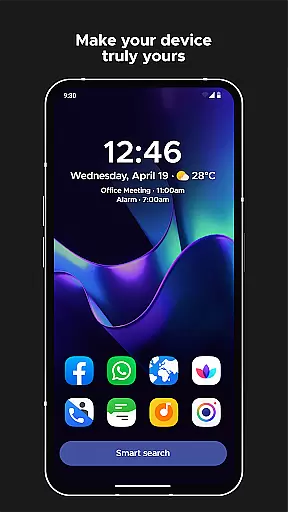
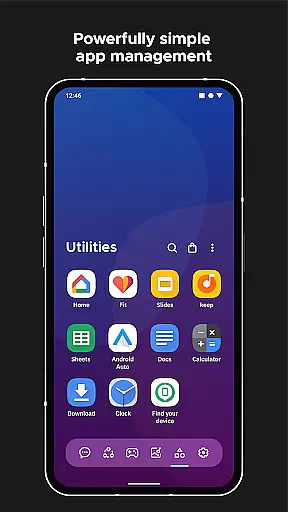
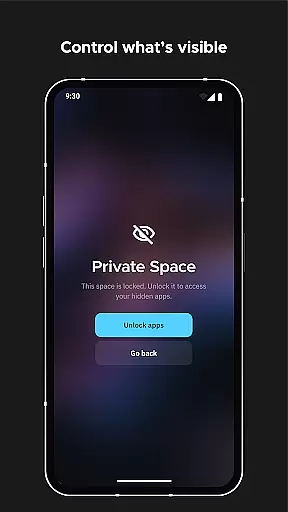
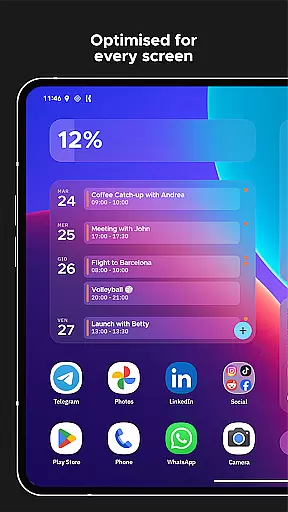
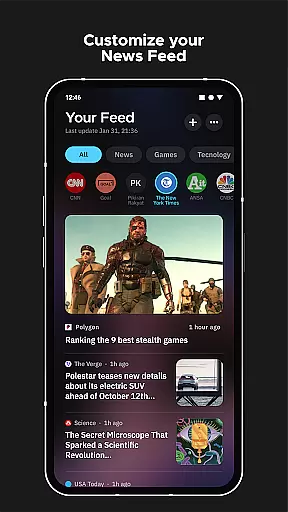
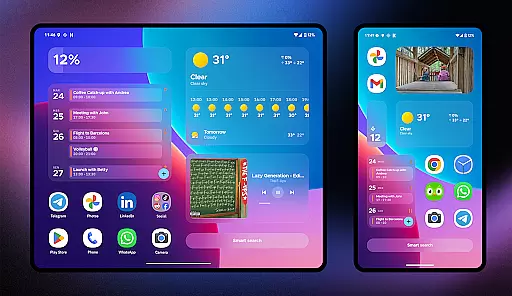
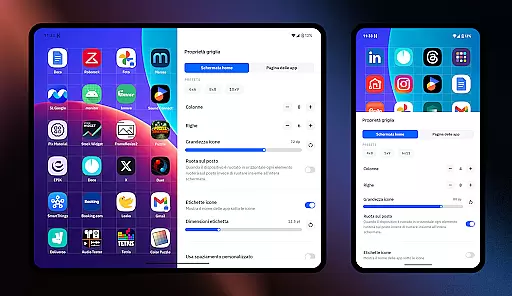
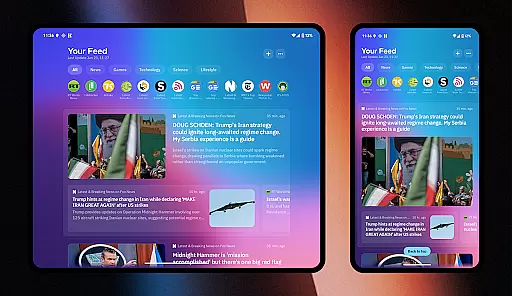
Smart Launcher 6 is a cutting-edge home screen replacement app designed to enhance the Android experience. It introduces an innovative interface that automatically sorts apps into categories, saving users the hassle of manual organization. The app's adaptive design ensures optimal usability with features like one-hand operation and responsive widgets.
This launcher stands out with its ambient theme engine that dynamically matches wallpaper colors, creating a visually cohesive experience. Users can enjoy advanced customization options, including icon shapes and theme colors, allowing for personalized aesthetics. With integrated smart search functionality and on-screen notifications, Smart Launcher 6 streamlines device interaction while maintaining a sleek and efficient design.
Smart Launcher 6 offers a comprehensive suite of features that redefine Android personalization. Its automatic app sorting eliminates clutter by intelligently categorizing applications, similar to iOS's App Library. The ambient theme system dynamically adjusts color schemes based on wallpaper selection, ensuring consistent visual harmony.
The launcher's customization capabilities are extensive, supporting adaptive icons, custom fonts from Google Fonts, and infinite color combinations. Practical features include gesture controls for navigation, ultra-immersive mode for maximizing screen real estate, and built-in security measures for app protection. Additionally, the responsive widget system and advanced search functionality provide both convenience and efficiency in daily device usage.
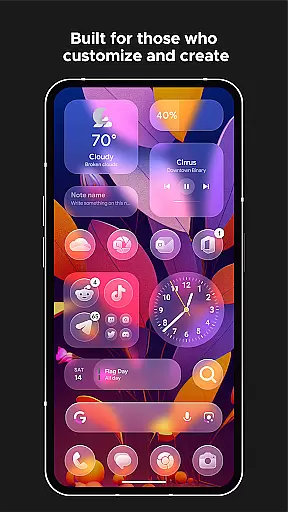
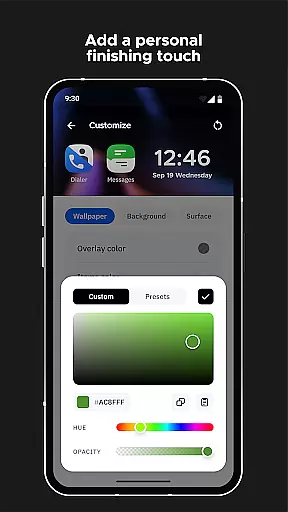
Smart Launcher 6 offers an extensive range of customization options that allow users to tailor their home screen to their personal preferences. This includes the ability to modify every single color within the theme, unlocking infinite possibilities for color combinations.
In addition to color customization, users can also change fonts on the home screen. With access to thousands of fonts from Google Fonts, personalizing the look and feel of your device has never been easier or more comprehensive.
The launcher supports adaptive icons, which means not only customizable shapes but also larger and more visually appealing icons. This feature enhances both aesthetics and usability, providing a fresh new look to your Android experience.
With these robust customization features, Smart Launcher ensures that each user's interface is unique to them, offering a personalized and engaging interaction with their device every day.
Theme compatibility in Smart Launcher 6 is designed to provide seamless integration with your deviceu2019s existing system themes while introducing dynamic capabilities such as the Ambient Theme feature. This functionality automatically adjusts the theme colors to match your wallpaper, ensuring visual harmony across your device.
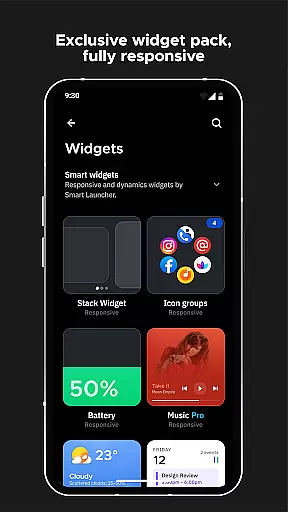
Users benefit from responsive built-in widgets that adapt to theme changes, maintaining consistency and enhancing the overall aesthetic appeal. These widgets are crafted to be visually pleasing and functional, regardless of the chosen theme or wallpaper.
Moreover, Smart Launcher's support for adaptive icons ensures that all app icons maintain their design integrity across different themes. This results in a cohesive and professional appearance that elevates the entire user interface.
By focusing on theme compatibility and dynamic theming features, Smart Launcher 6 delivers an unmatched level of personalization and visual continuity, making daily interactions with your device a delight.
Automatic app categorization
Dynamic theme adaptation
One-hand optimized layout
Extensive customization options
Built-in smart search functionality
Requires accessibility permissions
Potential learning curve for new users
Some features need premium version
Occasional stability issues
Limited iOS compatibility

A light in the dark, a unique style and an andless cutomization!
 4.30
4.30
Ultra realistic gold analog watch face with lots of customization options.
4.50
Shimeji adds cute animated characters to your screen, lively and fun.
4.70
Over 28,000 high quality icons to bring color & homogeneity to your phone.
4.60
Want to make your phone more special than ever?
4.60
Transfer your live wallpapers from Windows to Android using Wallpaper Engine!
4.00 4.50
4.50
Custom edge gestures for volume control, brightness, apps, and shortcuts.
4.1
Cool custom fonts & keyboard themes! Symbols & font changer for Instagram
4.50
Only for Wear OS devices!
4.90
Sparkle your screen with Glitter Wallpapers For Girls and Cute Backgrounds!
4.80
One 8 icons glass color version
4.80
A retro cartoon style watch face and a punch right in the face of the copyright
4.60
Bring adorable pets to life on your screen. Playful, interactive and full of fun
4.60
Launcher OS™ Pro without ads help make your phone simple and pretty
4.30
Your home screen, just the way you like it.
4.30
Run multiple accounts of the same app on a single device
4.10
Transform your phone with stunning video wallpapers and a unique, personal touch
3.80
Struggling to find apps? Use this app to locate and open any app on your phone!
2.20


User Reviews